, // Replace with the function that will handle the callback
options // Optional: Additional options for the callback
);
```
## Read Aloud
PDF Embed API provides the way to read aloud the PDF text contents.
Activate the "Read Aloud" module
The activate API allows users to activate the "read aloud" module. It will read aloud the selected text automatically if it is activated.
API output
Returns a Promise which:
```
embedView.GetReadAloud().then((readAloud) => {
readAloud
.activate()
.then(() => console.log('Success'))
.catch((error) => console.log(error));
});
```
Deactivate the "Read Aloud" module
The deactivate API allows users to deactivate the "read aloud" module.
API output
Returns a Promise :
```
embedView.GetReadAloud().then((readAloud) => {
readAloud
.deactivate()
.then(() => console.log('Success'))
.catch((error) => console.log(error));
});
```
Start to Read Aloud
The start API allows users to read aloud the pages as the page ranges if the "read aloud" module is activated.
input parameters
```
{
"start_page_index": startPageIndex,
"end_page_index": endPageIndex,
}
```
Input parameters data description
| PARAMETER |
DESCRIPTION |
REQUIRED |
| start_page_index |
The start page index. |
YES |
| end_page_index |
The end page index. |
YES |
API output
Returns a Promise:
```
data = {};
embedView.GetReadAloud().then(readAloud=>{
readAloud.readAloudPages(data).then(() => console.log("Success"))
.catch(error => console.log(error));
})
```
Stop to Read Aloud pages
The stop API allows users to stop reading aloud.
API output
Returns a Promise:
```
embedView.GetReadAloud().then(readAloud=>{
readAloud.stop().then(() => console.log("Success"))
.catch(error => console.log(error));
})
```
pause
The pause API allows users to pause reading aloud.
API output
Returns a Promise:
```
embedView.GetReadAloud().then(readAloud=>{
readAloud.pause().then(() => console.log("Success"))
.catch(error => console.log(error));
})
```
resume
The resume API allows users to resume reading aloud.
API output
Returns a Promise:
```
embedView.GetReadAloud().then(readAloud=>{
readAloud.resume().then(() => console.log("Success"))
.catch(error => console.log(error));
})
```
update Read Aloud option
The updateOption API allows users to update the read aloud option, includes rate and volume.
input parameters
```
option
{
"rate": Float,
"volume": Float,
}
```
input parameters data description
| PARAMETER |
DESCRIPTION |
REQUIRED |
| rate |
The rate of reading aloud. It is float for the rate value. It can range between 0.1 (lowest) and 10 (highest), while 1 is a normal speaking rate. |
YES |
| volume |
A float for the volume value, between 0 (lowest) and 1 (highest.) |
YES |
API output
Returns a Promise:
```
option = {};
embedView.GetReadAloud().then(readAloud=>{
readAloud.updateOption(option).then(() => console.log("Success"))
.catch(error => console.log(error));
})
```
## Form Handling
PDF Embed API supports interactive form filling out-of-the-box. Users can seamlessly fill in text fields, checkboxes, radio buttons, dropdowns, and list selections within the embedded PDF viewer. Once any field is edited, the Save button in the top toolbar becomes active, allowing users to save their input directly into the PDF.
⚠️ Limitations
The following form features are not supported:
Creating, editing, or deleting form fields
XFA-based forms
Digital signature and barcode fields
File picker text fields
Rich Text Format (RTF) text fields
JavaScript-based validation, calculation, or actions
Special/custom formats in text fields or dropdowns
Submit buttons with PDF actions (view-only supported)
Comments and Markup
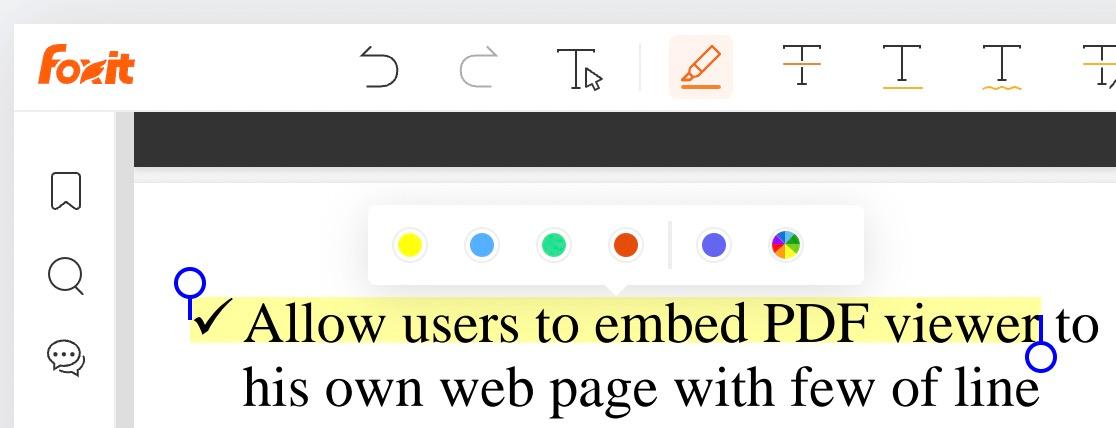
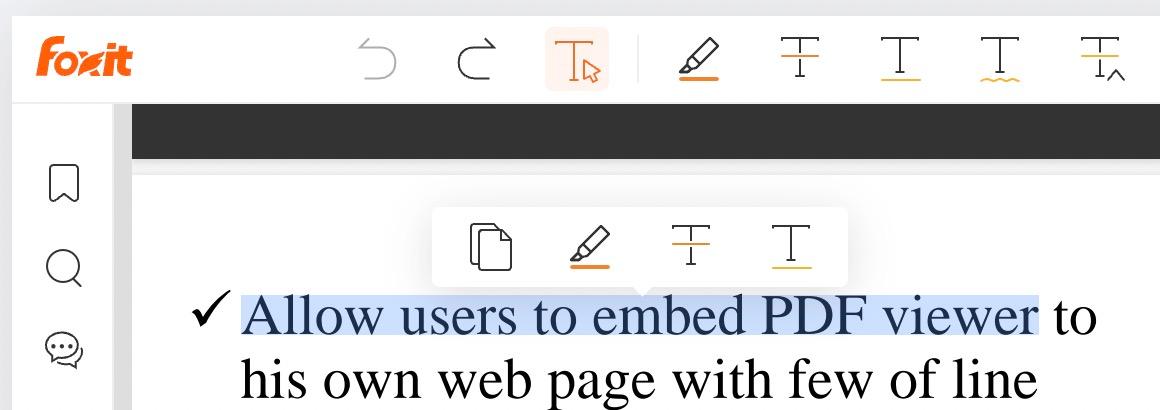
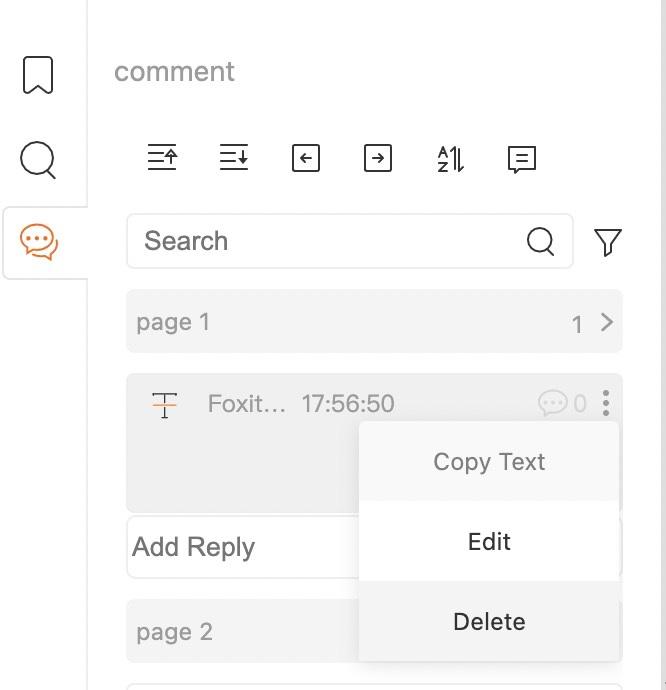
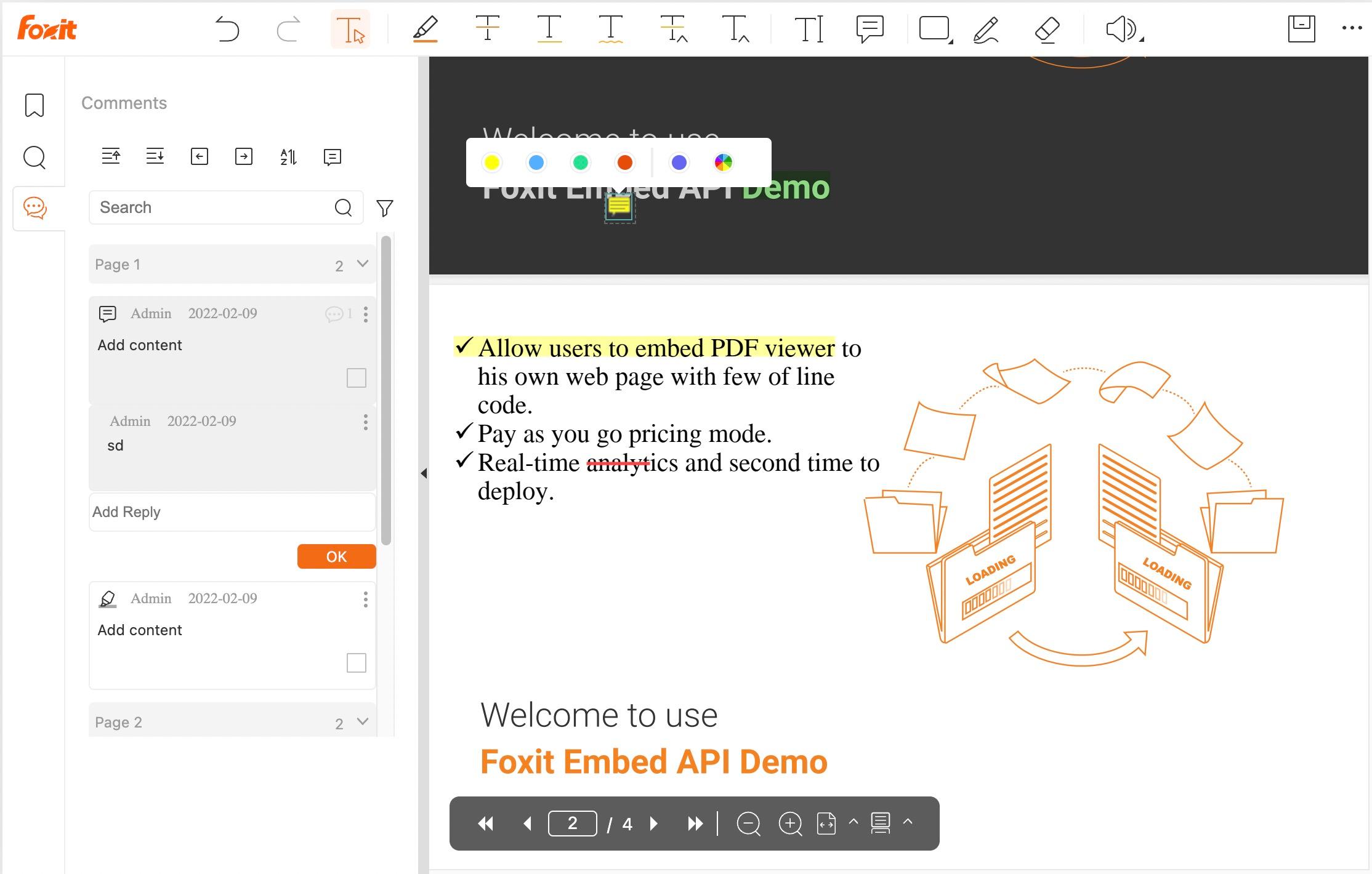
PDF Embed API includes commenting features. Users can add annotations using text comments, sticky notes, highlights, and drawing tools. An eraser tool is available for removing parts of drawings, and the top toolbar provides undo and redo capabilities.
## Class View
This is the main class for the PDF Viewer. It provides methods to render the PDF Viewer and interact with it.
Constructors
new View(params)
new View(params): View
Constructor for the PDF Viewer
Parameters
• params
• params.clientId: string
the client id
• params.divId: string
the div id to render the viewer
• params.locale?: Locale
the locale for the viewer
Returns
View
Methods
GetReadAloud()
GetReadAloud(): Promise<ReadAloudManager>
Get read aloud manager for the viewer.
PDF Embed API provides a read aloud feature that allows you to read the text of a PDF file. This method helps you to get the ReadAloudManager instance to interact with the read aloud feature.
Returns
Promise<ReadAloudManager>
- Return a promise that resolves with the ReadAloudManager instance, or rejects with an error.
UpdatePreference()
UpdatePreference(preferences): Promise<void>
Update the preference of the viewer.
Parameters
• preferences: Preferences
the preferences for the viewer
Returns
Promise<void>
- Return a promise that resolves when the preference is updated, or rejects with an error if the preference cannot be updated.
addListener()
addListener(event, callback): Promise<any>
Add an event listener to the viewer.
Parameters
• event: "File_Opened" | "Viewer_Zoomed" | "Viewmode_Changed" | "Text_Selected" | "PageNum_Changed" | "Viewer_Rotated" | "Annotation_Clicked" | "Annotation_Activated" | "Annotation_Unactivated" | "Annotation_Updated" | "Annotation_Added" | "Annotation_Deleted"
the event to listen to
• callback: Function
the callback function to be called when the event is triggered
Returns
Promise<any>
- Return a promise that resolves when the event listener is added, or rejects with an error.
createPDFViewer()
createPDFViewer(): Promise<any>
Returns
Promise<any>
downloadCurrentPDF()
downloadCurrentPDF(fileName): Promise<boolean>
Download the current PDF file opened in the viewer.
Returns
Promise<boolean>
- Return a promise that resolves with true when the PDF file is downloaded, or rejects with an error.
getAnnotationManager()
getAnnotationManager(): Promise<AnnotationManager>
Get annotation manager for the viewer.
This method helps you to get the AnnotationManager instance to interact with the annotation feature.
Returns
Promise<AnnotationManager>
- Return a promise that resolves with the AnnotationManager instance, or rejects with an error.
getBookmarks()
getBookmarks(): Promise<Bookmark[]>
Get the bookmarks in the PDF file.
Returns
Promise<Bookmark[]>
- Return a promise that resolves with the bookmarks, or rejects with an error.
getCurrentPage()
getCurrentPage(): Promise<number>
Get the current page number in the viewer. page number starts from 1.
Returns
Promise<number>
- Return a promise that resolves with the current page number, or rejects with an error.
getPageZoom()
getPageZoom(pageNumber): Promise<number>
Get the current zoom scale of a specific page.
Parameters
• pageNumber: number
the page number to get the zoom scale, starting from 1.
Returns
Promise<number>
- Return a promise that resolves with the zoom scale, or rejects with an error.
gotoLocation()
gotoLocation(pageNumber, xCoordinate, yCoordinate): Promise<boolean>
Goto specific location in the PDF file.
Parameters
• pageNumber: number
the page number to go to, starting from 1. default is 1
• xCoordinate: number= 0
the x coordinate to go to, default is 0
• yCoordinate: number= 0
the y coordinate to go to, default is 0
Returns
Promise<boolean>
openBookmark()
openBookmark(bookmarkId): Promise<boolean>
Jump to the bookmark by id.
Parameters
• bookmarkId: number
the bookmark id to jump to. It is the id of the bookmark returned by getBookmarks method.
Returns
Promise<boolean>
- Return a promise that resolves with true when the bookmark is opened, or rejects with an error.
previewFile()
previewFile(params, options?): Promise<void>
Open a PDF file in the viewer
Parameters
• params: Params
the params for the viewer
• options?
the options for customizing the viewer
• options.defaultViewColorStyle?: string
• options.defaultViewMode?: "FIT_WIDTH" | "FIT_PAGE"
• options.deviceType?: string
• options.embedMode?: EmbedMode
the embed mode for the viewer
• options.enableTextSelection?: boolean
• options.showDownloadPDF?: boolean
• options.showIcon?: string
• options.showLeftHandPanel?: boolean
• options.showPrintPDF?: boolean
• options.showSelectTool?: boolean
• options.showSnapshotTool?: boolean
• options.showToolControls?: boolean
Returns
Promise<void>
search()
search(keywords, startPageNumber, endPageNumber, matchRule): Promise<SearchAPI>
Search the keywords in the PDF file.
Parameters
• keywords: string
the keywords to search.
• startPageNumber: number
the start page number to search, starting from 1.
• endPageNumber: number
the end page number to search, starting from 1.
• matchRule: "WholeWordsOnly" | "CaseSensitive"
the match rule for the search.
Returns
Promise<SearchAPI>
- Return a promise that resolves with the Search object, or rejects with an error.
setCustomLogo()
setCustomLogo(logo): void
Set the custom logo for the viewer.
Parameters
• logo
the logo url, must be a valid url that can be displayed by the img tag.
• logo.url: string
Returns
void
zoomTo()
zoomTo(scale): Promise<boolean>
Zoom to a specific scale in the viewer.
Parameters
• scale: number | "fitWidth" | "fitHeight"
the scale to zoom to, can be a number, 'fitWidth' or 'fitHeight'.
Returns
Promise<boolean>
- Return a promise that resolves with true when the viewer is zoomed to the specific scale, or rejects with an error.
- name: Document Upload
description: |
Document upload operations. Allows uploading documents for processing with other APIs.
The uploaded document's ID can be used in subsequent operations.
- name: PDF Services Overview
description: |
The Foxit PDF Services API endpoints are designed to streamline document processing, conversion, and management. Whether you're uploading source files, manipulating PDFs, or tracking document tasks, these APIs provide robust and flexible capabilities for developers.
### What's Included:
**[📄 Document Upload](/reference/tag/document-upload)**
Upload source files for processing
- Supports multiple input formats
- Returns a unique documentId for subsequent operations
**[📥 Document Download](/reference/tag/document-download)**
Retrieve processed documents
- Supports file streaming with appropriate headers
- Optionally specify custom filenames
**[🛠️ PDF Management](/reference/tag/pdf-management)**
- Security: Apply or remove password protection
- Analysis: Compare documents side-by-side
- Modification: Split, extract pages, flatten forms
- Enhancement: Add watermark, merge documents
- Optimization: Compress files, linearize for web
**[📄 PDF Creation](/reference/tag/pdf-creation)**
Convert the following formats to PDF:
- Microsoft Office files
- Images (PNG, JPEG, etc.)
- HTML pages
- Text and RTF documents
**[🔄 PDF Conversion](/reference/tag/pdf-conversion)**
Convert PDFs into other formats:
- Word (.docx), Excel (.xlsx), PowerPoint (.pptx)
- Images (JPEG, PNG)
- HTML, Plain Text, RTF
**[Task Status](/reference/tag/task-status)**
Track the progress of operations
- View real-time completion percentages
- Access final results or handle any errors gracefully
- name: Task Status
description: |
Monitor the progress of asynchronous PDF operations.
Each operation returns a taskId that can be used with these endpoints to:
- Check operation progress
- Get final results or error details
- Track operation completion status
- name: PDF Conversion
description: |
Convert PDF documents to other formats.
All operations:
- Are asynchronous
- Return a taskId for tracking progress
- Require source PDF document ID (from Document Upload API)
- Support status checking via Task Status API
- name: PDF Management
description: |
Operations for managing PDF documents including security, analysis, modifications, and enhancements.
All operations are asynchronous and return a taskId that can be used to track operation status.
Operations are grouped by category:
- Security: protect, remove-protect, redact
- Analysis: compare
- Modify: split, extract, flatten, compress, manipulate
- Enhance: watermark, merge
- Optimize: linearize
Before using these operations, you must first upload your document using the Document Upload API.
Common Response Patterns:
- All operations return HTTP 202 with a taskId on success
- Use GET /api/tasks/{taskId} to monitor operation progress
- Final results can be downloaded using GET /api/documents/{documentId}
- name: PDF Creation
description: |
Operations for creating PDF documents from various sources.
All operations are asynchronous and follow this workflow:
1. Submit conversion request
2. Receive taskId in response
3. Use taskId with Task Status API to track progress
4. When complete, download result using Document Download API
- name: PDF Structural Extraction (Trial)
description: |
Perform comprehensive structural analysis on a PDF document to extract detailed layout, content, and organizational information.
This API provides a deep understanding of the PDF's structure, including:
- Text elements and their positions
- Images and media assets
- Tables and their relationships
- Hierarchical organization of content
The extracted structural data can be used for advanced processing, such as:
- Intelligent content manipulation
- Custom rendering or reflowing
- Data extraction for analytics or migration
**Note**: This feature is in trial release and may change in future versions.
- name: Document Download
description: |
Document download operations. Allows downloading documents that have been:
- Previously uploaded
- Generated from PDF operations
Documents are streamed as binary content with appropriate content type and disposition headers.
- name: Document Delete
description: |
Document delete operations. Allows deleting documents that were previously uploaded or generated.
This operation is permanent and cannot be undone.
- name: Credits Explained
description: |
Foxit API credits are the unit of measure for API usage across your account. Credit usage depends on the product and billable operation: PDF Services uses request-based pricing, while eSign usage is based on envelopes created. This guide covers what a credit is, how many each operation costs, how credits reset, and how to check your remaining balance.
## What Is a Foxit API Credit?
Credits are deducted from your shared pool according to each product's billable usage unit. PDF Services operations are billed per successful quota-based API call. eSign is billed per envelope created.
Credits are shared across all Foxit APIs. Your Startup plan's 5,000 credits cover PDF Services calls, Document Generation calls, and future API additions from one pool. There are no separate per-API quotas.
## What Counts as a Billable Request?
A PDF Services request is billable when both of the following are true:
- The HTTP response status is 2xx
- The endpoint is a document processing or generation operation
The following are NOT billable:
- Failed requests (4xx, 5xx)
- Task status polling — GET /tasks/{taskId}
- Document download — GET /documents/{resultDocumentId}/download
- File upload — POST /documents/upload
eSign usage is not billed per request. Credits are based on the total number of envelopes created, including envelopes created through the API or directly in the eSign UI.
## Credit Rates by Operation
### PDF Services API — 1 credit per request
All PDF Services operations cost 1 credit per successful request, regardless of file size or page count within the supported limits.
| Operation | Credits per request |
| --- | --- |
| Convert (PDF to Word, PDF to Image, Image to PDF, etc.) | 1 |
| Generate (Word to PDF, PDF to Image, Image to PDF, etc.) | 1 |
| Merge / Combine | 1 |
| Split | 1 |
| Compress | 1 |
| Protect (add password) | 1 |
| Remove password | 1 |
| OCR | 1 |
| Watermark | 1 |
| Rotate pages | 1 |
| Reorder pages | 1 |
| Insert pages | 1 |
| Delete pages | 1 |
| Flatten | 1 |
| PDF Structural Extraction (Beta) | 1 |
### eSign API — 5 credits per envelope
eSign uses a 5:1 credit rate: each envelope created consumes 5 credits. Credits are based on envelope creation, not the number of eSign API requests made.
| Usage | Credits |
| --- | --- |
| 1 envelope | 5 |
| Other eSign API requests | 0 |
## Worked Examples
### Example 1 — Basic PDF workflow
You convert a Word document to PDF, then compress the result, then add a watermark.
```
convert → 1 credit
compress → 1 credit
watermark → 1 credit
─────────────────────
Total → 3 credits
```
### Example 2 — Document Generation followed by merge
You generate a contract from a template (DocGen), then merge it with a two-page cover page PDF.
```
generate document → 1 credit
merge → 1 credit
───────────────────────────────
Total → 2 credits
```
### Example 3 — Batch conversion
You convert 50 separate Word files to PDF in 50 individual API calls.
```
50 × convert → 50 × 1 credit = 50 credits
```
Each API call is billed independently. A single call converts one document; the credit cost does not depend on page count within the supported file size limit.
### Example 4 — Free plan developer testing
You are on the Developer Free plan (500 credits/year). You run the following sequence to test your integration:
```
upload + structural extraction → 1 credit
convert PDF to Word → 1 credit
generate document from template → 1 credit
merge two PDFs → 1 credit
─────────────────────────────────────────────
Total → 4 credits
Remaining (Free plan) → 496 credits
```
## Credit Deduplication
Credits are consumed exactly once per unique request. The API gateway enforces idempotency using a stable `request_id` associated with each operation. If a network timeout causes a retry of the same request, the second attempt is accepted and returns success, but no additional credit is consumed.
## Credit Reset Rules
| Plan | Reset frequency | Credits on reset |
| --- | --- | --- |
| Developer Free | Annually | 500 |
| Startup | Annually | 5,000 |
| Business | Annually | 15,000 |
| Volume | Annually | 300,000+ (custom) |
**Credits do not roll over.** Unused credits are zeroed at the reset date. Additional top-up credits purchased mid-cycle expire at the same reset date as your base plan — they are not independently expiring.
## What Happens When You Run Out
When your credit pool reaches zero, the API gateway returns an HTTP 429 Too Many Requests response:
```
HTTP 429 Too Many Requests
{
"code": "QUOTA_EXCEEDED",
"message": "Credit quota exceeded. Upgrade your plan or wait for your quota to reset."
}
```
Requests that hit a `429` do not consume credits. Your existing API keys and application configuration remain active — only processing calls are blocked until credits are restored by reset or upgrade.
## Checking Your Remaining Credits
### From the dashboard
Log in at [app.developer-api.foxit.com](https://app.developer-api.foxit.com), open your account, and view **Credits Used** and **Credits Remaining** on the dashboard home screen.
## Plan Comparison and Credit Limits
| Plan | Annual price | Credits | Billing |
| --- | --- | --- | --- |
| Developer Free | $0 | 500 / year | Annual reset |
| Startup | $1,750 / year ($168/mo billed monthly) | 5,000 / year | Annual |
| Business | $4,500 / year ($431/mo billed monthly) | 15,000 / year | Annual |
| Volume | Custom | Custom | Annual |
See the [pricing page](https://app.developer-api.foxit.com/pricing) for current plan options and to upgrade your account.
## Frequently Asked Questions
**Do I get charged for failed requests?**
No. Only 2xx responses on billable processing endpoints consume credits. Requests that return 4xx or 5xx are never billed.
**Are credits consumed if my file upload fails?**
File upload (`POST /documents/upload`) is not a billable operation. No credits are consumed regardless of whether the upload succeeds or fails.
**Can I buy more credits mid-cycle?**
Yes. Top-up credits are added to your existing pool and expire at your current plan's reset date. Contact us if you would like to purchase additional credits.
**Does task polling use credits?**
No. `GET /tasks/{taskId}` and `GET /documents/{resultDocumentId}/download` are free calls.
**Does eSign use credits?**
Yes. eSign uses a 5:1 credit rate: each envelope created consumes 5 credits, whether it is created through the API or directly in the eSign UI. Other eSign API requests do not consume 5 credits per request.
**Do credits roll over at reset?**
No. Unused credits are zeroed at your reset date. Only the base plan allotment is restored.
**What is the difference between credit deduplication and a retry?**
A retry is a new HTTP request sent after a transient failure (e.g. a network timeout). Credit deduplication means that if the same request (identified by its request_id) is received more than once, the API processes it but does not deduct an additional credit. The result: you will never be double-charged for a legitimate network retry. However, if you send a new request for a different file or operation, that is a separate billable request — even if the output is identical.
**How do I estimate which plan I need?**
Multiply your expected API calls per month by 12 to get your annual credit need, then compare to plan limits. For example: 500 calls/month × 12 = 6,000 credits/year, which puts you above the Startup plan (5,000 credits). You would either purchase top-up credits or upgrade to Business.
- name: Limits
description: |
To ensure platform stability and consistent performance, Foxit enforces rate limits across all Foxit API services.
- **Per-Application Limits**
Rate limits are applied at the **application level**. Each application operates independently and is assigned its own rate limit based on whether it is in **Sandbox** or **Production** mode.
You can create multiple applications within your account:
- **Free Developer Plan**: up to 10 applications
- **Paid Plans**: up to 50 applications
This allows you to scale usage across multiple workflows, environments, or services while maintaining predictable limits per application.
- **Units**
All limits are measured in **requests per minute (RPM)** and are calculated over a **rolling 60-second window**.
## Rate Limits
| Application Mode | Limit (RPM) |
|------------------|-------------|
| Sandbox Mode | 15 |
| Production Mode | 100 |
## Counted Requests
All HTTP methods count toward rate limits:
- `GET`
- `POST`
- `PUT`
- `PATCH`
- `DELETE`
## Errors
If your application exceeds the allowed rate limits, the API returns:
- **HTTP 429 — Too Many Requests**
### Handling 429 Responses
To prevent repeated failures:
- Implement **retry logic with exponential backoff**
- Queue or batch requests when possible
## Additional Notes
- Rate limits may be adjusted to maintain platform reliability.
- If you require higher throughput, [submit a case with Foxit Support](https://kb.foxit.com/s/submit-a-case) or contact your account representative.
- name: Quick Start - Merge Two PDFs
description: |
This quick start guide walks through a complete PDF merge workflow using the endpoints available in [PDF Services API](/reference/tag/pdf-services-overview)
## Workflow Overview
1. Upload the first PDF
2. Upload the second PDF
3. Call the combine endpoint
4. Poll task status until complete
5. Download the merged PDF
## Step 1. Upload the first file
Start by uploading your first PDF with the Document Upload endpoint.
[Review the Upload a document endpoint](/reference/tag/document-upload/POST/pdf-services/api/documents/upload)
Expected result:
- The API returns a `documentId`
- Save this value, because you will use it in the combine request
Example response:
```
{
"documentId": "doc-first-file"
}
```
## Step 2. Upload the second file
Upload the second PDF the same way.
[Review the Upload a document endpoint again](/reference/tag/document-upload/POST/pdf-services/api/documents/upload)
Expected result:
- The API returns a second `documentId`
- You should now have one document ID for each source PDF
Example response:
```
{
"documentId": "doc-second-file"
}
```
## Step 3. Call the merge endpoint
Use both uploaded `documentId` values in the PDF combine request.
Open the Combine multiple PDF documents endpoint
Example request body:
```
{
"documentInfos": [
{
"documentId": "doc-first-file"
},
{
"documentId": "doc-second-file"
}
],
"config": {
"addBookmark": true,
"continueMergeOnError": true,
"retainPageNumbers": false
}
}
```
Expected result:
- The API accepts the request asynchronously
- The response returns a `taskId`
Example response:
```
{
"taskId": "task-merge-123"
}
```
## Step 4. Poll task status until completion
Use the returned `taskId` to check progress until the task reaches `COMPLETED`.
Review the Get task status endpoint
Watch for:
- `status`
- `progress`
- `resultDocumentId`
Example completed response:
```
{
"taskId": "task-merge-123",
"status": "COMPLETED",
"progress": 100,
"resultDocumentId": "doc-merged-result"
}
```
## Step 5. Download the merged PDF
Once the task is completed, use `resultDocumentId` to download the merged file.
Review the Download a document endpoint
Example request:
- `GET /api/documents/doc-merged-result/download`
Result:
- The API streams the final merged PDF back to the client
## Summary
This merge workflow demonstrates the standard asynchronous pattern used across many Foxit PDF Services operations:
1. Upload source files
2. Start an operation
3. Receive a `taskId`
4. Poll until completion
5. Download the result
- name: Quick Start - Generate a Document from Structured Data
description: |
This quick start guide walks through the core Document Generation workflow using a sample starter DOCX template. You will inspect the template, confirm the available text tags, build a matching JSON payload, and generate a finished document.
For broader guidance on other tag types and advanced document-generation patterns, see [Document Generation Overview](/reference/tag/document-generation-overview).
## Workflow Overview
1. Download and review the sample DOCX template
2. Confirm the text tags used in the template
3. Analyze the template for text tags
4. Build the JSON payload that matches those tags
5. Generate the final document
## Step 1. Download and review the sample template
Start with the provided DOCX template shown below. Click the image to download the template file and open it in your preferred document editor.
The template already contains the static structure and example text tags needed for this quick start.
Save the downloaded file as `sample-template.docx` to use the commands below.
[](/documentation/assets/document-generation-quickstart/0-sample-template.docx)
## Step 2. Confirm the text tags in the template
The sample template uses Text Tags to map document placeholders to JSON values.
A Text Tag is a plain text placeholder wrapped in double curly braces:
- `{{Account.Name}}`
- `{{CloseDate}}`
Example fields:
- Account Name: `{{Account.Name}}`
- Payment Due Date: `{{CloseDate}}`
When a document is generated, these tags are replaced with the real values you provide in the request body.
If you want to explore other supported tag patterns beyond this sample template, see [Document Generation Overview](/reference/tag/document-generation-overview).
## Step 3 (Optional). Analyze the document for text tags
If you want to verify the available tags programmatically, upload the DOCX template to the Analyze Document endpoint as multipart form data.
```bash
curl --fail-with-body --request POST 'https://na1.fusion.foxit.com/document-generation/api/documents/analyze' \
--header 'Authorization: Bearer YOUR_ACCESS_TOKEN' \
--form 'file=@sample-template.docx'
```
Review the Analyze a Document endpoint
Purpose:
- Detect the tags embedded in your template
- Confirm the variable names you need in your JSON payload
- Identify repeating structures or grouped tags before generation
What to look for in the response:
- `singleTagsString`: single-value tags
- `doubleTagsString`: repeating or grouped tags
## Step 4. Build the JSON payload
Create a JSON payload whose keys match the text tags already present in the sample template.
Example mapping:
- `Account.Name` -> `ABC Industry`
- `CloseDate` -> `10/21/2026`
The payload keys must align with the tag names used in the DOCX template, otherwise those placeholders will not be replaced as expected.
## Step 5. Generate the final document
Upload the DOCX template in the `file` field, serialize the matching JSON values into the `documentValues` form field, and set `outputFormat` to `pdf` or `docx`. Let your HTTP client set the multipart Content-Type boundary.
Review the Generate a Document endpoint
Example request:
```
curl --fail-with-body --request POST 'https://na1.fusion.foxit.com/document-generation/api/documents/generate' \
--header 'Authorization: Bearer YOUR_ACCESS_TOKEN' \
--form 'file=@sample-template.docx' \
--form 'outputFormat=pdf' \
--form 'documentValues={"Account.Manager":"Peter Parker","Account.Name":"ABC Industry","CloseDate":"10/21/2026"}' \
--output sample-invoice.pdf
```
Expected result:
- The API maps the provided values into the matching text tags
- The generated file is returned directly as binary PDF or DOCX
- The command saves the PDF as `sample-invoice.pdf`; no Base64 decoding is needed
## Summary
This workflow demonstrates the standard pattern for generating documents from a reusable template:
1. Start with a prepared template
2. Confirm the available text tags
3. Analyze the template
4. Build matching JSON input
5. Generate the output document
- name: Quick Start - Automatically Fill Form Data in a PDF
description: |
This quick start guide walks through a common PDF form workflow: upload a fillable PDF, submit form values as JSON, wait for processing to complete, and download the populated PDF.
## Workflow Overview
1. Upload the fillable PDF form
2. Submit form values to the import form-data endpoint
3. Poll task status until complete
4. Download the populated PDF
## Step 1. Upload the fillable PDF form
Start by uploading your fillable PDF form with the Document Upload endpoint.
[Review the Upload a document endpoint](/reference/tag/document-upload/POST/pdf-services/api/documents/upload)
Expected result:
- The API returns a `documentId`
- Save this value, because you will use it in the form import request
Example response:
```
{
"documentId": "doc-fillable-form"
}
```
## Step 2. Submit form data
Use the uploaded `documentId` together with your form values in the PDF form import request.
Open the Import PDF form data endpoint
Example request body:
```
{
"documentId": "doc-fillable-form",
"formData": {
"FirstName": "Peter",
"LastName": "Parker",
"PolicyNumber": "POL-10001",
"Email": "peter.parker@example.com"
}
}
```
Expected result:
- The API accepts the request asynchronously
- The response returns a `taskId`
Example response:
```
{
"taskId": "task-form-fill-123"
}
```
## Step 3. Poll task status until completion
Use the returned `taskId` to check progress until the task reaches `COMPLETED`.
Review the Get task status endpoint
Watch for:
- `status`
- `progress`
- `resultDocumentId`
Example completed response:
```
{
"taskId": "task-form-fill-123",
"status": "COMPLETED",
"progress": 100,
"resultDocumentId": "doc-filled-form-result"
}
```
## Step 4. Download the populated PDF
Once the task is completed, use `resultDocumentId` to download the final PDF.
Review the Download a document endpoint
Example request:
- `GET /api/documents/doc-filled-form-result/download`
Result:
- The API streams the populated PDF back to the client
## Summary
This workflow demonstrates the standard asynchronous pattern used across many Foxit PDF Services operations:
1. Upload the source document
2. Start an operation
3. Receive a `taskId`
4. Poll until completion
5. Download the result
- name: Quick Start - Convert HTML to PDF
description: |
This quick start guide walks through a complete webpage to PDF workflow using the endpoints available in [PDF Services API](/reference/tag/pdf-services-overview).
Use this flow when you want to capture a live webpage, report, article, dashboard, or public record as a PDF document.
## Workflow Overview
1. Submit the webpage URL
2. Receive a `taskId`
3. Poll task status until complete
4. Download the generated PDF
## Step 1. Submit the webpage URL
Start by calling the webpage to PDF endpoint with the URL you want to convert.
Open the Convert web page to PDF endpoint
Example request body:
```
{
"url": "https://en.wikipedia.org/wiki/Invoice",
"config": {
"dimension": {
"width": 595,
"height": 842
},
"rotation": "NONE",
"pageMode": "MULTIPLE_PAGE",
"scalingMode": "SCALE"
}
}
```
The `url` must include the full protocol, such as `https://`.
The `config` object controls the generated PDF page size and rendering behavior:
- `dimension.width` and `dimension.height` set the output page dimensions
- `rotation` controls page rotation
- `pageMode` controls whether the webpage is captured as a single page or multiple pages
- `scalingMode` controls how the webpage content is scaled into the PDF page
Expected result:
- The API accepts the request asynchronously
- The response returns a `taskId`
Example response:
```
{
"taskId": "task-webpage-to-pdf-123"
}
```
## Step 2. Poll task status until completion
Use the returned `taskId` to check progress until the task reaches `COMPLETED`.
Review the Get task status endpoint
Watch for:
- `status`
- `progress`
- `resultDocumentId`
Example completed response:
```
{
"taskId": "task-webpage-to-pdf-123",
"status": "COMPLETED",
"progress": 100,
"resultDocumentId": "doc-webpage-pdf-result"
}
```
## Step 3. Download the generated PDF
Once the task is completed, use `resultDocumentId` to download the generated PDF.
Review the Download a document endpoint
Example request:
- `GET /api/documents/doc-webpage-pdf-result/download`
Result:
- The API streams the webpage PDF back to the client
## Summary
This workflow demonstrates the standard asynchronous pattern for turning a webpage into a PDF document:
1. Submit a webpage URL and PDF rendering config
2. Receive a `taskId`
3. Poll until completion
4. Download the generated PDF
- name: Authentication Guide
description: |
# Authentication Guide
Foxit APIs use the OAuth 2.0 client-credentials flow for server-to-server authentication.
## 1. Request an access token
Keep your Client ID and Client Secret on your backend and exchange them for a temporary access token:
```bash
curl --request POST 'https://na1.fusion.foxit.com/oauth/token' \
--user 'YOUR_CLIENT_ID:YOUR_CLIENT_SECRET' \
--header 'Content-Type: application/x-www-form-urlencoded' \
--data 'grant_type=client_credentials'
```
The response contains `access_token`, `token_type`, and `expires_in`. There is no refresh token. Cache and reuse the access token until shortly before it expires, then repeat the token request.
## 2. Call a Foxit API
Send only the temporary access token to processing endpoints:
```http
Authorization: Bearer YOUR_ACCESS_TOKEN
```
## Notes
- Never place the Client Secret in browser or mobile code.
- Never send credentials in query parameters.
- Rotate the Client Secret if it is exposed.
- A `401` response can indicate an expired token, invalid token, revoked credential, or inactive application.
- name: Working with Documents
description: |
# Working with Documents
Foxit APIs support two primary document workflows.
## PDF Services
- Upload a source file first.
- Start a processing operation.
- Poll task status until completion.
- Download the resulting document.
## Document Generation
- Prepare a template document.
- Upload the DOCX template as the multipart `file` field.
- Submit serialized JSON in `documentValues` and select `outputFormat`.
- Read the generated document from the response.
- name: Document Generation Overview
description: |
To automate the creation of documents with dynamic data, Foxit offers two powerful APIs designed to work together seamlessly:
1. **[🔍 Analyze Document API](/reference/tag/analyze-a-document/POST/document-generation/api/documents/analyze)**
This API scans your uploaded template document to detect all embedded text tags (placeholders). It returns a detailed list of identified tags, enabling you to understand which variables need to be mapped and how to structure your input data.
2. **[📄 Generate Document API](/reference/tag/generate-a-document/POST/document-generation/api/documents/generate)**
This API takes your Word template (as a multipart file upload) and structured input data (serialized JSON), and dynamically injects values into the corresponding text tags. The result is a fully formatted, ready-to-use document output in PDF or DOCX format.
These APIs streamline the entire document automation process from understanding your template structure to generating polished, data-populated documents.
---
## How to Generate Documents Dynamically
We offer RESTful APIs for document generation, enabling users to send requests and receive dynamic document outputs. These endpoints support key operations such as template creation, data submission, and document generation. All communications are secured, with built-in mechanisms to ensure authentication and authorization of each request.
Our APIs empower you to generate documents efficiently through the following key steps:
✔️ Prepare Word template with text tags
✔️ Prepare JSON with matching keys
✔️ Upload the DOCX template as multipart form data
✔️ Make API call to generate final document
Let's dive into the step by step process
## Step 1: Create Your Template
To generate a document, the first step is to create a template where values can be dynamically inserted.
This template could be any document such as a contract, agreement, or form.
### Add Text Tags on Document
Text tags act as placeholders that will be replaced with actual values when data is sent through the API.
You can add text tags directly within your Word document using double curly braces, like `{{Foxit}}`.
The invoice template below showcases the use of dynamic elements like styled tables, repeating data, calculations, and conditional logic. These features help generate fully customized documents during document generation.

| Reference Number | Description |
| --- | --- |
| 1 | A page header. Each page can have its own header or you can repeat headers across pages. |
| 2 | A reserved keyword, `today`, formatted in a specific data format. (reference here) |
| 3 | A simple string `AccountName` which will pre-populated with a string value using the Document Generation API |
| 4 | A Date Field formatted using the `\@ MM/dd/yyyy` formatting parameter. |
| 5 | A table defined within a table group which will create multiple tables depending on unique product codes. |
| 6 | A `=SUM(ABOVE)` calculation field that will dynamically populate the total purchase price based on the values provided via `documentValues` of the last column in the table. |
| 7 | A native merge field used to conditionally generate the terms and conditions depending on if the `ShowAgreement` field is passed as `true` when making the `GenerateDocument` call |
| 8 | An eSignature text tag for dynamically creating an eSignature field. The signature field will be automatically placed when uploaded into Foxit eSign.
Note that the signature field is declared as grey in this example, but can be fully transparent in an actual document. |
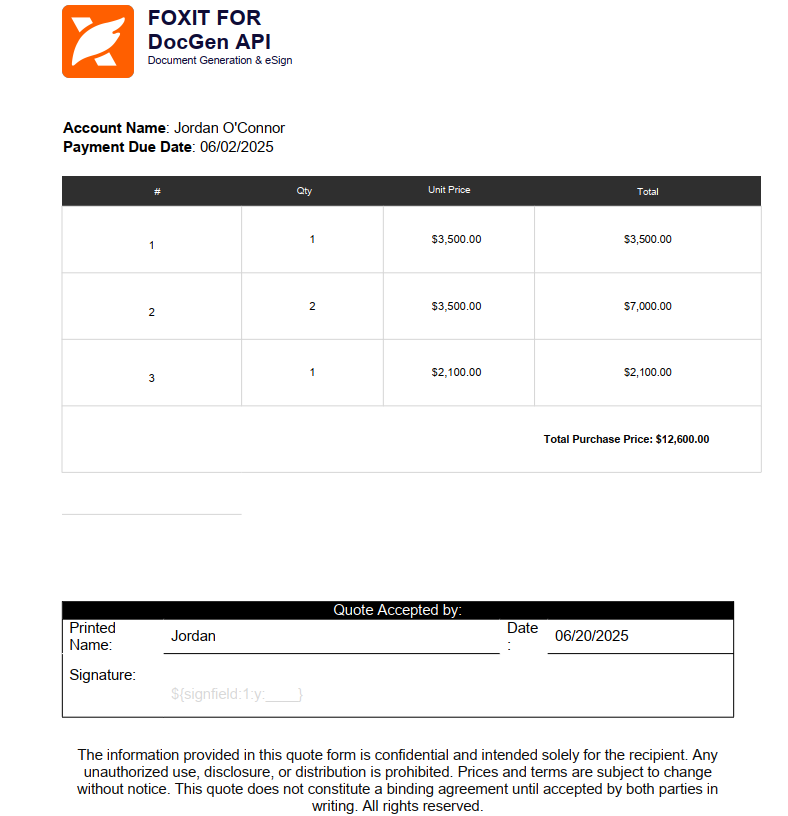
When merged, the placeholder merge fields are replaced with the data provided from the `documentValues` JSON object from Generate Document API Request. This merged template appears as below:

### How to Add Text Tags
Text tags in the document must match the variable names in your JSON payload. Here's how you can use them with different data formats:
#### **Simple Strings**
You can directly insert simple string variables in your template using curly braces.
Example:
```
My name is {{name}}; I am {{age}} years old.
```
**JSON Example**:
```
{
"name":"Peter",
"age":30
}
```
_Output_: `My name is Peter; I am 30 years old.`
#### **Dates**
You can insert the current date or format specific date fields using text tags in your document.
To insert today's date use the following text tag:
```
{{today \@ MM/dd/yyyy}}
```
> Note: You do not need to pass this value in the JSON. The tag will automatically insert the current system date in the specified format.
For Date Field formatting: `{{FIELD_NAME \\@ DATE_FORMAT}}` text tag may be applied.
To format a date from your JSON see the below example:
```
Payment Due Date is {{PaymentDueDate \@ MM/dd/yyyy}}
```
**JSON Example**:
```
{
"PaymentDueDate": "06/02/2025"
}
```
_**Output**_: `Payment Due Date is 06/02/2025`
The following field codes are supported for Date Format:
| **Date Format Supported** | **Field Codes** |
| --- | --- |
| Month/Day/Year | `MM/dd/yyyy` |
| Non-padded month/day | `M/d/yyyy` |
| Day/Month/Year (EU format) | `dd/MM/yyyy` |
| ISO 8601 format | `yyyy-MM-dd` |
| Full month name | `MMMM d, yyyy` |
| Abbreviated month | `MMM d, yyyy` |
| European text format | `d MMM yyyy` |
| Full date + month names | `dddd, MMMM d, yyyy` |
| Abbreviated weekday/month | `ddd, MMM d` |
#### **Tables**
You can dynamically populate tables with rows and columns using text tags. To begin a table, use the `{{TableStart:field_name}}` tag. To close the table, add the `{{TableEnd:field_name}}` tag in the last column of the final row in your Word document.
Example usage in a Word document:
| SI | Qty | Total |
| --- | --- | --- |
| `{{TableStart:OpportunityLineItems}}` | `{{OpportunityLineItems.quantity}}` | `{{OpportunityLineItems.totalprice}}` `{{TableEnd:OpportunityLineItems}}` |
The tags like `{{OpportunityLineItems.quantity}}` and `{{OpportunityLineItems.totalprice}}` will be replaced with actual values from your JSON input during document generation. Each entry in the `OpportunityLineItems` array will generate a new row in the table.
_Output_:

#### **Formula for SUM**
The text tag `=SUM(ABOVE)` calculation fields are supported in tables. If a `=SUM(ABOVE)` field is added as its own row in a table, it will take the values of the last column in the table and dynamically calculate the total sum.
Example usage of SUM formula:
| SI | Qty | Total |
| --- | --- | --- |
| `{{TableStart:OpportunityLineItems}}` | `{{OpportunityLineItems.quantity}}` | `{{OpportunityLineItems.totalprice}}` `{{TableEnd:OpportunityLineItems}}` |
| | | **Total Purchase Price**: `{{=SUM(ABOVE)}}` |
_Output_:

#### **eSignature Fields**
An eSignature text tag for dynamically creating an eSignature field. The signature field will be automatically placed when uploaded into Foxit eSign.
Example of esignature field text tag:
_For Signer 1_
```
${signfield:1:y:____}
```
_For Signer 2_
```
${signfield:2:y:____}
```
Continue with the [eSign API Overview](/reference/tag/esign-api-overview) to send generated documents for signature.
#### Adding Conditional Blocks
To add **conditional logic** in your Word template, you can use mail merge fields to render specific content based on the data you provide.
##### Enable Field Code View
First, enable the visibility of field codes in your document:
- Press `ALT + F9` to toggle field code view.
##### Insert a Conditional Field
Navigate to the part of the document where you want to add a condition. Then:
1. Go to the **Insert** tab.
2. Click on **Quick Parts**.
3. Select **Field**.
This opens the **Field Editor**. In the left-hand list, scroll down and select If:

This will insert an `IF` field into your document (make sure you're still viewing field codes). Right click and select toggle to view field:

##### IF Field Syntax
```
{ IF "SOMEVALUE" = "SOMECONDITION" "text to be shown if true" "text to be shown if false" }
```
You can also use other operations like `<`, `<=`, `>`, and `>=`.
##### Insert the Field You Want to Evaluate
1. Place your cursor after `IF` inside the brackets.
2. Go to **Insert > Quick Parts > Field**, and choose **MergeField**.
3. Enter the name of the field you want to check (e.g., a field from your JSON data).

Click OK, and it will be added to your IF condition.

Example:
```
{ IF "Country" }
```
##### Complete the IF Statement
You're almost there. The last step is to add the condition and define the output text for both the `true` and `false` cases. Technically both are optional and can be empty strings. Here we've added a check for the value of `country`:

Example:
```
{ IF "Country" = "true" "Agreement text if true" "Some text if other than true" }
```
## Step 2: Map Data with JSON
The next step is to prepare the JSON data that will be used to inject values into your Word document template.
Serialize this JSON into the `documentValues` multipart field of the Document Generation API (`/document-generation/api/documents/generate`). Upload the DOCX template as `file` and send `outputFormat` separately.
Each key in the JSON should match the corresponding text tag used in your template document.
Lets use example of real text tags and map their values in JSON.
- **Simple String** - `{{AccountName}}`, `{{Name}}`
- **Table** - `{{TableStart:OpportunityLineItems}}`, `{{OpportunityLineItems.quantity}}`, `{{OpportunityLineItems.unitprice \# Currency }}`, `{{OpportunityLineItems.totalprice \# Currency}}`, `{{TableEnd:OpportunityLineItems}}`
- **Date** - `{{today \@ MM/dd/yyyy}}`, `{{PaymentDueDate \@ MM/dd/yyyy}}`
- **SUM formula** - `{{=SUM(ABOVE) \# Currency}}`
- **Conditional Formula** - `ShowAgreement`
_JSON to serialize into the `documentValues` form field_:
```
{
"ShowAgreement": "true",
"PaymentDueDate": "06/02/2025",
"AccountName": "Jordan O'Connor",
"Name": "Jordan",
"OpportunityLineItems": [
{
"OpportunityLineItems.quantity": "1",
"OpportunityLineItems.unitprice": "3500.00",
"OpportunityLineItems.totalprice": "3500.00"
},
{
"OpportunityLineItems.quantity": "2",
"OpportunityLineItems.unitprice": "3500.00",
"OpportunityLineItems.totalprice": "7000.00"
},
{
"OpportunityLineItems.quantity": "1",
"OpportunityLineItems.unitprice": "2100.00",
"OpportunityLineItems.totalprice": "2100.00"
}
]
}
```
## Step 3: Upload and Generate Document
The final step is to **upload your Word template in the multipart `file` field**, along with serialized JSON in `documentValues`, to the **Document Generation API**
`/document-generation/api/documents/generate`.
To specify the output format:
- Set the parameter **`outputFormat`** to `"docx"` to receive a **Word document** as output.
- Set it to `"pdf"` to receive a **PDF file** instead. (Default is PDF)
The API will inject the values from your JSON into the template and return the generated document in the specified format.
 - name: Generate a Document
description: >
The document generation endpoint is used to create dynamic, data-driven documents by merging structured JSON input into predefined templates. Each key in the JSON payload maps to a corresponding tag or placeholder in the template, allowing values to be inserted automatically. This enables developers to generate complete, consistent documents programmatically for workflows such as agreements, reports, invoices, and other templated outputs.
- name: Analyze a Document
description: >
The document analysis endpoint enables developers to detect existing text tags within predefined templates, helping identify available placeholders for template-driven generation workflows.
x-tagGroups:
- name: Usage & Billing
tags:
- Credits Explained
- Limits
- name: eSign API
description: Send documents for signature, embed signing experiences, track progress, and retrieve completed documents.
tags:
- eSign API Overview
- Quick Start - Send a Document for Signature
- Preparing PDF Documents with Text Tags
- Adding Fields with the API
- Envelopes
- Templates
- Parties
- Webhooks
- Webhook Channels
- Reports
- name: PDF Embed API
tags:
- PDF Embed API Overview
- UI Customization
- PDF Embed API Features
- name: PDF Services API
description: |
The Foxit PDF Services API endpoints are designed to streamline document processing, conversion, and management. Whether you're uploading source files, manipulating PDFs, or tracking document tasks, these APIs provide robust and flexible capabilities for developers.
tags:
- PDF Services Overview
- Quick Start - Merge Two PDFs
- Quick Start - Automatically Fill Form Data in a PDF
- Quick Start - Convert HTML to PDF
- Document Upload
- Document Download
- Document Delete
- Task Status
- PDF Conversion
- PDF Management
- PDF Creation
- PDF Structural Extraction (Trial)
- name: Document Generation API
tags:
- Document Generation Overview
- Quick Start - Generate a Document from Structured Data
- Generate a Document
- Analyze a Document
paths:
/oauth/token:
post:
operationId: createOAuthAccessToken
summary: Create an OAuth access token
description: |
Exchanges an application's Client ID and Client Secret for a temporary Bearer access token. HTTP Basic authentication is recommended. For compatibility, `client_id` and `client_secret` may instead be included in the form body, but the two authentication methods must not be combined.
Cache and reuse the returned token until shortly before `expires_in` elapses. Request a new token by repeating this operation; no refresh token is issued.
tags:
- Authentication Guide
security: []
servers:
- url: https://na1.fusion.foxit.com
description: Foxit Fusion OAuth gateway
requestBody:
required: true
content:
application/x-www-form-urlencoded:
schema:
type: object
required:
- grant_type
properties:
grant_type:
type: string
const: client_credentials
default: client_credentials
client_id:
type: string
description: Required only when HTTP Basic authentication is not used.
client_secret:
type: string
format: password
description: Required only when HTTP Basic authentication is not used.
responses:
"200":
description: Access token issued successfully
headers:
Cache-Control:
schema:
type: string
description: Always `no-store`.
content:
application/json:
schema:
type: object
required:
- access_token
- token_type
- expires_in
properties:
access_token:
type: string
description: Temporary signed access token.
token_type:
type: string
const: Bearer
expires_in:
type: integer
example: 86399
description: Token lifetime in seconds.
"400":
description: Invalid request or unsupported grant
"401":
description: Invalid client credentials
"500":
description: Unable to issue an access token
/esign/api/v1/folders/createfolder:
post:
description: Creates an envelope using publicly accessible PDF URLs or Base64-encoded PDF documents. Set inputType to url or base64 and provide the corresponding document property.
summary: Create Envelope
tags:
- Envelopes
operationId: CreateEnvelope
deprecated: false
requestBody:
content:
application/json:
schema:
oneOf:
- $ref: "#/components/schemas/URLEnvelope"
- $ref: "#/components/schemas/Base64Envelope"
discriminator:
propertyName: inputType
mapping:
url: "#/components/schemas/URLEnvelope"
base64: "#/components/schemas/Base64Envelope"
examples:
base64:
$ref: "#/components/examples/CreateEnvelopeFromBase64"
url:
$ref: "#/components/examples/CreateEnvelopeFromURL"
description: The request body containing the required fields.
required: true
responses:
"200":
description: Success.
headers: {}
content:
application/json:
schema:
type: object
properties:
folder:
type: object
properties:
folderId:
type: integer
format: int32
description: The unique ID of the newly created envelope. Use this in subsequent actions to reference this envelope.
x-ms-summary: ID
folderName:
type: string
description: The name of the newly created envelope.
x-ms-summary: Name
folderCustomName:
type: string
description: A custom name for the envelope.
x-ms-summary: Custom Name
folderPassword:
type: string
description: The access password for the envelope, if set.
x-ms-summary: Password
folderAuthorId:
type: integer
format: int32
description: The unique identifier of the envelope creator.
x-ms-summary: Creator ID
folderAuthorFirstName:
type: string
description: The envelope creator's first name.
x-ms-summary: Creator First Name
folderAuthorLastName:
type: string
description: The envelope creator's last name.
x-ms-summary: Creator Last Name
folderAuthorEmail:
type: string
description: The envelope creator's email address.
x-ms-summary: Creator Email
folderAuthorRole:
type: string
description: The role of the envelope creator.
x-ms-summary: Creator Role
folderCompanyId:
type: integer
format: int32
description: The unique identifier of the company that owns the envelope.
x-ms-summary: Company ID
folderCreationDate:
type: integer
format: int64
description: The date the envelope was created (Unix timestamp in milliseconds).
x-ms-summary: Created Date
folderSentDate:
type: integer
format: int64
description: The date the envelope was sent (Unix timestamp in milliseconds).
x-ms-summary: Sent Date
folderStatus:
type: string
description: The current status of the envelope.
x-ms-summary: Status
custom_field1:
type: string
description: The first custom metadata field for the envelope.
x-ms-summary: Custom Field 1
custom_field2:
type: string
description: The second custom metadata field for the envelope.
x-ms-summary: Custom Field 2
metadata:
type: string
description: Custom metadata associated with the envelope.
x-ms-summary: Metadata
folderDocumentIds:
type: array
items:
type: integer
format: int32
description: The list of document IDs contained in the envelope.
x-ms-summary: Document IDs
documentsList:
type: array
items:
type: object
properties:
documentId:
type: integer
format: int32
description: The unique identifier of the document.
x-ms-summary: Document ID
contractId:
type: integer
format: int32
description: The unique identifier of the contract.
x-ms-summary: Contract ID
companyId:
type: integer
format: int32
description: The unique identifier of the company.
x-ms-summary: Company ID
contractCreatedBy:
type: integer
format: int32
description: The user ID of the person who created the contract.
x-ms-summary: Created By
contractCreatedOn:
type: string
description: The date and time the contract was created.
x-ms-summary: Created On
contractType:
type: string
description: The type of the contract.
x-ms-summary: Contract Type
contractStatus:
type: string
description: The current status of the contract.
x-ms-summary: Contract Status
editable:
type: boolean
description: Indicates whether the item is editable.
x-ms-summary: Editable
contractVersionId:
type: integer
format: int32
description: The unique identifier of the contract version.
x-ms-summary: Version ID
contractVersionName:
type: string
description: The name of the contract version.
x-ms-summary: Version Name
contractVersionDesc:
type: string
description: A description of the contract version.
x-ms-summary: Version Description
versionCreatedby:
type: integer
format: int32
description: The user ID of the person who created this version.
x-ms-summary: Version Created By
versionCreatedOn:
type: string
description: The date and time this version was created.
x-ms-summary: Version Created On
contractVersionNumber:
type: integer
format: int32
description: The version number of the contract.
x-ms-summary: Version Number
contractTransactionSource:
type: string
description: The source system that initiated the contract transaction.
x-ms-summary: Transaction Source
description: The list of documents in the envelope.
x-ms-summary: Documents
folderRecipientParties:
type: array
items:
type: object
properties:
partyId:
type: integer
format: int32
description: The unique identifier of the recipient.
x-ms-summary: Recipient ID
partyDetails:
type: object
properties:
partyId:
type: integer
format: int32
description: The unique identifier of the recipient.
x-ms-summary: Recipient ID
firstName:
type: string
description: The recipient's first name.
x-ms-summary: First Name
lastName:
type: string
description: The recipient's last name.
x-ms-summary: Last Name
emailId:
type: string
description: The email address of the recipient.
x-ms-summary: Email Address
placeholder:
type: boolean
description: Indicates whether this party is a placeholder recipient.
x-ms-summary: Placeholder
address:
type: string
description: The physical address of the recipient.
x-ms-summary: Address
dateCreated:
type: integer
format: int64
description: The date the record was created (Unix timestamp in milliseconds).
x-ms-summary: Date Created
optOutEmails:
type: boolean
description: Indicates whether the recipient has opted out of email notifications.
x-ms-summary: Opt Out Emails
uniquePartyId:
type: string
description: A unique system identifier for this recipient.
x-ms-summary: Unique Recipient ID
authenticationLevel:
type: string
description: The authentication method required for this recipient.
x-ms-summary: Auth Level
passwordUpdateDate:
type: string
description: The date the password was last updated.
x-ms-summary: Password Updated Date
passwordUpdateStatus:
type: boolean
description: Indicates whether the password has been updated.
x-ms-summary: Password Updated Status
companyId:
type: integer
format: int32
description: The unique identifier of the company.
x-ms-summary: Company ID
userRole:
type: string
description: The role assigned to the user.
x-ms-summary: User Role
department:
type: string
description: The department the user belongs to.
x-ms-summary: Department
title:
type: string
description: The job title of the user.
x-ms-summary: Title
active:
type: boolean
description: Indicates whether the user or record is active.
x-ms-summary: Active
requestLocale:
type: string
description: The locale setting for the user.
x-ms-summary: Locale
share_among_department:
type: boolean
description: Indicates whether envelopes are shared across the department.
x-ms-summary: Share with Dept
dialingCode:
type: string
description: The international dialing code for the phone number.
x-ms-summary: Dialing Code
mobileNumber:
type: string
description: The mobile phone number.
x-ms-summary: Mobile Number
docStatusFilter:
type: string
description: A filter for document status.
x-ms-summary: Status Filter
docDateFilter:
type: string
description: A filter for document date.
x-ms-summary: Date Filter
userSecureFieldAccess:
type: boolean
description: Indicates whether the user has access to secure fields.
x-ms-summary: Secure Field Access
expandSidebar:
type: boolean
description: Indicates whether the sidebar is expanded by default.
x-ms-summary: Expand Sidebar
allowAdvancedEmailValidation:
type: boolean
description: Indicates whether advanced email validation is enabled.
x-ms-summary: Adv. Email Validation
managerId:
type: string
description: The unique identifier of the user's manager.
x-ms-summary: Manager ID
loginCount:
type: integer
format: int32
description: The number of times the user has logged in.
x-ms-summary: Login Count
sendMailForPasswordReset:
type: boolean
description: Indicates whether a password reset email should be sent.
x-ms-summary: Password Reset Email
departmentId:
type: string
description: The unique identifier of the department.
x-ms-summary: Department ID
userPrimaryCompany:
type: integer
format: int32
description: The primary company associated with the user.
x-ms-summary: Primary Company
deviceType:
type: string
description: The type of device used.
x-ms-summary: Device Type
deviceToken:
type: string
description: The push notification token for the device.
x-ms-summary: Device Token
subcontractorDescription:
type: string
description: A description of the subcontractor or external signer.
x-ms-summary: Subcontractor Description
subcontractorOrganization:
type: string
description: The organization name of the subcontractor or external signer.
x-ms-summary: Subcontractor Organization
subcAddedDate:
type: integer
format: int64
description: The date the subcontractor was added (Unix timestamp in milliseconds).
x-ms-summary: Subcontractor Added Date
source:
type: string
description: The source system from which the external signer was added.
x-ms-summary: Source
description: Detailed information about the recipient.
x-ms-summary: Recipient Details
dialingCode:
type: string
description: The international dialing code for the phone number.
x-ms-summary: Dialing Code
mobileNumber:
type: string
description: The mobile phone number.
x-ms-summary: Mobile Number
signerSignatureType:
type: string
description: The type of signature the signer will use.
x-ms-summary: Signature Type
contractPermissions:
type: string
description: The permissions granted to this party for the contract.
x-ms-summary: Permissions
partySequence:
type: integer
format: int32
description: The signing order sequence number for this recipient.
x-ms-summary: Signing Order
workflowSignSequence:
type: integer
format: int32
description: The workflow signing sequence number.
x-ms-summary: Workflow Sequence
envelopeId:
type: integer
format: int32
description: The unique identifier of the envelope.
x-ms-summary: Envelope ID
partyCompanyId:
type: integer
format: int32
description: The unique identifier of the company associated with this recipient.
x-ms-summary: Recipient Company ID
sharingMode:
type: string
description: The sharing mode for this envelope.
x-ms-summary: Sharing Mode
folderAccessURL:
type: string
description: The URL the recipient can use to access and sign the envelope.
x-ms-summary: Recipient Access URL
securityMode:
type: string
description: The security mode applied to this envelope.
x-ms-summary: Security Mode
extraComments:
type: string
description: Additional comments included with the envelope.
x-ms-summary: Comments
allowNameChange:
type: boolean
description: Indicates whether the recipient is allowed to update their name.
x-ms-summary: Allow Name Change
signerNameUpdated:
type: boolean
description: Indicates whether the signer has updated their name.
x-ms-summary: Name Updated
signerAuthenticationLevel:
type: string
description: The authentication level required for the signer.
x-ms-summary: Signer Auth Level
userDefinedAccessCode:
type: string
description: A custom access code defined for the signer.
x-ms-summary: Access Code
signatureId:
type: string
description: The unique identifier of the signature.
x-ms-summary: Signature ID
partyRole:
type: string
description: The role assigned to this recipient in the signing workflow.
x-ms-summary: Recipient Role
companyFieldValue:
type: string
description: The value of the company name field in the signature.
x-ms-summary: Company Field
titleFieldValue:
type: string
description: The value of the title field in the signature.
x-ms-summary: Title Field
reasonSigning:
type: string
description: The reason the recipient is signing the document.
x-ms-summary: Reason for Signing
payFieldAdded:
type: boolean
description: Indicates whether a payment field has been added.
x-ms-summary: Payment Field Added
payee:
type: boolean
description: Indicates whether this recipient is the payee.
x-ms-summary: Payee
recurringFieldExist:
type: boolean
description: Indicates whether a recurring payment field exists.
x-ms-summary: Recurring Payment
printAndSignCompleted:
type: boolean
description: Indicates whether the print-and-sign process is complete.
x-ms-summary: Print and Sign Done
paid:
type: boolean
description: Indicates whether payment has been completed.
x-ms-summary: Paid
allowOptionalSigner:
type: boolean
description: Indicates whether this recipient is an optional signer.
x-ms-summary: Optional Signer Allowed
optionalSigners:
type: array
items:
type: integer
format: int32
description: The list of optional signer party IDs for this envelope.
x-ms-summary: Optional Signers
description: The list of recipient parties for this envelope.
x-ms-summary: Recipients
folderAccessURLForAuthor:
type: string
description: The URL the sender can use to access the envelope.
x-ms-summary: Author Signing URL
draftFolderAccessURL:
type: string
description: The URL used to access the draft version of the envelope.
x-ms-summary: Draft Access URL
boardRoomSign:
type: boolean
description: Indicates whether board room signing mode is enabled.
x-ms-summary: Boardroom Signing
includeLogo:
type: boolean
description: Indicates whether the company logo is included in emails.
x-ms-summary: Include Logo
email_btnBgColor:
type: string
description: The background color of the email button.
x-ms-summary: Button Background Color
email_btnTxtColor:
type: string
description: The text color of the email button.
x-ms-summary: Button Text Color
emailTemplateLogo:
type: string
description: The logo URL used in the email template.
x-ms-summary: Email Logo
emailTemplateId:
type: integer
format: int32
description: The unique identifier of the email template.
x-ms-summary: Email Template ID
emailHeader:
type: string
description: The header text used in notification emails.
x-ms-summary: Email Header
emailFooter:
type: string
description: The footer text used in notification emails.
x-ms-summary: Email Footer
purgeFlag:
type: boolean
description: Indicates whether the envelope is scheduled for purging.
x-ms-summary: Purge Scheduled
purgeStartDate:
type: string
description: The date from which purging is scheduled to begin.
x-ms-summary: Purge Start Date
purgeEndDate:
type: string
description: The date on which purging is scheduled to complete.
x-ms-summary: Purge End Date
bulkId:
type: integer
format: int32
description: The unique identifier of the bulk send operation.
x-ms-summary: Bulk Send ID
enforceSignWorkflow:
type: boolean
description: Indicates whether recipients must sign in the defined sequence.
x-ms-summary: Enforce Sign Order
currentWorkflowStep:
type: integer
format: int32
description: The current step in the signing workflow.
x-ms-summary: Current Step
transactionSource:
type: string
description: The source system that initiated this transaction.
x-ms-summary: Transaction Source
editable:
type: boolean
description: Indicates whether the item is editable.
x-ms-summary: Editable
inPersonSignable:
type: boolean
description: Indicates whether the envelope can be signed in person.
x-ms-summary: In-Person Signing
overrideAccountReminders:
type: boolean
description: Indicates whether account-level reminder settings are overridden.
x-ms-summary: Override Reminders
overrideAccountRecipientDelegation:
type: boolean
description: Indicates whether account-level delegation settings are overridden.
x-ms-summary: Override Delegation
allowRecipientsToDelegate:
type: boolean
description: Indicates whether recipients are allowed to delegate signing.
x-ms-summary: Allow Delegation
envelopeId:
type: integer
format: int32
description: The unique identifier of the envelope.
x-ms-summary: ID
envelopeName:
type: string
description: The name of the envelope.
x-ms-summary: Name
envelopeOriginatorId:
type: integer
format: int32
description: The unique identifier of the user who created the envelope.
x-ms-summary: Originator ID
envelopeCompanyId:
type: integer
format: int32
description: The unique identifier of the company that owns the envelope.
x-ms-summary: Company ID
envelopeDate:
type: integer
format: int64
description: The date the envelope was created (Unix timestamp in milliseconds).
x-ms-summary: Date
envelopeSharedDate:
type: integer
format: int64
description: The date the envelope was shared (Unix timestamp in milliseconds).
x-ms-summary: Shared Date
envelopeStatus:
type: string
description: The current status of the envelope.
x-ms-summary: Status
envelopeContractIds:
type: array
items:
type: integer
format: int32
description: The list of contract IDs associated with this envelope.
x-ms-summary: Contract IDs
envelopePartyPermissions:
type: array
items:
type: object
properties:
partyId:
type: integer
format: int32
description: The unique identifier of the recipient.
x-ms-summary: Recipient ID
partyDetails:
type: object
properties:
partyId:
type: integer
format: int32
description: The unique identifier of the recipient.
x-ms-summary: Recipient ID
firstName:
type: string
description: The recipient's first name.
x-ms-summary: First Name
lastName:
type: string
description: The recipient's last name.
x-ms-summary: Last Name
emailId:
type: string
description: The email address of the recipient.
x-ms-summary: Email Address
placeholder:
type: boolean
description: Indicates whether this party is a placeholder recipient.
x-ms-summary: Placeholder
address:
type: string
description: The physical address of the recipient.
x-ms-summary: Address
dateCreated:
type: integer
format: int64
description: The date the record was created (Unix timestamp in milliseconds).
x-ms-summary: Date Created
optOutEmails:
type: boolean
description: Indicates whether the recipient has opted out of email notifications.
x-ms-summary: Opt Out Emails
uniquePartyId:
type: string
description: A unique system identifier for this recipient.
x-ms-summary: Unique Recipient ID
authenticationLevel:
type: string
description: The authentication method required for this recipient.
x-ms-summary: Auth Level
passwordUpdateDate:
type: string
description: The date the password was last updated.
x-ms-summary: Password Updated Date
passwordUpdateStatus:
type: boolean
description: Indicates whether the password has been updated.
x-ms-summary: Password Updated Status
companyId:
type: integer
format: int32
description: The unique identifier of the company.
x-ms-summary: Company ID
userRole:
type: string
description: The role assigned to the user.
x-ms-summary: User Role
department:
type: string
description: The department the user belongs to.
x-ms-summary: Department
title:
type: string
description: The job title of the user.
x-ms-summary: Title
active:
type: boolean
description: Indicates whether the user or record is active.
x-ms-summary: Active
requestLocale:
type: string
description: The locale setting for the user.
x-ms-summary: Locale
share_among_department:
type: boolean
description: Indicates whether envelopes are shared across the department.
x-ms-summary: Share with Dept
dialingCode:
type: string
description: The international dialing code for the phone number.
x-ms-summary: Dialing Code
mobileNumber:
type: string
description: The mobile phone number.
x-ms-summary: Mobile Number
docStatusFilter:
type: string
description: A filter for document status.
x-ms-summary: Status Filter
docDateFilter:
type: string
description: A filter for document date.
x-ms-summary: Date Filter
userSecureFieldAccess:
type: boolean
description: Indicates whether the user has access to secure fields.
x-ms-summary: Secure Field Access
expandSidebar:
type: boolean
description: Indicates whether the sidebar is expanded by default.
x-ms-summary: Expand Sidebar
allowAdvancedEmailValidation:
type: boolean
description: Indicates whether advanced email validation is enabled.
x-ms-summary: Adv. Email Validation
managerId:
type: string
description: The unique identifier of the user's manager.
x-ms-summary: Manager ID
loginCount:
type: integer
format: int32
description: The number of times the user has logged in.
x-ms-summary: Login Count
sendMailForPasswordReset:
type: boolean
description: Indicates whether a password reset email should be sent.
x-ms-summary: Password Reset Email
departmentId:
type: string
description: The unique identifier of the department.
x-ms-summary: Department ID
userPrimaryCompany:
type: integer
format: int32
description: The primary company associated with the user.
x-ms-summary: Primary Company
deviceType:
type: string
description: The type of device used.
x-ms-summary: Device Type
deviceToken:
type: string
description: The push notification token for the device.
x-ms-summary: Device Token
subcontractorDescription:
type: string
description: A description of the subcontractor or external signer.
x-ms-summary: Subcontractor Description
subcontractorOrganization:
type: string
description: The organization name of the subcontractor or external signer.
x-ms-summary: Subcontractor Organization
subcAddedDate:
type: integer
format: int64
description: The date the subcontractor was added (Unix timestamp in milliseconds).
x-ms-summary: Subcontractor Added Date
source:
type: string
description: The source system from which the external signer was added.
x-ms-summary: Source
description: Detailed information about the recipient.
x-ms-summary: Recipient Details
dialingCode:
type: string
description: The international dialing code for the phone number.
x-ms-summary: Dialing Code
mobileNumber:
type: string
description: The mobile phone number.
x-ms-summary: Mobile Number
signerSignatureType:
type: string
description: The type of signature the signer will use.
x-ms-summary: Signature Type
contractPermissions:
type: string
description: The permissions granted to this party for the contract.
x-ms-summary: Permissions
partySequence:
type: integer
format: int32
description: The signing order sequence number for this recipient.
x-ms-summary: Signing Order
workflowSignSequence:
type: integer
format: int32
description: The workflow signing sequence number.
x-ms-summary: Workflow Sequence
envelopeId:
type: integer
format: int32
description: The unique identifier of the envelope.
x-ms-summary: Envelope ID
partyCompanyId:
type: integer
format: int32
description: The unique identifier of the company associated with this recipient.
x-ms-summary: Recipient Company ID
sharingMode:
type: string
description: The sharing mode for this envelope.
x-ms-summary: Sharing Mode
folderAccessURL:
type: string
description: The URL the recipient can use to access and sign the envelope.
x-ms-summary: Recipient Access URL
securityMode:
type: string
description: The security mode applied to this envelope.
x-ms-summary: Security Mode
extraComments:
type: string
description: Additional comments included with the envelope.
x-ms-summary: Comments
allowNameChange:
type: boolean
description: Indicates whether the recipient is allowed to update their name.
x-ms-summary: Allow Name Change
signerNameUpdated:
type: boolean
description: Indicates whether the signer has updated their name.
x-ms-summary: Name Updated
signerAuthenticationLevel:
type: string
description: The authentication level required for the signer.
x-ms-summary: Signer Auth Level
userDefinedAccessCode:
type: string
description: A custom access code defined for the signer.
x-ms-summary: Access Code
signatureId:
type: string
description: The unique identifier of the signature.
x-ms-summary: Signature ID
partyRole:
type: string
description: The role assigned to this recipient in the signing workflow.
x-ms-summary: Recipient Role
companyFieldValue:
type: string
description: The value of the company name field in the signature.
x-ms-summary: Company Field
titleFieldValue:
type: string
description: The value of the title field in the signature.
x-ms-summary: Title Field
reasonSigning:
type: string
description: The reason the recipient is signing the document.
x-ms-summary: Reason for Signing
payFieldAdded:
type: boolean
description: Indicates whether a payment field has been added.
x-ms-summary: Payment Field Added
payee:
type: boolean
description: Indicates whether this recipient is the payee.
x-ms-summary: Payee
recurringFieldExist:
type: boolean
description: Indicates whether a recurring payment field exists.
x-ms-summary: Recurring Payment
printAndSignCompleted:
type: boolean
description: Indicates whether the print-and-sign process is complete.
x-ms-summary: Print and Sign Done
paid:
type: boolean
description: Indicates whether payment has been completed.
x-ms-summary: Paid
description: The list of recipient permissions for this envelope.
x-ms-summary: Recipient Permissions
envelopeAuthenticationLevel:
type: string
description: The authentication level required for the envelope.
x-ms-summary: Auth Level
allowSingleSignerInBulk:
type: boolean
description: Indicates whether a single signer is allowed in bulk send mode.
x-ms-summary: Single Signer Bulk
folderNameBasedOnFileNaming:
type: boolean
description: Indicates whether the folder name is based on the file name.
x-ms-summary: File-Based Naming
documentNameBasedOnFileNaming:
type: boolean
description: Indicates whether the document name is based on the file name.
x-ms-summary: Doc File-Based Name
certificateNameBasedOnFileNaming:
type: boolean
description: Indicates whether the certificate name is based on the file name.
x-ms-summary: Cert File-Based Name
enableFileNamingBeforeExecution:
type: boolean
description: Indicates whether file naming is enabled before document execution.
x-ms-summary: Pre-Exec File Naming
payeeAddedd:
type: boolean
description: Indicates whether a payee has been added.
x-ms-summary: Payee Added
selfSignerEnabled:
type: boolean
description: Indicates whether self-signing mode is enabled.
x-ms-summary: Self-Signing Enabled
notaryEnabled:
type: boolean
description: Indicates whether notary signing is enabled.
x-ms-summary: Notary Enabled
limitedVisibilityFlag:
type: boolean
description: Indicates whether limited visibility is enabled for this envelope.
x-ms-summary: Limited Visibility
postSigningVisibility:
type: boolean
description: Indicates whether post-signing visibility is enabled.
x-ms-summary: Post-Sign Visibility
wetSignatureEnabled:
type: boolean
description: Indicates whether wet signatures are enabled.
x-ms-summary: Wet Signature
mergeEnabled:
type: boolean
description: Indicates whether document merging is enabled.
x-ms-summary: Merge Enabled
description: folder
x-ms-summary: Envelope
embeddedSigningSessions:
type: array
description: The list of embedded signing sessions, one per recipient. Only present when createEmbeddedSigningSession is true.
x-ms-summary: Embedded Signing Sessions
items:
type: object
properties:
emailIdOfSigner:
type: string
description: The email address of the recipient for this embedded signing session.
x-ms-summary: Signer Email
embeddedToken:
type: string
description: The unique token for this recipient's embedded signing session.
x-ms-summary: Signing Token
embeddedSessionURL:
type: string
description: The URL to open or embed for this recipient to sign the document.
x-ms-summary: Signing Session URL
embeddedToken:
type: string
description: The token for the embedded sending session. Only present when createEmbeddedSendingSession is true.
x-ms-summary: Embedded Sending Token
embeddedSessionURL:
type: string
description: The URL to open or embed for the envelope author to prepare and send the envelope. Only present when createEmbeddedSendingSession is true.
x-ms-summary: Sending Session URL
result:
type: string
description: The result of the operation.
x-ms-summary: Result
message:
type: string
description: A message describing the result of the operation.
x-ms-summary: Message
x-unitTests: []
x-operation-settings:
CollectParameters: false
AllowDynamicQueryParameters: false
AllowDynamicFormParameters: false
IsMultiContentStreaming: false
ErrorTemplates: {}
SkipAdditionalHeaders: false
x-ms-visibility: important
/esign/api/v1/embedded/regenerateEmbeddedSigningSession:
post:
description: Regenerates an expired embedded signing session for a signer so they can resume signing an envelope. The original session must have been created through an envelope creation endpoint, such as [Create Envelope](/reference/tag/envelopes/POST/esign/api/v1/folders/createfolder).
summary: Regenerate Embedded Signing Session
tags:
- Envelopes
operationId: RegenerateEmbeddedSigningSession
deprecated: false
requestBody:
content:
application/json:
schema:
$ref: "#/components/schemas/RegenerateEmbeddedSigningSessionRequest"
example:
folderId: 16501764
emailId: john.doe@example.com
partyId: 2
sessionExpire: false
expiry: 300000
description: The envelope and signer details used to create a new embedded signing session.
required: true
responses:
"200":
description: Success.
headers: {}
content:
application/json:
schema:
$ref: "#/components/schemas/EmbeddedSigningSession"
example:
emailIdOfSigner: john.doe@example.com
embeddedToken:
embeddedSessionURL: https://na1.foxitesign.foxit.com/embedded/embeddedsign?eetid=
x-unitTests: []
x-operation-settings:
CollectParameters: false
AllowDynamicQueryParameters: false
AllowDynamicFormParameters: false
IsMultiContentStreaming: false
ErrorTemplates: {}
SkipAdditionalHeaders: false
x-ms-visibility: important
/esign/api/v1/folders/myfolder:
get:
description: Retrieves full details of an envelope, including its status, recipients, and documents.
summary: Get Envelope Details
tags:
- Envelopes
operationId: GetEnvelopeDetails
deprecated: false
parameters:
- name: folderId
in: query
required: true
description: The unique identifier of the envelope to retrieve.
x-ms-summary: Envelope ID
schema:
type: integer
responses:
"200":
description: Success.
headers: {}
content:
application/json:
schema:
type: object
properties:
result:
type: string
description: Indicates whether the operation succeeded (e.g., 'success').
x-ms-summary: Result
folder:
type: object
description: The full details of the envelope.
x-ms-summary: Envelope
properties:
folderId:
type: integer
format: int32
description: The unique ID of the envelope.
x-ms-summary: ID
folderName:
type: string
description: The name of the envelope.
x-ms-summary: Name
folderAuthorId:
type: integer
format: int32
description: The unique ID of the user who created the envelope.
x-ms-summary: Author ID
folderAuthorFirstName:
type: string
description: The first name of the envelope creator.
x-ms-summary: Author First Name
folderAuthorLastName:
type: string
description: The last name of the envelope creator.
x-ms-summary: Author Last Name
folderAuthorEmail:
type: string
description: The email address of the envelope creator.
x-ms-summary: Author Email
folderAuthorRole:
type: string
description: The account role of the envelope creator.
x-ms-summary: Author Role
folderCompanyId:
type: integer
format: int32
description: The unique ID of the company the envelope belongs to.
x-ms-summary: Company ID
folderCreationDate:
type: integer
format: int64
description: The date and time the envelope was created, in Unix milliseconds.
x-ms-summary: Creation Date
folderSentDate:
type: integer
format: int64
description: The date and time the envelope was sent to recipients, in Unix milliseconds. Null if not yet sent.
x-ms-summary: Sent Date
folderStatus:
type: string
description: The current status of the envelope (e.g., SHARED, EXECUTED, DRAFT, CANCELLED).
x-ms-summary: Status
folderDocumentIds:
type: array
description: The list of document IDs included in this envelope.
x-ms-summary: Document IDs
items:
type: integer
format: int32
documentsList:
type: array
description: Details of each document included in the envelope.
x-ms-summary: Documents
items:
type: object
properties:
documentId:
type: integer
format: int32
description: The unique identifier of the document.
x-ms-summary: Document ID
contractId:
type: integer
format: int32
description: The unique identifier of the contract associated with this document.
x-ms-summary: Contract ID
companyId:
type: integer
format: int32
description: The unique ID of the company this document belongs to.
x-ms-summary: Company ID
contractCreatedBy:
type: integer
format: int32
description: The user ID of the person who created the contract.
x-ms-summary: Created By
contractCreatedOn:
type: integer
format: int64
description: The date the contract was created, in Unix milliseconds.
x-ms-summary: Created On
contractType:
type: string
description: The type or category of the contract.
x-ms-summary: Contract Type
contractStatus:
type: string
description: The current signing status of the document (e.g., WAITING_FOR_SIGNATURE, EXECUTED).
x-ms-summary: Document Status
editable:
type: boolean
description: Indicates whether the document can be edited.
x-ms-summary: Editable
contractVersionId:
type: integer
format: int32
description: The unique ID of the current document version.
x-ms-summary: Version ID
contractVersionName:
type: string
description: The name of the current document version.
x-ms-summary: Version Name
contractVersionDesc:
type: string
description: A description of the current document version.
x-ms-summary: Version Description
versionCreatedby:
type: integer
format: int32
description: The user ID of the person who created this document version.
x-ms-summary: Version Created By
versionCreatedOn:
type: integer
format: int64
description: The date this document version was created, in Unix milliseconds.
x-ms-summary: Version Created On
contractVersionNumber:
type: integer
format: int32
description: The version number of the document.
x-ms-summary: Version Number
folderRecipientParties:
type: array
description: The list of recipients for this envelope, including their signing status and access links.
x-ms-summary: Recipients
items:
type: object
properties:
partyId:
type: integer
format: int32
description: The unique identifier of the recipient.
x-ms-summary: Recipient ID
partyDetails:
type: object
description: Profile information about the recipient.
x-ms-summary: Recipient Details
properties:
partyId:
type: integer
format: int32
description: The unique identifier of the recipient.
x-ms-summary: Recipient ID
firstName:
type: string
description: The recipient's first name.
x-ms-summary: First Name
lastName:
type: string
description: The recipient's last name.
x-ms-summary: Last Name
emailId:
type: string
description: The recipient's email address.
x-ms-summary: Email
address:
type: string
description: The recipient's address.
x-ms-summary: Address
dateCreated:
type: integer
format: int64
description: The date the recipient's account was created, in Unix milliseconds.
x-ms-summary: Account Created Date
contractPermissions:
type: string
description: The signing permissions granted to this recipient (e.g., FILL_FIELDS_AND_SIGN).
x-ms-summary: Permissions
partySequence:
type: integer
format: int32
description: The position of this recipient in the signing order.
x-ms-summary: Signing Order
workflowSignSequence:
type: integer
format: int32
description: The workflow signing sequence number for this recipient.
x-ms-summary: Workflow Sequence
envelopeId:
type: integer
format: int32
description: The ID of the envelope this recipient belongs to.
x-ms-summary: Envelope ID
sharingMode:
type: string
description: The method used to share the document with this recipient (e.g., email).
x-ms-summary: Sharing Mode
folderAccessURL:
type: string
description: The unique signing URL for this recipient. Null if the envelope has already been completed or cancelled.
x-ms-summary: Signing URL
securityMode:
type: string
description: The security mode applied to this recipient's access.
x-ms-summary: Security Mode
extraComments:
type: string
description: Any additional comments included in the signing invitation for this recipient.
x-ms-summary: Extra Comments
folderAccessURLForAuthor:
type: string
description: The URL for the envelope author to access the document. Null if not applicable.
x-ms-summary: Author Access URL
bulkId:
type: integer
format: int32
description: The ID of the bulk send batch this envelope belongs to, if any.
x-ms-summary: Bulk ID
enforceSignWorkflow:
type: boolean
description: Indicates whether recipients must sign in the specified order.
x-ms-summary: Enforce Sign Order
currentWorkflowStep:
type: integer
format: int32
description: The current step in the signing workflow.
x-ms-summary: Current Workflow Step
transactionSource:
type: string
description: The source that initiated this envelope transaction.
x-ms-summary: Transaction Source
editable:
type: boolean
description: Indicates whether the envelope can still be edited.
x-ms-summary: Editable
inPersonSignable:
type: boolean
description: Indicates whether the envelope can be signed in person.
x-ms-summary: In-Person Signing
overrideAccountReminders:
type: boolean
description: Indicates whether account-level reminder settings are overridden for this envelope.
x-ms-summary: Override Reminders
envelopeId:
type: integer
format: int32
description: The unique ID of the envelope. Same value as Envelope ID (folderId).
x-ms-summary: ID
envelopeName:
type: string
description: The name of the envelope. Same value as Envelope Name (folderName).
x-ms-summary: Name
envelopeOriginatorId:
type: integer
format: int32
description: The user ID of the person who created the envelope.
x-ms-summary: Originator ID
envelopeCompanyId:
type: integer
format: int32
description: The ID of the company the envelope belongs to.
x-ms-summary: Company ID
envelopeDate:
type: integer
format: int64
description: The date and time the envelope was created, in Unix milliseconds.
x-ms-summary: Date
envelopeSharedDate:
type: integer
format: int64
description: The date and time the envelope was shared with recipients, in Unix milliseconds. Null if not yet shared.
x-ms-summary: Shared Date
envelopeStatus:
type: string
description: The current status of the envelope. Same value as Envelope Status (folderStatus).
x-ms-summary: Status
envelopeContractIds:
type: array
description: The list of contract IDs associated with this envelope.
x-ms-summary: Contract IDs
items:
type: integer
format: int32
envelopePartyPermissions:
type: array
description: The list of recipients and their signing permissions. Same structure as Recipients.
x-ms-summary: Party Permissions
items:
type: object
properties:
partyId:
type: integer
format: int32
description: The unique identifier of the recipient.
x-ms-summary: Recipient ID
partyDetails:
type: object
description: Profile information about the recipient.
x-ms-summary: Recipient Details
properties:
firstName:
type: string
description: The recipient's first name.
x-ms-summary: First Name
lastName:
type: string
description: The recipient's last name.
x-ms-summary: Last Name
emailId:
type: string
description: The recipient's email address.
x-ms-summary: Email
contractPermissions:
type: string
description: The signing permissions for this recipient.
x-ms-summary: Permissions
partySequence:
type: integer
format: int32
description: The position of this recipient in the signing order.
x-ms-summary: Signing Order
folderAccessURL:
type: string
description: The unique signing URL for this recipient.
x-ms-summary: Signing URL
allFields:
type: array
description: The list of all signature and form fields placed in the envelope's documents.
x-ms-summary: All Fields
items:
type: object
properties:
fieldTagId:
type: integer
format: int32
description: The unique identifier of the field.
x-ms-summary: Field ID
contractId:
type: integer
format: int32
description: The ID of the document this field belongs to.
x-ms-summary: Document ID
versionId:
type: integer
format: int32
description: The version ID of the document this field belongs to.
x-ms-summary: Version ID
fieldType:
type: string
description: The type of the field (e.g., signfield, textfield, datefield, checkboxfield, dropdownfield, initialfield).
x-ms-summary: Field Type
documentPageNumber:
type: integer
format: int32
description: The page number where this field is placed.
x-ms-summary: Page Number
docFieldId:
type: string
description: The document-level identifier for this field.
x-ms-summary: Field Doc ID
partyResponsible:
type: integer
format: int32
description: The party ID responsible for filling this field.
x-ms-summary: Responsible Party
dependent:
type: boolean
description: Indicates whether this field's visibility depends on another field's value.
x-ms-summary: Is Dependent
required:
type: boolean
description: Indicates whether this field must be filled before the document can be submitted.
x-ms-summary: Required
value:
type: string
description: The current value of the field, if filled.
x-ms-summary: Field Value
allFieldsNameValue:
type: array
description: A simplified list of all field names and their current values. Use this to read filled field data from a signed envelope.
x-ms-summary: Field Values
items:
type: object
properties:
fieldId:
type: integer
format: int32
description: The unique identifier of the field.
x-ms-summary: Field ID
documentId:
type: integer
format: int32
description: The ID of the document this field belongs to.
x-ms-summary: Document ID
documentVersionId:
type: integer
format: int32
description: The version ID of the document this field belongs to.
x-ms-summary: Version ID
fieldType:
type: string
description: The type of the field (e.g., textfield, signfield, datefield, checkboxfield, dropdownfield).
x-ms-summary: Field Type
name:
type: string
description: The label or name of the field as defined in the template.
x-ms-summary: Field Name
value:
type: string
description: The value entered or selected for this field.
x-ms-summary: Field Value
Folder History:
type: array
description: The audit trail of all actions taken on this envelope, in chronological order.
x-ms-summary: Envelope History
items:
type: object
properties:
firstName:
type: string
description: The first name of the person who performed the action.
x-ms-summary: First Name
lastName:
type: string
description: The last name of the person who performed the action.
x-ms-summary: Last Name
email:
type: string
description: The email address of the person who performed the action.
x-ms-summary: Email
envelopeId:
type: integer
format: int32
description: The ID of the envelope on which the action was performed.
x-ms-summary: Envelope ID
dateChanged:
type: integer
format: int64
description: The date and time the action occurred, in Unix milliseconds.
x-ms-summary: Date
changeDoneByParty:
type: integer
format: int32
description: The party ID of the person who performed the action.
x-ms-summary: Party ID
action:
type: string
description: The action performed on the envelope (e.g., Created, InviteSentTo, InviteAccepted, Signed, Executed).
x-ms-summary: Action
x-unitTests: []
x-operation-settings:
CollectParameters: false
AllowDynamicQueryParameters: false
AllowDynamicFormParameters: false
IsMultiContentStreaming: false
ErrorTemplates: {}
SkipAdditionalHeaders: false
x-ms-visibility: important
/esign/api/v1/folders/getAllFolderIdsByStatus:
get:
description: Returns a list of envelope IDs filtered by status. Use this to find envelopes in a specific state.
summary: Get Envelope IDs
tags:
- Envelopes
operationId: GetEnvelopeIds
deprecated: false
parameters:
- name: dateFrom
in: query
required: true
description: "Start of the envelope creation date range. Accepted format: YYYY-MM-DD."
x-ms-summary: Date From
schema:
type: string
format: date
example: "2026-03-20"
pattern: ^\d{4}\-(0[1-9]|1[012])\-(0[1-9]|[12][0-9]|3[01])$
- name: dateTo
in: query
required: true
description: "End of the envelope creation date range. Accepted format: YYYY-MM-DD. The dateTo value must be within 6 months of the dateFrom value."
x-ms-summary: Date To
schema:
type: string
format: date
example: "2026-04-20"
pattern: ^\d{4}\-(0[1-9]|1[012])\-(0[1-9]|[12][0-9]|3[01])$
- name: status
in: query
required: false
x-enum-elements:
- name: EXECUTED
description: ""
- name: SHARED
description: ""
- name: DRAFT
description: ""
- name: PARTIALLY SIGNED
description: ""
- name: CANCELLED
description: ""
- name: EXPIRED
description: ""
- name: DELETED
description: ""
description: "Filter envelopes by status. Accepted values: EXECUTED, SHARED, DRAFT, PARTIALLY SIGNED, CANCELLED, EXPIRED, DELETED. If omitted, envelopes with any status are returned."
x-ms-summary: Status
schema:
type: string
enum:
- EXECUTED
- SHARED
- DRAFT
- PARTIALLY SIGNED
- CANCELLED
- EXPIRED
- DELETED
responses:
"200":
description: Success.
headers: {}
content:
application/json:
schema:
type: object
properties:
result:
type: string
description: Indicates whether the request was successful.
x-ms-summary: Result
message:
type: string
description: A summary message indicating how many envelope IDs were returned.
x-ms-summary: Message
allFolderIds:
type: array
description: The list of envelope IDs matching the filter criteria. Use these IDs with Get Envelope Details to retrieve full envelope information.
x-ms-summary: Envelope IDs
items:
type: integer
format: int32
x-unitTests: []
x-operation-settings:
CollectParameters: false
AllowDynamicQueryParameters: false
AllowDynamicFormParameters: false
IsMultiContentStreaming: false
ErrorTemplates: {}
SkipAdditionalHeaders: false
x-ms-visibility: advanced
/esign/api/v1/folders/signaturereminder:
post:
description: Sends a reminder notification to pending recipients of an envelope, prompting them to complete signing.
summary: Send Signature Reminder
tags:
- Envelopes
operationId: SendSignatureReminder
deprecated: false
requestBody:
content:
application/json:
schema:
$ref: "#/components/schemas/EnvelopeIdentifier"
description: The request body containing the required fields.
required: true
responses:
"200":
description: Success.
headers: {}
content:
application/json:
schema:
type: object
properties:
result:
type: string
description: Indicates whether the request was successful.
x-ms-summary: Result
reminder sent:
type: integer
format: int32
description: The ID of the envelope for which the reminder was sent.
x-ms-summary: Envelope ID
x-unitTests: []
x-operation-settings:
CollectParameters: false
AllowDynamicQueryParameters: false
AllowDynamicFormParameters: false
IsMultiContentStreaming: false
ErrorTemplates: {}
SkipAdditionalHeaders: false
x-ms-visibility: important
/esign/api/v1/folders/cancelFolder:
post:
description: Cancels a sent envelope. Recipients will no longer be able to sign the documents.
summary: Cancel Envelope
tags:
- Envelopes
operationId: CancelEnvelope
deprecated: false
requestBody:
content:
application/json:
schema:
$ref: "#/components/schemas/FolderCancellation"
description: The request body containing the required fields.
required: true
responses:
"200":
description: Success.
headers: {}
content:
application/json:
schema:
type: object
properties:
result:
type: string
description: Indicates whether the request was successful.
x-ms-summary: Result
folders cancelled:
type: array
description: The list of envelope IDs that were successfully cancelled.
x-ms-summary: Cancelled Envelope IDs
items:
type: integer
format: int32
x-unitTests: []
x-operation-settings:
CollectParameters: false
AllowDynamicQueryParameters: false
AllowDynamicFormParameters: false
IsMultiContentStreaming: false
ErrorTemplates: {}
SkipAdditionalHeaders: false
x-ms-visibility: important
/esign/api/v1/folders/viewActivityHistory:
get:
description: Retrieves a full activity log for an envelope, showing all actions taken by recipients and the sender.
summary: Get Envelope Activity History
tags:
- Envelopes
operationId: GetEnvelopeActivityHistory
deprecated: false
parameters:
- name: folderId
in: query
required: true
description: The unique identifier of the envelope whose activity history you want to retrieve.
x-ms-summary: Envelope ID
schema:
type: integer
format: int32
responses:
"200":
description: Success.
headers: {}
content:
application/json:
schema:
type: object
properties:
result:
type: string
description: Indicates whether the request was successful.
x-ms-summary: Result
details:
type: object
description: The activity history and summary for the requested envelope.
x-ms-summary: Details
properties:
folderId:
type: integer
format: int32
description: The unique identifier of the envelope.
x-ms-summary: Envelope ID
enclosedDocuments:
type: string
description: The name of the document(s) enclosed in the envelope.
x-ms-summary: Enclosed Documents
envelopeRecipients:
type: string
description: The names of all recipients on the envelope.
x-ms-summary: Recipients
author:
type: string
description: The name of the user who created the envelope.
x-ms-summary: Author
status:
type: string
description: The current status of the envelope (e.g., SHARED, EXECUTED, CANCELLED).
x-ms-summary: Status
latestActivityDate:
type: string
description: The date and time of the most recent activity on the envelope.
x-ms-summary: Latest Activity Date
dateCreated:
type: string
description: The date and time the envelope was created.
x-ms-summary: Date Created
dateSent:
type: string
description: The date and time the envelope was sent to recipients.
x-ms-summary: Date Sent
activities:
type: array
description: The chronological list of all actions taken on this envelope.
x-ms-summary: Activities
items:
type: object
properties:
activity:
type: string
description: A human-readable description of the action that occurred.
x-ms-summary: Activity
action:
type: string
description: The type of action performed (e.g., Created, Invitation Sent, Opened, Viewed, Signed).
x-ms-summary: Action
user:
type: string
description: The name of the user who performed the action.
x-ms-summary: User
folderStatus:
type: string
description: The status of the envelope at the time this action occurred.
x-ms-summary: Envelope Status
time:
type: string
description: The date and time the action occurred.
x-ms-summary: Time
source:
type: string
description: The source from which the action was performed (e.g., Web).
x-ms-summary: Source
ipAddress:
type: string
description: The IP address from which the action was performed, if available.
x-ms-summary: IP Address
x-unitTests: []
x-operation-settings:
CollectParameters: false
AllowDynamicQueryParameters: false
AllowDynamicFormParameters: false
IsMultiContentStreaming: false
ErrorTemplates: {}
SkipAdditionalHeaders: false
x-ms-visibility: advanced
/esign/api/v1/folders/deletedLog:
get:
description: Retrieves a history of envelopes that have been deleted or moved to the recycle bin.
summary: Get Deleted Envelope History
tags:
- Envelopes
operationId: GetDeletedEnvelopeHistory
deprecated: false
parameters:
- name: folderId
in: query
required: true
description: The unique identifier of the envelope whose deletion history you want to retrieve.
x-ms-summary: Envelope ID
schema:
type: string
responses:
"200":
description: Success.
headers: {}
content:
application/json:
schema:
type: object
properties:
result:
type: string
description: Indicates whether the request was successful.
x-ms-summary: Result
Deleted Folder Log Info:
type: array
description: Summary information about the deleted envelope.
x-ms-summary: Deleted Envelope Info
items:
type: object
properties:
folderId:
type: integer
format: int32
description: The unique identifier of the deleted envelope.
x-ms-summary: Envelope ID
folderName:
type: string
description: The name of the deleted envelope.
x-ms-summary: Envelope Name
documentName:
type: string
description: The name of the document in the deleted envelope.
x-ms-summary: Document Name
documentId:
type: string
description: The unique identifier of the document in the deleted envelope.
x-ms-summary: Document ID
deletionDate:
type: integer
format: int64
description: The date and time the envelope was deleted, in Unix milliseconds.
x-ms-summary: Deletion Date
deletedBy:
type: string
description: The name of the user who deleted the envelope.
x-ms-summary: Deleted By
Deleted Folder Log History:
type: array
description: The step-by-step log of all deletion actions performed on the envelope.
x-ms-summary: Deletion Log History
items:
type: object
properties:
partiesName:
type: string
description: The name of the user who performed the deletion step.
x-ms-summary: Performed By
source:
type: string
description: The source from which the deletion was initiated (e.g., Web, API).
x-ms-summary: Source
event:
type: string
description: The specific deletion action performed (e.g., Delete Folder, Delete All Parties From Folder).
x-ms-summary: Event
x-unitTests: []
x-operation-settings:
CollectParameters: false
AllowDynamicQueryParameters: false
AllowDynamicFormParameters: false
IsMultiContentStreaming: false
ErrorTemplates: {}
SkipAdditionalHeaders: false
x-ms-visibility: advanced
/esign/api/v1/folders/download:
get:
description: Downloads the completed documents from an envelope as a file.
summary: Download Envelope Files
tags:
- Envelopes
operationId: DownloadEnvelopeFiles
deprecated: false
parameters:
- name: folderId
in: query
required: true
description: The unique identifier of the envelope whose documents you want to download.
x-ms-summary: Envelope ID
schema:
type: string
responses:
"200":
description: Success.
headers: {}
content:
application/json:
schema:
type: string
format: binary
x-unitTests: []
x-operation-settings:
CollectParameters: false
AllowDynamicQueryParameters: false
AllowDynamicFormParameters: false
IsMultiContentStreaming: false
ErrorTemplates: {}
SkipAdditionalHeaders: false
x-ms-visibility: important
/esign/api/v1/folders/document/download:
get:
description: Downloads a single document from an envelope as a PDF file.
summary: Download Single Document PDF
tags:
- Envelopes
operationId: DownloadSingleDocumentPDF
deprecated: false
parameters:
- name: folderId
in: query
required: true
description: The unique identifier of the envelope containing the document to download.
x-ms-summary: Envelope ID
schema:
type: string
- name: docNumber
in: query
required: true
description: The index of the document to download, starting from 1.
x-ms-summary: Document Number
schema:
type: string
responses:
"200":
description: Success.
headers: {}
content:
application/json:
schema:
type: string
format: binary
x-unitTests: []
x-operation-settings:
CollectParameters: false
AllowDynamicQueryParameters: false
AllowDynamicFormParameters: false
IsMultiContentStreaming: false
ErrorTemplates: {}
SkipAdditionalHeaders: false
x-ms-visibility: advanced
/esign/api/v1/folders/movetorecyclebin:
post:
description: Moves one or more envelopes to the recycle bin. Envelopes in the recycle bin are not permanently deleted.
summary: Move Envelopes to Recycle Bin
tags:
- Envelopes
operationId: MoveEnvelopestoRecycleBin
deprecated: false
requestBody:
content:
application/json:
schema:
$ref: "#/components/schemas/EnvelopeIdentifiers"
example:
folderIds:
- 35260023
description: The envelope IDs to move to the recycle bin.
required: true
responses:
"200":
description: Success.
headers: {}
content:
application/json:
schema:
type: object
properties:
result:
type: string
description: Indicates whether the operation succeeded.
x-ms-summary: Result
x-unitTests: []
x-operation-settings:
CollectParameters: false
AllowDynamicQueryParameters: false
AllowDynamicFormParameters: false
IsMultiContentStreaming: false
ErrorTemplates: {}
SkipAdditionalHeaders: false
x-ms-visibility: advanced
/esign/api/v1/folders/delete:
post:
description: Permanently deletes one or more envelopes.
summary: Permanently Delete Envelopes
tags:
- Envelopes
operationId: DeleteEnvelopes
deprecated: false
requestBody:
content:
application/json:
schema:
$ref: "#/components/schemas/EnvelopeIdentifiers"
example:
folderIds:
- 35260023
description: The envelope IDs to delete permanently.
required: true
responses:
"200":
description: Success.
headers: {}
content:
application/json:
schema:
type: object
properties:
result:
type: string
description: Indicates whether the operation succeeded.
x-ms-summary: Result
x-unitTests: []
x-operation-settings:
CollectParameters: false
AllowDynamicQueryParameters: false
AllowDynamicFormParameters: false
IsMultiContentStreaming: false
ErrorTemplates: {}
SkipAdditionalHeaders: false
x-ms-visibility: advanced
/esign/api/v1/templates/createtemplate:
post:
description: Creates a new template using a publicly accessible PDF URL or a Base64-encoded PDF document. Set inputType to url or base64 and provide the corresponding document property.
summary: Create Template
tags:
- Templates
operationId: CreateTemplate
deprecated: false
requestBody:
content:
application/json:
schema:
oneOf:
- $ref: "#/components/schemas/URLTemplate"
- $ref: "#/components/schemas/Base64Template"
discriminator:
propertyName: inputType
mapping:
url: "#/components/schemas/URLTemplate"
base64: "#/components/schemas/Base64Template"
examples:
base64:
$ref: "#/components/examples/CreateTemplateFromBase64"
url:
$ref: "#/components/examples/CreateTemplateFromURL"
description: The request body containing the required fields.
required: true
responses:
"200":
description: Success.
headers: {}
content:
application/json:
schema:
type: object
properties:
result:
type: string
description: Indicates whether the operation succeeded (e.g., 'success').
x-ms-summary: Result
message:
type: string
description: A description of the operation outcome.
x-ms-summary: Message
template:
type: object
description: The details of the newly created template.
x-ms-summary: Template
properties:
templateId:
type: integer
format: int32
description: The unique ID of the created template. Use this to create envelopes from this template.
x-ms-summary: ID
templateName:
type: string
description: The name of the template.
x-ms-summary: Name
templateDesc:
type: string
description: A description of the template.
x-ms-summary: Description
templateType:
type: string
description: The type of the template.
x-ms-summary: Type
templateCreationDate:
type: string
description: The date the template was created.
x-ms-summary: Creation Date
templateLastUpdateDate:
type: string
description: The date the template was last updated.
x-ms-summary: Last Updated Date
editable:
type: boolean
description: Indicates whether the template can be edited.
x-ms-summary: Editable
numberOfParties:
type: integer
format: int32
description: The number of recipient parties defined in the template.
x-ms-summary: Number of Parties
totalPages:
type: integer
format: int32
description: The total number of pages in the template document.
x-ms-summary: Total Pages
companyId:
type: integer
format: int32
description: The ID of the company this template belongs to.
x-ms-summary: Company ID
shareAll:
type: boolean
description: Indicates whether this template is shared with all users in the account.
x-ms-summary: Shared with All
templateCustomName:
type: string
description: The custom name pattern applied to envelopes created from this template.
x-ms-summary: Custom Name Pattern
templatePartyPermissions:
type: array
description: The list of recipient roles and their permissions defined in this template.
x-ms-summary: Party Permissions
items:
type: object
properties:
template_party_id:
type: integer
format: int32
description: The unique ID of this template party entry.
x-ms-summary: Party ID
templateId:
type: integer
format: int32
description: The ID of the template this party belongs to.
x-ms-summary: ID
templatePermissions:
type: string
description: The signing permissions for this party (e.g., FILL_FIELDS_AND_SIGN).
x-ms-summary: Permissions
partySequence:
type: integer
format: int32
description: The signing order position for this party.
x-ms-summary: Signing Order
templatePartyRole:
type: string
description: The role name assigned to this party in the template. Use this when creating an envelope from the template.
x-ms-summary: Party Role
partyId:
type: integer
format: int32
description: The ID of the party assigned to this role, if pre-assigned.
x-ms-summary: Party ID
templateCreatedBy:
type: object
description: The profile of the user who created the template.
x-ms-summary: Created By
properties:
partyId:
type: integer
format: int32
description: The unique ID of the user.
x-ms-summary: User ID
firstName:
type: string
description: The user's first name.
x-ms-summary: First Name
lastName:
type: string
description: The user's last name.
x-ms-summary: Last Name
emailId:
type: string
description: The user's email address.
x-ms-summary: Email
companyId:
type: integer
format: int32
description: The ID of the company the user belongs to.
x-ms-summary: Company ID
userRole:
type: string
description: The user's role within their organisation.
x-ms-summary: User Role
active:
type: boolean
description: Indicates whether the user's account is active.
x-ms-summary: Active
templateLastUpdatedBy:
type: object
description: The profile of the user who last updated the template.
x-ms-summary: Last Updated By
properties:
partyId:
type: integer
format: int32
description: The unique ID of the user.
x-ms-summary: User ID
firstName:
type: string
description: The user's first name.
x-ms-summary: First Name
lastName:
type: string
description: The user's last name.
x-ms-summary: Last Name
emailId:
type: string
description: The user's email address.
x-ms-summary: Email
companyId:
type: integer
format: int32
description: The ID of the company the user belongs to.
x-ms-summary: Company ID
userRole:
type: string
description: The user's role within their organisation.
x-ms-summary: User Role
active:
type: boolean
description: Indicates whether the user's account is active.
x-ms-summary: Active
allfields:
type: array
description: The list of all signature and form fields defined in the template.
x-ms-summary: Template Fields
items:
type: object
properties:
fieldTagId:
type: integer
format: int32
description: The unique identifier of the field.
x-ms-summary: Field ID
templateId:
type: integer
format: int32
description: The ID of the template this field belongs to.
x-ms-summary: Template ID
companyId:
type: integer
format: int32
description: The company account this field belongs to.
x-ms-summary: Company ID
fieldType:
type: string
description: The type of the field (e.g., signfield, initialfield, textfield, datefield, checkboxfield, securedfield, attachmentfield).
x-ms-summary: Field Type
documentPageNumber:
type: integer
format: int32
description: The page number of the document where this field is placed.
x-ms-summary: Page Number
partyResponsible:
type: integer
format: int32
description: The party sequence number responsible for filling this field.
x-ms-summary: Responsible Party
partyResponsibleSequence:
type: integer
format: int32
description: The sequence position of the responsible party.
x-ms-summary: Party Sequence
docFieldId:
type: string
description: The document-level identifier for this field.
x-ms-summary: Field Doc ID
dependent:
type: boolean
description: Indicates whether this field's visibility depends on another field's value.
x-ms-summary: Is Dependent
tabOrder:
type: integer
format: int32
description: The tab order for navigating between fields.
x-ms-summary: Tab Order
required:
type: boolean
description: Indicates whether this field must be filled before the document can be signed.
x-ms-summary: Required
customFieldName:
type: string
description: A custom name assigned to this field.
x-ms-summary: Custom Field Name
shareAll:
type: boolean
description: Indicates whether this field is shared with all users.
x-ms-summary: Share All
allowEdit:
type: boolean
description: Indicates whether this field can be edited by the recipient.
x-ms-summary: Allow Edit
textfieldName:
type: string
description: The label of the text field (applicable when fieldType is 'textfield').
x-ms-summary: Text Field Name
value:
type: string
description: The pre-filled or entered value of the field.
x-ms-summary: Value
fontSize:
type: integer
format: int32
description: The font size used for text in this field.
x-ms-summary: Font Size
fontColor:
type: string
description: "The font colour used for text in this field (e.g., #000000)."
x-ms-summary: Font Color
readOnly:
type: boolean
description: Indicates whether the field is read-only and cannot be edited by the recipient.
x-ms-summary: Read Only
multiLine:
type: boolean
description: Indicates whether the text field accepts multiple lines of input (applicable when fieldType is 'textfield').
x-ms-summary: Multi Line
characterLimit:
type: integer
format: int32
description: The maximum number of characters allowed in the field (applicable when fieldType is 'textfield').
x-ms-summary: Character Limit
datefieldName:
type: string
description: The label of the date field (applicable when fieldType is 'datefield').
x-ms-summary: Date Field Name
dateFormat:
type: string
description: The date format used by this field (e.g., MM/DD/YYYY) (applicable when fieldType is 'datefield').
x-ms-summary: Date Format
cbname:
type: string
description: The label of the checkbox field (applicable when fieldType is 'checkboxfield').
x-ms-summary: Checkbox Name
cbgroup:
type: string
description: The group name for this checkbox (applicable when fieldType is 'checkboxfield').
x-ms-summary: Checkbox Group
checked:
type: boolean
description: Indicates whether the checkbox is checked by default (applicable when fieldType is 'checkboxfield').
x-ms-summary: Checked
securedfieldName:
type: string
description: The label of the secured field (applicable when fieldType is 'securedfield').
x-ms-summary: Secured Field Name
charToDisplay:
type: integer
format: int32
description: The number of unmasked characters to display at the end of a secured field value (applicable when fieldType is 'securedfield').
x-ms-summary: Chars To Display
signatureId:
type: string
description: The ID of the signature applied to this sign field (applicable when fieldType is 'signfield').
x-ms-summary: Signature ID
initialImage:
type: string
description: The image data for the initials applied to this field (applicable when fieldType is 'initialfield').
x-ms-summary: Initial Image
attachmentfieldName:
type: string
description: The name of the attachment field (applicable when fieldType is 'attachmentfield').
x-ms-summary: Attachment Field Name
attachmentfieldDescription:
type: string
description: A description of what to attach (applicable when fieldType is 'attachmentfield').
x-ms-summary: Attachment Description
"401":
description: The error will come when the access_token in the headers is invalid or expired.
x-unitTests: []
x-operation-settings:
CollectParameters: false
AllowDynamicQueryParameters: false
AllowDynamicFormParameters: false
IsMultiContentStreaming: false
ErrorTemplates: {}
SkipAdditionalHeaders: false
x-ms-visibility: important
/esign/api/v1/templates/createFolder:
post:
description: Creates and sends an envelope using an existing template. Recipient details can be customized.
summary: Create Envelope from Template
tags:
- Templates
operationId: CreateEnvelopefromTemplate
deprecated: false
requestBody:
content:
application/json:
schema:
$ref: "#/components/schemas/BaseEnvelopefromTemplate"
example:
folderName: Foxit eSign Contract.pdf
templateIds:
- 271591
parties:
- firstName: Peter
lastName: Parker
emailId: spiderman@demo.com
permission: FILL_FIELDS_AND_SIGN
sequence: 1
allowNameChange: "false"
sendNow: false
createEmbeddedSendingSession: true
description: The request body containing the required fields.
required: true
responses:
"200":
description: Success.
headers: {}
content:
application/json:
schema:
type: object
properties:
result:
type: string
description: Indicates whether the operation succeeded (e.g., 'success').
x-ms-summary: Result
message:
type: string
description: A description of the operation outcome.
x-ms-summary: Message
embeddedSigningSessions:
type: array
description: The list of embedded signing sessions, one per recipient. Only present when createEmbeddedSigningSession is true.
x-ms-summary: Embedded Signing Sessions
items:
type: object
properties:
emailIdOfSigner:
type: string
description: The email address of the recipient for this embedded signing session.
x-ms-summary: Signer Email
embeddedToken:
type: string
description: The unique token for this recipient's embedded signing session.
x-ms-summary: Signing Token
embeddedSessionURL:
type: string
description: The URL to open or embed for this recipient to sign the document.
x-ms-summary: Signing Session URL
embeddedToken:
type: string
description: The token for the embedded sending session. Only present when createEmbeddedSendingSession is true.
x-ms-summary: Embedded Sending Token
embeddedSessionURL:
type: string
description: The URL to open or embed for the envelope author to prepare and send the envelope. Only present when createEmbeddedSendingSession is true.
x-ms-summary: Sending Session URL
folder:
type: object
description: The details of the newly created envelope.
x-ms-summary: Envelope
properties:
folderId:
type: integer
format: int32
description: The unique ID of the created envelope. Use this to reference the envelope in subsequent actions.
x-ms-summary: ID
folderName:
type: string
description: The name of the envelope.
x-ms-summary: Name
folderCustomName:
type: string
description: The custom name assigned to the envelope.
x-ms-summary: Custom Name
folderPassword:
type: string
description: The password set for the envelope, if any.
x-ms-summary: Password
folderAuthorId:
type: integer
format: int32
description: The unique ID of the user who created the envelope.
x-ms-summary: Author ID
folderAuthorFirstName:
type: string
description: The first name of the envelope creator.
x-ms-summary: Author First Name
folderAuthorLastName:
type: string
description: The last name of the envelope creator.
x-ms-summary: Author Last Name
folderAuthorEmail:
type: string
description: The email address of the envelope creator.
x-ms-summary: Author Email
folderAuthorRole:
type: string
description: The account role of the envelope creator.
x-ms-summary: Author Role
folderCompanyId:
type: integer
format: int32
description: The unique ID of the company the envelope belongs to.
x-ms-summary: Company ID
folderCreationDate:
type: integer
format: int64
description: The date and time the envelope was created, in Unix milliseconds.
x-ms-summary: Creation Date
folderSentDate:
type: integer
format: int64
description: The date and time the envelope was sent to recipients, in Unix milliseconds.
x-ms-summary: Sent Date
folderStatus:
type: string
description: The current status of the envelope (e.g., SHARED, EXECUTED, DRAFT, CANCELLED).
x-ms-summary: Status
custom_field1:
type: string
description: The value of custom field 1 set on the envelope.
x-ms-summary: Custom Field 1
custom_field2:
type: string
description: The value of custom field 2 set on the envelope.
x-ms-summary: Custom Field 2
metadata:
type: string
description: Any additional metadata associated with the envelope.
x-ms-summary: Metadata
folderDocumentIds:
type: array
description: The list of document IDs included in this envelope.
x-ms-summary: Document IDs
items:
type: integer
format: int32
documentsList:
type: array
description: Details of each document included in the envelope.
x-ms-summary: Documents
items:
type: object
properties:
documentId:
type: integer
format: int32
description: The unique identifier of the document.
x-ms-summary: Document ID
contractId:
type: integer
format: int32
description: The unique identifier of the contract associated with this document.
x-ms-summary: Contract ID
companyId:
type: integer
format: int32
description: The unique ID of the company this document belongs to.
x-ms-summary: Company ID
contractCreatedBy:
type: integer
format: int32
description: The user ID of the person who created the contract.
x-ms-summary: Created By
contractCreatedOn:
type: string
description: The date the contract was created.
x-ms-summary: Created On
contractType:
type: string
description: The type of the contract.
x-ms-summary: Contract Type
contractStatus:
type: string
description: The current signing status of the document (e.g., WAITING_FOR_SIGNATURE, EXECUTED).
x-ms-summary: Document Status
editable:
type: boolean
description: Indicates whether the document can be edited.
x-ms-summary: Editable
contractVersionId:
type: integer
format: int32
description: The unique ID of the current document version.
x-ms-summary: Version ID
contractVersionName:
type: string
description: The name of the current document version.
x-ms-summary: Version Name
contractVersionDesc:
type: string
description: A description of the current document version.
x-ms-summary: Version Description
versionCreatedby:
type: integer
format: int32
description: The user ID of the person who created this document version.
x-ms-summary: Version Created By
versionCreatedOn:
type: string
description: The date this document version was created.
x-ms-summary: Version Created On
contractVersionNumber:
type: integer
format: int32
description: The version number of the document.
x-ms-summary: Version Number
contractTransactionSource:
type: string
description: The source of the contract transaction.
x-ms-summary: Transaction Source
folderRecipientParties:
type: array
description: The list of recipients for this envelope, including their individual signing links.
x-ms-summary: Recipients
items:
type: object
properties:
partyId:
type: integer
format: int32
description: The unique identifier of the recipient.
x-ms-summary: Recipient ID
partyDetails:
type: object
description: Detailed profile information about the recipient.
x-ms-summary: Recipient Details
properties:
partyId:
type: integer
format: int32
description: The unique identifier of the recipient.
x-ms-summary: Recipient ID
firstName:
type: string
description: The recipient's first name.
x-ms-summary: First Name
lastName:
type: string
description: The recipient's last name.
x-ms-summary: Last Name
emailId:
type: string
description: The recipient's email address.
x-ms-summary: Email
placeholder:
type: boolean
description: Indicates whether this recipient is a placeholder.
x-ms-summary: Is Placeholder
address:
type: string
description: The recipient's address.
x-ms-summary: Address
dateCreated:
type: integer
format: int64
description: The date the recipient's account was created, in Unix milliseconds.
x-ms-summary: Account Created Date
optOutEmails:
type: boolean
description: Indicates whether the recipient has opted out of email notifications.
x-ms-summary: Opt Out Emails
uniquePartyId:
type: string
description: A unique string identifier for the recipient.
x-ms-summary: Unique Party ID
authenticationLevel:
type: string
description: The authentication level required for this recipient.
x-ms-summary: Authentication Level
companyId:
type: integer
format: int32
description: The ID of the company the recipient belongs to.
x-ms-summary: Company ID
userRole:
type: string
description: The role of the recipient within their organisation.
x-ms-summary: User Role
department:
type: string
description: The recipient's department.
x-ms-summary: Department
title:
type: string
description: The recipient's job title.
x-ms-summary: Title
active:
type: boolean
description: Indicates whether the recipient's account is active.
x-ms-summary: Active
dialingCode:
type: string
description: The country dialling code for the recipient's phone number.
x-ms-summary: Dialing Code
mobileNumber:
type: string
description: The recipient's mobile phone number.
x-ms-summary: Mobile Number
subcontractorDescription:
type: string
description: A description of the subcontractor, if applicable.
x-ms-summary: Subcontractor Description
subcontractorOrganization:
type: string
description: The subcontractor's organisation name, if applicable.
x-ms-summary: Subcontractor Organization
subcAddedDate:
type: integer
format: int64
description: The date the subcontractor was added, in Unix milliseconds.
x-ms-summary: Subcontractor Added Date
source:
type: string
description: The source through which the recipient was added.
x-ms-summary: Source
dialingCode:
type: string
description: The country dialling code for the recipient's mobile number.
x-ms-summary: Dialing Code
mobileNumber:
type: string
description: The recipient's mobile number.
x-ms-summary: Mobile Number
signerSignatureType:
type: string
description: The type of signature allowed for this recipient.
x-ms-summary: Signature Type
contractPermissions:
type: string
description: The signing permissions granted to this recipient (e.g., FILL_FIELDS_AND_SIGN).
x-ms-summary: Permissions
partySequence:
type: integer
format: int32
description: The position of this recipient in the signing order.
x-ms-summary: Signing Order
workflowSignSequence:
type: integer
format: int32
description: The workflow signing sequence number for this recipient.
x-ms-summary: Workflow Sequence
envelopeId:
type: integer
format: int32
description: The ID of the envelope this recipient belongs to.
x-ms-summary: Envelope ID
partyCompanyId:
type: integer
format: int32
description: The ID of the company this recipient belongs to.
x-ms-summary: Party Company ID
sharingMode:
type: string
description: The method used to share the document with this recipient (e.g., email).
x-ms-summary: Sharing Mode
folderAccessURL:
type: string
description: The unique signing URL for this recipient. Use this to share the signing link directly.
x-ms-summary: Signing URL
securityMode:
type: string
description: The security mode applied to this recipient's access.
x-ms-summary: Security Mode
extraComments:
type: string
description: Any additional comments included in the signing invitation for this recipient.
x-ms-summary: Extra Comments
allowNameChange:
type: boolean
description: Indicates whether the recipient is allowed to change their name before signing.
x-ms-summary: Allow Name Change
signerNameUpdated:
type: boolean
description: Indicates whether the recipient has updated their display name.
x-ms-summary: Name Updated
signerAuthenticationLevel:
type: string
description: The authentication method required for this recipient to access the document.
x-ms-summary: Authentication Level
userDefinedAccessCode:
type: string
description: A custom access code required for this recipient to open the document.
x-ms-summary: Access Code
signatureId:
type: string
description: The ID of the saved signature used by this recipient.
x-ms-summary: Signature ID
partyRole:
type: string
description: The role assigned to this recipient in the envelope.
x-ms-summary: Recipient Role
companyFieldValue:
type: string
description: The company field value pre-filled for this recipient.
x-ms-summary: Company Field Value
titleFieldValue:
type: string
description: The title field value pre-filled for this recipient.
x-ms-summary: Title Field Value
reasonSigning:
type: string
description: The reason for signing provided by this recipient.
x-ms-summary: Reason for Signing
payFieldAdded:
type: boolean
description: Indicates whether a payment field has been added for this recipient.
x-ms-summary: Pay Field Added
payee:
type: boolean
description: Indicates whether this recipient is a payee.
x-ms-summary: Is Payee
recurringFieldExist:
type: boolean
description: Indicates whether recurring payment fields exist for this recipient.
x-ms-summary: Recurring Field Exists
printAndSignCompleted:
type: boolean
description: Indicates whether the recipient has completed a print-and-sign action.
x-ms-summary: Print and Sign Completed
allowOptionalSigner:
type: boolean
description: Indicates whether this recipient can be skipped as an optional signer.
x-ms-summary: Allow Optional Signer
optionalSigners:
type: string
description: The list of optional signers associated with this recipient, if any.
x-ms-summary: Optional Signers
paid:
type: boolean
description: Indicates whether this recipient has completed payment.
x-ms-summary: Paid
folderAccessURLForAuthor:
type: string
description: The URL for the envelope author to access the document.
x-ms-summary: Author Access URL
draftFolderAccessURL:
type: string
description: The URL to access the envelope while it is in draft state.
x-ms-summary: Draft Access URL
boardRoomSign:
type: boolean
description: Indicates whether board room signing is enabled for this envelope.
x-ms-summary: Board Room Sign
includeLogo:
type: boolean
description: Indicates whether the company logo is included in email notifications.
x-ms-summary: Include Logo
email_btnBgColor:
type: string
description: The background colour of the action button in the signing email.
x-ms-summary: Email Button Color
email_btnTxtColor:
type: string
description: The text colour of the action button in the signing email.
x-ms-summary: Email Button Text Color
emailTemplateLogo:
type: string
description: The logo image used in the email template.
x-ms-summary: Email Logo
emailTemplateId:
type: integer
format: int32
description: The ID of the email template used for signing notifications.
x-ms-summary: Email Template ID
emailHeader:
type: string
description: The custom header text in signing notification emails.
x-ms-summary: Email Header
emailFooter:
type: string
description: The custom footer text in signing notification emails.
x-ms-summary: Email Footer
purgeFlag:
type: boolean
description: Indicates whether this envelope is scheduled for automatic purging.
x-ms-summary: Purge Scheduled
purgeStartDate:
type: string
description: The date from which the purge period begins.
x-ms-summary: Purge Start Date
purgeEndDate:
type: string
description: The date on which the envelope will be purged.
x-ms-summary: Purge End Date
bulkId:
type: integer
format: int32
description: The ID of the bulk send batch this envelope belongs to, if any.
x-ms-summary: Bulk ID
enforceSignWorkflow:
type: boolean
description: Indicates whether recipients must sign in the specified order.
x-ms-summary: Enforce Sign Order
currentWorkflowStep:
type: integer
format: int32
description: The current step in the signing workflow.
x-ms-summary: Current Workflow Step
transactionSource:
type: string
description: The source that initiated this envelope transaction.
x-ms-summary: Transaction Source
editable:
type: boolean
description: Indicates whether the envelope can still be edited.
x-ms-summary: Editable
inPersonSignable:
type: boolean
description: Indicates whether the envelope can be signed in person.
x-ms-summary: In-Person Signing
overrideAccountReminders:
type: boolean
description: Indicates whether account-level reminder settings are overridden for this envelope.
x-ms-summary: Override Reminders
overrideAccountRecipientDelegation:
type: boolean
description: Indicates whether account-level delegation settings are overridden for this envelope.
x-ms-summary: Override Delegation
allowRecipientsToDelegate:
type: boolean
description: Indicates whether recipients are allowed to delegate their signing to another person.
x-ms-summary: Allow Delegation
envelopeId:
type: integer
format: int32
description: The unique ID of the envelope. Same value as Envelope ID (folderId).
x-ms-summary: ID
envelopeName:
type: string
description: The name of the envelope. Same value as Envelope Name (folderName).
x-ms-summary: Name
envelopeOriginatorId:
type: integer
format: int32
description: The user ID of the person who created the envelope.
x-ms-summary: Originator ID
envelopeCompanyId:
type: integer
format: int32
description: The ID of the company the envelope belongs to.
x-ms-summary: Company ID
envelopeDate:
type: integer
format: int64
description: The date and time the envelope was created, in Unix milliseconds.
x-ms-summary: Date
envelopeSharedDate:
type: integer
format: int64
description: The date and time the envelope was shared with recipients, in Unix milliseconds.
x-ms-summary: Shared Date
envelopeStatus:
type: string
description: The current status of the envelope. Same value as Envelope Status (folderStatus).
x-ms-summary: Status
envelopeContractIds:
type: array
description: The list of contract IDs associated with this envelope.
x-ms-summary: Contract IDs
items:
type: integer
format: int32
envelopePartyPermissions:
type: array
description: The list of recipients and their signing permissions. Same structure as Recipients.
x-ms-summary: Party Permissions
items:
type: object
properties:
partyId:
type: integer
format: int32
description: The unique identifier of the recipient.
x-ms-summary: Recipient ID
folderAccessURL:
type: string
description: The unique signing URL for this recipient.
x-ms-summary: Signing URL
contractPermissions:
type: string
description: The signing permissions for this recipient.
x-ms-summary: Permissions
partySequence:
type: integer
format: int32
description: The position of this recipient in the signing order.
x-ms-summary: Signing Order
envelopeAuthenticationLevel:
type: string
description: The authentication level applied to the entire envelope.
x-ms-summary: Authentication Level
allowSingleSignerInBulk:
type: boolean
description: Indicates whether a single signer is allowed in bulk send mode.
x-ms-summary: Allow Single Signer Bulk
folderNameBasedOnFileNaming:
type: boolean
description: Indicates whether the envelope name is derived from the file name.
x-ms-summary: Name Based on File
documentNameBasedOnFileNaming:
type: boolean
description: Indicates whether the document name is derived from the file name.
x-ms-summary: Document Name Based on File
certificateNameBasedOnFileNaming:
type: boolean
description: Indicates whether the certificate name is derived from the file name.
x-ms-summary: Certificate Name Based on File
enableFileNamingBeforeExecution:
type: boolean
description: Indicates whether file naming is prompted before the envelope is sent.
x-ms-summary: Enable File Naming
payeeAddedd:
type: boolean
description: Indicates whether a payee has been added to the envelope.
x-ms-summary: Payee Added
selfSignerEnabled:
type: boolean
description: Indicates whether the sender is also a signer on this envelope.
x-ms-summary: Self Signer
notaryEnabled:
type: boolean
description: Indicates whether notarisation is enabled for this envelope.
x-ms-summary: Notary Enabled
limitedVisibilityFlag:
type: boolean
description: Indicates whether limited document visibility is enabled.
x-ms-summary: Limited Visibility
postSigningVisibility:
type: boolean
description: Indicates whether recipients can view the signed document after completion.
x-ms-summary: Post-Signing Visibility
wetSignatureEnabled:
type: boolean
description: Indicates whether wet (handwritten) signatures are enabled for this envelope.
x-ms-summary: Wet Signature Enabled
mergeEnabled:
type: boolean
description: Indicates whether document merging is enabled for this envelope.
x-ms-summary: Merge Enabled
x-unitTests: []
x-operation-settings:
CollectParameters: false
AllowDynamicQueryParameters: false
AllowDynamicFormParameters: false
IsMultiContentStreaming: false
ErrorTemplates: {}
SkipAdditionalHeaders: false
x-ms-visibility: important
/esign/api/v1/templates/list:
get:
description: Returns a list of all templates available in your account.
summary: List All Templates
tags:
- Templates
operationId: GetalistofallTemplates
deprecated: false
responses:
"200":
description: Success.
headers: {}
content:
application/json:
schema:
type: object
properties:
result:
type: string
description: Indicates whether the request was successful.
x-ms-summary: Result
total_templates:
type: integer
format: int32
description: The total number of templates in your account.
x-ms-summary: Total Templates
templatesList:
type: array
description: The list of all templates available in the account.
x-ms-summary: Templates List
items:
type: object
properties:
templateId:
type: integer
format: int32
description: The unique identifier of the template. Use this ID with Create Envelope from Template to send the template for signing.
x-ms-summary: Template ID
templateName:
type: string
description: The name of the template.
x-ms-summary: Template Name
templateDesc:
type: string
description: A description of the template.
x-ms-summary: Template Description
templateType:
type: string
description: The type or category of the template.
x-ms-summary: Template Type
templateCreationDate:
type: integer
format: int64
description: The date the template was created, in Unix milliseconds.
x-ms-summary: Created Date
templateLastUpdateDate:
type: integer
format: int64
description: The date the template was last updated, in Unix milliseconds.
x-ms-summary: Last Updated Date
editable:
type: boolean
description: Indicates whether the template can be edited.
x-ms-summary: Editable
numberOfParties:
type: integer
format: int32
description: The number of signing parties defined in the template.
x-ms-summary: Number of Parties
companyId:
type: integer
format: int32
description: The company account the template belongs to.
x-ms-summary: Company ID
shareAll:
type: boolean
description: Indicates whether the template is shared with all users in the account.
x-ms-summary: Share With All
templateCreatedBy:
type: object
description: The user who created the template.
x-ms-summary: Created By
properties:
partyId:
type: integer
format: int32
description: The unique identifier of the user.
x-ms-summary: Party ID
firstName:
type: string
description: The first name of the user.
x-ms-summary: First Name
lastName:
type: string
description: The last name of the user.
x-ms-summary: Last Name
emailId:
type: string
description: The email address of the user.
x-ms-summary: Email
templateLastUpdatedBy:
type: object
description: The user who last updated the template.
x-ms-summary: Last Updated By
properties:
partyId:
type: integer
format: int32
description: The unique identifier of the user.
x-ms-summary: Party ID
firstName:
type: string
description: The first name of the user.
x-ms-summary: First Name
lastName:
type: string
description: The last name of the user.
x-ms-summary: Last Name
emailId:
type: string
description: The email address of the user.
x-ms-summary: Email
x-unitTests: []
x-operation-settings:
CollectParameters: false
AllowDynamicQueryParameters: false
AllowDynamicFormParameters: false
IsMultiContentStreaming: false
ErrorTemplates: {}
SkipAdditionalHeaders: false
x-ms-visibility: important
/esign/api/v1/templates/templateDetails:
post:
description: Retrieves details for one or more templates by their IDs.
summary: Get Templates by Template IDs
tags:
- Templates
operationId: GetTemplatesbyTemplateIds
deprecated: false
requestBody:
content:
application/json:
schema:
$ref: "#/components/schemas/TemplateIdentifiers"
description: The request body containing the required fields.
required: true
responses:
"200":
description: Success.
headers: {}
content:
application/json:
schema:
type: object
properties:
result:
type: string
description: Indicates whether the request was successful.
x-ms-summary: Result
total_templates:
type: integer
format: int32
description: The total number of templates returned.
x-ms-summary: Total Templates
templateIdList:
type: object
description: A map of template data keyed by template ID. Each entry contains the template details and its fields.
x-ms-summary: Template List
additionalProperties:
type: object
properties:
template:
type: object
description: The details of the template.
x-ms-summary: Template
properties:
templateId:
type: string
description: The unique identifier of the template.
x-ms-summary: ID
templateName:
type: string
description: The name of the template.
x-ms-summary: Name
templateDesc:
type: string
description: A description of the template.
x-ms-summary: Description
templateType:
type: string
description: The type or category of the template.
x-ms-summary: Type
templateCreationDate:
type: integer
format: int64
description: The date the template was created, in Unix milliseconds.
x-ms-summary: Created Date
templateLastUpdateDate:
type: integer
format: int64
description: The date the template was last updated, in Unix milliseconds.
x-ms-summary: Last Updated Date
editable:
type: boolean
description: Indicates whether the template can be edited.
x-ms-summary: Editable
numberOfParties:
type: integer
format: int32
description: The number of signing parties defined in the template.
x-ms-summary: Number of Parties
companyId:
type: integer
format: int32
description: The company account the template belongs to.
x-ms-summary: Company ID
shareAll:
type: boolean
description: Indicates whether the template is shared with all users in the account.
x-ms-summary: Share With All
templateCreatedBy:
type: object
description: The user who created the template.
x-ms-summary: Created By
properties:
partyId:
type: integer
format: int32
description: The unique identifier of the user.
x-ms-summary: Party ID
firstName:
type: string
description: The first name of the user.
x-ms-summary: First Name
lastName:
type: string
description: The last name of the user.
x-ms-summary: Last Name
emailId:
type: string
description: The email address of the user.
x-ms-summary: Email
templateLastUpdatedBy:
type: object
description: The user who last updated the template.
x-ms-summary: Last Updated By
properties:
partyId:
type: integer
format: int32
description: The unique identifier of the user.
x-ms-summary: Party ID
firstName:
type: string
description: The first name of the user.
x-ms-summary: First Name
lastName:
type: string
description: The last name of the user.
x-ms-summary: Last Name
emailId:
type: string
description: The email address of the user.
x-ms-summary: Email
allfields:
type: array
description: The list of all fields defined in this template.
x-ms-summary: All Fields
items:
type: object
properties:
fieldTagId:
type: integer
format: int32
description: The unique identifier of the field.
x-ms-summary: Field Tag ID
templateId:
type: integer
format: int32
description: The ID of the template this field belongs to.
x-ms-summary: Template ID
fieldType:
type: string
description: The type of the field (e.g., textfield, signfield, datefield, checkboxfield).
x-ms-summary: Field Type
documentPageNumber:
type: integer
format: int32
description: The page number where this field is placed.
x-ms-summary: Page Number
partyResponsible:
type: integer
format: int32
description: The party number responsible for completing this field.
x-ms-summary: Party Responsible
docFieldId:
type: string
description: The identifier of this field within the document.
x-ms-summary: Doc Field ID
required:
type: boolean
description: Indicates whether this field must be completed before signing.
x-ms-summary: Required
tabOrder:
type: integer
format: int32
description: The tab order for navigating between fields.
x-ms-summary: Tab Order
x-unitTests: []
x-operation-settings:
CollectParameters: false
AllowDynamicQueryParameters: false
AllowDynamicFormParameters: false
IsMultiContentStreaming: false
ErrorTemplates: {}
SkipAdditionalHeaders: false
x-ms-visibility: advanced
/esign/api/v1/templates/mytemplate:
get:
description: Retrieves the full details of a specific template, including its fields and recipients.
summary: Get Template Details
tags:
- Templates
operationId: GetTemplateDetails
deprecated: false
parameters:
- name: templateId
in: query
required: true
description: The unique identifier of the template to retrieve.
x-ms-summary: Template ID
schema:
type: string
responses:
"200":
description: Success.
headers: {}
content:
application/json:
schema:
type: object
properties:
result:
type: string
description: Indicates whether the request was successful.
x-ms-summary: Result
template:
type: object
description: The details of the requested template.
x-ms-summary: Template
properties:
templateId:
type: integer
format: int32
description: The unique identifier of the template.
x-ms-summary: ID
templateName:
type: string
description: The name of the template.
x-ms-summary: Name
templateDesc:
type: string
description: A description of the template.
x-ms-summary: Description
templateType:
type: string
description: The type of the template.
x-ms-summary: Type
templateCreationDate:
type: integer
format: int64
description: The date the template was created, in Unix milliseconds.
x-ms-summary: Created Date
templateLastUpdateDate:
type: integer
format: int64
description: The date the template was last updated, in Unix milliseconds.
x-ms-summary: Last Updated Date
editable:
type: boolean
description: Indicates whether the template can be edited.
x-ms-summary: Editable
numberOfParties:
type: integer
format: int32
description: The number of signing parties defined in the template.
x-ms-summary: Number of Parties
totalPages:
type: integer
format: int32
description: The total number of pages in the template document.
x-ms-summary: Total Pages
companyId:
type: integer
format: int32
description: The company account the template belongs to.
x-ms-summary: Company ID
shareAll:
type: boolean
description: Indicates whether the template is shared with all users in the account.
x-ms-summary: Share With All
templateCustomName:
type: string
description: The custom name pattern applied to envelopes created from this template.
x-ms-summary: Custom Name Pattern
templatePartyPermissions:
type: array
description: The list of recipient roles and their signing permissions defined in this template.
x-ms-summary: Party Permissions
items:
type: object
properties:
template_party_id:
type: integer
format: int32
description: The unique ID of this template party entry.
x-ms-summary: Party ID
templateId:
type: integer
format: int32
description: The ID of the template this party belongs to.
x-ms-summary: ID
templatePermissions:
type: string
description: The signing permissions for this party (e.g., FILL_FIELDS_AND_SIGN).
x-ms-summary: Permissions
partySequence:
type: integer
format: int32
description: The signing order position for this party.
x-ms-summary: Signing Order
templatePartyRole:
type: string
description: The role name assigned to this party. Use this value when creating an envelope from this template.
x-ms-summary: Party Role
partyId:
type: integer
format: int32
description: The ID of the party assigned to this role, if pre-assigned.
x-ms-summary: Party ID
templateCreatedBy:
type: object
description: The user who created the template.
x-ms-summary: Created By
properties:
partyId:
type: integer
format: int32
description: The unique identifier of the user.
x-ms-summary: Party ID
firstName:
type: string
description: The first name of the user.
x-ms-summary: First Name
lastName:
type: string
description: The last name of the user.
x-ms-summary: Last Name
emailId:
type: string
description: The email address of the user.
x-ms-summary: Email
department:
type: string
description: The department of the user.
x-ms-summary: Department
title:
type: string
description: The job title of the user.
x-ms-summary: Title
active:
type: boolean
description: Indicates whether the user account is active.
x-ms-summary: Active
templateLastUpdatedBy:
type: object
description: The user who last updated the template.
x-ms-summary: Last Updated By
properties:
partyId:
type: integer
format: int32
description: The unique identifier of the user.
x-ms-summary: Party ID
firstName:
type: string
description: The first name of the user.
x-ms-summary: First Name
lastName:
type: string
description: The last name of the user.
x-ms-summary: Last Name
emailId:
type: string
description: The email address of the user.
x-ms-summary: Email
department:
type: string
description: The department of the user.
x-ms-summary: Department
title:
type: string
description: The job title of the user.
x-ms-summary: Title
active:
type: boolean
description: Indicates whether the user account is active.
x-ms-summary: Active
allfields:
type: array
description: The list of all fields defined in this template.
x-ms-summary: All Fields
items:
type: object
properties:
fieldTagId:
type: integer
format: int32
description: The unique identifier of the field.
x-ms-summary: Field Tag ID
templateId:
type: integer
format: int32
description: The ID of the template this field belongs to.
x-ms-summary: Template ID
companyId:
type: integer
format: int32
description: The company account this field belongs to.
x-ms-summary: Company ID
fieldType:
type: string
description: The type of the field (e.g., signfield, initialfield, textfield, datefield, checkboxfield, securedfield, attachmentfield).
x-ms-summary: Field Type
documentPageNumber:
type: integer
format: int32
description: The page number of the document where this field is placed.
x-ms-summary: Page Number
partyResponsible:
type: integer
format: int32
description: The party sequence number responsible for completing this field.
x-ms-summary: Party Responsible
partyResponsibleSequence:
type: integer
format: int32
description: The sequence position of the responsible party.
x-ms-summary: Party Sequence
docFieldId:
type: string
description: The identifier of this field within the document.
x-ms-summary: Doc Field ID
dependent:
type: boolean
description: Indicates whether this field's visibility depends on another field's value.
x-ms-summary: Dependent
tabOrder:
type: integer
format: int32
description: The tab order for navigating between fields.
x-ms-summary: Tab Order
required:
type: boolean
description: Indicates whether this field must be completed before the document can be signed.
x-ms-summary: Required
customFieldName:
type: string
description: A custom name assigned to this field.
x-ms-summary: Custom Field Name
shareAll:
type: boolean
description: Indicates whether this field is shared with all users.
x-ms-summary: Share All
allowEdit:
type: boolean
description: Indicates whether this field can be edited by the recipient.
x-ms-summary: Allow Edit
textfieldName:
type: string
description: The label of the text field (applicable when fieldType is 'textfield').
x-ms-summary: Text Field Name
value:
type: string
description: The pre-filled or entered value of the field.
x-ms-summary: Value
fontSize:
type: integer
format: int32
description: The font size used for text in this field.
x-ms-summary: Font Size
fontColor:
type: string
description: "The font colour used for text in this field (e.g., #000000)."
x-ms-summary: Font Color
readOnly:
type: boolean
description: Indicates whether the field is read-only and cannot be edited by the recipient.
x-ms-summary: Read Only
multiLine:
type: boolean
description: Indicates whether the text field accepts multiple lines of input (applicable when fieldType is 'textfield').
x-ms-summary: Multi Line
characterLimit:
type: integer
format: int32
description: The maximum number of characters allowed in the field (applicable when fieldType is 'textfield').
x-ms-summary: Character Limit
datefieldName:
type: string
description: The label of the date field (applicable when fieldType is 'datefield').
x-ms-summary: Date Field Name
dateFormat:
type: string
description: The date format used by this field (e.g., MM/DD/YYYY) (applicable when fieldType is 'datefield').
x-ms-summary: Date Format
cbname:
type: string
description: The label of the checkbox field (applicable when fieldType is 'checkboxfield').
x-ms-summary: Checkbox Name
cbgroup:
type: string
description: The group name for this checkbox, used when multiple checkboxes are linked (applicable when fieldType is 'checkboxfield').
x-ms-summary: Checkbox Group
checked:
type: boolean
description: Indicates whether the checkbox is checked by default (applicable when fieldType is 'checkboxfield').
x-ms-summary: Checked
securedfieldName:
type: string
description: The label of the secured field (applicable when fieldType is 'securedfield').
x-ms-summary: Secured Field Name
charToDisplay:
type: integer
format: int32
description: The number of unmasked characters to display at the end of a secured field value (applicable when fieldType is 'securedfield').
x-ms-summary: Chars To Display
signatureId:
type: string
description: The ID of the signature applied to this sign field (applicable when fieldType is 'signfield').
x-ms-summary: Signature ID
initialImage:
type: string
description: The image data for the initials applied to this field (applicable when fieldType is 'initialfield').
x-ms-summary: Initial Image
attachmentfieldName:
type: string
description: The name of the attachment field (applicable when fieldType is 'attachmentfield').
x-ms-summary: Attachment Field Name
attachmentfieldDescription:
type: string
description: A description of what to attach (applicable when fieldType is 'attachmentfield').
x-ms-summary: Attachment Description
x-unitTests: []
x-operation-settings:
CollectParameters: false
AllowDynamicQueryParameters: false
AllowDynamicFormParameters: false
IsMultiContentStreaming: false
ErrorTemplates: {}
SkipAdditionalHeaders: false
x-ms-visibility: important
/esign/api/v1/parties/getEmailGroups:
post:
description: Retrieves details of an existing email group.
summary: Get Email Group Details
tags:
- Parties
operationId: GetEmailGroupDetails
deprecated: false
requestBody:
content:
application/json:
schema:
$ref: "#/components/schemas/EmailGroupIdentifiers"
description: The request body containing the required fields.
required: true
responses:
"200":
description: Success.
headers: {}
content:
application/json:
schema:
type: object
properties:
allEmailGroups:
type: array
description: The list of email groups matching the requested group names.
x-ms-summary: Email Groups
items:
type: object
properties:
groupId:
type: integer
format: int32
description: The unique identifier of the email group.
x-ms-summary: Group ID
groupName:
type: string
description: The name of the email group.
x-ms-summary: Group Name
groupDesc:
type: string
description: The description of the email group.
x-ms-summary: Group Description
dateCreated:
type: integer
format: int64
description: The date the email group was created, in Unix milliseconds.
x-ms-summary: Date Created
companyId:
type: integer
format: int32
description: The company account this email group belongs to.
x-ms-summary: Company ID
parties:
type: array
description: The list of recipients in this email group.
x-ms-summary: Parties
items:
type: object
properties:
firstName:
type: string
description: The first name of the recipient.
x-ms-summary: First Name
lastName:
type: string
description: The last name of the recipient.
x-ms-summary: Last Name
emailId:
type: string
description: The email address of the recipient.
x-ms-summary: Email
x-unitTests: []
x-operation-settings:
CollectParameters: false
AllowDynamicQueryParameters: false
AllowDynamicFormParameters: false
IsMultiContentStreaming: false
ErrorTemplates: {}
SkipAdditionalHeaders: false
x-ms-visibility: advanced
/esign/api/v1/parties/createEmailGroup:
post:
description: Creates a new email group that can be used to send envelopes to multiple recipients at once.
summary: Create Email Group
tags:
- Parties
operationId: CreateEmailGroup
deprecated: false
requestBody:
content:
application/json:
example:
emailGroupName: Contract Approvers
emailGroupDescription: Recipients who approve customer contracts.
allowAdvancedEmailValidation: false
parties:
- firstName: Peter
lastName: Parker
emailId: peter.parker@example.com
schema:
type: object
required:
- emailGroupName
- parties
properties:
emailGroupName:
type: string
description: The name for the new email group.
x-ms-summary: Group Name
emailGroupDescription:
type: string
description: An optional description for the email group.
x-ms-summary: Group Description
allowAdvancedEmailValidation:
type: boolean
description: When enabled, Foxit eSign validates that all email addresses in the group are reachable before sending.
x-ms-summary: Allow Advanced Email Validation
parties:
type: array
description: The list of recipients to add to this email group.
x-ms-summary: Parties
items:
type: object
required:
- firstName
- lastName
- emailId
properties:
firstName:
type: string
description: The first name of the recipient.
x-ms-summary: First Name
lastName:
type: string
description: The last name of the recipient.
x-ms-summary: Last Name
emailId:
type: string
format: email
description: The email address of the recipient.
x-ms-summary: Email
description: The request body containing the required fields.
required: true
responses:
"200":
description: Success.
headers: {}
content:
application/json:
schema:
type: object
properties:
result:
type: string
description: Indicates whether the request was successful.
x-ms-summary: Result
message:
type: string
description: A confirmation message for the action performed.
x-ms-summary: Message
emailGroup:
type: object
description: The details of the newly created email group.
x-ms-summary: Email Group
properties:
groupId:
type: integer
format: int32
description: The unique identifier of the email group. Use this ID when sending envelopes to the group.
x-ms-summary: Group ID
groupName:
type: string
description: The name of the email group.
x-ms-summary: Group Name
groupDesc:
type: string
description: The description of the email group.
x-ms-summary: Group Description
dateCreated:
type: integer
format: int64
description: The date the email group was created, in Unix milliseconds.
x-ms-summary: Date Created
companyId:
type: integer
format: int32
description: The company account this email group belongs to.
x-ms-summary: Company ID
parties:
type: array
description: The list of recipients in the email group.
x-ms-summary: Parties
items:
type: object
properties:
firstName:
type: string
description: The first name of the recipient.
x-ms-summary: First Name
lastName:
type: string
description: The last name of the recipient.
x-ms-summary: Last Name
emailId:
type: string
description: The email address of the recipient.
x-ms-summary: Email
x-unitTests: []
x-operation-settings:
CollectParameters: false
AllowDynamicQueryParameters: false
AllowDynamicFormParameters: false
IsMultiContentStreaming: false
ErrorTemplates: {}
SkipAdditionalHeaders: false
x-ms-visibility: advanced
/esign/api/v1/webhook/createwebhookchannel:
post:
description: Creates a webhook channel that delivers selected eSign events to a publicly accessible HTTPS endpoint.
summary: Create Webhook Channel
tags:
- Webhook Channels
operationId: CreateWebhookChannel
deprecated: false
requestBody:
required: true
description: The channel endpoint, scope, optional signing secret, and event subscriptions.
content:
application/json:
schema:
$ref: "#/components/schemas/WebhookCreation"
example:
channelName: Production eSign events
webhookUrl: https://example.com/webhooks/foxit-esign
webhookSecret: YOUR_WEBHOOK_SECRET
webhookLevel: Account
events:
folder_sent: true
folder_viewed: true
folder_signed: true
folder_cancelled: true
folder_executed: true
folder_deleted: true
responses:
"200":
description: Webhook channel created successfully.
content:
application/json:
schema:
$ref: "#/components/schemas/WebhookChannelCreationResponse"
example:
result: success
webhookChannel:
channelId: 6
companyId: 86
channelName: Production eSign events
webhookUrl: https://example.com/webhooks/foxit-esign
webhookSecret: YOUR_WEBHOOK_SECRET
dateCreated: null
webhookLevel: Account
dateUpdated: null
status: active
eventsSubscribedMap:
folder_sent: true
folder_viewed: true
folder_signed: true
folder_cancelled: true
folder_executed: true
folder_deleted: true
message: channel successfully created
x-unitTests: []
x-operation-settings:
CollectParameters: false
AllowDynamicQueryParameters: false
AllowDynamicFormParameters: false
IsMultiContentStreaming: false
ErrorTemplates: {}
SkipAdditionalHeaders: false
x-ms-visibility: advanced
/esign/api/v1/webhook/mychannel:
get:
description: Retrieves a webhook channel by its channel ID.
summary: Get Webhook Channel Details
tags:
- Webhook Channels
operationId: GetWebhookChannelDetails
deprecated: false
parameters:
- name: channelId
in: query
required: true
description: The unique identifier of the webhook channel to retrieve.
x-ms-summary: Channel ID
schema:
type: integer
format: int32
example: 1
responses:
"200":
description: Webhook channel details.
content:
application/json:
schema:
$ref: "#/components/schemas/WebhookChannelResponse"
example:
result: success
channel:
channelId: 1
companyId: 86
channelName: Production eSign events
webhookUrl: https://example.com/webhooks/foxit-esign
webhookSecret: YOUR_WEBHOOK_SECRET
dateCreated: 1575530182000
webhookLevel: API App
dateUpdated: 1580359286000
status: active
eventsSubscribedMap:
folder_sent: true
folder_viewed: true
folder_signed: true
folder_cancelled: true
folder_executed: true
folder_deleted: true
x-unitTests: []
x-operation-settings:
CollectParameters: false
AllowDynamicQueryParameters: false
AllowDynamicFormParameters: false
IsMultiContentStreaming: false
ErrorTemplates: {}
SkipAdditionalHeaders: false
x-ms-visibility: advanced
/esign/api/v1/webhook/channellist:
get:
description: Returns all webhook channels configured in the account.
summary: List All Webhook Channels
tags:
- Webhook Channels
operationId: ListWebhookChannels
deprecated: false
responses:
"200":
description: The configured webhook channels.
content:
application/json:
schema:
$ref: "#/components/schemas/WebhookChannelListResponse"
example:
result: success
total_channel: 2
templatesList:
- channelId: 6
companyId: 86
channelName: Production eSign events
webhookUrl: https://example.com/webhooks/foxit-esign
webhookSecret: YOUR_WEBHOOK_SECRET
dateCreated: 1580377929000
webhookLevel: Account
dateUpdated: 1580377929000
status: active
eventsSubscribedMap:
folder_sent: true
folder_viewed: true
folder_signed: true
folder_cancelled: true
folder_executed: true
folder_deleted: true
- channelId: 5
companyId: 86
channelName: Archived eSign events
webhookUrl: https://example.com/webhooks/foxit-esign-archive
webhookSecret: YOUR_ARCHIVE_WEBHOOK_SECRET
dateCreated: 1575970053000
webhookLevel: API App
dateUpdated: 1576054860000
status: deactive
eventsSubscribedMap:
folder_sent: false
folder_viewed: true
folder_signed: true
folder_cancelled: true
folder_executed: true
folder_deleted: false
x-unitTests: []
x-operation-settings:
CollectParameters: false
AllowDynamicQueryParameters: false
AllowDynamicFormParameters: false
IsMultiContentStreaming: false
ErrorTemplates: {}
SkipAdditionalHeaders: false
x-ms-visibility: advanced
/esign/api/v1/webhook/updatewebhookchannel:
post:
description: Updates the endpoint, signing secret, scope, status, or event subscriptions for an existing webhook channel.
summary: Update Webhook Channel
tags:
- Webhook Channels
operationId: UpdateWebhookChannel
deprecated: false
requestBody:
required: true
description: The channel ID and values to update.
content:
application/json:
schema:
$ref: "#/components/schemas/WebhookUpdate"
example:
channelId: 1
channelName: Updated production eSign events
webhookUrl: https://example.com/webhooks/foxit-esign
webhookSecret: YOUR_UPDATED_WEBHOOK_SECRET
webhookLevel: Account
status: active
events:
folder_sent: true
folder_viewed: true
folder_signed: true
folder_cancelled: true
folder_executed: true
folder_deleted: true
responses:
"200":
description: Webhook channel updated successfully.
content:
application/json:
schema:
$ref: "#/components/schemas/WebhookChannelUpdateResponse"
example:
result: success
message: channel successfully updated
channel:
channelId: 1
companyId: 86
channelName: Updated production eSign events
webhookUrl: https://example.com/webhooks/foxit-esign
webhookSecret: YOUR_UPDATED_WEBHOOK_SECRET
dateCreated: 1575530182000
webhookLevel: Account
dateUpdated: 1580447800000
status: active
eventsSubscribedMap:
folder_sent: true
folder_viewed: true
folder_signed: true
folder_cancelled: true
folder_executed: true
folder_deleted: true
x-unitTests: []
x-operation-settings:
CollectParameters: false
AllowDynamicQueryParameters: false
AllowDynamicFormParameters: false
IsMultiContentStreaming: false
ErrorTemplates: {}
SkipAdditionalHeaders: false
x-ms-visibility: advanced
/esign/api/v1/webhook/channelreactivate:
get:
description: Reactivates a deactivated webhook channel.
summary: Reactivate Webhook Channel
tags:
- Webhook Channels
operationId: ReactivateWebhookChannel
deprecated: false
parameters:
- name: channelId
in: query
required: true
description: The unique identifier of the webhook channel to reactivate.
x-ms-summary: Channel ID
schema:
type: integer
format: int32
example: 5
responses:
"200":
description: Webhook channel reactivated successfully.
content:
application/json:
schema:
$ref: "#/components/schemas/WebhookChannelStatusResponse"
example:
result: success
templatesList: channel successfully activated
x-unitTests: []
x-operation-settings:
CollectParameters: false
AllowDynamicQueryParameters: false
AllowDynamicFormParameters: false
IsMultiContentStreaming: false
ErrorTemplates: {}
SkipAdditionalHeaders: false
x-ms-visibility: advanced
/esign/api/v1/webhook/channeldeactivate:
get:
description: Deactivates a webhook channel without deleting its configuration.
summary: Deactivate Webhook Channel
tags:
- Webhook Channels
operationId: DeactivateWebhookChannel
deprecated: false
parameters:
- name: channelId
in: query
required: true
description: The unique identifier of the webhook channel to deactivate.
x-ms-summary: Channel ID
schema:
type: integer
format: int32
example: 6
responses:
"200":
description: Webhook channel deactivated successfully.
content:
application/json:
schema:
$ref: "#/components/schemas/WebhookChannelStatusResponse"
example:
result: success
templatesList: channel successfully deactivated
x-unitTests: []
x-operation-settings:
CollectParameters: false
AllowDynamicQueryParameters: false
AllowDynamicFormParameters: false
IsMultiContentStreaming: false
ErrorTemplates: {}
SkipAdditionalHeaders: false
x-ms-visibility: advanced
/esign/api/v1/webhook/deletechannels:
post:
description: Permanently deletes one or more webhook channels by their channel IDs.
summary: Delete Webhook Channels
operationId: DeleteWebhookChannels
tags:
- Webhook Channels
deprecated: false
requestBody:
required: true
description: The webhook channel IDs to delete.
content:
application/json:
schema:
$ref: "#/components/schemas/WebhookIdentifiers"
example:
channelIds:
- 2
- 3
responses:
"200":
description: Webhook channels deleted successfully.
content:
application/json:
schema:
type: object
required:
- result
- webhook channels deleted successfully
properties:
result:
type: string
enum:
- success
description: Indicates whether the operation succeeded.
"webhook channels deleted successfully":
type: array
description: The IDs of the deleted webhook channels.
items:
type: integer
format: int32
example:
result: success
"webhook channels deleted successfully":
- 2
- 3
x-unitTests: []
x-operation-settings:
CollectParameters: false
AllowDynamicQueryParameters: false
AllowDynamicFormParameters: false
IsMultiContentStreaming: false
ErrorTemplates: {}
SkipAdditionalHeaders: false
x-ms-visibility: advanced
/esign/api/v1/folders/getFolders/download:
post:
description: Downloads an envelope activity report as a Microsoft Excel file. Use the filters to narrow results by status, date range, envelope name, author, or signer.
summary: Download Report
tags:
- Reports
operationId: DownloadReport
deprecated: false
parameters:
- name: Accept
in: header
required: true
x-ms-visibility: internal
description: The accepted response content type for the Excel download.
x-ms-summary: Accept Header
schema:
type: string
default: application/vnd.ms-excel
requestBody:
content:
application/json:
schema:
$ref: "#/components/schemas/Report"
description: Optional filters to narrow the report results.
responses:
"200":
description: The report file in Microsoft Excel format.
headers: {}
content:
application/octet-stream:
schema:
type: string
format: binary
x-ms-summary: Report File
x-unitTests: []
x-operation-settings:
CollectParameters: false
AllowDynamicQueryParameters: false
AllowDynamicFormParameters: false
IsMultiContentStreaming: false
ErrorTemplates: {}
SkipAdditionalHeaders: false
x-ms-visibility: advanced
/pdf-services/api/documents/upload:
post:
tags:
- Document Upload
summary: Upload a document
description: |
Upload a document for processing. Returns a document ID that can be used in other operations.
Supports various file formats including:
- PDF documents
- Microsoft Office documents (Word, Excel, PowerPoint)
- Images (PNG, JPEG, TIFF)
- Text files
Maximum file size: 100MB
operationId: upload-document
requestBody:
content:
multipart/form-data:
schema:
type: object
properties:
file:
type: string
format: binary
description: "The file to upload. Supports PDF, Word, Excel, PowerPoint,\
\ images, and text. Max 100MB."
required:
- file
examples:
pdf:
summary: Upload a PDF file
value:
file: sample.pdf
required: true
responses:
"500":
description: Invalid file format or empty file
headers:
Content-Type:
description: The media type of the response
style: simple
schema:
default: application/json
example: application/json
content:
application/json:
schema:
$ref: "#/components/schemas/ErrorResponse"
examples:
badRequestResponse:
summary: Invalid file format error
description: badRequestResponse
value: |
{
"code": "STORAGE_ERROR",
"message": "Failed to upload document example-file.x: upload file type is not allowed: example-file.x",
}
"413":
description: File size exceeds maximum limit of 100MB
headers:
Content-Type:
description: The media type of the response
style: simple
schema:
default: application/json
example: application/json
content:
application/json:
schema:
$ref: "#/components/schemas/ErrorResponse"
examples:
payloadTooLargeResponse:
summary: File size limit exceeded error
description: payloadTooLargeResponse
value:
code: MAX_UPLOAD_SIZE_EXCEEDED
message: File size exceeds maximum allowed size
"200":
description: Document uploaded successfully
headers:
Content-Type:
description: The media type of the response
style: simple
schema:
default: application/json
example: application/json
content:
application/json:
schema:
$ref: "#/components/schemas/DocumentUploadResponse"
examples:
uploadResponse:
summary: Standard document upload response
description: uploadResponse
value:
documentId: doc123456789
/pdf-services/api/documents/security/pdf-remove-password:
post:
tags:
- PDF Management
summary: Remove password protection from PDF
description: |
Remove password protection from a PDF document.
Requires the current password to remove protection.
The operation is asynchronous - use the returned taskId to track the operation status.
operationId: pdf-remove-password
requestBody:
content:
application/json:
schema:
$ref: "#/components/schemas/PDFRemoveProtectRequest"
required: true
responses:
"500":
description: Internal server error occurred during processing
headers:
Content-Type:
description: The media type of the response
style: simple
schema:
default: application/json
example: application/json
content:
application/json:
schema:
$ref: "#/components/schemas/ErrorResponse"
examples:
internal_error:
summary: Internal Server Error
description: internal_error
value:
code: INTERNAL_SERVER_ERROR
message: "RuntimeException: Failed to process document"
"202":
description: Operation started successfully. Returns taskId for tracking
status.
headers:
Content-Type:
description: The media type of the response
style: simple
schema:
default: application/json
example: application/json
content:
application/json:
schema:
$ref: "#/components/schemas/OperationResponse"
examples:
success:
summary: Operation Accepted
description: success
value:
taskId: task_xyz789
"400":
description: Invalid request parameters
headers:
Content-Type:
description: The media type of the response
style: simple
schema:
default: application/json
example: application/json
content:
application/json:
schema:
$ref: "#/components/schemas/ErrorResponse"
examples:
validation_error:
summary: Invalid Input
description: validation_error
value:
code: VALIDATION_ERROR
message: "Invalid parameter: pageRange must be in format '1-5'\
\ or '1,2,3'"
invalid_enum:
summary: Invalid Enum Value
description: invalid_enum
value:
code: VALIDATION_ERROR
message: "Invalid value 'SUPER_HIGH' for field 'compressionLevel'.\
\ Valid values are: HIGH, MEDIUM, LOW"
/pdf-services/api/documents/security/pdf-protect:
post:
tags:
- PDF Management
summary: Protect PDF document with password
description: |
Apply password protection to a PDF document.
The operation is asynchronous - use the returned taskId to track the operation status.
operationId: pdf-protect
requestBody:
content:
application/json:
schema:
$ref: "#/components/schemas/PDFProtectRequest"
required: true
responses:
"500":
description: Internal server error occurred during processing
headers:
Content-Type:
description: The media type of the response
style: simple
schema:
default: application/json
example: application/json
content:
application/json:
schema:
$ref: "#/components/schemas/ErrorResponse"
examples:
internal_error:
summary: Internal Server Error
description: internal_error
value:
code: INTERNAL_SERVER_ERROR
message: "RuntimeException: Failed to process document"
"202":
description: Operation started successfully. Returns taskId for tracking
status.
headers:
Content-Type:
description: The media type of the response
style: simple
schema:
default: application/json
example: application/json
content:
application/json:
schema:
$ref: "#/components/schemas/OperationResponse"
examples:
success:
summary: Operation Accepted
description: success
value:
taskId: task_xyz789
"400":
description: Invalid request parameters
headers:
Content-Type:
description: The media type of the response
style: simple
schema:
default: application/json
example: application/json
content:
application/json:
schema:
$ref: "#/components/schemas/ErrorResponse"
examples:
validation_error:
summary: Invalid Input
description: validation_error
value:
code: VALIDATION_ERROR
message: "Invalid parameter: pageRange must be in format '1-5'\
\ or '1,2,3'"
invalid_enum:
summary: Invalid Enum Value
description: invalid_enum
value:
code: VALIDATION_ERROR
message: "Invalid value 'SUPER_HIGH' for field 'compressionLevel'.\
\ Valid values are: HIGH, MEDIUM, LOW"
/pdf-services/api/documents/security/pdf-redact:
post:
tags:
- PDF Management
summary: Redact content from PDF
description: |
Permanently remove sensitive content from a PDF document using text matching, rectangle regions, or form-field targeting.
The operation is asynchronous - use the returned taskId to track the operation status.
operationId: pdf-redact
requestBody:
content:
application/json:
schema:
$ref: "#/components/schemas/PDFRedactRequest"
required: true
responses:
"500":
description: Internal server error occurred during processing
headers:
Content-Type:
description: The media type of the response
style: simple
schema:
default: application/json
example: application/json
content:
application/json:
schema:
$ref: "#/components/schemas/ErrorResponse"
examples:
internal_error:
summary: Internal Server Error
description: internal_error
value:
code: INTERNAL_SERVER_ERROR
message: "RuntimeException: Failed to process document"
"202":
description: Operation started successfully. Returns taskId for tracking
status.
headers:
Content-Type:
description: The media type of the response
style: simple
schema:
default: application/json
example: application/json
content:
application/json:
schema:
$ref: "#/components/schemas/OperationResponse"
examples:
success:
summary: Operation Accepted
description: success
value:
taskId: task_xyz789
"400":
description: Invalid request parameters
headers:
Content-Type:
description: The media type of the response
style: simple
schema:
default: application/json
example: application/json
content:
application/json:
schema:
$ref: "#/components/schemas/ErrorResponse"
examples:
validation_error:
summary: Invalid Input
description: validation_error
value:
code: VALIDATION_ERROR
message: "Invalid parameter: pageRange must be in format '1-5'\
\ or '1,2,3'"
invalid_enum:
summary: Invalid Enum Value
description: invalid_enum
value:
code: VALIDATION_ERROR
message: "Invalid value 'SUPER_HIGH' for field 'compressionLevel'.\
\ Valid values are: HIGH, MEDIUM, LOW"
/pdf-services/api/documents/optimize/pdf-linearize:
post:
tags:
- PDF Management
summary: Linearize PDF
description: Optimize PDF document for fast web viewing by linearizing the document
structure
operationId: pdf-linearize
requestBody:
content:
application/json:
schema:
$ref: "#/components/schemas/PDFLinearizeRequest"
required: true
responses:
"500":
description: Internal server error occurred during processing
headers:
Content-Type:
description: The media type of the response
style: simple
schema:
default: application/json
example: application/json
content:
application/json:
schema:
$ref: "#/components/schemas/ErrorResponse"
examples:
internal_error:
summary: Internal Server Error
description: internal_error
value:
code: INTERNAL_SERVER_ERROR
message: "RuntimeException: Failed to process document"
"202":
description: Operation started successfully. Returns taskId for tracking
status.
headers:
Content-Type:
description: The media type of the response
style: simple
schema:
default: application/json
example: application/json
content:
application/json:
schema:
$ref: "#/components/schemas/OperationResponse"
examples:
success:
summary: Operation Accepted
description: success
value:
taskId: task_xyz789
"400":
description: Invalid request parameters
headers:
Content-Type:
description: The media type of the response
style: simple
schema:
default: application/json
example: application/json
content:
application/json:
schema:
$ref: "#/components/schemas/ErrorResponse"
examples:
validation_error:
summary: Invalid Input
description: validation_error
value:
code: VALIDATION_ERROR
message: "Invalid parameter: pageRange must be in format '1-5'\
\ or '1,2,3'"
invalid_enum:
summary: Invalid Enum Value
description: invalid_enum
value:
code: VALIDATION_ERROR
message: "Invalid value 'SUPER_HIGH' for field 'compressionLevel'.\
\ Valid values are: HIGH, MEDIUM, LOW"
/pdf-services/api/documents/modify/pdf-split:
post:
tags:
- PDF Management
summary: Split PDF document
description: |
Split a PDF document into multiple files based on specified criteria.
The operation is asynchronous - use the returned taskId to track the operation status.
operationId: pdf-split
requestBody:
content:
application/json:
schema:
$ref: "#/components/schemas/PDFSplitRequest"
required: true
responses:
"500":
description: Internal server error occurred during processing
headers:
Content-Type:
description: The media type of the response
style: simple
schema:
default: application/json
example: application/json
content:
application/json:
schema:
$ref: "#/components/schemas/ErrorResponse"
examples:
internal_error:
summary: Internal Server Error
description: internal_error
value:
code: INTERNAL_SERVER_ERROR
message: "RuntimeException: Failed to process document"
"202":
description: Operation started successfully. Returns taskId for tracking
status.
headers:
Content-Type:
description: The media type of the response
style: simple
schema:
default: application/json
example: application/json
content:
application/json:
schema:
$ref: "#/components/schemas/OperationResponse"
examples:
success:
summary: Operation Accepted
description: success
value:
taskId: task_xyz789
"400":
description: Invalid request parameters
headers:
Content-Type:
description: The media type of the response
style: simple
schema:
default: application/json
example: application/json
content:
application/json:
schema:
$ref: "#/components/schemas/ErrorResponse"
examples:
validation_error:
summary: Invalid Input
description: validation_error
value:
code: VALIDATION_ERROR
message: "Invalid parameter: pageRange must be in format '1-5'\
\ or '1,2,3'"
invalid_enum:
summary: Invalid Enum Value
description: invalid_enum
value:
code: VALIDATION_ERROR
message: "Invalid value 'SUPER_HIGH' for field 'compressionLevel'.\
\ Valid values are: HIGH, MEDIUM, LOW"
/pdf-services/api/documents/modify/pdf-search-replace:
post:
tags:
- PDF Management
summary: Search and replace text in PDF
description: |
Search for one or more text patterns in a PDF document and replace them with replacement text.
The operation is asynchronous - use the returned taskId to track the operation status.
operationId: pdf-search-replace
requestBody:
content:
application/json:
schema:
$ref: "#/components/schemas/PDFSearchReplaceRequest"
required: true
responses:
"500":
description: Internal server error occurred during processing
headers:
Content-Type:
description: The media type of the response
style: simple
schema:
default: application/json
example: application/json
content:
application/json:
schema:
$ref: "#/components/schemas/ErrorResponse"
examples:
internal_error:
summary: Internal Server Error
description: internal_error
value:
code: INTERNAL_SERVER_ERROR
message: "RuntimeException: Failed to process document"
"202":
description: Operation started successfully. Returns taskId for tracking
status.
headers:
Content-Type:
description: The media type of the response
style: simple
schema:
default: application/json
example: application/json
content:
application/json:
schema:
$ref: "#/components/schemas/OperationResponse"
examples:
success:
summary: Operation Accepted
description: success
value:
taskId: task_xyz789
"400":
description: Invalid request parameters
headers:
Content-Type:
description: The media type of the response
style: simple
schema:
default: application/json
example: application/json
content:
application/json:
schema:
$ref: "#/components/schemas/ErrorResponse"
examples:
validation_error:
summary: Invalid Input
description: validation_error
value:
code: VALIDATION_ERROR
message: "Invalid parameter: pageRange must be in format '1-5'\
\ or '1,2,3'"
invalid_enum:
summary: Invalid Enum Value
description: invalid_enum
value:
code: VALIDATION_ERROR
message: "Invalid value 'SUPER_HIGH' for field 'compressionLevel'.\
\ Valid values are: HIGH, MEDIUM, LOW"
/pdf-services/api/documents/modify/pdf-manipulate:
post:
tags:
- PDF Management
summary: Manipulate PDF pages
description: |
Reorganize, rotate, or delete pages in a PDF document.
The operation is asynchronous - use the returned taskId to track the operation status.
operationId: pdf-manipulate
requestBody:
content:
application/json:
schema:
$ref: "#/components/schemas/PDFPageOrganizeRequest"
required: true
responses:
"500":
description: Internal server error occurred during processing
headers:
Content-Type:
description: The media type of the response
style: simple
schema:
default: application/json
example: application/json
content:
application/json:
schema:
$ref: "#/components/schemas/ErrorResponse"
examples:
internal_error:
summary: Internal Server Error
description: internal_error
value:
code: INTERNAL_SERVER_ERROR
message: "RuntimeException: Failed to process document"
"202":
description: Operation started successfully. Returns taskId for tracking
status.
headers:
Content-Type:
description: The media type of the response
style: simple
schema:
default: application/json
example: application/json
content:
application/json:
schema:
$ref: "#/components/schemas/OperationResponse"
examples:
success:
summary: Operation Accepted
description: success
value:
taskId: task_xyz789
"400":
description: Invalid request parameters
headers:
Content-Type:
description: The media type of the response
style: simple
schema:
default: application/json
example: application/json
content:
application/json:
schema:
$ref: "#/components/schemas/ErrorResponse"
examples:
validation_error:
summary: Invalid Input
description: validation_error
value:
code: VALIDATION_ERROR
message: "Invalid parameter: pageRange must be in format '1-5'\
\ or '1,2,3'"
invalid_enum:
summary: Invalid Enum Value
description: invalid_enum
value:
code: VALIDATION_ERROR
message: "Invalid value 'SUPER_HIGH' for field 'compressionLevel'.\
\ Valid values are: HIGH, MEDIUM, LOW"
/pdf-services/api/documents/modify/pdf-flatten:
post:
tags:
- PDF Management
summary: Flatten PDF form fields and annotations
description: |
Flatten form fields and annotations in a PDF document, making them part of the page content.
The operation is asynchronous - use the returned taskId to track the operation status.
operationId: pdf-flatten
requestBody:
content:
application/json:
schema:
$ref: "#/components/schemas/PDFFlattenRequest"
required: true
responses:
"500":
description: Internal server error occurred during processing
headers:
Content-Type:
description: The media type of the response
style: simple
schema:
default: application/json
example: application/json
content:
application/json:
schema:
$ref: "#/components/schemas/ErrorResponse"
examples:
internal_error:
summary: Internal Server Error
description: internal_error
value:
code: INTERNAL_SERVER_ERROR
message: "RuntimeException: Failed to process document"
"202":
description: Operation started successfully. Returns taskId for tracking
status.
headers:
Content-Type:
description: The media type of the response
style: simple
schema:
default: application/json
example: application/json
content:
application/json:
schema:
$ref: "#/components/schemas/OperationResponse"
examples:
success:
summary: Operation Accepted
description: success
value:
taskId: task_xyz789
"400":
description: Invalid request parameters
headers:
Content-Type:
description: The media type of the response
style: simple
schema:
default: application/json
example: application/json
content:
application/json:
schema:
$ref: "#/components/schemas/ErrorResponse"
examples:
validation_error:
summary: Invalid Input
description: validation_error
value:
code: VALIDATION_ERROR
message: "Invalid parameter: pageRange must be in format '1-5'\
\ or '1,2,3'"
invalid_enum:
summary: Invalid Enum Value
description: invalid_enum
value:
code: VALIDATION_ERROR
message: "Invalid value 'SUPER_HIGH' for field 'compressionLevel'.\
\ Valid values are: HIGH, MEDIUM, LOW"
/pdf-services/api/documents/modify/pdf-extract:
post:
tags:
- PDF Management
summary: "Extract text, image, or specific pages from PDF"
description: |
Extract text, image, or specific pages from a PDF document.
The operation is asynchronous - use the returned taskId to track the operation status.
operationId: pdf-extract
requestBody:
content:
application/json:
schema:
$ref: "#/components/schemas/PDFExtractRequest"
required: true
responses:
"500":
description: Internal server error occurred during processing
headers:
Content-Type:
description: The media type of the response
style: simple
schema:
default: application/json
example: application/json
content:
application/json:
schema:
$ref: "#/components/schemas/ErrorResponse"
examples:
internal_error:
summary: Internal Server Error
description: internal_error
value:
code: INTERNAL_SERVER_ERROR
message: "RuntimeException: Failed to process document"
"202":
description: Operation started successfully. Returns taskId for tracking
status.
headers:
Content-Type:
description: The media type of the response
style: simple
schema:
default: application/json
example: application/json
content:
application/json:
schema:
$ref: "#/components/schemas/OperationResponse"
examples:
success:
summary: Operation Accepted
description: success
value:
taskId: task_xyz789
"400":
description: Invalid request parameters
headers:
Content-Type:
description: The media type of the response
style: simple
schema:
default: application/json
example: application/json
content:
application/json:
schema:
$ref: "#/components/schemas/ErrorResponse"
examples:
validation_error:
summary: Invalid Input
description: validation_error
value:
code: VALIDATION_ERROR
message: "Invalid parameter: pageRange must be in format '1-5'\
\ or '1,2,3'"
invalid_enum:
summary: Invalid Enum Value
description: invalid_enum
value:
code: VALIDATION_ERROR
message: "Invalid value 'SUPER_HIGH' for field 'compressionLevel'.\
\ Valid values are: HIGH, MEDIUM, LOW"
/pdf-services/api/documents/modify/pdf-compress:
post:
tags:
- PDF Management
summary: Compress PDF document
description: |
Optimize PDF file size by reducing image resolution, applying compression algorithms, and removing unnecessary elements.
The operation is asynchronous - use the returned taskId to track the operation status.
Compression levels:
- HIGH: Maximum compression with potential quality trade-offs
- MEDIUM: Balanced compression maintaining good quality
- LOW: Light compression preserving maximum quality
operationId: pdf-compress
requestBody:
content:
application/json:
schema:
$ref: "#/components/schemas/PDFCompressRequest"
required: true
responses:
"500":
description: Internal server error occurred during processing
headers:
Content-Type:
description: The media type of the response
style: simple
schema:
default: application/json
example: application/json
content:
application/json:
schema:
$ref: "#/components/schemas/ErrorResponse"
examples:
internal_error:
summary: Internal Server Error
description: internal_error
value:
code: INTERNAL_SERVER_ERROR
message: "RuntimeException: Failed to process document"
"202":
description: Operation started successfully. Returns taskId for tracking
status.
headers:
Content-Type:
description: The media type of the response
style: simple
schema:
default: application/json
example: application/json
content:
application/json:
schema:
$ref: "#/components/schemas/OperationResponse"
examples:
success:
summary: Operation Accepted
description: success
value:
taskId: task_xyz789
"400":
description: Invalid request parameters
headers:
Content-Type:
description: The media type of the response
style: simple
schema:
default: application/json
example: application/json
content:
application/json:
schema:
$ref: "#/components/schemas/ErrorResponse"
examples:
validation_error:
summary: Invalid Input
description: validation_error
value:
code: VALIDATION_ERROR
message: "Invalid parameter: pageRange must be in format '1-5'\
\ or '1,2,3'"
invalid_enum:
summary: Invalid Enum Value
description: invalid_enum
value:
code: VALIDATION_ERROR
message: "Invalid value 'SUPER_HIGH' for field 'compressionLevel'.\
\ Valid values are: HIGH, MEDIUM, LOW"
/pdf-services/api/documents/forms/import-pdf-form-data:
post:
tags:
- PDF Management
summary: Import (Set) PDF Form Data
description: |
Populate a PDF form with data provided as JSON.
Each key in the JSON object should correspond to a field name in the PDF form (including nested or hierarchical field names),
and the associated value should be the data to insert into that field.
**Example Request JSON:**
```json
{
"name": {
"first": "John",
"last": "Doe"
},
"dob": "01/14/2025",
"address": {
"city": "Springfield",
"state": "IL"
}
}
```
This will populate PDF fields: `name.first`, `name.last`, `dob`, `address.city`, `address.state`.
**Result:**
Returns a PDF file with the form fields populated with the provided data.
**Response:**
- HTTP 202 with a `taskId` for asynchronous processing.
- Use GET `/api/tasks/{taskId}` to monitor operation progress.
- Download the resulting PDF using GET `/api/documents/{documentId}` after completion.
operationId: import-pdf-form-data
requestBody:
content:
application/json:
schema:
$ref: "#/components/schemas/ImportPDFFormDataRequest"
required: true
responses:
"202":
description: Operation started successfully. Returns taskId for tracking
status.
headers:
Content-Type:
description: The media type of the response
style: simple
schema:
default: application/json
example: application/json
content:
application/json:
schema:
$ref: "#/components/schemas/OperationResponse"
examples:
success:
summary: Operation Accepted
description: success
value:
taskId: task_xyz789
"500":
description: Internal server error occurred during processing
headers:
Content-Type:
description: The media type of the response
style: simple
schema:
default: application/json
example: application/json
content:
application/json:
schema:
$ref: "#/components/schemas/ErrorResponse"
examples:
internal_error:
summary: Internal Server Error
description: internal_error
value:
code: INTERNAL_SERVER_ERROR
message: "RuntimeException: Failed to process document"
"400":
description: Invalid request parameters
headers:
Content-Type:
description: The media type of the response
style: simple
schema:
default: application/json
example: application/json
content:
application/json:
schema:
$ref: "#/components/schemas/ErrorResponse"
examples:
validation_error:
summary: Invalid Input
description: validation_error
value:
code: VALIDATION_ERROR
message: "Invalid parameter: pageRange must be in format '1-5'\
\ or '1,2,3'"
invalid_enum:
summary: Invalid Enum Value
description: invalid_enum
value:
code: VALIDATION_ERROR
message: "Invalid value 'SUPER_HIGH' for field 'compressionLevel'.\
\ Valid values are: HIGH, MEDIUM, LOW"
/pdf-services/api/documents/forms/export-pdf-form-data:
post:
tags:
- PDF Management
summary: Export (Get) PDF Form Data
description: |
Extract form data from a PDF and return it as a JSON object.
The keys in the JSON will be the field names from the PDF form, and the values will be the corresponding data.
**Example Response JSON:**
```json
{
"name": {
"first": "John",
"last": "Doe"
},
"dob": "01/14/2025",
"address": {
"city": "Springfield",
"state": "IL"
}
}
```
**Result:**
Returns a JSON file with the extracted form data.
**Response:**
- HTTP 202 with a `taskId` for asynchronous processing.
- Use GET `/api/tasks/{taskId}` to monitor operation progress.
- Download the resulting JSON using GET `/api/documents/{documentId}` after completion.
operationId: export-pdf-form-data
requestBody:
content:
application/json:
schema:
$ref: "#/components/schemas/ExportPDFFormDataRequest"
required: true
responses:
"202":
description: Operation started successfully. Returns taskId for tracking
status.
headers:
Content-Type:
description: The media type of the response
style: simple
schema:
default: application/json
example: application/json
content:
application/json:
schema:
$ref: "#/components/schemas/OperationResponse"
examples:
success:
summary: Operation Accepted
description: success
value:
taskId: task_xyz789
"500":
description: Internal server error occurred during processing
headers:
Content-Type:
description: The media type of the response
style: simple
schema:
default: application/json
example: application/json
content:
application/json:
schema:
$ref: "#/components/schemas/ErrorResponse"
examples:
internal_error:
summary: Internal Server Error
description: internal_error
value:
code: INTERNAL_SERVER_ERROR
message: "RuntimeException: Failed to process document"
"400":
description: Invalid request parameters
headers:
Content-Type:
description: The media type of the response
style: simple
schema:
default: application/json
example: application/json
content:
application/json:
schema:
$ref: "#/components/schemas/ErrorResponse"
examples:
validation_error:
summary: Invalid Input
description: validation_error
value:
code: VALIDATION_ERROR
message: "Invalid parameter: pageRange must be in format '1-5'\
\ or '1,2,3'"
invalid_enum:
summary: Invalid Enum Value
description: invalid_enum
value:
code: VALIDATION_ERROR
message: "Invalid value 'SUPER_HIGH' for field 'compressionLevel'.\
\ Valid values are: HIGH, MEDIUM, LOW"
/pdf-services/api/documents/enhance/pdf-watermark:
post:
tags:
- PDF Management
summary: Watermark a PDF Document
description: |
Request to add text or image watermarks to PDF pages.
The operation is asynchronous - use the returned taskId to track the operation status.
For IMAGE watermarks, upload the image first to obtain an imageDocId.
operationId: pdf-watermark
requestBody:
required: true
content:
application/json:
schema:
$ref: "#/components/schemas/PDFWatermarkRequest"
examples:
textWatermark:
summary: Text watermark example
value:
documentId: doc_abc123
config:
type: TEXT
text: CONFIDENTIAL
color: "#FF0000"
imageWatermark:
summary: Image watermark example
value:
documentId: doc_abc123
config:
type: IMAGE
imageDocId: img_abc123
responses:
"500":
description: Internal server error occurred during processing
headers:
Content-Type:
description: The media type of the response
style: simple
schema:
default: application/json
example: application/json
content:
application/json:
schema:
$ref: "#/components/schemas/ErrorResponse"
examples:
internal_error:
summary: Internal Server Error
description: internal_error
value:
code: INTERNAL_SERVER_ERROR
message: "RuntimeException: Failed to process document"
"202":
description: Operation started successfully. Returns taskId for tracking
status.
headers:
Content-Type:
description: The media type of the response
style: simple
schema:
default: application/json
example: application/json
content:
application/json:
schema:
$ref: "#/components/schemas/OperationResponse"
examples:
success:
summary: Operation Accepted
description: success
value:
taskId: task_xyz789
"400":
description: Invalid request parameters
headers:
Content-Type:
description: The media type of the response
style: simple
schema:
default: application/json
example: application/json
content:
application/json:
schema:
$ref: "#/components/schemas/ErrorResponse"
examples:
validation_error:
summary: Invalid Input
description: validation_error
value:
code: VALIDATION_ERROR
message: "Invalid parameter: pageRange must be in format '1-5'\
\ or '1,2,3'"
invalid_enum:
summary: Invalid Enum Value
description: invalid_enum
value:
code: VALIDATION_ERROR
message: "Invalid value 'SUPER_HIGH' for field 'compressionLevel'.\
\ Valid values are: HIGH, MEDIUM, LOW"
/pdf-services/api/documents/enhance/pdf-combine:
post:
tags:
- PDF Management
summary: Combine multiple PDF documents
description: |+
Combine multiple PDF documents into a single PDF file.
Allows merging an array of PDF files in a specified order to create one consolidated document.
The operation is asynchronous - use the returned taskId to track the operation status.
Key features:
- Merge multiple PDF files into a single document
- Maintain bookmarks and other document properties
operationId: pdf-combine
requestBody:
content:
application/json:
schema:
$ref: "#/components/schemas/MergePDFsRequest"
required: true
responses:
"500":
description: Internal server error occurred during processing
headers:
Content-Type:
description: The media type of the response
style: simple
schema:
default: application/json
example: application/json
content:
application/json:
schema:
$ref: "#/components/schemas/ErrorResponse"
examples:
internal_error:
summary: Internal Server Error
description: internal_error
value:
code: INTERNAL_SERVER_ERROR
message: "RuntimeException: Failed to process document"
"202":
description: Operation started successfully. Returns taskId for tracking
status.
headers:
Content-Type:
description: The media type of the response
style: simple
schema:
default: application/json
example: application/json
content:
application/json:
schema:
$ref: "#/components/schemas/OperationResponse"
examples:
success:
summary: Operation Accepted
description: success
value:
taskId: task_xyz789
"400":
description: Invalid request parameters
headers:
Content-Type:
description: The media type of the response
style: simple
schema:
default: application/json
example: application/json
content:
application/json:
schema:
$ref: "#/components/schemas/ErrorResponse"
examples:
validation_error:
summary: Invalid Input
description: validation_error
value:
code: VALIDATION_ERROR
message: "Invalid parameter: pageRange must be in format '1-5'\
\ or '1,2,3'"
invalid_enum:
summary: Invalid Enum Value
description: invalid_enum
value:
code: VALIDATION_ERROR
message: "Invalid value 'SUPER_HIGH' for field 'compressionLevel'.\
\ Valid values are: HIGH, MEDIUM, LOW"
/pdf-services/api/documents/create/pdf-from-word:
post:
tags:
- PDF Creation
summary: Convert Word document to PDF
description: |
Convert a Microsoft Word document to a PDF file.
Supports various formats: .doc, .docx, .rtf, .dot, .dotx, .docm, .dotm, .wpd.
The operation is asynchronous - use the returned taskId to track the operation status.
operationId: pdf-from-word
requestBody:
content:
application/json:
schema:
$ref: "#/components/schemas/Word2PDFRequest"
required: true
responses:
"500":
description: Internal server error occurred during processing
headers:
Content-Type:
description: The media type of the response
style: simple
schema:
default: application/json
example: application/json
content:
application/json:
schema:
$ref: "#/components/schemas/ErrorResponse"
examples:
internal_error:
summary: Internal Server Error
description: internal_error
value:
code: INTERNAL_SERVER_ERROR
message: "RuntimeException: Failed to process document"
"202":
description: Operation started successfully. Returns taskId for tracking
status.
headers:
Content-Type:
description: The media type of the response
style: simple
schema:
default: application/json
example: application/json
content:
application/json:
schema:
$ref: "#/components/schemas/OperationResponse"
examples:
success:
summary: Operation Accepted
description: success
value:
taskId: task_xyz789
"400":
description: Invalid request parameters
headers:
Content-Type:
description: The media type of the response
style: simple
schema:
default: application/json
example: application/json
content:
application/json:
schema:
$ref: "#/components/schemas/ErrorResponse"
examples:
validation_error:
summary: Invalid Input
description: validation_error
value:
code: VALIDATION_ERROR
message: "Invalid parameter: pageRange must be in format '1-5'\
\ or '1,2,3'"
invalid_enum:
summary: Invalid Enum Value
description: invalid_enum
value:
code: VALIDATION_ERROR
message: "Invalid value 'SUPER_HIGH' for field 'compressionLevel'.\
\ Valid values are: HIGH, MEDIUM, LOW"
/pdf-services/api/documents/create/pdf-from-url:
post:
tags:
- PDF Creation
summary: Convert web page to PDF
description: |
Convert a web page (URL) to a PDF document. Same as pdf-from-html but with a URL as input.
The operation is asynchronous - use the returned taskId to track the operation status.
operationId: pdf-from-url
requestBody:
content:
application/json:
schema:
$ref: "#/components/schemas/URL2PDFRequest"
required: true
responses:
"500":
description: Internal server error occurred during processing
headers:
Content-Type:
description: The media type of the response
style: simple
schema:
default: application/json
example: application/json
content:
application/json:
schema:
$ref: "#/components/schemas/ErrorResponse"
examples:
internal_error:
summary: Internal Server Error
description: internal_error
value:
code: INTERNAL_SERVER_ERROR
message: "RuntimeException: Failed to process document"
"202":
description: Operation started successfully. Returns taskId for tracking
status.
headers:
Content-Type:
description: The media type of the response
style: simple
schema:
default: application/json
example: application/json
content:
application/json:
schema:
$ref: "#/components/schemas/OperationResponse"
examples:
success:
summary: Operation Accepted
description: success
value:
taskId: task_xyz789
"400":
description: Invalid request parameters
headers:
Content-Type:
description: The media type of the response
style: simple
schema:
default: application/json
example: application/json
content:
application/json:
schema:
$ref: "#/components/schemas/ErrorResponse"
examples:
validation_error:
summary: Invalid Input
description: validation_error
value:
code: VALIDATION_ERROR
message: "Invalid parameter: pageRange must be in format '1-5'\
\ or '1,2,3'"
invalid_enum:
summary: Invalid Enum Value
description: invalid_enum
value:
code: VALIDATION_ERROR
message: "Invalid value 'SUPER_HIGH' for field 'compressionLevel'.\
\ Valid values are: HIGH, MEDIUM, LOW"
/pdf-services/api/documents/create/pdf-from-text:
post:
tags:
- PDF Creation
summary: Convert text file to PDF
description: |
Convert a plain text file to a PDF document.
Features:
- Configurable font settings
- Page margins
- Line spacing
- Page numbering options
The operation is asynchronous - use the returned taskId to track the operation status.
operationId: pdf-from-text
requestBody:
content:
application/json:
schema:
$ref: "#/components/schemas/Text2PDFRequest"
required: true
responses:
"500":
description: Internal server error occurred during processing
headers:
Content-Type:
description: The media type of the response
style: simple
schema:
default: application/json
example: application/json
content:
application/json:
schema:
$ref: "#/components/schemas/ErrorResponse"
examples:
internal_error:
summary: Internal Server Error
description: internal_error
value:
code: INTERNAL_SERVER_ERROR
message: "RuntimeException: Failed to process document"
"202":
description: Operation started successfully. Returns taskId for tracking
status.
headers:
Content-Type:
description: The media type of the response
style: simple
schema:
default: application/json
example: application/json
content:
application/json:
schema:
$ref: "#/components/schemas/OperationResponse"
examples:
success:
summary: Operation Accepted
description: success
value:
taskId: task_xyz789
"400":
description: Invalid request parameters
headers:
Content-Type:
description: The media type of the response
style: simple
schema:
default: application/json
example: application/json
content:
application/json:
schema:
$ref: "#/components/schemas/ErrorResponse"
examples:
validation_error:
summary: Invalid Input
description: validation_error
value:
code: VALIDATION_ERROR
message: "Invalid parameter: pageRange must be in format '1-5'\
\ or '1,2,3'"
invalid_enum:
summary: Invalid Enum Value
description: invalid_enum
value:
code: VALIDATION_ERROR
message: "Invalid value 'SUPER_HIGH' for field 'compressionLevel'.\
\ Valid values are: HIGH, MEDIUM, LOW"
/pdf-services/api/documents/create/pdf-from-ppt:
post:
tags:
- PDF Creation
summary: Convert PowerPoint presentation to PDF
description: |
Convert a Microsoft PowerPoint presentation to a PDF file.
Supports:
- Slide transitions
- Animations (as static images)
- Speaker notes (optional)
The operation is asynchronous - use the returned taskId to track the operation status.
operationId: pdf-from-ppt
requestBody:
content:
application/json:
schema:
$ref: "#/components/schemas/PPT2PDFRequest"
required: true
responses:
"500":
description: Internal server error occurred during processing
headers:
Content-Type:
description: The media type of the response
style: simple
schema:
default: application/json
example: application/json
content:
application/json:
schema:
$ref: "#/components/schemas/ErrorResponse"
examples:
internal_error:
summary: Internal Server Error
description: internal_error
value:
code: INTERNAL_SERVER_ERROR
message: "RuntimeException: Failed to process document"
"202":
description: Operation started successfully. Returns taskId for tracking
status.
headers:
Content-Type:
description: The media type of the response
style: simple
schema:
default: application/json
example: application/json
content:
application/json:
schema:
$ref: "#/components/schemas/OperationResponse"
examples:
success:
summary: Operation Accepted
description: success
value:
taskId: task_xyz789
"400":
description: Invalid request parameters
headers:
Content-Type:
description: The media type of the response
style: simple
schema:
default: application/json
example: application/json
content:
application/json:
schema:
$ref: "#/components/schemas/ErrorResponse"
examples:
validation_error:
summary: Invalid Input
description: validation_error
value:
code: VALIDATION_ERROR
message: "Invalid parameter: pageRange must be in format '1-5'\
\ or '1,2,3'"
invalid_enum:
summary: Invalid Enum Value
description: invalid_enum
value:
code: VALIDATION_ERROR
message: "Invalid value 'SUPER_HIGH' for field 'compressionLevel'.\
\ Valid values are: HIGH, MEDIUM, LOW"
/pdf-services/api/documents/create/pdf-from-image:
post:
tags:
- PDF Creation
summary: Convert images to PDF
description: |
Convert one or more images to a PDF document.
Supported formats:
- JPEG/JPG
- PNG
- TIFF
- BMP
- GIF
The operation is asynchronous - use the returned taskId to track the operation status.
operationId: pdf-from-image
requestBody:
content:
application/json:
schema:
$ref: "#/components/schemas/Image2PDFRequest"
required: true
responses:
"500":
description: Internal server error occurred during processing
headers:
Content-Type:
description: The media type of the response
style: simple
schema:
default: application/json
example: application/json
content:
application/json:
schema:
$ref: "#/components/schemas/ErrorResponse"
examples:
internal_error:
summary: Internal Server Error
description: internal_error
value:
code: INTERNAL_SERVER_ERROR
message: "RuntimeException: Failed to process document"
"202":
description: Operation started successfully. Returns taskId for tracking
status.
headers:
Content-Type:
description: The media type of the response
style: simple
schema:
default: application/json
example: application/json
content:
application/json:
schema:
$ref: "#/components/schemas/OperationResponse"
examples:
success:
summary: Operation Accepted
description: success
value:
taskId: task_xyz789
"400":
description: Invalid request parameters
headers:
Content-Type:
description: The media type of the response
style: simple
schema:
default: application/json
example: application/json
content:
application/json:
schema:
$ref: "#/components/schemas/ErrorResponse"
examples:
validation_error:
summary: Invalid Input
description: validation_error
value:
code: VALIDATION_ERROR
message: "Invalid parameter: pageRange must be in format '1-5'\
\ or '1,2,3'"
invalid_enum:
summary: Invalid Enum Value
description: invalid_enum
value:
code: VALIDATION_ERROR
message: "Invalid value 'SUPER_HIGH' for field 'compressionLevel'.\
\ Valid values are: HIGH, MEDIUM, LOW"
/pdf-services/api/documents/create/pdf-from-html:
post:
tags:
- PDF Creation
summary: Convert HTML content to PDF
description: |
Convert HTML content to a PDF document with customizable page settings.
Features:
- Configurable page dimensions (default: A4)
- Page orientation control through rotation
- Flexible content layout modes (single or multiple pages)
- Content scaling options
Common Use Cases:
1. Web page archiving
2. Report generation from HTML templates
3. Creating printable documents from web content
4. HTML newsletter to PDF conversion
Notes:
- The operation is asynchronous
- Use the returned taskId with Task Status API to track progress
- Maximum input HTML size: 100MB
- Supports embedded CSS, images, and web fonts
- External resources must be accessible to the service
Example Request:
```json
{
"documentId": "doc123",
"config": {
"dimension": {
"width": 595,
"height": 842
},
"rotation": "NONE",
"pageMode": "MULTIPLE_PAGE",
"scalingMode": "SCALE"
}
}
```
operationId: pdf-from-html
requestBody:
content:
application/json:
schema:
$ref: "#/components/schemas/HTML2PDFRequest"
required: true
responses:
"500":
description: Internal server error occurred during processing
headers:
Content-Type:
description: The media type of the response
style: simple
schema:
default: application/json
example: application/json
content:
application/json:
schema:
$ref: "#/components/schemas/ErrorResponse"
examples:
internal_error:
summary: Internal Server Error
description: internal_error
value:
code: INTERNAL_SERVER_ERROR
message: "RuntimeException: Failed to process document"
"202":
description: Operation started successfully. Returns taskId for tracking
status.
headers:
Content-Type:
description: The media type of the response
style: simple
schema:
default: application/json
example: application/json
content:
application/json:
schema:
$ref: "#/components/schemas/OperationResponse"
examples:
success:
summary: Operation Accepted
description: success
value:
taskId: task_xyz789
"400":
description: Invalid request parameters
headers:
Content-Type:
description: The media type of the response
style: simple
schema:
default: application/json
example: application/json
content:
application/json:
schema:
$ref: "#/components/schemas/ErrorResponse"
examples:
validation_error:
summary: Invalid Input
description: validation_error
value:
code: VALIDATION_ERROR
message: "Invalid parameter: pageRange must be in format '1-5'\
\ or '1,2,3'"
invalid_enum:
summary: Invalid Enum Value
description: invalid_enum
value:
code: VALIDATION_ERROR
message: "Invalid value 'SUPER_HIGH' for field 'compressionLevel'.\
\ Valid values are: HIGH, MEDIUM, LOW"
/pdf-services/api/documents/create/pdf-from-excel:
post:
tags:
- PDF Creation
summary: Convert Excel document to PDF
description: |
Convert a Microsoft Excel spreadsheet to a PDF file.
Supports various Excel formats: .xls, .xlsx, .xlt, .xltx, .xlsm, .xlsb, .xltm, .csv.
The operation is asynchronous - use the returned taskId to track the operation status.
operationId: pdf-from-excel
requestBody:
content:
application/json:
schema:
$ref: "#/components/schemas/Excel2PDFRequest"
required: true
responses:
"500":
description: Internal server error occurred during processing
headers:
Content-Type:
description: The media type of the response
style: simple
schema:
default: application/json
example: application/json
content:
application/json:
schema:
$ref: "#/components/schemas/ErrorResponse"
examples:
internal_error:
summary: Internal Server Error
description: internal_error
value:
code: INTERNAL_SERVER_ERROR
message: "RuntimeException: Failed to process document"
"202":
description: Operation started successfully. Returns taskId for tracking
status.
headers:
Content-Type:
description: The media type of the response
style: simple
schema:
default: application/json
example: application/json
content:
application/json:
schema:
$ref: "#/components/schemas/OperationResponse"
examples:
success:
summary: Operation Accepted
description: success
value:
taskId: task_xyz789
"400":
description: Invalid request parameters
headers:
Content-Type:
description: The media type of the response
style: simple
schema:
default: application/json
example: application/json
content:
application/json:
schema:
$ref: "#/components/schemas/ErrorResponse"
examples:
validation_error:
summary: Invalid Input
description: validation_error
value:
code: VALIDATION_ERROR
message: "Invalid parameter: pageRange must be in format '1-5'\
\ or '1,2,3'"
invalid_enum:
summary: Invalid Enum Value
description: invalid_enum
value:
code: VALIDATION_ERROR
message: "Invalid value 'SUPER_HIGH' for field 'compressionLevel'.\
\ Valid values are: HIGH, MEDIUM, LOW"
/pdf-services/api/documents/create/pdf-from-markdown:
post:
tags:
- PDF Creation
summary: Convert Markdown document to PDF
description: |
Convert a Markdown file (.md) or a zip package containing Markdown assets to a PDF document.
Supports customizable page layout and typography:
- Page dimensions and margins (in points)
- Base font size
- Optional font embedding in the output PDF
The operation is asynchronous - use the returned taskId to track the operation status.
operationId: pdf-from-markdown
requestBody:
content:
application/json:
schema:
$ref: "#/components/schemas/Markdown2PDFRequest"
required: true
responses:
"500":
description: Internal server error occurred during processing
headers:
Content-Type:
description: The media type of the response
style: simple
schema:
default: application/json
example: application/json
content:
application/json:
schema:
$ref: "#/components/schemas/ErrorResponse"
examples:
internal_error:
summary: Internal Server Error
description: internal_error
value:
code: INTERNAL_SERVER_ERROR
message: "RuntimeException: Failed to process document"
"202":
description: Operation started successfully. Returns taskId for tracking
status.
headers:
Content-Type:
description: The media type of the response
style: simple
schema:
default: application/json
example: application/json
content:
application/json:
schema:
$ref: "#/components/schemas/OperationResponse"
examples:
success:
summary: Operation Accepted
description: success
value:
taskId: task_xyz789
"400":
description: Invalid request parameters
headers:
Content-Type:
description: The media type of the response
style: simple
schema:
default: application/json
example: application/json
content:
application/json:
schema:
$ref: "#/components/schemas/ErrorResponse"
examples:
validation_error:
summary: Invalid Input
description: validation_error
value:
code: VALIDATION_ERROR
message: "Invalid parameter: pageRange must be in format '1-5'\
\ or '1,2,3'"
invalid_enum:
summary: Invalid Enum Value
description: invalid_enum
value:
code: VALIDATION_ERROR
message: "Invalid value 'SUPER_HIGH' for field 'compressionLevel'.\
\ Valid values are: HIGH, MEDIUM, LOW"
/pdf-services/api/documents/convert/pdf-to-word:
post:
tags:
- PDF Conversion
summary: Convert PDF to Word
description: |
Convert PDF to Microsoft Word document (.docx).
operationId: pdf-to-word
requestBody:
content:
application/json:
schema:
$ref: "#/components/schemas/PDF2WordRequest"
required: true
responses:
"500":
description: Internal server error occurred during processing
headers:
Content-Type:
description: The media type of the response
style: simple
schema:
default: application/json
example: application/json
content:
application/json:
schema:
$ref: "#/components/schemas/ErrorResponse"
examples:
internal_error:
summary: Internal Server Error
description: internal_error
value:
code: INTERNAL_SERVER_ERROR
message: "RuntimeException: Failed to process document"
"202":
description: Operation started successfully. Returns taskId for tracking
status.
headers:
Content-Type:
description: The media type of the response
style: simple
schema:
default: application/json
example: application/json
content:
application/json:
schema:
$ref: "#/components/schemas/OperationResponse"
examples:
success:
summary: Operation Accepted
description: success
value:
taskId: task_xyz789
"400":
description: Invalid request parameters
headers:
Content-Type:
description: The media type of the response
style: simple
schema:
default: application/json
example: application/json
content:
application/json:
schema:
$ref: "#/components/schemas/ErrorResponse"
examples:
validation_error:
summary: Invalid Input
description: validation_error
value:
code: VALIDATION_ERROR
message: "Invalid parameter: pageRange must be in format '1-5'\
\ or '1,2,3'"
invalid_enum:
summary: Invalid Enum Value
description: invalid_enum
value:
code: VALIDATION_ERROR
message: "Invalid value 'SUPER_HIGH' for field 'compressionLevel'.\
\ Valid values are: HIGH, MEDIUM, LOW"
/pdf-services/api/documents/convert/pdf-to-text:
post:
tags:
- PDF Conversion
summary: Convert PDF to text
description: |
Convert PDF text content to plain text.
operationId: pdf-to-text
requestBody:
content:
application/json:
schema:
$ref: "#/components/schemas/PDF2TextRequest"
required: true
responses:
"500":
description: Internal server error occurred during processing
headers:
Content-Type:
description: The media type of the response
style: simple
schema:
default: application/json
example: application/json
content:
application/json:
schema:
$ref: "#/components/schemas/ErrorResponse"
examples:
internal_error:
summary: Internal Server Error
description: internal_error
value:
code: INTERNAL_SERVER_ERROR
message: "RuntimeException: Failed to process document"
"202":
description: Operation started successfully. Returns taskId for tracking
status.
headers:
Content-Type:
description: The media type of the response
style: simple
schema:
default: application/json
example: application/json
content:
application/json:
schema:
$ref: "#/components/schemas/OperationResponse"
examples:
success:
summary: Operation Accepted
description: success
value:
taskId: task_xyz789
"400":
description: Invalid request parameters
headers:
Content-Type:
description: The media type of the response
style: simple
schema:
default: application/json
example: application/json
content:
application/json:
schema:
$ref: "#/components/schemas/ErrorResponse"
examples:
validation_error:
summary: Invalid Input
description: validation_error
value:
code: VALIDATION_ERROR
message: "Invalid parameter: pageRange must be in format '1-5'\
\ or '1,2,3'"
invalid_enum:
summary: Invalid Enum Value
description: invalid_enum
value:
code: VALIDATION_ERROR
message: "Invalid value 'SUPER_HIGH' for field 'compressionLevel'.\
\ Valid values are: HIGH, MEDIUM, LOW"
/pdf-services/api/documents/convert/pdf-to-ppt:
post:
tags:
- PDF Conversion
summary: Convert PDF to PowerPoint
description: |
Convert PDF to PowerPoint presentation (.pptx).
operationId: pdf-to-ppt
requestBody:
content:
application/json:
schema:
$ref: "#/components/schemas/PDF2PPTRequest"
required: true
responses:
"500":
description: Internal server error occurred during processing
headers:
Content-Type:
description: The media type of the response
style: simple
schema:
default: application/json
example: application/json
content:
application/json:
schema:
$ref: "#/components/schemas/ErrorResponse"
examples:
internal_error:
summary: Internal Server Error
description: internal_error
value:
code: INTERNAL_SERVER_ERROR
message: "RuntimeException: Failed to process document"
"202":
description: Operation started successfully. Returns taskId for tracking
status.
headers:
Content-Type:
description: The media type of the response
style: simple
schema:
default: application/json
example: application/json
content:
application/json:
schema:
$ref: "#/components/schemas/OperationResponse"
examples:
success:
summary: Operation Accepted
description: success
value:
taskId: task_xyz789
"400":
description: Invalid request parameters
headers:
Content-Type:
description: The media type of the response
style: simple
schema:
default: application/json
example: application/json
content:
application/json:
schema:
$ref: "#/components/schemas/ErrorResponse"
examples:
validation_error:
summary: Invalid Input
description: validation_error
value:
code: VALIDATION_ERROR
message: "Invalid parameter: pageRange must be in format '1-5'\
\ or '1,2,3'"
invalid_enum:
summary: Invalid Enum Value
description: invalid_enum
value:
code: VALIDATION_ERROR
message: "Invalid value 'SUPER_HIGH' for field 'compressionLevel'.\
\ Valid values are: HIGH, MEDIUM, LOW"
/pdf-services/api/documents/convert/pdf-to-image:
post:
tags:
- PDF Conversion
summary: Convert PDF to images
description: |
Convert PDF pages to images.
operationId: pdf-to-image
requestBody:
content:
application/json:
schema:
$ref: "#/components/schemas/PDF2ImageRequest"
required: true
responses:
"500":
description: Internal server error occurred during processing
headers:
Content-Type:
description: The media type of the response
style: simple
schema:
default: application/json
example: application/json
content:
application/json:
schema:
$ref: "#/components/schemas/ErrorResponse"
examples:
internal_error:
summary: Internal Server Error
description: internal_error
value:
code: INTERNAL_SERVER_ERROR
message: "RuntimeException: Failed to process document"
"202":
description: Operation started successfully. Returns taskId for tracking
status.
headers:
Content-Type:
description: The media type of the response
style: simple
schema:
default: application/json
example: application/json
content:
application/json:
schema:
$ref: "#/components/schemas/OperationResponse"
examples:
success:
summary: Operation Accepted
description: success
value:
taskId: task_xyz789
"400":
description: Invalid request parameters
headers:
Content-Type:
description: The media type of the response
style: simple
schema:
default: application/json
example: application/json
content:
application/json:
schema:
$ref: "#/components/schemas/ErrorResponse"
examples:
validation_error:
summary: Invalid Input
description: validation_error
value:
code: VALIDATION_ERROR
message: "Invalid parameter: pageRange must be in format '1-5'\
\ or '1,2,3'"
invalid_enum:
summary: Invalid Enum Value
description: invalid_enum
value:
code: VALIDATION_ERROR
message: "Invalid value 'SUPER_HIGH' for field 'compressionLevel'.\
\ Valid values are: HIGH, MEDIUM, LOW"
/pdf-services/api/documents/convert/pdf-to-html:
post:
tags:
- PDF Conversion
summary: Convert PDF to HTML
description: |
Convert PDF to web-friendly HTML format.
operationId: pdf-to-html
requestBody:
content:
application/json:
schema:
$ref: "#/components/schemas/PDF2HTMLRequest"
required: true
responses:
"500":
description: Internal server error occurred during processing
headers:
Content-Type:
description: The media type of the response
style: simple
schema:
default: application/json
example: application/json
content:
application/json:
schema:
$ref: "#/components/schemas/ErrorResponse"
examples:
internal_error:
summary: Internal Server Error
description: internal_error
value:
code: INTERNAL_SERVER_ERROR
message: "RuntimeException: Failed to process document"
"202":
description: Operation started successfully. Returns taskId for tracking
status.
headers:
Content-Type:
description: The media type of the response
style: simple
schema:
default: application/json
example: application/json
content:
application/json:
schema:
$ref: "#/components/schemas/OperationResponse"
examples:
success:
summary: Operation Accepted
description: success
value:
taskId: task_xyz789
"400":
description: Invalid request parameters
headers:
Content-Type:
description: The media type of the response
style: simple
schema:
default: application/json
example: application/json
content:
application/json:
schema:
$ref: "#/components/schemas/ErrorResponse"
examples:
validation_error:
summary: Invalid Input
description: validation_error
value:
code: VALIDATION_ERROR
message: "Invalid parameter: pageRange must be in format '1-5'\
\ or '1,2,3'"
invalid_enum:
summary: Invalid Enum Value
description: invalid_enum
value:
code: VALIDATION_ERROR
message: "Invalid value 'SUPER_HIGH' for field 'compressionLevel'.\
\ Valid values are: HIGH, MEDIUM, LOW"
/pdf-services/api/documents/convert/pdf-to-excel:
post:
tags:
- PDF Conversion
summary: Convert PDF to Excel
description: |
Convert PDF tables to Microsoft Excel spreadsheet (.xlsx).
operationId: pdf-to-excel
requestBody:
content:
application/json:
schema:
$ref: "#/components/schemas/PDF2ExcelRequest"
required: true
responses:
"500":
description: Internal server error occurred during processing
headers:
Content-Type:
description: The media type of the response
style: simple
schema:
default: application/json
example: application/json
content:
application/json:
schema:
$ref: "#/components/schemas/ErrorResponse"
examples:
internal_error:
summary: Internal Server Error
description: internal_error
value:
code: INTERNAL_SERVER_ERROR
message: "RuntimeException: Failed to process document"
"202":
description: Operation started successfully. Returns taskId for tracking
status.
headers:
Content-Type:
description: The media type of the response
style: simple
schema:
default: application/json
example: application/json
content:
application/json:
schema:
$ref: "#/components/schemas/OperationResponse"
examples:
success:
summary: Operation Accepted
description: success
value:
taskId: task_xyz789
"400":
description: Invalid request parameters
headers:
Content-Type:
description: The media type of the response
style: simple
schema:
default: application/json
example: application/json
content:
application/json:
schema:
$ref: "#/components/schemas/ErrorResponse"
examples:
validation_error:
summary: Invalid Input
description: validation_error
value:
code: VALIDATION_ERROR
message: "Invalid parameter: pageRange must be in format '1-5'\
\ or '1,2,3'"
invalid_enum:
summary: Invalid Enum Value
description: invalid_enum
value:
code: VALIDATION_ERROR
message: "Invalid value 'SUPER_HIGH' for field 'compressionLevel'.\
\ Valid values are: HIGH, MEDIUM, LOW"
/pdf-services/api/documents/convert/pdf-to-markdown:
post:
tags:
- PDF Conversion
summary: Convert PDF to Markdown
description: |
Convert PDF to Markdown (.md) format.
Supports configuring table rendering, text formatting preservation,
and header/footer inclusion.
operationId: pdf-to-markdown
requestBody:
content:
application/json:
schema:
$ref: "#/components/schemas/PDF2MarkdownRequest"
required: true
responses:
"500":
description: Internal server error occurred during processing
headers:
Content-Type:
description: The media type of the response
style: simple
schema:
default: application/json
example: application/json
content:
application/json:
schema:
$ref: "#/components/schemas/ErrorResponse"
examples:
internal_error:
summary: Internal Server Error
description: internal_error
value:
code: INTERNAL_SERVER_ERROR
message: "RuntimeException: Failed to process document"
"202":
description: Operation started successfully. Returns taskId for tracking
status.
headers:
Content-Type:
description: The media type of the response
style: simple
schema:
default: application/json
example: application/json
content:
application/json:
schema:
$ref: "#/components/schemas/OperationResponse"
examples:
success:
summary: Operation Accepted
description: success
value:
taskId: task_xyz789
"400":
description: Invalid request parameters
headers:
Content-Type:
description: The media type of the response
style: simple
schema:
default: application/json
example: application/json
content:
application/json:
schema:
$ref: "#/components/schemas/ErrorResponse"
examples:
validation_error:
summary: Invalid Input
description: validation_error
value:
code: VALIDATION_ERROR
message: "Invalid parameter: pageRange must be in format '1-5'\
\ or '1,2,3'"
invalid_enum:
summary: Invalid Enum Value
description: invalid_enum
value:
code: VALIDATION_ERROR
message: "Invalid value 'SUPER_HIGH' for field 'compressionLevel'.\
\ Valid values are: HIGH, MEDIUM, LOW"
/pdf-services/api/documents/analyze/pdf-ocr:
post:
tags:
- PDF Management
summary: Perform OCR on PDF document
description: |
Perform OCR (Optical Character Recognition) on a PDF document.
This operation can:
- Convert scanned PDFs to searchable text
- Support multiple languages for better accuracy
- Preserve original layout
The operation is asynchronous - use the returned taskId to track the operation status.
Common use cases:
- Making scanned documents searchable
- Converting paper documents to editable formats
- Extracting text from image-based PDFs
- Creating accessible versions of scanned content
operationId: pdf-ocr
requestBody:
content:
application/json:
schema:
$ref: "#/components/schemas/PDFOcrRequest"
required: true
responses:
"202":
description: Operation started successfully. Returns taskId for tracking
status.
headers:
Content-Type:
description: The media type of the response
style: simple
schema:
default: application/json
example: application/json
content:
application/json:
schema:
$ref: "#/components/schemas/OperationResponse"
examples:
success:
summary: Operation Accepted
description: success
value:
taskId: task_xyz789
"500":
description: Internal server error occurred during processing
headers:
Content-Type:
description: The media type of the response
style: simple
schema:
default: application/json
example: application/json
content:
application/json:
schema:
$ref: "#/components/schemas/ErrorResponse"
examples:
internal_error:
summary: Internal Server Error
description: internal_error
value:
code: INTERNAL_SERVER_ERROR
message: "RuntimeException: Failed to process document"
"400":
description: Invalid request parameters
headers:
Content-Type:
description: The media type of the response
style: simple
schema:
default: application/json
example: application/json
content:
application/json:
schema:
$ref: "#/components/schemas/ErrorResponse"
examples:
validation_error:
summary: Invalid Input
description: validation_error
value:
code: VALIDATION_ERROR
message: "Invalid parameter: pageRange must be in format '1-5'\
\ or '1,2,3'"
invalid_enum:
summary: Invalid Enum Value
description: invalid_enum
value:
code: VALIDATION_ERROR
message: "Invalid value 'SUPER_HIGH' for field 'compressionLevel'.\
\ Valid values are: HIGH, MEDIUM, LOW"
/pdf-services/api/documents/analyze/pdf-compare:
post:
tags:
- PDF Management
summary: Compare two PDF documents
description: |
Compare two PDF documents and generate a comparison report highlighting the differences.
The operation is asynchronous - use the returned taskId to track the operation status.
operationId: pdf-compare
requestBody:
content:
application/json:
schema:
$ref: "#/components/schemas/PDFCompareRequest"
required: true
responses:
"500":
description: Internal server error occurred during processing
headers:
Content-Type:
description: The media type of the response
style: simple
schema:
default: application/json
example: application/json
content:
application/json:
schema:
$ref: "#/components/schemas/ErrorResponse"
examples:
internal_error:
summary: Internal Server Error
description: internal_error
value:
code: INTERNAL_SERVER_ERROR
message: "RuntimeException: Failed to process document"
"202":
description: Operation started successfully. Returns taskId for tracking
status.
headers:
Content-Type:
description: The media type of the response
style: simple
schema:
default: application/json
example: application/json
content:
application/json:
schema:
$ref: "#/components/schemas/OperationResponse"
examples:
success:
summary: Operation Accepted
description: success
value:
taskId: task_xyz789
"400":
description: Invalid request parameters
headers:
Content-Type:
description: The media type of the response
style: simple
schema:
default: application/json
example: application/json
content:
application/json:
schema:
$ref: "#/components/schemas/ErrorResponse"
examples:
validation_error:
summary: Invalid Input
description: validation_error
value:
code: VALIDATION_ERROR
message: "Invalid parameter: pageRange must be in format '1-5'\
\ or '1,2,3'"
invalid_enum:
summary: Invalid Enum Value
description: invalid_enum
value:
code: VALIDATION_ERROR
message: "Invalid value 'SUPER_HIGH' for field 'compressionLevel'.\
\ Valid values are: HIGH, MEDIUM, LOW"
/pdf-services/api/documents/analyze/get-pdf-properties:
post:
tags:
- PDF Management
summary: Get PDF document properties
description: |+
Extract comprehensive properties and metadata from a PDF document.
**Response Format:**
The result is returned as JSON data in the task status response under the `resultData` field.
Unlike other operations that return files, this operation returns the properties directly as JSON data.
**How to Access Results:**
1. Call the operation to get a taskId
2. Poll GET /api/tasks/{taskId} until status is COMPLETED
3. The JSON properties will be available in the `resultData` field of the task response
**Response Structure Variations:**
**Full Information** (`includeExtendedInfo: true, includePageInfo: true`):
```json
{
"taskId": "abc123",
"status": "COMPLETED",
"progress": 100,
"resultData": {
"docInfo": {
"pageCount": 10,
"hasEmbeddedFiles": false,
"isSigned": false,
"isPortfolio": false,
"pdfVersion": "1.7",
"isTagged": false,
"isLinearized": false,
"isXFA": false,
"fileSize": 123456,
"fonts": [],
"isEncrypted": true,
"infoDict": {
"CreationDate": "2023-07-12T15:45:00",
"Keywords": "",
"Producer": "Adobe Acrobat 21.0.5 PDF Conversion Plug-in",
"Title": "Sample Document",
"Author": "John Doe",
"Creator": "",
"ModDate": "2023-07-12T15:45:00",
"Subject": ""
},
"hasAcroform": false,
"userPermissionsAnalysis": {
"hexValue": "0xFFFFFFF4",
"summary": "Document permissions are restricted. Allowed: high quality printing, extract text for accessibility, assemble pages, fill forms, modify annotations.",
"permissionFlags": {
"printing": "high_quality",
"modify_content": false,
"extract_text": false,
"extract_accessibility": true,
"fill_forms": true,
"modify_annotations": true,
"assemble_document": true
}
}
},
"pagesInfo": [
{
"pageIndex": 1,
"rotation": 0,
"width": 595.0,
"height": 842.0,
"isScanned": false
}
]
}
}
```
**Basic Info Only** (`includeExtendedInfo: false, includePageInfo: false`):
```json
{
"taskId": "xyz789",
"status": "COMPLETED",
"progress": 100,
"resultData": {
"docInfo": {
"pageCount": 1,
"userPermissionsAnalysis": {
"hexValue": "0xFFFFFFF4",
"summary": "Document permissions are restricted. Allowed: high quality printing, extract text for accessibility, assemble pages, fill forms, modify annotations.",
"permissionFlags": {
"printing": "high_quality",
"modify_content": false,
"extract_text": false,
"extract_accessibility": true,
"fill_forms": true,
"modify_annotations": true,
"assemble_document": true
}
}
}
}
}
```
**With Page Details** (`includeExtendedInfo: false, includePageInfo: true`):
```json
{
"taskId": "def456",
"status": "COMPLETED",
"progress": 100,
"resultData": {
"docInfo": {
"pageCount": 1,
"userPermissionsAnalysis": {
"hexValue": "0xFFFFFFF4",
"summary": "Document permissions are restricted. Allowed: high quality printing, extract text for accessibility, assemble pages, fill forms, modify annotations.",
"permissionFlags": {
"printing": "high_quality",
"modify_content": false,
"extract_text": false,
"extract_accessibility": true,
"fill_forms": true,
"modify_annotations": true,
"assemble_document": true
}
}
},
"pagesInfo": [
{
"pageIndex": 1,
"rotation": 0,
"width": 595.280029296875,
"height": 841.8900146484375
}
]
}
}
```
operationId: get-pdf-properties
requestBody:
content:
application/json:
schema:
$ref: "#/components/schemas/GetPDFPropertiesRequest"
required: true
responses:
"202":
description: Operation started successfully. Returns taskId for tracking
status.
headers:
Content-Type:
description: The media type of the response
style: simple
schema:
default: application/json
example: application/json
content:
application/json:
schema:
$ref: "#/components/schemas/OperationResponse"
examples:
success:
summary: Operation Accepted
description: success
value:
taskId: task_xyz789
"500":
description: Internal server error occurred during processing
headers:
Content-Type:
description: The media type of the response
style: simple
schema:
default: application/json
example: application/json
content:
application/json:
schema:
$ref: "#/components/schemas/ErrorResponse"
examples:
internal_error:
summary: Internal Server Error
description: internal_error
value:
code: INTERNAL_SERVER_ERROR
message: "RuntimeException: Failed to process document"
"400":
description: Invalid request parameters
headers:
Content-Type:
description: The media type of the response
style: simple
schema:
default: application/json
example: application/json
content:
application/json:
schema:
$ref: "#/components/schemas/ErrorResponse"
examples:
validation_error:
summary: Invalid Input
description: validation_error
value:
code: VALIDATION_ERROR
message: "Invalid parameter: pageRange must be in format '1-5'\
\ or '1,2,3'"
invalid_enum:
summary: Invalid Enum Value
description: invalid_enum
value:
code: VALIDATION_ERROR
message: "Invalid value 'SUPER_HIGH' for field 'compressionLevel'.\
\ Valid values are: HIGH, MEDIUM, LOW"
/pdf-services/api/documents/pdf-structural-extract:
post:
tags:
- PDF Structural Extraction (Trial)
summary: Extract PDF structure and content
description: |+
Perform comprehensive structural analysis on a PDF document to extract detailed layout, content, and organizational information.
This operation provides deep document analysis and extracts a wide range of information including:
- **Document Structure**: Hierarchical organization of titles, headings, paragraphs, and sections with reading order
- **Layout Detection**: Precise bounding boxes and spatial relationships of all elements
- **Content Extraction**: Text content with styling information, fonts, and formatting
- **Table Analysis**: Complete table structure with cell relationships, headers, and data organization
- **Visual Elements**: Images, figures, charts with captions and contextual information
- **Forms and Fields**: Interactive form elements, field types, and values
- **Document Metadata**: Comprehensive document properties and technical information
- **Annotations**: Comments, highlights, and markup elements
**Output Format:**
The result is provided as a ZIP archive containing:
- **JSON file**: Structured document analysis following **Foxit PDF Structural Extraction API schema v1.0.7**
- **Image files**: Extracted images, figures, and visual elements
- **Table renditions**: Visual representations of detected tables
**JSON Schema Structure:**
The output follows the Foxit PDF Structural Extraction API schema with these main sections:
- `version`: Schema and software version information
- `pages`: Page-level information and layout details
- `elements`: Detected document elements (titles, headings, paragraphs, tables, images, etc.)
- `info`: Document metadata and analysis statistics
**Element Types Detected:**
- **title**: Document titles and main headings
- **head**: Section headings with hierarchical levels
- **paragraph**: Text content blocks with styling
- **table**: Structured data with cell relationships
- **image**: Graphics, figures, and visual content
- **headerFooter**: Recurring page elements
- **form**: Interactive form fields and structures
- **hyperlink**: Links and references
- **footnote**: Page footnotes and references
- **sidebar**: Marginal notes and annotations
- **annotation**: Comments and markup elements
- **formula**: Mathematical expressions and equations
The operation is asynchronous - use the returned taskId to track the operation status.
operationId: pdf-structural-extract
requestBody:
content:
application/json:
schema:
$ref: "#/components/schemas/PDFStructuralAnalysisRequest"
required: true
responses:
"202":
description: Operation started successfully. Returns taskId for tracking
status.
headers:
Content-Type:
description: The media type of the response
style: simple
schema:
default: application/json
example: application/json
content:
application/json:
schema:
$ref: "#/components/schemas/OperationResponse"
examples:
success:
summary: Operation Accepted
description: success
value:
taskId: task_xyz789
"500":
description: Internal server error occurred during processing
headers:
Content-Type:
description: The media type of the response
style: simple
schema:
default: application/json
example: application/json
content:
application/json:
schema:
$ref: "#/components/schemas/ErrorResponse"
examples:
internal_error:
summary: Internal Server Error
description: internal_error
value:
code: INTERNAL_SERVER_ERROR
message: "RuntimeException: Failed to process document"
"400":
description: Invalid request parameters
headers:
Content-Type:
description: The media type of the response
style: simple
schema:
default: application/json
example: application/json
content:
application/json:
schema:
$ref: "#/components/schemas/ErrorResponse"
examples:
validation_error:
summary: Invalid Input
description: validation_error
value:
code: VALIDATION_ERROR
message: "Invalid parameter: pageRange must be in format '1-5'\
\ or '1,2,3'"
invalid_enum:
summary: Invalid Enum Value
description: invalid_enum
value:
code: VALIDATION_ERROR
message: "Invalid value 'SUPER_HIGH' for field 'compressionLevel'.\
\ Valid values are: HIGH, MEDIUM, LOW"
/pdf-services/api/documents/accessibility/autotag:
post:
tags:
- PDF Management
summary: Auto-tag PDF for accessibility
description: |
Automatically add accessibility tags to a PDF document.
Auto-tagging analyzes document structure and adds PDF tags required for
accessibility conformance (Section 508, WCAG, PDF/UA). The output is a
tagged PDF that can be read by screen readers and assistive technologies.
The operation is asynchronous - use the returned taskId to track the operation status.
operationId: pdf-autotag
requestBody:
content:
application/json:
schema:
$ref: "#/components/schemas/PDFAutotagRequest"
required: true
responses:
"500":
description: Internal server error occurred during processing
headers:
Content-Type:
description: The media type of the response
style: simple
schema:
default: application/json
example: application/json
content:
application/json:
schema:
$ref: "#/components/schemas/ErrorResponse"
examples:
internal_error:
summary: Internal Server Error
description: internal_error
value:
code: INTERNAL_SERVER_ERROR
message: "RuntimeException: Failed to process document"
"202":
description: Operation started successfully. Returns taskId for tracking
status.
headers:
Content-Type:
description: The media type of the response
style: simple
schema:
default: application/json
example: application/json
content:
application/json:
schema:
$ref: "#/components/schemas/OperationResponse"
examples:
success:
summary: Operation Accepted
description: success
value:
taskId: task_xyz789
"400":
description: Invalid request parameters
headers:
Content-Type:
description: The media type of the response
style: simple
schema:
default: application/json
example: application/json
content:
application/json:
schema:
$ref: "#/components/schemas/ErrorResponse"
examples:
validation_error:
summary: Invalid Input
description: validation_error
value:
code: VALIDATION_ERROR
message: "Invalid parameter: pageRange must be in format '1-5'\
\ or '1,2,3'"
invalid_enum:
summary: Invalid Enum Value
description: invalid_enum
value:
code: VALIDATION_ERROR
message: "Invalid value 'SUPER_HIGH' for field 'compressionLevel'.\
\ Valid values are: HIGH, MEDIUM, LOW"
/pdf-services/api/tasks/{task-id}:
get:
tags:
- Task Status
summary: Get task status
description: |
Get the current status of an asynchronous operation.
The response includes:
- Task state (PENDING, PROCESSING, COMPLETED, FAILED)
- Progress percentage (0-100)
- Result document ID (when completed successfully)
- Error details (if failed)
operationId: get-task-status
parameters:
- name: task-id
in: path
description: ID of the task to check status for
required: true
schema:
type: string
example: example-task-id
responses:
"200":
description: Task status retrieved successfully
headers:
Content-Type:
description: The media type of the response
style: simple
schema:
default: application/json
example: application/json
content:
application/json:
schema:
$ref: "#/components/schemas/TaskResponse"
examples:
task-status:
summary: Task Status Example
description: task-status
value:
taskId: example-task-id
status: COMPLETED
progress: 100
resultDocumentId: result-doc-id
/pdf-services/api/documents/{document-id}/download:
get:
tags:
- Document Download
summary: Download a document
description: |
Download a document by its ID.
The response is streamed as binary content and includes:
- Content-Type header matching the document type (e.g., 'application/pdf', 'image/jpeg')
- Content-Disposition header for browser download handling (e.g., 'attachment; filename="document.pdf"')
- Document content as a binary stream
The optional filename parameter can be used to override the original filename.
operationId: download-document
parameters:
- name: document-id
in: path
description: ID of the document to download
required: true
schema:
type: string
example: doc-123e4567-e89b-12d3-a456-426614174000
- name: filename
in: query
description: "Optional custom filename for the downloaded document, file extension\
\ is not needed."
required: false
schema:
type: string
example: financial-report-2023
responses:
"400":
description: Invalid request parameters
headers:
Content-Type:
description: The media type of the response
style: simple
schema:
default: application/json
example: application/json
content:
application/json:
schema:
$ref: "#/components/schemas/ErrorResponse"
example:
code: VALIDATION_ERROR
message: Invalid filename provided
"500":
description: Document content is missing or corrupted
headers:
Content-Type:
description: The media type of the response
style: simple
schema:
default: application/json
example: application/json
content:
application/json:
schema:
$ref: "#/components/schemas/ErrorResponse"
example:
code: STORAGE_ERROR
message: Failed to retrieve document content from storage
"404":
description: Document not found
headers:
Content-Type:
description: The media type of the response
style: simple
schema:
default: application/json
example: application/json
content:
application/json:
schema:
$ref: "#/components/schemas/ErrorResponse"
example:
code: DOCUMENT_NOT_FOUND
message: Document with ID 'abc123' not found
"200":
description: Document downloaded successfully
headers:
Content-Type:
description: The media type of the response
style: simple
schema:
default: application/pdf
example: application/pdf
content:
'*/*':
schema:
type: string
format: binary
example:
content-type: application/pdf
content-disposition: attachment; filename="document.pdf";filename*=UTF-8''document.pdf
body:
/pdf-services/api/documents/{document-id}:
delete:
tags:
- Document Delete
summary: Delete a document
description: |
Delete a document that was previously uploaded or generated.
This operation is permanent and cannot be undone.
The document ID should be one that was returned from a previous upload operation or generation operation.
operationId: delete-document
parameters:
- name: document-id
in: path
description: The ID of the document to delete. This should be a document ID
returned from a previous upload operation or generation operation.
required: true
schema:
type: string
example: doc-123e4567-e89b-12d3-a456-426614174000
responses:
"403":
description: Access denied to document
headers:
Content-Type:
description: The media type of the response
style: simple
schema:
default: application/json
example: application/json
content:
application/json:
schema:
$ref: "#/components/schemas/ErrorResponse"
examples:
accessDeniedResponse:
summary: Access denied error
description: accessDeniedResponse
value:
code: DOCUMENT_ACCESS_DENIED
message: "Access denied for document: doc123456789"
"500":
description: Internal server error
headers:
Content-Type:
description: The media type of the response
style: simple
schema:
default: application/json
example: application/json
content:
application/json:
schema:
$ref: "#/components/schemas/ErrorResponse"
examples:
serverErrorResponse:
summary: Internal server error
description: serverErrorResponse
value:
code: STORAGE_ERROR
message: "Failed to delete document: WebTools service is unavailable"
"204":
description: Document deleted successfully
headers:
Content-Type:
description: The media type of the response
style: simple
schema:
default: application/json
example: application/json
"404":
description: Document not found
headers:
Content-Type:
description: The media type of the response
style: simple
schema:
default: application/json
example: application/json
content:
application/json:
schema:
$ref: "#/components/schemas/ErrorResponse"
examples:
notFoundResponse:
summary: Document not found error
description: notFoundResponse
value:
code: DOCUMENT_NOT_FOUND
message: Document with ID 'doc123456789' was not found
/document-generation/api/documents/analyze:
post:
tags:
- Analyze a Document
summary: Analyze a DOCX template uploaded as multipart form data
description: |
Accepts a single DOCX template as `multipart/form-data` and returns the
merge fields found in the document.
Limit:
- Source DOCX template size: 10 MB
operationId: analyzeDocumentMultipart
requestBody:
required: true
content:
multipart/form-data:
schema:
$ref: "#/components/schemas/AnalyzeDocumentMultipartRequest"
responses:
"200":
description: Placeholder lists extracted from the template
content:
application/json:
schema:
$ref: "#/components/schemas/AnalyzeDocumentResponse"
example:
singleTagsString: Account.Name,CloseDate
doubleTagsString: LineItems
"400":
description: Invalid multipart request
content:
text/plain:
schema:
type: string
example: Invalid or missing document file in request body.
"413":
description: Template file is too large
content:
application/json:
schema:
$ref: "#/components/schemas/DocumentGenerationErrorResponse"
example:
code: TEMPLATE_TOO_LARGE
message: This endpoint only supports templates up to 10 MB.
"500":
description: Unexpected server error
content:
text/plain:
schema:
type: string
example: "An error occurred while analyzing the template: Exception message"
/document-generation/api/documents/generate:
post:
tags:
- Generate a Document
summary: Generate a document synchronously from multipart form data
description: |
Accepts a single DOCX template as `multipart/form-data`, fills merge
fields, and returns the generated file directly in the HTTP response.
Supported API aliases: `/document-generation/api/generate`, `/document-generation/api/GenerateDocument`.
Limits:
- Template file size: 5 MB
- Total multipart request size: 10 MB
operationId: generateDocumentMultipart
requestBody:
required: true
content:
multipart/form-data:
schema:
$ref: "#/components/schemas/GenerateDocumentMultipartRequest"
encoding:
documentValues:
contentType: application/json
responses:
"200":
description: Generated document binary stream
headers:
Content-Disposition:
description: Suggested output filename
schema:
type: string
example: attachment; filename=foxit-apis-template-v2.1.1.pdf
content:
application/pdf:
schema:
type: string
format: binary
application/vnd.openxmlformats-officedocument.wordprocessingml.document:
schema:
type: string
format: binary
application/octet-stream:
schema:
type: string
format: binary
"400":
description: Invalid multipart request
content:
text/plain:
schema:
type: string
examples:
missingFile:
value: Invalid or missing document file in request body.
missingOutputFormat:
value: The outputFormat field is required.
invalidOutputFormat:
value: Invalid output format. Supported formats are 'docx' and 'pdf'.
invalidDocumentValues:
value: "Invalid documentValues JSON: Unexpected character encountered while parsing value: i. Path '', line 1, position 1."
"413":
description: Template file is too large
content:
application/json:
schema:
$ref: "#/components/schemas/DocumentGenerationErrorResponse"
example:
code: TEMPLATE_TOO_LARGE
message: Document file contents cannot be larger than 5 MB
"500":
description: Unexpected server error
content:
text/plain:
schema:
type: string
example: "An error occurred while generating the document: Exception message"
components:
securitySchemes:
foxitOAuth:
type: oauth2
description: OAuth 2.0 server-to-server authentication. Exchange application credentials for a temporary access token, then send it as a Bearer token.
flows:
clientCredentials:
tokenUrl: https://na1.fusion.foxit.com/oauth/token
scopes: {}
x-scalar-credentials-location: header
examples:
CreateEnvelopeFromBase64:
summary: Create an envelope from a Base64-encoded PDF
value:
folderName: Foxit eSign Contract.pdf
inputType: base64
fileNames:
- Foxit eSign Contract.pdf
base64FileString:
-
processTextTags: false
processAcroFields: false
parties:
- firstName: Peter
lastName: Parker
emailId: spiderman@demo.com
permission: FILL_FIELDS_AND_SIGN
sequence: 1
allowNameChange: "false"
fields:
- type: text
textfieldName: Signer Name
name: Signer Name
x: 108
y: 500
width: 180
height: 20
documentNumber: 1
pageNumber: 1
tabOrder: 1
party: 1
partyResponsible: 1
required: true
characterLimit: 100
fontSize: 12
fontFamily: default
fontColor: "#000000"
readOnly: true
systemField: true
- type: date
name: Today's Date
x: 336
y: 500
width: 130
height: 20
documentNumber: 1
pageNumber: 1
tabOrder: 2
party: 1
required: true
fontSize: 12
dateFormat: MM-DD-YYYY
readOnly: true
systemField: true
- type: signature
x: 108
y: 560
width: 120
height: 24
documentNumber: 1
pageNumber: 1
tabOrder: 3
party: 1
required: true
- type: date
name: Date Signed
x: 336
y: 560
width: 170
height: 24
documentNumber: 1
pageNumber: 1
tabOrder: 4
party: 1
required: true
fontSize: 12
dateFormat: MM-DD-YYYY
readOnly: true
systemField: true
sendNow: false
createEmbeddedSendingSession: true
CreateEnvelopeFromURL:
summary: Create an envelope from a publicly accessible PDF URL
value:
folderName: Foxit eSign Contract.pdf
inputType: url
fileUrls:
- https://app.developer-api.foxit.com/esign/foxit-esign-api-sample.pdf
fileNames:
- Foxit eSign Contract.pdf
processTextTags: false
processAcroFields: false
parties:
- firstName: Peter
lastName: Parker
emailId: spiderman@demo.com
permission: FILL_FIELDS_AND_SIGN
sequence: 1
allowNameChange: "false"
fields:
- type: text
textfieldName: Signer Name
name: Signer Name
x: 108
y: 500
width: 180
height: 20
documentNumber: 1
pageNumber: 1
tabOrder: 1
party: 1
partyResponsible: 1
required: true
characterLimit: 100
fontSize: 12
fontFamily: default
fontColor: "#000000"
readOnly: true
systemField: true
- type: date
name: Today's Date
x: 336
y: 500
width: 130
height: 20
documentNumber: 1
pageNumber: 1
tabOrder: 2
party: 1
required: true
fontSize: 12
dateFormat: MM-DD-YYYY
readOnly: true
systemField: true
- type: signature
x: 108
y: 560
width: 120
height: 24
documentNumber: 1
pageNumber: 1
tabOrder: 3
party: 1
required: true
- type: date
name: Date Signed
x: 336
y: 560
width: 170
height: 24
documentNumber: 1
pageNumber: 1
tabOrder: 4
party: 1
required: true
fontSize: 12
dateFormat: MM-DD-YYYY
readOnly: true
systemField: true
sendNow: false
createEmbeddedSendingSession: true
CreateTemplateFromBase64:
summary: Create a reusable template from a Base64-encoded PDF
value:
templateName: Foxit eSign Contract.pdf
inputType: base64
base64FileString:
processTextTags: false
processAcroFields: false
shareAll: false
numberOfParties: 1
parties:
- permission: FILL_FIELDS_AND_SIGN
sequence: 1
partyRole: Signer
fields:
- type: text
textfieldName: Signer Name
name: Signer Name
x: 108
y: 500
width: 180
height: 20
documentNumber: 1
pageNumber: 1
tabOrder: 1
party: 1
partyResponsible: 1
required: true
characterLimit: 100
fontSize: 12
fontFamily: default
fontColor: "#000000"
readOnly: true
systemField: true
- type: date
name: Today's Date
x: 336
y: 500
width: 130
height: 20
documentNumber: 1
pageNumber: 1
tabOrder: 2
party: 1
required: true
fontSize: 12
dateFormat: MM-DD-YYYY
readOnly: true
systemField: true
- type: signature
x: 108
y: 560
width: 120
height: 24
documentNumber: 1
pageNumber: 1
tabOrder: 3
party: 1
required: true
- type: date
name: Date Signed
x: 336
y: 560
width: 170
height: 24
documentNumber: 1
pageNumber: 1
tabOrder: 4
party: 1
required: true
fontSize: 12
dateFormat: MM-DD-YYYY
readOnly: true
systemField: true
CreateTemplateFromURL:
summary: Create a reusable template from a publicly accessible PDF URL
value:
templateName: Foxit eSign Contract.pdf
inputType: url
templateUrl: https://app.developer-api.foxit.com/esign/foxit-esign-api-sample.pdf
processTextTags: false
processAcroFields: false
shareAll: false
numberOfParties: 1
parties:
- permission: FILL_FIELDS_AND_SIGN
sequence: 1
partyRole: Signer
fields:
- type: text
textfieldName: Signer Name
name: Signer Name
x: 108
y: 500
width: 180
height: 20
documentNumber: 1
pageNumber: 1
tabOrder: 1
party: 1
partyResponsible: 1
required: true
characterLimit: 100
fontSize: 12
fontFamily: default
fontColor: "#000000"
readOnly: true
systemField: true
- type: date
name: Today's Date
x: 336
y: 500
width: 130
height: 20
documentNumber: 1
pageNumber: 1
tabOrder: 2
party: 1
required: true
fontSize: 12
dateFormat: MM-DD-YYYY
readOnly: true
systemField: true
- type: signature
x: 108
y: 560
width: 120
height: 24
documentNumber: 1
pageNumber: 1
tabOrder: 3
party: 1
required: true
- type: date
name: Date Signed
x: 336
y: 560
width: 170
height: 24
documentNumber: 1
pageNumber: 1
tabOrder: 4
party: 1
required: true
fontSize: 12
dateFormat: MM-DD-YYYY
readOnly: true
systemField: true
schemas:
ErrorResponse:
type: object
description: Standard error response format for API errors
example:
code: VALIDATION_ERROR
message: "Invalid compression level: Must be one of [HIGH, MEDIUM, LOW]"
properties:
code:
type: string
description: Error code identifier
example: VALIDATION_ERROR
message:
type: string
description: Human-readable error message describing what went wrong
example: "Invalid compression level: Must be one of [HIGH, MEDIUM, LOW]"
required:
- code
- message
DocumentUploadResponse:
type: object
properties:
documentId:
type: string
PDFWatermarkRequest:
type: object
description: PDF watermark request parameters
required:
- documentId
- config
properties:
documentId:
x-order: 1
type: string
description: ID of the document to process, obtained from document upload
example: doc_abc123
password:
x-order: 2
type: string
description: Password for the PDF document if it is protected
example: mypassword123
pageRange:
x-order: 3
type: string
description: |
Page range specification for selecting specific pages to process. Supports:
- Individual pages: "1,3,5"
- Page ranges: "1-5"
- Mixed formats: "1,3,5-10"
- Special values: "all" for entire document, "even" for even-numbered pages, "odd" for odd-numbered pages
If not specified, processes all pages.
Pages are 1-based indexed.
example: "1,3,5-10"
config:
x-order: 4
description: |
Watermark configuration. Set `type` to choose the matching configuration:
- `TEXT` for text-based watermarks
- `IMAGE` for image-based watermarks
oneOf:
- title: Text Watermark Config
description: Use this shape when `type` is `TEXT`.
allOf:
- $ref: "#/components/schemas/PDFWatermarkBaseConfig"
- type: object
title: PDFWatermarkTextConfig
required:
- type
- text
properties:
type:
type: string
enum:
- TEXT
description: Watermark type.
example: TEXT
text:
type: string
description: Text content to render as watermark
example: CONFIDENTIAL
fontSize:
type: number
description: Font size for text watermark
example: 48
fontName:
type: string
description: Font family name
example: Helvetica
color:
type: string
description: Text color in HEX format
example: "#FF0000"
fontStyle:
type: string
description: Font style for text watermark
example: BOLD
alignment:
type: string
description: Text alignment mode
example: CENTER
lineSpace:
type: number
description: Line spacing multiplier for multiline text
example: 1.2
example:
type: TEXT
text: CONFIDENTIAL
scaleX: 1.0
scaleY: 1.0
offsetX: 0
offsetY: 0
rotation: 45
opacity: 50
asAnnotation: false
onTopOfPage: true
noPrint: false
invisible: false
fontSize: 48
fontName: Helvetica
color: "#FF0000"
fontStyle: BOLD
alignment: CENTER
lineSpace: 1.2
- title: Image Watermark Config
description: Use this shape when `type` is `IMAGE`.
allOf:
- $ref: "#/components/schemas/PDFWatermarkBaseConfig"
- type: object
title: PDFWatermarkImageConfig
required:
- type
- imageDocId
properties:
type:
type: string
enum:
- IMAGE
description: Watermark type.
example: IMAGE
imageDocId:
type: string
description: ID of the uploaded image to use as watermark
example: img_abc123
example:
type: IMAGE
imageDocId: img_abc123
scaleX: 1.0
scaleY: 1.0
offsetX: 0
offsetY: 0
rotation: 0
opacity: 50
asAnnotation: false
onTopOfPage: true
noPrint: false
invisible: false
discriminator:
propertyName: type
example:
type: TEXT
text: CONFIDENTIAL
scaleX: 1.0
scaleY: 1.0
offsetX: 0
offsetY: 0
rotation: 45
opacity: 50
asAnnotation: false
onTopOfPage: true
noPrint: false
invisible: false
fontSize: 48
fontName: Helvetica
color: "#FF0000"
fontStyle: BOLD
alignment: CENTER
lineSpace: 1.2
PDFWatermarkBaseConfig:
type: object
description: Common watermark rendering options shared by all watermark types.
properties:
position:
type: string
default: TOP_LEFT
description: Position of the watermark on the page
enum:
- TOP_LEFT
- TOP_CENTER
- TOP_RIGHT
- CENTER_LEFT
- CENTER
- CENTER_RIGHT
- BOTTOM_LEFT
- BOTTOM_CENTER
- BOTTOM_RIGHT
example: CENTER
scaleX:
type: number
description: Horizontal scale factor for watermark rendering
example: 1.0
scaleY:
type: number
description: Vertical scale factor for watermark rendering
example: 1.0
offsetX:
type: integer
description: Horizontal offset from anchor position
example: 0
offsetY:
type: integer
description: Vertical offset from anchor position
example: 0
rotation:
type: number
description: Rotation angle in degrees
example: 45
opacity:
type: integer
description: Opacity percentage from 0 to 100
minimum: 0
maximum: 100
example: 50
asAnnotation:
type: boolean
description: Render watermark as annotation
example: false
onTopOfPage:
type: boolean
description: Place watermark above page content
example: true
noPrint:
type: boolean
description: Prevent watermark from being printed
example: false
invisible:
type: boolean
description: Keep watermark invisible in normal view
example: false
PDFRedactRequest:
type: object
description: PDF redaction parameters
example:
documentId: doc_abc123
password: owner-password
config:
redactTextList:
- text: Confidential
overlayText: "[REDACTED]"
- text: Top Secret
overlayText: "[REDACTED]"
textSearchOptions:
caseSensitive: false
wholeWordsOnly: true
pageRange: 1-5
redactRegionList:
- pageIndex: 0
rect:
left: 72.0
bottom: 72.0
right: 288.0
top: 144.0
overlayText: "[REGION REDACTED]"
overlayFont:
fontSize: 10
color: "#ff0000"
align: Center
redactionColor: "#000000"
applyImmediately: true
properties:
documentId:
type: string
description: "ID of the document to process, obtained from document upload\
\ response"
example: 68883d67cc83d56cac1d0719
password:
type: string
description: Password for the PDF document if it is protected
example: mypassword123
config:
$ref: "#/components/schemas/PDFRedactConfig"
description: "Redaction configuration. At least one of redactTextList (non-empty),\
\ redactRegionList (non-empty), or formFieldRedact is required."
required:
- config
- documentId
PDFRedactConfig:
type: object
properties:
redactTextList:
type: array
description: Items to find and redact by text search. Each item pairs a
search text with an optional overlay label.
items:
$ref: "#/components/schemas/RedactTextItem"
redactRegionList:
type: array
description: Rectangular regions to redact. Each item defines a 0-based
page index and a PDF-coordinate rectangle.
items:
$ref: "#/components/schemas/RedactRegionItem"
textSearchOptions:
$ref: "#/components/schemas/TextSearchOptions"
description: "Text search behaviour options. Controls case sensitivity,\
\ whole-word matching, and the page range to search."
overlayFont:
$ref: "#/components/schemas/OverlayFont"
description: Styling applied to all overlay text shown inside redaction
marks.
redactionColor:
type: string
default: "#000000"
description: "Fill color of the redaction mark in RGB hex format, e.g. \"\
#000000\"."
example: "#000000"
formFieldRedact:
$ref: "#/components/schemas/FormFieldRedactConfig"
description: "Form field redaction options. When provided, redacts form\
\ field content on the specified pages. Optionally restrict to specific\
\ field types (e.g. TEXT_FIELD, SIGNATURE). When omitted, no form field\
\ redaction is performed."
applyImmediately:
type: boolean
default: "true"
description: "When true (default), redactions are permanently applied to\
\ the document. When false, redaction marks are added but not applied\
\ — content can still be extracted."
RedactTextItem:
type: object
properties:
text:
type: string
description: Text to search for and redact.
overlayText:
type: string
description: "Label shown inside the redaction mark for this item. Null,\
\ empty string, or omitted = no overlay text."
required:
- text
RedactRegionItem:
type: object
properties:
pageIndex:
type: integer
format: int32
description: 0-based page index.
example: 0
rect:
$ref: "#/components/schemas/Rect"
description: "Rectangle to redact, in PDF user space (1 unit = 1/72 inch,\
\ origin at bottom-left of page)."
overlayText:
type: string
description: Label shown inside the redaction mark. Null or omitted = no
overlay text.
required:
- pageIndex
- rect
Rect:
type: object
properties:
left:
type: number
format: double
description: Left edge x-coordinate in PDF user space.
example: 72.0
bottom:
type: number
format: double
description: Bottom edge y-coordinate in PDF user space.
example: 72.0
right:
type: number
format: double
description: Right edge x-coordinate in PDF user space.
example: 288.0
top:
type: number
format: double
description: Top edge y-coordinate in PDF user space.
example: 288.0
required:
- bottom
- left
- right
- top
TextSearchOptions:
type: object
properties:
caseSensitive:
type: boolean
default: "false"
description: Match the exact case of the search text.
wholeWordsOnly:
type: boolean
default: "false"
description: Match whole words only.
pageRange:
type: string
description: |
Page range to restrict text search to. Supports:
- Individual pages: "1,3,5"
- Page ranges: "1-5"
- Mixed formats: "1,3,5-10"
- Special values: "all" for entire document, "even" for even-numbered pages, "odd" for odd-numbered pages
If not specified, searches all pages.
Pages are 1-based indexed.
example: "1,3,5-10"
OverlayFont:
type: object
properties:
fontSize:
type: integer
format: int32
default: "0"
description: "Font size in points. 0 = auto-fit to mark size. When non-zero,\
\ must be between 8 and 72 (inclusive)."
example: 12
color:
type: string
default: "#ff0000"
description: "Text color in RGB hex format, e.g. \"#ff0000\"."
example: "#ff0000"
align:
type: string
default: Left
description: Text alignment within the mark.
enum:
- Left
- Center
- Right
example: Center
FormFieldRedactConfig:
type: object
properties:
pageRange:
type: string
description: |
Page range specification for selecting specific pages to process. Supports:
- Individual pages: "1,3,5"
- Page ranges: "1-5"
- Mixed formats: "1,3,5-10"
- Special values: "all" for entire document, "even" for even-numbered pages, "odd" for odd-numbered pages
If not specified, processes all pages.
Pages are 1-based indexed.
example: "1,3,5-10"
fieldTypes:
type: array
description: "Field types to redact. When omitted, all supported types are\
\ redacted. Note: TEXT_FIELD and SIGNATURE fields with empty content are\
\ skipped."
items:
type: string
enum:
- PUSH_BUTTON
- CHECK_BOX
- RADIO_BUTTON
- COMBO_BOX
- LIST_BOX
- TEXT_FIELD
- SIGNATURE
Markdown2PDFRequest:
type: object
description: Request to convert a Markdown document (or zip package) to PDF.
example:
documentId: doc_abc123
config:
pageHeight: 792
pageWidth: 612
marginTop: 72
marginBottom: 72
marginLeft: 72
marginRight: 72
baseFontSize: 10
embedFont: false
properties:
documentId:
type: string
description: "ID of the document to process, obtained from document upload\
\ response"
example: 68883d67cc83d56cac1d0719
config:
$ref: "#/components/schemas/Markdown2PDFConfig"
description: Configuration options for Markdown to PDF conversion.
required:
- documentId
Markdown2PDFConfig:
type: object
description: Configuration parameters for Markdown to PDF conversion.
properties:
pageHeight:
type: integer
format: int32
default: "792"
description: Page height in points (1/72 inch). Must be between 72 and 14400.
example: 792
maximum: 14400
minimum: 72
pageWidth:
type: integer
format: int32
default: "612"
description: Page width in points (1/72 inch). Must be between 72 and 14400.
example: 612
maximum: 14400
minimum: 72
marginTop:
type: integer
format: int32
default: "72"
description: Top margin in points. Must be between 0 and 7200.
example: 72
maximum: 7200
minimum: 0
marginBottom:
type: integer
format: int32
default: "72"
description: Bottom margin in points. Must be between 0 and 7200.
example: 72
maximum: 7200
minimum: 0
marginLeft:
type: integer
format: int32
default: "72"
description: Left margin in points. Must be between 0 and 7200.
example: 72
maximum: 7200
minimum: 0
marginRight:
type: integer
format: int32
default: "72"
description: Right margin in points. Must be between 0 and 7200.
example: 72
maximum: 7200
minimum: 0
baseFontSize:
type: integer
format: int32
default: "10"
description: Base font size in points for body text. Must be between 8 and
72.
example: 10
maximum: 72
minimum: 8
embedFont:
type: boolean
default: "false"
description: Whether to embed font data in the output PDF.
example: false
PDF2MarkdownRequest:
type: object
description: Request to convert PDF to Markdown format.
example:
documentId: doc_abc123
config:
tableFormat: MARKDOWN_PIPE
includeHeaderFooter: false
properties:
documentId:
type: string
description: "ID of the document to process, obtained from document upload\
\ response"
example: 68883d67cc83d56cac1d0719
password:
type: string
description: Password for the PDF document if it is protected
example: mypassword123
config:
$ref: "#/components/schemas/PDF2MarkdownConfig"
description: Markdown conversion configuration options.
required:
- documentId
PDF2MarkdownConfig:
type: object
properties:
tableFormat:
type: string
default: MARKDOWN_PIPE
description: "Table format: MARKDOWN_PIPE - Markdown pipe syntax (default);\
\ HTML_TABLE - HTML table tags."
enum:
- MARKDOWN_PIPE
- HTML_TABLE
example: MARKDOWN_PIPE
includeHeaderFooter:
type: boolean
default: "false"
description: Whether to include page header/footer (artifact) content.
example: false
PDFAutotagRequest:
type: object
description: |
Request to automatically add accessibility tags to a PDF document.
example:
documentId: doc_abc123
properties:
documentId:
type: string
description: "ID of the document to process, obtained from document upload\
\ response"
example: 68883d67cc83d56cac1d0719
password:
type: string
description: Password for the PDF document if it is protected
example: mypassword123
required:
- documentId
PDFRemoveProtectRequest:
type: object
description: PDF password removal parameters
example:
documentId: doc_abc123
properties:
documentId:
type: string
description: "ID of the document to process, obtained from document upload\
\ response"
example: doc_abc123
password:
type: string
description: Password for the PDF document if it is protected
example: mypassword123
required:
- documentId
OperationResponse:
type: object
description: |
Response object for asynchronous document operations.
Note: Long-running operations may take several minutes depending on:
- Document size and complexity
- Selected conversion options
- Current system load
example:
taskId: task_xyz789
properties:
taskId:
type: string
description: |
Unique identifier for tracking the operation status.
Use this ID with the Task Status API (GET /api/tasks/{taskId})
to monitor progress and get the final result.
example: xyz789
pattern: "[a-zA-Z0-9]+$"
required:
- taskId
PDFProtectConfig:
type: object
properties:
userPassword:
type: string
ownerPassword:
type: string
userPermissions:
type: array
items:
type: string
enum:
- PRINT_NORMAL_QUALITY
- PRINT_HIGH_QUALITY
- EDIT_CONTENT
- EDIT_FILL_AND_SIGN_FORM_FIELDS
- EDIT_ANNOTATION
- EDIT_DOCUMENT_ASSEMBLY
- COPY_CONTENT
uniqueItems: true
encryptMetadata:
type: boolean
cipher:
type: string
enum:
- RC4
- AES
- AES_256
PDFProtectRequest:
type: object
description: PDF password protection parameters
example:
documentId: doc_abc123
config:
userPassword: user123
ownerPassword: admin456
userPermissions:
- PRINT_HIGH_QUALITY
- EDIT_FILL_AND_SIGN_FORM_FIELDS
cipher: AES_256
encryptMetadata: true
properties:
documentId:
type: string
description: "ID of the document to process, obtained from document upload\
\ response"
example: doc_abc123
password:
type: string
description: Password for the PDF document if it is protected
example: mypassword123
config:
$ref: "#/components/schemas/PDFProtectConfig"
description: |
Password protection configuration.
Password Types:
- User Password: Required to open the document
- Owner Password: Required for changing security settings
Required Parameters:
- At least one password (user or owner)
- userPassword and ownerPassword cannot be the same
Optional Parameters:
- userPermissions: List of allowed operations. If not set, defaults to no permissions.
Only takes effect when ownerPassword is set.
Available Permissions:
- PRINT_NORMAL_QUALITY: Basic printing capabilities
- PRINT_HIGH_QUALITY: High-resolution printing
- EDIT_CONTENT: Modify document content
- EDIT_FILL_AND_SIGN_FORM_FIELDS: Fill form fields and sign
- EDIT_ANNOTATION: Add/modify annotations
- EDIT_DOCUMENT_ASSEMBLY: Insert/delete/rotate pages
- COPY_CONTENT: Copy text and graphics
- cipher: Encryption algorithm (RC4, AES, AES_256), default is AES
- encryptMetadata: Whether to encrypt document metadata, default is false
required:
- documentId
PDFLinearizeRequest:
type: object
description: PDF linearization request parameters
example:
documentId: doc_abc123
properties:
documentId:
type: string
description: "ID of the document to process, obtained from document upload\
\ response"
example: doc_abc123
password:
type: string
description: Password for the PDF document if it is protected
example: mypassword123
required:
- documentId
PDFSplitRequest:
type: object
description: PDF split parameters
example:
documentId: doc_abc123
pageCount: 10
properties:
documentId:
type: string
description: "ID of the document to process, obtained from document upload\
\ response"
example: doc_abc123
password:
type: string
description: Password for the PDF document if it is protected
example: mypassword123
pageCount:
type: integer
format: int32
description: |
Number of pages per output file.
- Minimum: 1 page
- Example: pageCount=10 splits into files of 10 pages each
- Last file may have fewer pages
- Must be less than total document pages
Examples:
✓ Valid: "10", "100", "1000"
✗ Invalid: "0", "-1", "1001", "abc", "1.5"
Note: Choose a value that creates reasonable file sizes and
logical document breaks.
example: 10
minimum: 1
pageRange:
type: string
description: |
Optional page ranges used for split grouping.
- Supports comma-separated segments, e.g. "1,3-6,8"
- Each segment represents one output PDF in the ZIP
- Mutually exclusive with pageCount
example: "1,3-6,8"
required:
- documentId
PDFSearchReplaceConfig:
type: object
properties:
patterns:
type: array
description: |
Text patterns to find and replace. Each entry must be a non-blank string.
items:
type: string
replaceTexts:
type: array
description: |
Replacement texts. Can be:
- A single-entry list: the same replacement text is applied to every pattern.
- A multi-entry list: must match the length of patterns 1:1, each replacement applied to its corresponding pattern.
items:
type: string
isWholeWord:
type: boolean
default: "true"
description: "When true (default), only whole-word matches are replaced."
isCaseSensitive:
type: boolean
default: "true"
description: "When true (default), matching is case-sensitive."
required:
- patterns
- replaceTexts
PDFSearchReplaceRequest:
type: object
description: PDF search-and-replace parameters
example:
documentId: doc_abc123
password: owner-password
pageRange: 1-5
config:
patterns:
- old text
- obsolete
replaceTexts:
- new text
isWholeWord: true
isCaseSensitive: true
properties:
documentId:
type: string
description: "ID of the document to process, obtained from document upload\
\ response"
example: doc_abc123
password:
type: string
description: Password for the PDF document if it is protected
example: mypassword123
pageRange:
type: string
description: |
Page range specification for selecting specific pages to process. Supports:
- Individual pages: "1,3,5"
- Page ranges: "1-5"
- Mixed formats: "1,3,5-10"
- Special values: "all" for entire document, "even" for even-numbered pages, "odd" for odd-numbered pages
If not specified, processes all pages.
Pages are 1-based indexed.
Out-of-range handling: an out-of-range single page (e.g. "10" on an 8-page document) falls
back to all pages; an out-of-range range end (e.g. "7-10") is clamped to the last page; a
range start overrun (e.g. "10-12") is treated as empty and falls back to all pages.
example: "1,3,5-10"
config:
$ref: "#/components/schemas/PDFSearchReplaceConfig"
description: Search-and-replace configuration.
required:
- config
- documentId
PDFPageOrganizeConfig:
type: object
properties:
operations:
type: array
items:
$ref: "#/components/schemas/PPOOperation"
PDFPageOrganizeRequest:
type: object
description: PDF page manipulation parameters
example:
documentId: doc_abc123
config:
operations:
- type: MOVE_PAGES
pages:
- 1
- 2
- 3
targetPosition: 5
- type: ROTATE_PAGES
pages:
- 4
- 5
- 6
rotation: ROTATE_CLOCKWISE_90
- type: DELETE_PAGES
pages:
- 8
- 9
- type: ADD_PAGES
pageCount: 2
properties:
documentId:
type: string
description: "ID of the document to process, obtained from document upload\
\ response"
example: doc_abc123
password:
type: string
description: Password for the PDF document if it is protected
example: mypassword123
config:
$ref: "#/components/schemas/PDFPageOrganizeConfig"
description: |
Configuration of page organization operations.
Each operation requires a type and appropriate parameters:
MOVE_PAGES:
- pages: Page numbers to move [1,2,3]
- targetPosition: Target position, 1-based, should not exceed total page count.
DELETE_PAGES:
- pages: Page numbers to remove [1,2,3]
ADD_PAGES:
- pageCount: Number of blank pages to add. Added pages are appended to the end of the document.
ROTATE_PAGES:
- pages: Page numbers to rotate [1,2,3]
- rotation: Angle (ROTATE_0, ROTATE_CLOCKWISE_90, ROTATE_180, ROTATE_COUNTERCLOCKWISE_90)
Pages are 1-based, and should not exceed PDF total page count.
Operations execute sequentially, adjusting page numbering after each step.
required:
- config
- documentId
PPOOperation:
type: object
properties:
type:
type: string
enum:
- MOVE_PAGES
- DELETE_PAGES
- ADD_PAGES
- ROTATE_PAGES
pages:
type: array
items:
type: integer
format: int32
targetPosition:
type: integer
format: int32
pageCount:
type: integer
format: int32
rotation:
type: string
enum:
- ROTATE_0
- ROTATE_CLOCKWISE_90
- ROTATE_180
- ROTATE_COUNTERCLOCKWISE_90
PDFFlattenRequest:
type: object
description: PDF flatten parameters
example:
documentId: doc_abc123
properties:
documentId:
type: string
description: "ID of the document to process, obtained from document upload\
\ response"
example: doc_abc123
password:
type: string
description: Password for the PDF document if it is protected
example: mypassword123
required:
- documentId
PDFExtractRequest:
type: object
description: PDF extraction parameters
example:
documentId: doc_abc123
pageRange: "1-5,8,10-12"
extractType: TEXT
properties:
documentId:
type: string
description: "ID of the document to process, obtained from document upload\
\ response"
example: doc_abc123
password:
type: string
description: Password for the PDF document if it is protected
example: mypassword123
pageRange:
type: string
description: |
Page range specification for selecting specific pages to process. Supports:
- Individual pages: "1,3,5"
- Page ranges: "1-5"
- Mixed formats: "1,3,5-10"
- Special values: "all" for entire document, "even" for even-numbered pages, "odd" for odd-numbered pages
If not specified, processes all pages.
Pages are 1-based indexed.
example: "1,3,5-10"
extractType:
type: string
description: |
Type of content to extract from the PDF.
TEXT:
- Extracts text content maintaining structure
- Output format: Plain text file with extracted text
IMAGE:
- Extracts embedded images and graphics
- Output format: Zip archive with images
PAGE:
- Extracts complete pages as new PDF
- Maintains all page content and properties
- Output format: PDF with extracted pages
enum:
- TEXT
- IMAGE
- PAGE
example: TEXT
required:
- documentId
- extractType
PDFCompressRequest:
type: object
allOf:
- $ref: "#/components/schemas/PDFOperationRequest"
- type: object
properties:
documentId:
type: string
description: "ID of the document to process, obtained from document upload\
\ response"
example: doc_abc123
password:
type: string
description: Password for the PDF document if it is protected
example: mypassword123
compressionLevel:
type: string
description: |
Compression level determining optimization strategy.
HIGH:
- Target DPI: 72
- Color: HIGH_COMPRESSION
- Mono: JBIG2 (lossy)
- Discards: All optional content
- Fonts: Unembedded
MEDIUM:
- Target DPI: 144
- Color: JPEG2000 (medium quality)
- Mono: JBIG2 (lossless)
- Discards: Selected content
- Fonts: Preserved
LOW:
- Target DPI: 144
- Color: JPEG2000 (high quality)
- Mono: JBIG2 (lossless)
- Discards: Minimal
- Fonts: Preserved
enum:
- HIGH
- MEDIUM
- LOW
example: MEDIUM
description: PDF compression request parameters
example:
documentId: doc_abc123
compressionLevel: MEDIUM
required:
- compressionLevel
- documentId
PDFOperationRequest:
type: object
description: Base request object for PDF operations that may require a password
properties:
documentId:
type: string
description: "ID of the document to process, obtained from document upload\
\ response"
example: doc_abc123
password:
type: string
description: Password for the PDF document if it is protected
example: mypassword123
required:
- documentId
ImportPDFFormDataRequest:
type: object
description: JSON object containing PDF form field data
properties:
documentId:
type: string
description: "ID of the document to process, obtained from document upload\
\ response"
example: 68883d67cc83d56cac1d0719
password:
type: string
description: Password for the PDF document if it is protected
example: mypassword123
formData:
type: object
additionalProperties:
type: object
description: "Form data as a JSON object. Keys are field names (including\
\ nested), values are the data to insert."
example:
name:
first: John
last: Doe
dob: 01/14/2025
address:
city: Springfield
state: IL
required:
- documentId
- formData
ExportPDFFormDataRequest:
type: object
description: PDF file containing form fields with data
properties:
documentId:
type: string
description: "ID of the document to process, obtained from document upload\
\ response"
example: 68883d67cc83d56cac1d0719
password:
type: string
description: Password for the PDF document if it is protected
example: mypassword123
required:
- documentId
DocumentInfo:
type: object
description: |
Information about a source document to be included in the operation.
Specifies the document ID and password (if protected).
properties:
documentId:
type: string
description: Unique identifier of the document
example: doc_abc123
password:
type: string
description: |
Password for accessing password-protected PDF documents.
Required only if the source document is password protected.
Leave empty for unprotected documents.
example: secret123
required:
- documentId
MergePDFsConfig:
type: object
description: Configuration options for PDF merge operations
properties:
addBookmark:
type: boolean
default: "true"
description: "When true, bookmarks from source documents are preserved in\
\ the merged PDF"
continueMergeOnError:
type: boolean
default: "true"
description: Controls whether to continue merging if an error occurs with
one document
retainPageNumbers:
type: boolean
default: "false"
description: "When true, preserves original page numbers from source documents\
\ rather than sequential numbering"
addToc:
type: boolean
default: "false"
description: "When true, generates a Table of Contents from bookmarks in\
\ the merged document"
tocBookmarkLevels:
type: string
default: 1-5
description: |
Specifies which bookmark levels to include in the Table of Contents.
Format examples:
- "1" - Include only level 1 bookmarks
- "1-3" - Include bookmarks from levels 1 through 3
- "1,3,5" - Include bookmarks from levels 1, 3, and 5
- "1-3,5-7" - Include bookmarks from levels 1-3 and 5-7
All level numbers must be positive integers with ranges specified in ascending order.
example: 1-5
tocTitle:
type: string
default: Table of Contents
description: Title text for the generated Table of Contents page. Only used
if addTOC is true
example: Table of Contents
MergePDFsRequest:
type: object
description: PDF merge parameters
example:
documentInfos:
- documentId: doc_123
- documentId: doc_456
password: secret123
config:
addBookmark: true
continueMergeOnError: true
retainPageNumbers: false
addToc: true
tocBookmarkLevels: "1,2-4"
tocTitle: Document Contents
properties:
documentInfos:
type: array
description: |
List of documents to be combined, in the desired order.
Each document is identified by its documentId and may include an optional password if protected.
The order of documents in this list determines their order in the final combined PDF.
items:
$ref: "#/components/schemas/DocumentInfo"
config:
$ref: "#/components/schemas/MergePDFsConfig"
description: |
Optional configuration for the merge operation.
example:
addBookmark: true
continueMergeOnError: true
retainPageNumbers: false
addToc: true
tocBookmarkLevels: "1,2-4"
tocTitle: Document Contents
required:
- documentInfos
Word2PDFRequest:
type: object
description: |
Request to convert a Microsoft Word document (.doc, .docx) to PDF format.
Supports:
- Text formatting and styles
- Tables and images
- Headers and footers
- Page breaks and sections
- Track changes (as accepted)
- Comments (optional)
- Form fields
example:
documentId: doc_abc123
properties:
documentId:
type: string
description: "ID of the document to process, obtained from document upload\
\ response"
example: doc_abc123
required:
- documentId
Dimension:
type: object
description: Page dimensions specification for PDF output
example:
width: 595
height: 842
properties:
width:
type: integer
format: int32
default: "595"
description: Page width in points (1/72 inch units)
example: 595
maximum: 14400
minimum: 72
height:
type: integer
format: int32
default: "842"
description: Page height in points (1/72 inch units)
example: 842
maximum: 14400
minimum: 72
HTML2PDFConfig:
type: object
description: Configuration parameters for HTML to PDF conversion
properties:
dimension:
$ref: "#/components/schemas/Dimension"
description: "Page dimensions for the output PDF, defaults to 595 x 842"
example:
width: 595
height: 842
rotation:
type: string
default: NONE
description: Page rotation to be applied to the output PDF. Rotates all
pages by the specified angle.
enum:
- NONE
- ROTATE_90
- ROTATE_180
- ROTATE_270
example: NONE
pageMode:
type: string
default: MULTIPLE_PAGE
description: Page organization mode determining how HTML content is split
across PDF pages
enum:
- SINGLE_PAGE
- MULTIPLE_PAGE
example: MULTIPLE_PAGE
scalingMode:
type: string
default: SCALE
description: Content scaling mode specifying how HTML content should be
fitted to PDF pages
enum:
- NONE
- SCALE
- ENLARGE
example: SCALE
URL2PDFRequest:
type: object
description: |
Request to convert a web page (URL) to PDF format.
Web Page Processing:
- Full page rendering with JavaScript support
Resource Handling:
- Loads external CSS and JavaScript
- Downloads and embeds images
- Processes web fonts
- Handles relative and absolute URLs
- Supports data URIs
Security Features:
- HTTPS/SSL support
Limitations:
- JavaScript execution timeout: 30 seconds
- Maximum page load time: 60 seconds
- Maximum rendered page size: 100MB
- No support for plugins (Flash, Java, etc.)
- Some interactive features may not be captured
Note: Uses the same configuration options as HTML2PDF for output formatting
example:
url: https://www.example.com/page-to-convert
config:
dimension:
width: 595
height: 842
rotation: NONE
pageMode: MULTIPLE_PAGE
scalingMode: SCALE
properties:
url:
type: string
description: |
URL of the webpage to convert to PDF.
Must be a valid HTTP/HTTPS URL with full protocol specification.
Examples:
- https://www.example.com
- https://www.example.com/report?id=123
- http://www.example.com
example: https://www.example.com
pattern: ^(http|https)://.*$
config:
$ref: "#/components/schemas/HTML2PDFConfig"
description: |
Configuration options for PDF output formatting.
required:
- url
Text2PDFRequest:
type: object
description: |
Request to convert a plain text file (.txt) to PDF format.
Text Processing Features:
- Auto-detects text encoding (UTF-8, ASCII, etc.)
- Preserves line breaks and spacing
- Handles long lines (wrap or scroll)
- Tab character expansion
- Page break on form feed character (\f)
Special Character Handling:
- Preserves whitespace
- Visible control characters option
- Unicode support
- Right-to-left text support
Limitations:
- Maximum file size: 100MB
- No rich text formatting
- No images or embedded content
- Limited to text-based content
example:
documentId: doc_abc123
properties:
documentId:
type: string
description: "ID of the document to process, obtained from document upload\
\ response"
example: doc_abc123
required:
- documentId
PPT2PDFRequest:
type: object
description: |
Request to convert a Microsoft PowerPoint presentation (.ppt, .pptx) to PDF format.
Presentation Elements Supported:
- All slide content and layouts
- Master slides and themes
- SmartArt and shapes
- Charts and tables
- Embedded media (converted to static images)
- Slide transitions (static representation)
- Custom fonts (when available)
Limitations:
- Audio/video content not included
- Dynamic effects become static
- Maximum file size: 100MB
example:
documentId: doc_abc123
properties:
documentId:
type: string
description: "ID of the document to process, obtained from document upload\
\ response"
example: doc_abc123
required:
- documentId
Image2PDFRequest:
type: object
description: |
Request to convert one or more images to PDF format.
Supported Image Formats:
- JPEG/JPG (including EXIF metadata)
- PNG (with transparency)
- TIFF (single and multi-page)
- BMP (all color depths)
- GIF (animated GIFs converted to first frame)
Features:
- Maintains original image quality
- Preserves image metadata when possible
- Handles high-resolution images
- Supports color profiles (ICC)
- Smart compression based on image type
Image Processing:
- Automatic color space conversion
- DPI adjustment for optimal output
- Alpha channel handling for PNG
- Multi-page TIFF support
Maximum Input Sizes:
- Single image: up to 100MB
example:
documentId: doc_abc123
properties:
documentId:
type: string
description: "ID of the document to process, obtained from document upload\
\ response"
example: doc_abc123
required:
- documentId
HTML2PDFRequest:
type: object
description: Request to convert HTML content to PDF
example:
documentId: doc123
config:
dimension:
width: 612
height: 792
rotation: NONE
pageMode: MULTIPLE_PAGE
scalingMode: SCALE
properties:
documentId:
type: string
description: "ID of the document to process, obtained from document upload\
\ response"
example: doc_abc123
config:
$ref: "#/components/schemas/HTML2PDFConfig"
description: Configuration options for HTML to PDF conversion
required:
- documentId
Excel2PDFRequest:
type: object
description: |
Request to convert a Microsoft Excel spreadsheet to PDF format.
example:
documentId: doc_abc123
properties:
documentId:
type: string
description: "ID of the document to process, obtained from document upload\
\ response"
example: doc_abc123
required:
- documentId
PDF2WordRequest:
type: object
description: |
Request to convert PDF to Microsoft Word (.docx) format.
example:
documentId: doc_abc123
properties:
documentId:
type: string
description: "ID of the document to process, obtained from document upload\
\ response"
example: doc_abc123
password:
type: string
description: Password for the PDF document if it is protected
example: mypassword123
required:
- documentId
PDF2TextRequest:
type: object
description: |
Request to extract text content from PDF documents.
Output Format:
- Plain text (.txt)
- UTF-8 encoding
Limitations:
- Formatting lost
- Images ignored
- Layout simplified
- Some special characters may be substituted
example:
documentId: doc_abc123
properties:
documentId:
type: string
description: "ID of the document to process, obtained from document upload\
\ response"
example: doc_abc123
password:
type: string
description: Password for the PDF document if it is protected
example: mypassword123
pageRange:
type: string
description: |
Page range specification for selecting specific pages to process. Supports:
- Individual pages: "1,3,5"
- Page ranges: "1-5"
- Mixed formats: "1,3,5-10"
- Special values: "all" for entire document, "even" for even-numbered pages, "odd" for odd-numbered pages
If not specified, processes all pages.
Pages are 1-based indexed.
example: "1,3,5-10"
required:
- documentId
PDF2PPTRequest:
type: object
description: |
Request to convert PDF to PowerPoint (.pptx) format.
example:
documentId: doc_abc123
properties:
documentId:
type: string
description: "ID of the document to process, obtained from document upload\
\ response"
example: doc_abc123
password:
type: string
description: Password for the PDF document if it is protected
example: mypassword123
required:
- documentId
PDF2ImageRequest:
type: object
description: |
Request to convert PDF pages to high-quality images.
Image Rendering:
- High-fidelity conversion
- Resolution control (DPI)
- Color accuracy
- Vector to raster conversion
- Text anti-aliasing
Common Use Cases:
- Thumbnail generation
- Web previews
- Image archives
- Print preparation
- Content sharing
example:
documentId: doc_abc123
pageRange: 1-5
config:
dpi: 96
properties:
documentId:
type: string
description: "ID of the document to process, obtained from document upload\
\ response"
example: doc_abc123
password:
type: string
description: Password for the PDF document if it is protected
example: mypassword123
pageRange:
type: string
description: |
Page range specification for selecting specific pages to process. Supports:
- Individual pages: "1,3,5"
- Page ranges: "1-5"
- Mixed formats: "1,3,5-10"
- Special values: "all" for entire document, "even" for even-numbered pages, "odd" for odd-numbered pages
If not specified, processes all pages.
Pages are 1-based indexed.
example: "1,3,5-10"
config:
$ref: "#/components/schemas/PDFRenderPageToImageConfig"
description: |
Image rendering configuration.
If not provided, default settings will be used.
required:
- documentId
PDFRenderPageToImageConfig:
type: object
description: Configuration for PDF to image rendering
properties:
dpi:
type: integer
format: int32
default: "96"
description: |
Resolution in dots per inch (DPI).
Range: 1-1000 DPI
Default: 96 DPI
Note: Higher DPI values increase quality but also
increase processing time and output file size.
example: 96
maximum: 1000
minimum: 1
PDF2HTMLRequest:
type: object
description: |
Request to convert PDF to HTML format.
Conversion Features:
- Text and font conversion
- Image extraction and embedding
- CSS style generation
- Layout preservation
- Responsive design support
- Interactive elements handling
Output Elements:
- HTML structure
- Embedded CSS styles
- Extracted images
- Font resources
- Interactive elements
- Hyperlinks
Content Handling:
- Text flow and formatting
- Image positioning
- Table structures
- Lists and indentation
- Form fields (as static elements)
- Annotations (as comments)
Limitations:
- Some complex layouts may be simplified
- Dynamic features become static
- Font substitution may occur
- JavaScript actions not preserved
- Some effects may be approximated
example:
documentId: doc_abc123
properties:
documentId:
type: string
description: "ID of the document to process, obtained from document upload\
\ response"
example: doc_abc123
password:
type: string
description: Password for the PDF document if it is protected
example: mypassword123
required:
- documentId
PDF2ExcelRequest:
type: object
description: |
Request to convert PDF tables to Microsoft Excel (.xlsx) format.
example:
documentId: doc_abc123
properties:
documentId:
type: string
description: "ID of the document to process, obtained from document upload\
\ response"
example: doc_abc123
password:
type: string
description: Password for the PDF document if it is protected
example: mypassword123
required:
- documentId
PDFOcrRequest:
type: object
description: PDF OCR parameters
example:
documentId: doc_abc123
config:
languages:
- en-US
makeEditable: true
properties:
documentId:
type: string
description: "ID of the document to process, obtained from document upload\
\ response"
example: 68883d67cc83d56cac1d0719
password:
type: string
description: Password for the PDF document if it is protected
example: mypassword123
pageRange:
type: string
description: |
Page range specification for selecting specific pages to process. Supports:
- Individual pages: "1,3,5"
- Page ranges: "1-5"
- Mixed formats: "1,3,5-10"
- Special values: "all" for entire document, "even" for even-numbered pages, "odd" for odd-numbered pages
If not specified, processes all pages.
Pages are 1-based indexed.
example: "1,3,5-10"
config:
$ref: "#/components/schemas/PDFOcrConfig"
description: OCR configuration options.
required:
- documentId
PDFOcrConfig:
type: object
description: OCR configuration options.
properties:
languages:
type: array
description: List of OCR language codes to use for recognition.
items:
type: string
example:
- en-US
makeEditable:
type: boolean
description: Whether to generate an editable/searchable OCR result.
example: true
example:
languages:
- en-US
makeEditable: true
PDFCompareConfig:
type: object
properties:
compareType:
type: string
enum:
- ALL
- TEXT
- ANNOTATION
- TEXT_AND_ANNOTATION
resultType:
type: string
enum:
- JSON
- PDF
PDFCompareRequest:
type: object
description: PDF comparison parameters
example:
baseDocument:
documentId: doc_abc123
password: optional_password
compareDocument:
documentId: doc_xyz789
password: optional_password
config:
compareType: ALL
resultType: PDF
properties:
baseDocument:
$ref: "#/components/schemas/DocumentInfo"
description: |
Base (original) document for comparison.
Contains document ID and optional password if protected.
compareDocument:
$ref: "#/components/schemas/DocumentInfo"
description: |
Compare (modified) document to compare against base document.
Contains document ID and optional password if protected.
config:
$ref: "#/components/schemas/PDFCompareConfig"
description: |
Comparison configuration options.
Compare Types:
- ALL: Full document comparison (default)
- TEXT: Text content only
- ANNOTATION: Annotations only
- TEXT_AND_ANNOTATION: Both text and annotations
Result Types:
- JSON: Machine-readable difference report (default)
- PDF: Visual difference document
Defaults will be used if config is not provided.
required:
- baseDocument
- compareDocument
GetPDFPropertiesConfig:
type: object
description: Configuration for PDF properties extraction
properties:
includeExtendedInfo:
type: boolean
description: "Whether to include extended document and page information\
\ such as fonts, embedded files, signature status, etc. Default: true"
example: true
includePageInfo:
type: boolean
description: "Whether to include page-level information such as dimensions,\
\ rotation. Default: false"
example: false
GetPDFPropertiesRequest:
type: object
description: PDF properties extraction parameters
example:
documentId: 68883d67cc83d56cac1d0719
config:
includeExtendedInfo: false
includePageInfo: true
properties:
documentId:
type: string
description: "ID of the document to process, obtained from document upload\
\ response"
example: 68883d67cc83d56cac1d0719
password:
type: string
description: Password for the PDF document if it is protected
example: mypassword123
config:
$ref: "#/components/schemas/GetPDFPropertiesConfig"
description: Configuration options for PDF properties extraction
required:
- documentId
ErrorInfo:
type: object
properties:
code:
type: string
message:
type: string
TaskResponse:
type: object
properties:
taskId:
type: string
status:
type: string
enum:
- PENDING
- IN_PROGRESS
- COMPLETED
- FAILED
progress:
type: integer
format: int32
resultDocumentId:
type: string
error:
$ref: "#/components/schemas/ErrorInfo"
PDFStructuralAnalysisRequest:
type: object
description: PDF structural extraction parameters
example:
documentId: doc_abc123
properties:
documentId:
type: string
description: "ID of the document to process, obtained from document upload\
\ response"
example: 68883d67cc83d56cac1d0719
password:
type: string
description: Password for the PDF document if it is protected
example: mypassword123
required:
- documentId
AnalyzeDocumentMultipartRequest:
type: object
required:
- file
properties:
file:
type: string
format: binary
description: Source DOCX template file.
AnalyzeDocumentResponse:
type: object
properties:
singleTagsString:
type:
- string
- "null"
description: Comma-separated single merge fields.
doubleTagsString:
type:
- string
- "null"
description: Comma-separated merge group fields.
GenerateDocumentMultipartRequest:
type: object
required:
- file
properties:
file:
x-order: 1
type: string
format: binary
description: Source DOCX template file.
documentValues:
x-order: 2
type: string
description: JSON object serialized as a string form field.
example: '{"Account.Name":"Acme Corp","CloseDate":"10/21/2026"}'
outputFormat:
x-order: 3
type: string
default: pdf
description: Output document format.
enum:
- pdf
- docx
currencyCulture:
x-order: 4
type: string
description: Optional culture for currency formatting. Defaults to `en-US`.
example: en-US
DocumentGenerationErrorResponse:
type: object
required:
- code
- message
properties:
code:
type: string
message:
type: string
RegenerateEmbeddedSigningSessionRequest:
title: RegenerateEmbeddedSigningSessionRequest
type: object
description: Identifies the envelope and signer for whom to regenerate an embedded signing session.
properties:
folderId:
type: integer
format: int32
description: The unique identifier of the envelope whose embedded signing session expired.
example: 16501764
x-ms-summary: Envelope ID
emailId:
type: string
format: email
description: The email address of a recipient in the envelope. Provide either emailId or partyId.
example: john.doe@example.com
x-ms-summary: Signer Email
partyId:
type: integer
format: int32
description: The recipient party identifier. Provide either partyId or emailId.
example: 2
x-ms-summary: Party ID
sessionExpire:
type: boolean
description: Whether the regenerated embedded signing session should expire after the duration specified by expiry.
default: false
example: false
x-ms-summary: Session Expiration Enabled
expiry:
type: integer
format: int64
minimum: 1
description: The lifetime of the regenerated embedded signing session, in milliseconds. Required when sessionExpire is true.
example: 300000
x-ms-summary: Session Lifetime
required:
- folderId
anyOf:
- required:
- emailId
- required:
- partyId
EmbeddedSigningSession:
title: EmbeddedSigningSession
type: object
description: A newly generated embedded signing session for one signer.
properties:
emailIdOfSigner:
type: string
format: email
description: The email address of the signer associated with the session.
x-ms-summary: Signer Email
embeddedToken:
type: string
description: The token used to authenticate the embedded signing session.
x-ms-summary: Embedded Token
embeddedSessionURL:
type: string
format: uri
description: The URL used to open the regenerated embedded signing session.
x-ms-summary: Embedded Session URL
required:
- emailIdOfSigner
- embeddedToken
- embeddedSessionURL
URLEnvelope:
title: URLEnvelope
description: An Envelope meant to be used when sending documents via URLs
type: object
properties:
folderName:
description: The name of this envelope.
example: eSignature Document
type: string
x-ms-summary: Envelope Name
inputType:
description: Specifies the document source format. Set to url to provide file URLs, or base64 to provide Base64-encoded file content.
type: string
x-ms-summary: Input Type
enum:
- url
default: url
fileUrls:
example:
- https://app.developer-api.foxit.com/esign/foxit-esign-api-sample.pdf
type: array
items:
type: string
x-ms-summary: File Urls
description: An array of publicly accessible URLs pointing to the documents to be added to this envelope.
fileNames:
example:
- Example Service Contract.pdf
type: array
items:
type: string
x-ms-summary: File Names
description: An array of display names for each document, in the same order as File URLs.
parties:
description: Add recipients.
example:
- firstName: John
lastName: Doe
emailId: john.doe@example.com
permission: FILL_FIELDS_AND_SIGN
sequence: 1
type: array
items:
$ref: "#/components/schemas/Party"
x-ms-summary: Parties
fields:
description: A list of fields to place on the document, such as signature, text, checkbox, or date fields.
type: array
items:
$ref: "#/components/schemas/Field"
x-ms-summary: Fields
sendNow:
description: When enabled, Foxit eSign immediately sends a unique signing link to each recipient's email address. Disable this to save the envelope as a draft instead.
example: true
type: boolean
default: true
x-ms-summary: Send Now
createEmbeddedSigningSession:
description: Signing session token will be generated without sending out emails to the recipients.
example: true
type: boolean
x-ms-summary: Create Embedded Signing Session
createEmbeddedSigningSessionForAllParties:
type: boolean
x-ms-summary: Create Embedded Signing Session For All Parties
description: If set to true, an embedded signing URL will be generated for every recipient in the envelope.
processTextTags:
description: Value can be either true or false. This field is used to determine whether Foxit eSign should parse the documents for Text Tags to convert them into Foxit eSign fields.
type: boolean
x-ms-summary: Process Text Tags
processAcroFields:
description: This field is used to determine whether Foxit eSign should parse the documents for AcroFields to convert them into Foxit eSign fields.
type: boolean
x-ms-summary: Process Acro Fields
applyTemplate:
description: Set to true to copy fields from the templates identified by templateIds onto the uploaded documents.
type: boolean
default: false
x-ms-summary: Apply Template
templateIds:
description: Template IDs whose fields should be copied when applyTemplate is true.
type: array
minItems: 1
items:
type: integer
format: int32
example:
- 271591
x-ms-summary: Template IDs
templateFieldsValues:
description: Optional field values to prefill after template fields are copied. Each property name must match a field name in the selected template.
type: object
additionalProperties:
type: string
example:
Client Name: Peter Parker
Agreement Date: 2026-08-09
x-ms-summary: Template Field Values
signInSequence:
description: This field is used to determine whether recipients will sign the envelope documents in a sequence. If false, then all the recipients receive invitation email simultaneously. When true, then each recipient receives invitation email successively after previous recipient completes the required task, like signing the documents or filling fields, etc.
type: boolean
x-ms-summary: Sign In Sequence
inPersonEnable:
description: This field is used to initiate the in-person signing process which can be easily completed on any device in a matter of minutes and avoids email based signatures where required. If false, then all the recipients receive the invitation email simultaneously. When true, then in-person administrator receives an invitation email to initiate the signing process for the signer.
type: boolean
x-ms-summary: In Person Enable
fixRecipientParties:
description: If true, then in the embedded sending view cannot change the parties for the envelope which are already added as a part of this request.
type: boolean
x-ms-summary: Fix Recipient Parties
fixDocuments:
description: If true, then in the embedded sending cannot change the documents for the envelope which are already added as a part of this request.
type: boolean
x-ms-summary: Fix Documents
sendSuccessUrl:
description: Enter the absolute URL for the landing page, which the signer will be redirected to after successfully sending the folder in the embedded sending view.
type: string
x-ms-summary: Send Success Url
sendErrorUrl:
description: Enter the absolute URL for the landing page, which the signer will be redirected to if error comes during sending the folder in the embedded sending view.
type: string
x-ms-summary: Send Error Url
createEmbeddedSendingSession:
description: If set to true, it will generate an embedded token to open the document preparing view of Foxit eSign.
type: boolean
x-ms-summary: Create Embedded Sending Session
embeddedSignersEmailIds:
description: An array of email ids of recipients for whom an embedded signing session needs to be created. The email ids from the recipient parties added in the parties list.
example:
- peter@ggmail.com
- spidey@ggmail.com
type: array
items:
type: string
x-ms-summary: Embedded Signers Email Ids
signSuccessUrl:
description: Enter the absolute URL for the signers who will be redirected to after successfully signing in embedded signing view.
type: string
x-ms-summary: Sign Success Url
signDeclineUrl:
description: Enter the absolute URL for the signers who will be redirected to if declines to sign in embedded signing view.
type: string
x-ms-summary: Sign Decline Url
signLaterUrl:
description: Enter the absolute URL for the signers who will be redirected to if chooses to sign later in embedded signing view.
type: string
x-ms-summary: Sign Later Url
signErrorUrl:
description: Enter the absolute URL for the signers who will be redirected to if error comes during signing the document in embedded signing view.
type: string
x-ms-summary: Sign Error Url
allowSendNowAndEmbeddedSigningSession:
description: If set as true, Foxit eSign will send unique signing link to each recipient. This is ONLY applicable when parameters sendNow and createEmbeddedSigningSession is true.
type: boolean
x-ms-summary: Allow Send Now And Embedded Signing Session
allowAdvancedEmailValidation:
description: Validate the email address of the parties when set as true.
type: boolean
x-ms-summary: Advanced Email Validation
signSuccessUrlAllParties:
description: If set as true, signer will be redirected to URL provided in the signSuccessUrl after successfully signing. This is only applicable when the sendNow is true.
type: boolean
x-ms-summary: Sign Success Url All Parties
emailTemplateId:
description: Pass the email template Id to send the email templates other than default email templates.
type: integer
format: int32
x-ms-summary: Email Template ID
signerInstructionId:
description: Pass the instruction Id to send signer instructions other than the default signer instructions.
type: integer
format: int32
x-ms-summary: Signer Instruction Id
confirmationInstructionId:
description: Pass the confirmation instruction id to send confirmation instructions other than the default confirmation instructions.
type: string
x-ms-summary: Confirmation Instruction Id
themeColor:
description: Enter the CSS value to set the theme color.
type: string
x-ms-summary: Theme Color
sessionExpire:
description: Set as true to initiate the expire of the embedded signing session.
type: boolean
x-ms-summary: Session Expire
expiry:
description: Required if sessionExpire is true. Enter duration in milliseconds of the expiry on the embedded signing session.
type: integer
format: int32
x-ms-summary: Expiry
dependentFields:
$ref: "#/components/schemas/DependentField"
metadata:
description: This should be in key value pair. Maximum 1000 key value pairs are allowed.
type: object
x-ms-summary: Metadata
senderEmail:
description: enter email of another user in your account which will be used for sending this document(s) folder to the recipient parties.
example: '"user2@example.com"'
type: string
x-ms-summary: Sender Email
hideAddMeButton:
description: If true, it will hide the "Add Me" button on Recipient Parties in an embedded sending session.
type: boolean
x-ms-summary: Hide Add Me Button
hideAddNewButton:
description: If true, it will hide the "Add New" button on Recipient Parties in an embedded sending session.
type: boolean
x-ms-summary: Hide Add New Button
hideAddGroupButton:
description: If true, it will hide the "Add Group" button on Recipient Parties in an embedded sending session.
type: boolean
x-ms-summary: Hide Add Group Button
hideFieldNameForRecipients:
description: Hide field names for Recipients for Data Entry Fields and Advanced Fields. (Except Radio button, Checkbox, Image and Hyperlink).
type: boolean
x-ms-summary: Hide Field Name For Recipients
hideCheckboxBorder:
description: Borders of Checkbox will be hidden in the executed documents.
type: boolean
x-ms-summary: Hide Checkbox Border
hideSignerSelectOption:
description: If true, it will hide the "Existing Signer Name/Email" input box on Recipient Parties in an embedded sending session.
type: boolean
x-ms-summary: Hide Signer Select Option
hideSignerActions:
description: If true, it will hide the signer "edit", "change" and "remove" actions on Recipient Parties in an embedded sending session.
type: boolean
x-ms-summary: Hide Signer Actions
hideSenderName:
description: If true, it will hide the sender name on Recipient Parties in an embedded sending session.
type: boolean
x-ms-summary: Hide Sender Name
hideFolderName:
description: If true, it will hide the folder name on navigation in both embedded sessions.
type: boolean
x-ms-summary: Hide Folder Name
hideDocumentsName:
description: If true, it will hide the document name in both embedded sessions.
type: boolean
x-ms-summary: Hide Documents Name
hideDeclineToSign:
description: If true, it will hide the option of "Decline to Sign" for the signer.
type: boolean
x-ms-summary: Hide Decline To Sign
hideMoreAction:
description: 'If true, it will hide "More Actions" button in sending/signing session. In case of "Send Now": true, it will not hide anything.'
type: boolean
x-ms-summary: Hide More Action
hideSendButton:
description: If true, it will hide the Send button in the embedded sending session.
type: boolean
x-ms-summary: Hide Send Button
hideNextRequiredFieldbtn:
type: boolean
x-ms-summary: Hide Next Required Fieldbtn
description: If set to true, hides the navigation button that moves signers to the next required field.
requiredBothEmbeddedSession:
description: If true, it will generate the embedded sending and signing URLs together.
type: boolean
x-ms-summary: Required Both Embedded Session
folderPassword:
description: This password will be required by the signer/author in order to open the digitally signed document. If the parameter is kept blank then no password will be required to open the digitally signed document.
example: '"password"'
type: string
x-ms-summary: Envelope Password
enableStepByStep:
description: To enable step by step action in the embedded sending session.
type: boolean
x-ms-summary: Enable Step By Step
hideAddPartiesOption:
description: If true, it will hide the option to add parties option in Draft and Template Creation mode.
type: boolean
x-ms-summary: Hide Add Parties Option
selfSign:
description: It enables embedded Self Sign via APIs. This parameter is only applicable when the createEmbeddedSendingSession parameter is true.
type: boolean
x-ms-summary: Self Sign
selfSignerSuccessUrl:
description: Enter the absolute URL for the landing page on your website/application, which the user will be redirected to after successfully Self Sign sending the folder in the embedded sending view.
type: string
x-ms-summary: Self Signer Success Url
required:
- folderName
- fileUrls
- fileNames
- parties
- createEmbeddedSigningSession
- processTextTags
- processAcroFields
scope:
title: scope
example: read-write
x-enum-elements:
- name: readwrite
description: ""
type: string
enum:
- read-write
PartyUpdate:
title: PartyUpdate
description: A list of recipient parties you're sending the folder to. Every entry must contain firstName, lastName, emailId, permission and sequence fields.
type: object
properties:
folderId:
description: Envelope id of the envelope you want to update recipients' details.
example: 23500405
type: integer
format: int32
x-ms-summary: Envelope ID
parties:
type: array
items:
$ref: "#/components/schemas/Party2"
x-ms-summary: Parties
description: The updated list of recipients.
allowAdvancedEmailValidation:
description: Validate the email address of the parties. Value can be either true or false.
type: boolean
x-ms-summary: Advanced Email Validation
required:
- folderId
- parties
permissions:
title: permissions
example: FILL_FIELDS_AND_SIGN
x-enum-elements:
- name: FILL_FIELDS_AND_SIGN
description: ""
- name: FILL_FIELDS_ONLY
description: ""
- name: SIGN_ONLY
description: ""
- name: VIEW_ONLY
description: ""
- name: PARTY_ASSIGNER
description: ""
type: string
enum:
- FILL_FIELDS_AND_SIGN
- FILL_FIELDS_ONLY
- SIGN_ONLY
- VIEW_ONLY
- PARTY_ASSIGNER
EmailGroupIdentifiers:
title: EmailGroupIdentifiers
description: ""
type: object
properties:
emailGroupNames:
example:
- Email_Group_1
- Email_Group_2
type: array
items:
type: string
x-ms-summary: Email Group Names
description: An array of email group names used to identify the groups.
required:
- emailGroupNames
FolderCancellation:
title: FolderCancellation
description: ""
type: object
properties:
folderId:
type: integer
format: int32
x-ms-summary: Envelope ID
description: The ID of the envelope to cancel.
reason_for_cancellation:
type: string
x-ms-summary: Reason For Cancellation
description: The reason for cancelling this envelope. This is recorded in the envelope activity history.
required:
- folderId
- reason_for_cancellation
envelopeStatus:
title: envelopeStatus
description: The statuses of the folder by which we will filter a report
example: EXECUTED
x-enum-elements:
- name: EXECUTED
description: ""
- name: SHARED
description: ""
- name: DRAFT
description: ""
- name: PARTIALLY SIGNED
description: ""
- name: CANCELLED
description: ""
- name: EXPIRED
description: ""
- name: DELETED
description: ""
type: string
enum:
- EXECUTED
- SHARED
- DRAFT
- PARTIALLY SIGNED
- CANCELLED
- EXPIRED
- DELETED
WebhookChannel:
title: WebhookChannel
description: A configured destination for Foxit eSign webhook events.
type: object
required:
- channelId
- companyId
- channelName
- webhookUrl
- webhookLevel
- status
- eventsSubscribedMap
properties:
channelId:
type: integer
format: int32
description: The unique identifier of the webhook channel.
x-ms-summary: Channel ID
companyId:
type: integer
format: int32
description: The company account that owns the channel.
x-ms-summary: Company ID
channelName:
type: string
description: The name of the webhook channel.
x-ms-summary: Channel Name
webhookUrl:
type: string
format: uri
description: The publicly accessible URL that receives webhook requests.
x-ms-summary: Webhook URL
webhookSecret:
type: string
description: The secret used to calculate HMAC-SHA-256 signatures for webhook payload verification.
x-ms-summary: Webhook Secret
dateCreated:
type:
- integer
- "null"
format: int64
description: The channel creation time in Unix milliseconds. A newly created channel can return null.
x-ms-summary: Date Created
webhookLevel:
type: string
enum:
- Account
- API App
description: Account receives eligible web and API activity. API App receives activity associated with the API application.
x-ms-summary: Webhook Level
dateUpdated:
type:
- integer
- "null"
format: int64
description: The last update time in Unix milliseconds. A newly created channel can return null.
x-ms-summary: Date Updated
status:
type: string
enum:
- active
- deactive
description: The current delivery status of the webhook channel.
x-ms-summary: Status
eventsSubscribedMap:
$ref: "#/components/schemas/WebhookEvents"
WebhookChannelResponse:
title: WebhookChannelResponse
type: object
required:
- result
- channel
properties:
result:
type: string
enum:
- success
description: Indicates whether the request succeeded.
x-ms-summary: Result
channel:
$ref: "#/components/schemas/WebhookChannel"
WebhookChannelListResponse:
title: WebhookChannelListResponse
type: object
required:
- result
- total_channel
- templatesList
properties:
result:
type: string
enum:
- success
description: Indicates whether the request succeeded.
x-ms-summary: Result
total_channel:
type: integer
format: int32
minimum: 0
description: The total number of webhook channels in the account.
x-ms-summary: Total Channels
templatesList:
type: array
description: The configured webhook channels. The API retains the legacy property name templatesList.
items:
$ref: "#/components/schemas/WebhookChannel"
x-ms-summary: Webhook Channels
WebhookChannelUpdateResponse:
title: WebhookChannelUpdateResponse
type: object
required:
- result
- message
- channel
properties:
result:
type: string
enum:
- success
description: Indicates whether the request succeeded.
x-ms-summary: Result
message:
type: string
description: A description of the update result.
x-ms-summary: Message
channel:
$ref: "#/components/schemas/WebhookChannel"
WebhookChannelStatusResponse:
title: WebhookChannelStatusResponse
type: object
required:
- result
- templatesList
properties:
result:
type: string
enum:
- success
description: Indicates whether the request succeeded.
x-ms-summary: Result
templatesList:
type: string
description: The activation or deactivation result message. The API retains the legacy property name templatesList.
x-ms-summary: Status Message
WebhookUpdate:
title: WebhookUpdate
description: Values to update on an existing webhook channel.
type: object
required:
- channelId
properties:
channelId:
description: The unique identifier of the webhook channel to update.
type: integer
format: int32
x-ms-summary: Channel ID
channelName:
description: A new name for the webhook channel.
type: string
x-ms-summary: Channel Name
webhookUrl:
description: A new publicly accessible URL for webhook delivery.
type: string
format: uri
x-ms-summary: Webhook URL
webhookSecret:
description: A new secret for signing webhook requests with HMAC-SHA-256.
type: string
x-ms-summary: Webhook Secret
webhookLevel:
description: The scope of activity delivered to the channel.
type: string
enum:
- Account
- API App
default: API App
x-ms-summary: Webhook Level
status:
description: The delivery status to assign to the channel.
type: string
enum:
- active
- deactive
x-ms-summary: Status
events:
$ref: "#/components/schemas/WebhookEvents"
WebhookIdentifiers:
title: WebhookIdentifiers
description: Webhook channels to delete.
type: object
required:
- channelIds
properties:
channelIds:
type: array
minItems: 1
description: The IDs of the webhook channels to delete.
example:
- 2
- 3
items:
type: integer
format: int32
x-ms-summary: Channel IDs
UserCreation:
title: UserCreation
description: The parameters used to create a user
example:
firstName: eSign
lastName: Demo
emailId: esigndemo@foxitsoftware.com
allowAdvancedEmailValidation: true
address: Miami, Florida
userRole: admin
department: DEV
title: Tech Lead
active: true
loginPassword: TXxgjjezFLAqnR
sendMailForPasswordReset: true
type: object
properties:
firstName:
description: The first name of the account user.
type: string
x-ms-summary: First Name
lastName:
description: The last name of the account user.
type: string
x-ms-summary: Last Name
emailId:
description: The email address of the account user.
type: string
x-ms-summary: Email Address
userRole:
$ref: "#/components/schemas/userRoles"
active:
description: Choose whether to activate this account immediately on creation.
type: boolean
x-ms-summary: Active
sendMailForPasswordReset:
description: Choose whether to send the user an email to reset his password upon user creation.
type: boolean
x-ms-summary: Password Reset Email
allowAdvancedEmailValidation:
description: Choose whether to validate the user's email address when creating this account.
type: boolean
x-ms-summary: Advanced Email Validation
address:
description: The location of this account user.
type: string
x-ms-summary: Address
department:
description: The department this user belongs to.
type: string
x-ms-summary: Department
title:
description: The job title or designation of the account user.
type: string
x-ms-summary: Title
managerId:
description: The ID of one of the Admins or Super-Admins from your account, which will act as manager for this user.
type: string
x-ms-summary: Manager ID
loginPassword:
description: The initial password for this user, it can be combination of Uppercase/Lowercase letters, numbers and special characters.
type: string
x-ms-summary: Login Password
required:
- firstName
- lastName
- emailId
- userRole
- active
- sendMailForPasswordReset
UserCreationObject:
title: UserCreationObject
description: The generic object of a User
type: object
properties:
user:
$ref: "#/components/schemas/UserCreation"
required:
- user
AccountCreationCompanyObject:
title: AccountCreationCompanyObject
description: The company object leveraged when providing details about the company of a new account.
example:
companyName: Wayne Tech
companyAddress: LA, US
type: object
properties:
companyName:
description: The name of the company account to be created.
type: string
x-ms-summary: Company Name
companyAddress:
description: The address of the company to be created.
type: string
x-ms-summary: Company Address
required:
- companyName
- companyAddress
DependentField1:
title: DependentField1
type: object
properties:
dependentFieldName:
example: DEPENDENT_FIELD_NAME
type: string
x-ms-summary: Dependent Field Name
description: The name of the field whose visibility is controlled by the parent field.
parentFieldName:
example: PARENT_FIELD_NAME
type: string
x-ms-summary: Parent Field Name
description: "The name of the parent field whose value controls the visibility of the dependent field. Supported parent field types: textfield, textbox, checkbox, radiobutton, dropdown."
parentFieldValue:
example: VALUE_OF_PARENT_FIELD
type: string
x-ms-summary: Parent Field Value
description: The value of the parent field that triggers the dependent field to become visible. For checkbox and radio button fields, use checked or unchecked.
options:
example: contains
type: string
x-ms-summary: Options
description: "Additional matching options for text-based parent fields. Accepted values: isblank, allowNull, contains."
required:
- dependentFieldName
- parentFieldName
- parentFieldValue
- options
WebhookEvents:
title: WebhookEvents
description: Events enabled for a webhook channel. Each event defaults to false when omitted.
type: object
properties:
folder_sent:
description: Delivers an event when an envelope is sent. For web-originated envelopes, this applies to Account-level channels.
type: boolean
default: false
x-ms-summary: Envelope Sent
folder_viewed:
description: Delivers an event when a recipient first opens the envelope through email or an embedded session.
type: boolean
default: false
x-ms-summary: Envelope Viewed
folder_signed:
description: Delivers an event when a recipient signs the envelope.
type: boolean
default: false
x-ms-summary: Envelope Signed
folder_cancelled:
description: Delivers an event when a recipient cancels or declines the envelope.
type: boolean
default: false
x-ms-summary: Envelope Cancelled
folder_executed:
description: Delivers an event after every required recipient has signed and digital signatures have been applied.
type: boolean
default: false
x-ms-summary: Envelope Executed
folder_deleted:
description: Delivers an event when an envelope is deleted.
type: boolean
default: false
x-ms-summary: Envelope Deleted
signerAuthLevels:
title: signerAuthLevels
description: The level of authentication that a signer will leverage for verification purposes
example: NO
x-enum-elements:
- name: NO
description: ""
- name: Enum_SMS LINK
description: ""
- name: Enum_Email Access Code
description: ""
- name: Enum_SMS Access Code
description: ""
- name: Enum_Voice Access Code
description: ""
- name: Enum_Userdefined Access Code
description: ""
type: string
enum:
- NO
- SMS LINK
- Email Access Code
- SMS Access Code
- Voice Access Code
- User-defined Access Code
Value:
title: Value
x-enum-elements:
- name: Yes
description: ""
- name: No
description: ""
type: string
enum:
- Yes
- No
EnvelopeIdentifier:
title: EnvelopeIdentifier
description: ""
type: object
properties:
folderId:
type: integer
format: int32
x-ms-summary: Envelope ID
description: The ID of the envelope.
required:
- folderId
BinaryFolder:
title: BinaryFolder
description: A folder meant to be used when sending PDF files in multipart
example:
folderName: onboardingmulti_2.pdf
fileUrls:
- https://www.med.unc.edu/webguide/wp-content/uploads/sites/419/2019/07/AdobePDF.pdf
fileNames:
- onboardingmulti_2.pdf
parties:
- firstName: Signer
lastName: "1"
emailId: jorgeluceda+101@gmail.com
permission: FILL_FIELDS_AND_SIGN
sequence: 1
allowNameChange: "false"
fields:
- type: text
x: 348
y: 157
width: 171
height: 28
pageNumber: 1
documentNumber: 1
hideFieldNameForRecipients: true
name: Number(fillable) d0107804-ce35-45e8-8d06-a26d67f0d9bd
tooltip: First Name
value: ""
required: false
characterLimit: 100
party: 1
fontSize: 12
fontColor: "#000000"
options:
- None
tabOrder: 1
- type: text
x: 348
y: 257
width: 171
height: 28
pageNumber: 1
documentNumber: 1
hideFieldNameForRecipients: true
name: Number(fillable) d0107804-ce35-45e8-8d06-a26d67a1e9ee
tooltip: Last Name
value: ""
required: false
characterLimit: 100
party: 1
fontSize: 12
fontColor: "#000000"
options:
- None
tabOrder: 2
- type: checkbox
x: 348
y: 357
width: 13
height: 13
pageNumber: 1
documentNumber: 1
name: isBorn
tooltip: First child?
required: false
party: 1
group: null
multicheck: true
checked: true
tabOrder: 3
hideCheckboxBorder: true
- type: date
x: 348
y: 457
width: 60
height: 13
pageNumber: 1
documentNumber: 1
tooltip: Date this is signed
required: true
party: 1
name: exampleDateField
hideFieldNameForRecipients: true
value: ""
dateFormat: MM-DD-YYYY
sendNow: true
createEmbeddedSigningSession: "true"
createEmbeddedSigningSessionForAllParties: "true"
type: object
properties:
folderName:
description: The name of this envelope.
example: eSignature Document
type: string
x-ms-summary: Envelope Name
fileUrls:
example:
- https://app.developer-api.foxit.com/esign/foxit-esign-api-sample.pdf
type: array
items:
type: string
x-ms-summary: File Urls
description: An array of publicly accessible URLs pointing to the documents to be added to this envelope.
fileNames:
example:
- Example Service Contract.pdf
type: array
items:
type: string
x-ms-summary: File Names
description: An array of display names for each document, in the same order as File URLs.
parties:
example:
- firstName: John
lastName: Doe
emailId: john.doe@example.com
permission: FILL_FIELDS_AND_SIGN
sequence: 1
type: array
items:
$ref: "#/components/schemas/Party"
x-ms-summary: Parties
description: A list of recipients for this envelope. Each entry must include firstName, lastName, emailId, permission, and sequence.
fields:
example:
- {}
type: array
items:
type: object
x-ms-summary: Fields
description: A list of fields to place on the document, such as signature, text, checkbox, or date fields.
sendNow:
description: Use this field to send the folder to the recipient parties. Each party will then receive a unique link in their email to sign the document. The invitation mail and subject in this case will be the same as the default invitation mail setup in your account.
example: true
type: boolean
x-ms-summary: Send Now
createEmbeddedSigningSession:
example: "true"
type: string
x-ms-summary: Create Embedded Signing Session
description: If set to true, generates an embedded signing session for the recipient whose email is specified in the Embedded Signer Email field, without sending invitation emails.
createEmbeddedSigningSessionForAllParties:
type: string
x-ms-summary: Create Embedded Signing Session For All Parties
description: If set to true, an embedded signing URL is generated for every recipient in the envelope. If false, only recipients listed in Embedded Signers Email IDs receive an embedded session.
required:
- folderName
- fileUrls
- fileNames
- parties
- fields
- createEmbeddedSigningSession
- createEmbeddedSigningSessionForAllParties
WebhookChannelCreationResponse:
title: WebhookChannelCreationResponse
type: object
required:
- result
- webhookChannel
- message
properties:
result:
type: string
enum:
- success
description: Indicates whether the operation succeeded.
x-ms-summary: Result
webhookChannel:
$ref: "#/components/schemas/WebhookChannel"
message:
type: string
description: A description of the creation result.
x-ms-summary: Message
WebhookEventParty:
title: WebhookEventParty
description: The recipient or account party associated with a webhook event.
type: object
required:
- partyId
- firstName
- lastName
- emailId
properties:
partyId:
type: integer
format: int32
description: The unique identifier of the party.
x-ms-summary: Party ID
firstName:
type: string
description: The party's first name.
x-ms-summary: First Name
lastName:
type: string
description: The party's last name.
x-ms-summary: Last Name
emailId:
type: string
format: email
description: The party's email address.
x-ms-summary: Email
address:
type: string
description: The party's address, when available.
x-ms-summary: Address
dateCreated:
type: integer
format: int64
description: The party creation time in Unix milliseconds.
x-ms-summary: Date Created
WebhookEventPayload:
title: WebhookEventPayload
type: object
description: The event data received from Foxit eSign when a webhook event fires.
required:
- event_name
- event_date
- data
example:
event_name: folder_signed
event_date: 1464237988093
data:
folder:
folderId: 649
folderName: NDA
folderAuthorEmail: abc@xyz.com
folderStatus: SHARED
folderDocumentIds:
- 1239
- 1240
signing_party:
partyId: 1
firstName: John
lastName: Doe
emailId: johndoe@example.com
properties:
event_name:
type: string
enum:
- folder_sent
- folder_viewed
- folder_signed
- folder_cancelled
- folder_completed
- folder_executed
- folder_deleted
description: The event that triggered the webhook request.
x-ms-summary: Event Name
event_date:
type: integer
format: int64
description: The date and time the event occurred (Unix timestamp in milliseconds).
x-ms-summary: Event Date
data:
type: object
description: The envelope data associated with this event.
x-ms-summary: Event Data
properties:
folder:
type: object
description: The envelope that triggered this event.
x-ms-summary: Envelope
properties:
folderId:
type: integer
format: int32
description: The unique ID of the envelope.
x-ms-summary: ID
folderName:
type: string
description: The name of the envelope.
x-ms-summary: Name
folderCustomName:
type: string
description: The custom name assigned to the envelope.
x-ms-summary: Custom Name
folderPassword:
type: string
description: The access password for the envelope, if set.
x-ms-summary: Password
folderAuthorId:
type: integer
format: int32
description: The user ID of the envelope creator.
x-ms-summary: Creator ID
folderAuthorFirstName:
type: string
description: The first name of the envelope creator.
x-ms-summary: Creator First Name
folderAuthorLastName:
type: string
description: The last name of the envelope creator.
x-ms-summary: Creator Last Name
folderAuthorEmail:
type: string
description: The email address of the envelope creator.
x-ms-summary: Creator Email
folderAuthorRole:
type: string
description: The account role of the envelope creator.
x-ms-summary: Creator Role
folderCompanyId:
type: integer
format: int32
description: The company ID that owns the envelope.
x-ms-summary: Company ID
folderCreationDate:
type: integer
format: int64
description: The date the envelope was created (Unix timestamp in milliseconds).
x-ms-summary: Created Date
folderSentDate:
type: integer
format: int64
description: The date the envelope was sent (Unix timestamp in milliseconds).
x-ms-summary: Sent Date
folderStatus:
type: string
description: The current status of the envelope.
x-ms-summary: Status
custom_field1:
description: The first custom metadata field.
oneOf:
- type: string
- type: object
properties:
name:
type: string
value:
type: string
x-ms-summary: Custom Field 1
custom_field2:
description: The second custom metadata field.
oneOf:
- type: string
- type: object
properties:
name:
type: string
value:
type: string
x-ms-summary: Custom Field 2
metadata:
type: string
description: Custom metadata associated with the envelope.
x-ms-summary: Metadata
folderDocumentIds:
type: array
items:
type: integer
format: int32
description: The list of document IDs in the envelope.
x-ms-summary: Document IDs
documentsList:
type: array
description: The list of documents in the envelope.
x-ms-summary: Documents
items:
type: object
properties:
documentId:
type: integer
format: int32
description: The unique identifier of the document.
x-ms-summary: Document ID
contractId:
type: integer
format: int32
description: The contract ID for this document.
x-ms-summary: Contract ID
companyId:
type: integer
format: int32
description: The company ID for this document.
x-ms-summary: Company ID
contractCreatedBy:
type: integer
format: int32
description: The user ID of the person who created the contract.
x-ms-summary: Created By
contractCreatedOn:
type: integer
format: int64
description: The date the contract was created (Unix timestamp in milliseconds).
x-ms-summary: Created On
contractType:
type: string
description: The type of the contract.
x-ms-summary: Contract Type
contractStatus:
type: string
description: The current status of the contract.
x-ms-summary: Contract Status
editable:
type: boolean
description: Indicates whether the document is editable.
x-ms-summary: Editable
contractVersionId:
type: integer
format: int32
description: The version ID of the contract.
x-ms-summary: Version ID
contractVersionName:
type: string
description: The name of the contract version.
x-ms-summary: Version Name
contractVersionDesc:
type: string
description: A description of the contract version.
x-ms-summary: Version Description
versionCreatedby:
type: integer
format: int32
description: The user ID of the person who created this version.
x-ms-summary: Version Created By
versionCreatedOn:
type: integer
format: int64
description: The date this version was created (Unix timestamp in milliseconds).
x-ms-summary: Version Created On
contractVersionNumber:
type: integer
format: int32
description: The version number of the contract.
x-ms-summary: Version Number
contractTransactionSource:
type: string
description: The source system that initiated the contract.
x-ms-summary: Transaction Source
folderRecipientParties:
type: array
description: The list of recipients for this envelope.
x-ms-summary: Recipients
items:
type: object
properties:
partyId:
type: integer
format: int32
description: The unique identifier of the recipient.
x-ms-summary: Recipient ID
partyDetails:
type: object
description: Basic profile information for this recipient.
x-ms-summary: Recipient Details
properties:
partyId:
type: integer
format: int32
description: The recipient's unique ID.
x-ms-summary: Recipient ID
firstName:
type: string
description: The recipient's first name.
x-ms-summary: First Name
lastName:
type: string
description: The recipient's last name.
x-ms-summary: Last Name
emailId:
type: string
description: The recipient's email address.
x-ms-summary: Email
placeholder:
type: boolean
description: Whether this is a placeholder recipient.
x-ms-summary: Placeholder
address:
type: string
description: The recipient's address.
x-ms-summary: Address
dateCreated:
type: integer
format: int64
description: The date the recipient record was created (Unix timestamp in milliseconds).
x-ms-summary: Date Created
optOutEmails:
type: boolean
description: Whether the recipient has opted out of emails.
x-ms-summary: Opt Out Emails
uniquePartyId:
type: string
description: A unique system identifier for this recipient.
x-ms-summary: Unique ID
authenticationLevel:
type: string
description: The authentication method for this recipient.
x-ms-summary: Auth Level
passwordUpdateDate:
type: string
description: The date the password was last updated.
x-ms-summary: Password Updated Date
passwordUpdateStatus:
type: boolean
description: Whether the password has been updated.
x-ms-summary: Password Status
dialingCode:
type: string
description: The international dialing code.
x-ms-summary: Dialing Code
mobileNumber:
type: string
description: The recipient's mobile number.
x-ms-summary: Mobile
signerSignatureType:
type: string
description: The type of signature the signer will use.
x-ms-summary: Signature Type
contractPermissions:
type: string
description: The permissions granted to this recipient.
x-ms-summary: Permissions
partySequence:
type: integer
format: int32
description: The signing order for this recipient.
x-ms-summary: Signing Order
workflowSignSequence:
type: integer
format: int32
description: The workflow signing sequence number.
x-ms-summary: Workflow Sequence
envelopeId:
type: integer
format: int32
description: The envelope ID associated with this recipient.
x-ms-summary: Envelope ID
partyCompanyId:
type: integer
format: int32
description: The company ID of this recipient.
x-ms-summary: Recipient Company ID
sharingMode:
type: string
description: The sharing mode for this recipient.
x-ms-summary: Sharing Mode
folderAccessURL:
type: string
description: The URL for this recipient to access and sign the envelope.
x-ms-summary: Recipient Signing URL
securityMode:
type: string
description: The security mode for this recipient.
x-ms-summary: Security Mode
extraComments:
type: string
description: Additional comments for the recipient.
x-ms-summary: Comments
allowNameChange:
type: boolean
description: Whether the recipient can update their name.
x-ms-summary: Allow Name Change
signerNameUpdated:
type: boolean
description: Whether the signer has updated their name.
x-ms-summary: Name Updated
signerAuthenticationLevel:
type: string
description: The authentication level required for the signer.
x-ms-summary: Signer Auth Level
userDefinedAccessCode:
type: string
description: A custom access code for the signer.
x-ms-summary: Access Code
signatureId:
type: string
description: The ID of the applied signature.
x-ms-summary: Signature ID
partyRole:
type: string
description: The role of this recipient in the signing workflow.
x-ms-summary: Role
companyFieldValue:
type: string
description: The company name field value.
x-ms-summary: Company Field
titleFieldValue:
type: string
description: The title field value.
x-ms-summary: Title Field
reasonSigning:
type: string
description: The reason given for signing.
x-ms-summary: Reason for Signing
payFieldAdded:
type: boolean
description: Whether a payment field was added.
x-ms-summary: Payment Field Added
payee:
type: boolean
description: Whether this recipient is the payee.
x-ms-summary: Payee
recurringFieldExist:
type: boolean
description: Whether a recurring payment field exists.
x-ms-summary: Recurring Payment
printAndSignCompleted:
type: boolean
description: Whether print-and-sign is complete.
x-ms-summary: Print and Sign Done
allowOptionalSigner:
type: boolean
description: Whether this recipient is an optional signer.
x-ms-summary: Optional Signer
optionalSigners:
type: array
items:
type: integer
format: int32
description: Optional signer party IDs.
x-ms-summary: Optional Signers
paid:
type: boolean
description: Whether payment has been completed.
x-ms-summary: Paid
folderAccessURLForAuthor:
type: string
description: The URL for the envelope author to access the envelope.
x-ms-summary: Author Access URL
draftFolderAccessURL:
type: string
description: The URL to access the envelope in draft state.
x-ms-summary: Draft Access URL
boardRoomSign:
type: boolean
description: Whether boardroom signing mode is enabled.
x-ms-summary: Boardroom Signing
includeLogo:
type: boolean
description: Whether the company logo is included in emails.
x-ms-summary: Include Logo
email_btnBgColor:
type: string
description: The background color of the email action button.
x-ms-summary: Button Background Color
email_btnTxtColor:
type: string
description: The text color of the email action button.
x-ms-summary: Button Text Color
emailTemplateLogo:
type: string
description: The logo URL used in the email template.
x-ms-summary: Email Logo
emailTemplateId:
type: integer
format: int32
description: The ID of the email template used.
x-ms-summary: Email Template ID
emailHeader:
type: string
description: The header text in notification emails.
x-ms-summary: Email Header
emailFooter:
type: string
description: The footer text in notification emails.
x-ms-summary: Email Footer
purgeFlag:
type: boolean
description: Whether the envelope is scheduled for purging.
x-ms-summary: Purge Scheduled
purgeStartDate:
type: string
description: The start date for the purge schedule.
x-ms-summary: Purge Start Date
purgeEndDate:
type: string
description: The end date for the purge schedule.
x-ms-summary: Purge End Date
bulkId:
type: integer
format: int32
description: The bulk send operation ID, if applicable.
x-ms-summary: Bulk ID
enforceSignWorkflow:
type: boolean
description: Whether recipients must sign in the defined order.
x-ms-summary: Enforce Sign Order
currentWorkflowStep:
type: integer
format: int32
description: The current step in the signing workflow.
x-ms-summary: Current Workflow Step
transactionSource:
type: string
description: The source system that initiated this transaction.
x-ms-summary: Transaction Source
editable:
type: boolean
description: Whether the envelope is editable.
x-ms-summary: Editable
inPersonSignable:
type: boolean
description: Whether the envelope supports in-person signing.
x-ms-summary: In-Person Signing
overrideAccountReminders:
type: boolean
description: Whether account-level reminder settings are overridden.
x-ms-summary: Override Reminders
overrideAccountRecipientDelegation:
type: boolean
description: Whether account-level delegation settings are overridden.
x-ms-summary: Override Delegation
allowRecipientsToDelegate:
type: boolean
description: Whether recipients can delegate signing.
x-ms-summary: Allow Delegation
envelopeId:
type: integer
format: int32
description: The unique envelope ID (alias of folderId).
x-ms-summary: ID
envelopeName:
type: string
description: The envelope name (alias of folderName).
x-ms-summary: Name
envelopeOriginatorId:
type: integer
format: int32
description: The user ID who originated the envelope.
x-ms-summary: Originator ID
envelopeCompanyId:
type: integer
format: int32
description: The company ID that owns the envelope.
x-ms-summary: Company ID
envelopeDate:
type: integer
format: int64
description: The date the envelope was created (Unix timestamp in milliseconds).
x-ms-summary: Date
envelopeSharedDate:
type: integer
format: int64
description: The date the envelope was shared (Unix timestamp in milliseconds).
x-ms-summary: Shared Date
envelopeStatus:
type: string
description: The current status of the envelope.
x-ms-summary: Status
envelopeContractIds:
type: array
items:
type: integer
format: int32
description: The contract IDs associated with this envelope.
x-ms-summary: Contract IDs
envelopePartyPermissions:
type: array
description: The recipient permissions list (same structure as Recipients).
x-ms-summary: Party Permissions
items:
type: object
properties:
partyId:
type: integer
format: int32
description: The unique identifier of the recipient.
x-ms-summary: Recipient ID
partyDetails:
type: object
description: Basic profile information for this recipient.
x-ms-summary: Recipient Details
properties:
partyId:
type: integer
format: int32
x-ms-summary: Recipient ID
firstName:
type: string
x-ms-summary: First Name
lastName:
type: string
x-ms-summary: Last Name
emailId:
type: string
x-ms-summary: Email
placeholder:
type: boolean
x-ms-summary: Placeholder
address:
type: string
x-ms-summary: Address
dateCreated:
type: integer
format: int64
x-ms-summary: Date Created
optOutEmails:
type: boolean
x-ms-summary: Opt Out Emails
uniquePartyId:
type: string
x-ms-summary: Unique ID
authenticationLevel:
type: string
x-ms-summary: Auth Level
passwordUpdateDate:
type: string
x-ms-summary: Password Updated Date
passwordUpdateStatus:
type: boolean
x-ms-summary: Password Status
dialingCode:
type: string
x-ms-summary: Dialing Code
mobileNumber:
type: string
x-ms-summary: Mobile
signerSignatureType:
type: string
x-ms-summary: Signature Type
contractPermissions:
type: string
x-ms-summary: Permissions
partySequence:
type: integer
format: int32
x-ms-summary: Signing Order
workflowSignSequence:
type: integer
format: int32
x-ms-summary: Workflow Sequence
envelopeId:
type: integer
format: int32
x-ms-summary: Envelope ID
partyCompanyId:
type: integer
format: int32
x-ms-summary: Recipient Company ID
sharingMode:
type: string
x-ms-summary: Sharing Mode
folderAccessURL:
type: string
x-ms-summary: Recipient Signing URL
securityMode:
type: string
x-ms-summary: Security Mode
extraComments:
type: string
x-ms-summary: Comments
allowNameChange:
type: boolean
x-ms-summary: Allow Name Change
signerNameUpdated:
type: boolean
x-ms-summary: Name Updated
signerAuthenticationLevel:
type: string
x-ms-summary: Signer Auth Level
userDefinedAccessCode:
type: string
x-ms-summary: Access Code
signatureId:
type: string
x-ms-summary: Signature ID
partyRole:
type: string
x-ms-summary: Role
companyFieldValue:
type: string
x-ms-summary: Company Field
titleFieldValue:
type: string
x-ms-summary: Title Field
reasonSigning:
type: string
x-ms-summary: Reason for Signing
payFieldAdded:
type: boolean
x-ms-summary: Payment Field Added
payee:
type: boolean
x-ms-summary: Payee
recurringFieldExist:
type: boolean
x-ms-summary: Recurring Payment
printAndSignCompleted:
type: boolean
x-ms-summary: Print and Sign Done
allowOptionalSigner:
type: boolean
x-ms-summary: Optional Signer
optionalSigners:
type: array
items:
type: integer
format: int32
x-ms-summary: Optional Signers
paid:
type: boolean
x-ms-summary: Paid
envelopeAuthenticationLevel:
type: string
description: The authentication level required for the envelope.
x-ms-summary: Auth Level
allowSingleSignerInBulk:
type: boolean
description: Whether a single signer is allowed in bulk mode.
x-ms-summary: Single Signer Bulk
folderNameBasedOnFileNaming:
type: boolean
x-ms-summary: File-Based Folder Name
documentNameBasedOnFileNaming:
type: boolean
x-ms-summary: File-Based Doc Name
certificateNameBasedOnFileNaming:
type: boolean
x-ms-summary: File-Based Cert Name
enableFileNamingBeforeExecution:
type: boolean
x-ms-summary: Pre-Exec File Naming
payeeAddedd:
type: boolean
x-ms-summary: Payee Added
selfSignerEnabled:
type: boolean
x-ms-summary: Self-Signing Enabled
notaryEnabled:
type: boolean
x-ms-summary: Notary Enabled
limitedVisibilityFlag:
type: boolean
x-ms-summary: Limited Visibility
postSigningVisibility:
type: boolean
x-ms-summary: Post-Sign Visibility
wetSignatureEnabled:
type: boolean
x-ms-summary: Wet Signature
mergeEnabled:
type: boolean
x-ms-summary: Merge Enabled
viewing_party:
description: The recipient who first viewed the envelope. Present for folder_viewed events.
$ref: "#/components/schemas/WebhookEventParty"
signing_party:
description: The recipient who signed the envelope. Present for folder_signed events.
$ref: "#/components/schemas/WebhookEventParty"
cancelling_party:
description: The party who cancelled or declined the envelope. Present for folder_cancelled events.
$ref: "#/components/schemas/WebhookEventParty"
reason_for_cancelling:
type: string
description: The reason supplied when the envelope was cancelled or declined. Present for folder_cancelled events.
x-ms-summary: Cancellation Reason
deleting_party:
description: The party who deleted the envelope. Present for folder_deleted events.
$ref: "#/components/schemas/WebhookEventParty"
TriggerBodyEnvelopeSent:
title: TriggerBodyEnvelopeSent
type: object
properties:
channelName:
type: string
description: A name to identify this webhook subscription in your account.
x-ms-summary: Channel Name
webhookUrl:
type: string
description: The callback URL provided by Power Automate (injected automatically).
x-ms-notification-url: true
x-ms-visibility: internal
x-ms-summary: Webhook URL
webhookLevel:
type: string
description: "Account: fires for envelopes sent via web or API. API App: fires only for envelopes created via the API. The folder_sent event only fires at Account level."
default: Account
enum:
- Account
- API App
x-ms-summary: Webhook Level
webhookSecret:
type: string
description: Optional. Foxit eSign signs each webhook payload with HMAC-SHA-256 using this secret for verification.
x-ms-summary: Webhook Secret
events:
type: object
description: Event configuration (pre-set for this trigger).
x-ms-visibility: internal
default:
folder_sent: true
folder_viewed: false
folder_signed: false
folder_cancelled: false
folder_executed: false
folder_deleted: false
x-ms-summary: Events
required:
- channelName
- webhookUrl
- webhookLevel
- events
TriggerBodyEnvelopeViewed:
title: TriggerBodyEnvelopeViewed
type: object
properties:
channelName:
type: string
description: A name to identify this webhook subscription in your account.
x-ms-summary: Channel Name
webhookUrl:
type: string
description: The callback URL provided by Power Automate (injected automatically).
x-ms-notification-url: true
x-ms-visibility: internal
x-ms-summary: Webhook URL
webhookLevel:
type: string
description: "Account: fires for all envelopes (web and API). API App: fires only for envelopes created via the API."
default: API App
enum:
- Account
- API App
x-ms-summary: Webhook Level
webhookSecret:
type: string
description: Optional. Foxit eSign signs each webhook payload with HMAC-SHA-256 using this secret for verification.
x-ms-summary: Webhook Secret
events:
type: object
description: Event configuration (pre-set for this trigger).
x-ms-visibility: internal
default:
folder_sent: false
folder_viewed: true
folder_signed: false
folder_cancelled: false
folder_executed: false
folder_deleted: false
x-ms-summary: Events
required:
- channelName
- webhookUrl
- webhookLevel
- events
TriggerBodyEnvelopeSigned:
title: TriggerBodyEnvelopeSigned
type: object
properties:
channelName:
type: string
description: A name to identify this webhook subscription in your account.
x-ms-summary: Channel Name
webhookUrl:
type: string
description: The callback URL provided by Power Automate (injected automatically).
x-ms-notification-url: true
x-ms-visibility: internal
x-ms-summary: Webhook URL
webhookLevel:
type: string
description: "Account: fires for all envelopes (web and API). API App: fires only for envelopes created via the API."
default: API App
enum:
- Account
- API App
x-ms-summary: Webhook Level
webhookSecret:
type: string
description: Optional. Foxit eSign signs each webhook payload with HMAC-SHA-256 using this secret for verification.
x-ms-summary: Webhook Secret
events:
type: object
description: Event configuration (pre-set for this trigger).
x-ms-visibility: internal
default:
folder_sent: false
folder_viewed: false
folder_signed: true
folder_cancelled: false
folder_executed: false
folder_deleted: false
x-ms-summary: Events
required:
- channelName
- webhookUrl
- webhookLevel
- events
TriggerBodyEnvelopeCancelled:
title: TriggerBodyEnvelopeCancelled
type: object
properties:
channelName:
type: string
description: A name to identify this webhook subscription in your account.
x-ms-summary: Channel Name
webhookUrl:
type: string
description: The callback URL provided by Power Automate (injected automatically).
x-ms-notification-url: true
x-ms-visibility: internal
x-ms-summary: Webhook URL
webhookLevel:
type: string
description: "Account: fires for all envelopes (web and API). API App: fires only for envelopes created via the API."
default: API App
enum:
- Account
- API App
x-ms-summary: Webhook Level
webhookSecret:
type: string
description: Optional. Foxit eSign signs each webhook payload with HMAC-SHA-256 using this secret for verification.
x-ms-summary: Webhook Secret
events:
type: object
description: Event configuration (pre-set for this trigger).
x-ms-visibility: internal
default:
folder_sent: false
folder_viewed: false
folder_signed: false
folder_cancelled: true
folder_executed: false
folder_deleted: false
x-ms-summary: Events
required:
- channelName
- webhookUrl
- webhookLevel
- events
TriggerBodyEnvelopeExecuted:
title: TriggerBodyEnvelopeExecuted
type: object
properties:
channelName:
type: string
description: A name to identify this webhook subscription in your account.
x-ms-summary: Channel Name
webhookUrl:
type: string
description: The callback URL provided by Power Automate (injected automatically).
x-ms-notification-url: true
x-ms-visibility: internal
x-ms-summary: Webhook URL
webhookLevel:
type: string
description: "Account: fires for all envelopes (web and API). API App: fires only for envelopes created via the API."
default: API App
enum:
- Account
- API App
x-ms-summary: Webhook Level
webhookSecret:
type: string
description: Optional. Foxit eSign signs each webhook payload with HMAC-SHA-256 using this secret for verification.
x-ms-summary: Webhook Secret
events:
type: object
description: Event configuration (pre-set for this trigger).
x-ms-visibility: internal
default:
folder_sent: false
folder_viewed: false
folder_signed: false
folder_cancelled: false
folder_executed: true
folder_deleted: false
x-ms-summary: Events
required:
- channelName
- webhookUrl
- webhookLevel
- events
TriggerBodyEnvelopeDeleted:
title: TriggerBodyEnvelopeDeleted
type: object
properties:
channelName:
type: string
description: A name to identify this webhook subscription in your account.
x-ms-summary: Channel Name
webhookUrl:
type: string
description: The callback URL provided by Power Automate (injected automatically).
x-ms-notification-url: true
x-ms-visibility: internal
x-ms-summary: Webhook URL
webhookLevel:
type: string
description: "Account: fires for all envelopes (web and API). API App: fires only for envelopes created via the API."
default: API App
enum:
- Account
- API App
x-ms-summary: Webhook Level
webhookSecret:
type: string
description: Optional. Foxit eSign signs each webhook payload with HMAC-SHA-256 using this secret for verification.
x-ms-summary: Webhook Secret
events:
type: object
description: Event configuration (pre-set for this trigger).
x-ms-visibility: internal
default:
folder_sent: false
folder_viewed: false
folder_signed: false
folder_cancelled: false
folder_executed: false
folder_deleted: true
x-ms-summary: Events
required:
- channelName
- webhookUrl
- webhookLevel
- events
WebhookCreation:
title: WebhookCreation
description: A webhook channel and its event subscriptions.
type: object
required:
- channelName
- webhookUrl
- events
properties:
channelName:
description: A name that identifies the webhook channel.
type: string
example: Production eSign events
x-ms-summary: Channel Name
webhookUrl:
description: The publicly accessible URL that receives webhook requests. HTTPS is recommended.
type: string
format: uri
example: https://example.com/webhooks/foxit-esign
x-ms-summary: Webhook URL
webhookSecret:
description: An optional secret used to sign each raw webhook request body with HMAC-SHA-256. The digest is Base64-encoded and sent in the signature query parameter.
type: string
example: YOUR_WEBHOOK_SECRET
x-ms-summary: Webhook Secret
webhookLevel:
description: Account receives eligible web and API activity. API App receives activity associated with the API application.
type: string
enum:
- Account
- API App
default: API App
x-ms-summary: Webhook Level
events:
$ref: "#/components/schemas/WebhookEvents"
Type:
title: Type
x-enum-elements:
- name: text
description: ""
- name: textbox
description: ""
type: string
enum:
- text
- textbox
InputType:
title: InputType
x-enum-elements:
- name: url
description: ""
- name: base64
description: ""
type: string
enum:
- url
- base64
TemplateIdentifiers:
title: TemplateIdentifiers
description: ""
type: object
properties:
templateIds:
example:
- 226
type: array
items:
type: integer
format: int32
x-ms-summary: Template Ids
description: An array of template IDs to retrieve.
required:
- templateIds
EmailGroup:
title: EmailGroup
description: ""
type: object
properties:
emailGroupName:
type: string
x-ms-summary: Email Group Name
description: The name for this email group.
emailGroupDescription:
description: A brief description for this email group.
type: string
x-ms-summary: Email Group Description
allowAdvancedEmailValidation:
type: string
x-ms-summary: Advanced Email Validation
description: If set to true, validates the email address format for each party added to the group.
required:
- emailGroupName
- emailGroupDescription
- allowAdvancedEmailValidation
userRoles:
title: userRoles
description: The level of permission that a user will leverage for user management purposes
example: user
x-enum-elements:
- name: user
description: ""
- name: admin
description: ""
- name: super_admin
description: ""
type: string
enum:
- user
- admin
- super_admin
UserUpdate:
title: UserUpdate
description: The parameters used to update a user
example:
partyId: "54"
firstName: eSign
lastName: Demo
address: Miami, Florida
userRole: super_admin
department: DEV
title: Tech Lead
active: false
type: object
properties:
partyId:
description: the unique party id for the user to be updated.
type: string
x-ms-summary: Recipient ID
firstName:
description: The first name of the account user.
type: string
x-ms-summary: First Name
lastName:
description: The last name of the account user.
type: string
x-ms-summary: Last Name
userRole:
$ref: "#/components/schemas/userRoles"
active:
description: Choose whether to activate this account immediately on creation.
type: boolean
x-ms-summary: Active
address:
description: The location of this account user.
type: string
x-ms-summary: Address
department:
description: The department this user belongs to.
type: string
x-ms-summary: Department
title:
description: The job title or designation of the account user.
type: string
x-ms-summary: Title
managerId:
description: The ID of one of the Admins or Super-Admins from your account, which will act as manager for this user.
type: string
x-ms-summary: Manager ID
required:
- partyId
- firstName
- lastName
- userRole
- active
AccountCreationUserObject:
title: AccountCreationUserObject
description: The user object leveraged when providing details about the main user of a new account.
example:
firstName: eSign
lastName: Demo
emailId: esigndemo@foxitsoftware.com
loginPassword: Welcome@123!
type: object
properties:
firstName:
description: The first name of the account user.
type: string
x-ms-summary: First Name
lastName:
description: The last name of the account user.
type: string
x-ms-summary: Last Name
emailId:
description: The email address of the account user.
type: string
x-ms-summary: Email Address
loginPassword:
description: The initial password for this user, it can be combination of Uppercase/Lowercase letters, numbers and special characters.
type: string
x-ms-summary: Login Password
required:
- firstName
- lastName
- emailId
- loginPassword
Base64Envelope:
title: Base64Envelope
description: An Envelope meant to be used when sending documents via Base64 encoded strings
type: object
properties:
folderName:
description: The name of this envelope.
example: eSignature Document
type: string
x-ms-summary: Envelope Name
inputType:
description: Input type for document source. Fixed to base64 for this action.
type: string
enum:
- base64
default: base64
x-ms-summary: Input Type
base64FileString:
description: An array of Base64 encoded PDF documents to send.
example:
-
type: array
items:
type: string
x-ms-summary: Base64 File Strings
fileNames:
example:
- Example Service Contract.pdf
type: array
items:
type: string
x-ms-summary: File Names
description: An array of display names for each document, in the same order as the Base64 File String array.
parties:
description: Add recipients.
example:
- firstName: John
lastName: Doe
emailId: john.doe@example.com
permission: FILL_FIELDS_AND_SIGN
sequence: 1
type: array
items:
$ref: "#/components/schemas/Party"
x-ms-summary: Parties
fields:
description: A list of fields to place on the document, such as signature, text, checkbox, or date fields.
type: array
items:
$ref: "#/components/schemas/Field"
x-ms-summary: Fields
sendNow:
description: When enabled, Foxit eSign immediately sends a unique signing link to each recipient's email address. Disable this to save the envelope as a draft instead.
example: true
type: boolean
default: true
x-ms-summary: Send Now
createEmbeddedSigningSession:
description: Signing session token will be generated without sending out emails to the recipients.
example: true
type: boolean
x-ms-summary: Create Embedded Signing Session
createEmbeddedSigningSessionForAllParties:
type: boolean
x-ms-summary: Create Embedded Signing Session For All Parties
description: If set to true, an embedded signing URL will be generated for every recipient in the envelope.
processTextTags:
description: Value can be either true or false. This field is used to determine whether Foxit eSign should parse the documents for Text Tags to convert them into Foxit eSign fields.
type: boolean
x-ms-summary: Process Text Tags
processAcroFields:
description: This field is used to determine whether Foxit eSign should parse the documents for AcroFields to convert them into Foxit eSign fields.
type: boolean
x-ms-summary: Process Acro Fields
applyTemplate:
description: Set to true to copy fields from the templates identified by templateIds onto the uploaded documents.
type: boolean
default: false
x-ms-summary: Apply Template
templateIds:
description: Template IDs whose fields should be copied when applyTemplate is true.
type: array
minItems: 1
items:
type: integer
format: int32
example:
- 271591
x-ms-summary: Template IDs
templateFieldsValues:
description: Optional field values to prefill after template fields are copied. Each property name must match a field name in the selected template.
type: object
additionalProperties:
type: string
example:
Client Name: Peter Parker
Agreement Date: 2026-08-09
x-ms-summary: Template Field Values
signInSequence:
description: This field is used to determine whether recipients will sign the envelope documents in a sequence. If false, then all the recipients receive invitation email simultaneously. When true, then each recipient receives invitation email successively after previous recipient completes the required task, like signing the documents or filling fields, etc.
type: boolean
x-ms-summary: Sign In Sequence
inPersonEnable:
description: This field is used to initiate the in-person signing process which can be easily completed on any device in a matter of minutes and avoids email based signatures where required. If false, then all the recipients receive the invitation email simultaneously. When true, then in-person administrator receives an invitation email to initiate the signing process for the signer.
type: boolean
x-ms-summary: In Person Enable
fixRecipientParties:
description: If true, then in the embedded sending view cannot change the parties for the envelope which are already added as a part of this request.
type: boolean
x-ms-summary: Fix Recipient Parties
fixDocuments:
description: If true, then in the embedded sending cannot change the documents for the envelope which are already added as a part of this request.
type: boolean
x-ms-summary: Fix Documents
sendSuccessUrl:
description: Enter the absolute URL for the landing page, which the signer will be redirected to after successfully sending the folder in the embedded sending view.
type: string
x-ms-summary: Send Success Url
sendErrorUrl:
description: Enter the absolute URL for the landing page, which the signer will be redirected to if error comes during sending the folder in the embedded sending view.
type: string
x-ms-summary: Send Error Url
createEmbeddedSendingSession:
description: If set to true, it will generate an embedded token to open the document preparing view of Foxit eSign.
type: boolean
x-ms-summary: Create Embedded Sending Session
embeddedSignersEmailIds:
description: An array of email ids of recipients for whom an embedded signing session needs to be created. The email ids from the recipient parties added in the parties list.
example:
- peter@ggmail.com
- spidey@ggmail.com
type: array
items:
type: string
x-ms-summary: Embedded Signers Email Ids
signSuccessUrl:
description: Enter the absolute URL for the signers who will be redirected to after successfully signing in embedded signing view.
type: string
x-ms-summary: Sign Success Url
signDeclineUrl:
description: Enter the absolute URL for the signers who will be redirected to if declines to sign in embedded signing view.
type: string
x-ms-summary: Sign Decline Url
signLaterUrl:
description: Enter the absolute URL for the signers who will be redirected to if chooses to sign later in embedded signing view.
type: string
x-ms-summary: Sign Later Url
signErrorUrl:
description: Enter the absolute URL for the signers who will be redirected to if error comes during signing the document in embedded signing view.
type: string
x-ms-summary: Sign Error Url
allowSendNowAndEmbeddedSigningSession:
description: If set as true, Foxit eSign will send unique signing link to each recipient. This is ONLY applicable when parameters sendNow and createEmbeddedSigningSession is true.
type: boolean
x-ms-summary: Allow Send Now And Embedded Signing Session
allowAdvancedEmailValidation:
description: Validate the email address of the parties when set as true.
type: boolean
x-ms-summary: Advanced Email Validation
signSuccessUrlAllParties:
description: If set as true, signer will be redirected to URL provided in the signSuccessUrl after successfully signing. This is only applicable when the sendNow is true.
type: boolean
x-ms-summary: Sign Success Url All Parties
emailTemplateId:
description: Pass the email template Id to send the email templates other than default email templates.
type: integer
format: int32
x-ms-summary: Email Template ID
signerInstructionId:
description: Pass the instruction Id to send signer instructions other than the default signer instructions.
type: integer
format: int32
x-ms-summary: Signer Instruction Id
confirmationInstructionId:
description: Pass the confirmation instruction id to send confirmation instructions other than the default confirmation instructions.
type: string
x-ms-summary: Confirmation Instruction Id
themeColor:
description: Enter the CSS value to set the theme color.
type: string
x-ms-summary: Theme Color
sessionExpire:
description: Set as true to initiate the expire of the embedded signing session.
type: boolean
x-ms-summary: Session Expire
expiry:
description: Required if sessionExpire is true. Enter duration in milliseconds of the expiry on the embedded signing session.
type: integer
format: int32
x-ms-summary: Expiry
dependentFields:
$ref: "#/components/schemas/DependentField"
metadata:
description: This should be in key value pair. Maximum 1000 key value pairs are allowed.
type: object
x-ms-summary: Metadata
senderEmail:
description: enter email of another user in your account which will be used for sending this document(s) folder to the recipient parties.
example: '"user2@example.com"'
type: string
x-ms-summary: Sender Email
hideAddMeButton:
description: If true, it will hide the "Add Me" button on Recipient Parties in an embedded sending session.
type: boolean
x-ms-summary: Hide Add Me Button
hideAddNewButton:
description: If true, it will hide the "Add New" button on Recipient Parties in an embedded sending session.
type: boolean
x-ms-summary: Hide Add New Button
hideAddGroupButton:
description: If true, it will hide the "Add Group" button on Recipient Parties in an embedded sending session.
type: boolean
x-ms-summary: Hide Add Group Button
hideFieldNameForRecipients:
description: Hide field names for Recipients for Data Entry Fields and Advanced Fields. (Except Radio button, Checkbox, Image and Hyperlink).
type: boolean
x-ms-summary: Hide Field Name For Recipients
hideCheckboxBorder:
description: Borders of Checkbox will be hidden in the executed documents.
type: boolean
x-ms-summary: Hide Checkbox Border
hideSignerSelectOption:
description: If true, it will hide the "Existing Signer Name/Email" input box on Recipient Parties in an embedded sending session.
type: boolean
x-ms-summary: Hide Signer Select Option
hideSignerActions:
description: If true, it will hide the signer "edit", "change" and "remove" actions on Recipient Parties in an embedded sending session.
type: boolean
x-ms-summary: Hide Signer Actions
hideSenderName:
description: If true, it will hide the sender name on Recipient Parties in an embedded sending session.
type: boolean
x-ms-summary: Hide Sender Name
hideFolderName:
description: If true, it will hide the folder name on navigation in both embedded sessions.
type: boolean
x-ms-summary: Hide Folder Name
hideDocumentsName:
description: If true, it will hide the document name in both embedded sessions.
type: boolean
x-ms-summary: Hide Documents Name
hideDeclineToSign:
description: If true, it will hide the option of "Decline to Sign" for the signer.
type: boolean
x-ms-summary: Hide Decline To Sign
hideMoreAction:
description: 'If true, it will hide "More Actions" button in sending/signing session. In case of "Send Now": true, it will not hide anything.'
type: boolean
x-ms-summary: Hide More Action
hideSendButton:
description: If true, it will hide the Send button in the embedded sending session.
type: boolean
x-ms-summary: Hide Send Button
hideNextRequiredFieldbtn:
type: boolean
x-ms-summary: Hide Next Required Fieldbtn
description: If set to true, hides the navigation button that moves signers to the next required field.
requiredBothEmbeddedSession:
description: If true, it will generate the embedded sending and signing URLs together.
type: boolean
x-ms-summary: Required Both Embedded Session
folderPassword:
description: This password will be required by the signer/author in order to open the digitally signed document. If the parameter is kept blank then no password will be required to open the digitally signed document.
example: '"password"'
type: string
x-ms-summary: Envelope Password
enableStepByStep:
description: To enable step by step action in the embedded sending session.
type: boolean
x-ms-summary: Enable Step By Step
hideAddPartiesOption:
description: If true, it will hide the option to add parties option in Draft and Template Creation mode.
type: boolean
x-ms-summary: Hide Add Parties Option
selfSign:
description: It enables embedded Self Sign via APIs. This parameter is only applicable when the createEmbeddedSendingSession parameter is true.
type: boolean
x-ms-summary: Self Sign
selfSignerSuccessUrl:
description: Enter the absolute URL for the landing page on your website/application, which the user will be redirected to after successfully Self Sign sending the folder in the embedded sending view.
type: string
x-ms-summary: Self Signer Success Url
required:
- folderName
- base64FileString
- fileNames
- parties
- createEmbeddedSigningSession
- processTextTags
- processAcroFields
Party:
title: Party
description: A list of recipient parties you're sending the folder to. Every entry must contain firstName, lastName, emailId, permission and sequence fields.
example:
firstName: John
lastName: Doe
emailId: john.doe@example.com
permission: FILL_FIELDS_AND_SIGN
workflowSequence: 1
sequence: 1
signerAuthLevel: User-defined Access Code
userDefinedAccessCode: 123@Test
type: object
properties:
firstName:
description: The first name of the recipient.
example: John
type: string
x-ms-summary: First Name
lastName:
description: The last name of the recipient.
example: Doe
type: string
x-ms-summary: Last Name
emailId:
description: The email address of the recipient.
example: john.doe@example.com
type: string
x-ms-summary: Email Address
permission:
$ref: "#/components/schemas/permissions"
sequence:
description: Use this field to assign a sequence number to a recipient in the list of recipient parties. Use unique sequence numbers for each party starting with 1 like 1,2,3,4.... If a single person appears multiple times in the signing workflow, please assign a different sequence each time the recipient is repeated.
example: 1
type: integer
format: int32
x-ms-summary: Sequence
signerAuthLevel:
$ref: "#/components/schemas/signerAuthLevels"
isPlaceholder:
description: "Use this field to initiate the party is a placeholder. Note: 1. firstName, lastName, emailId parameter's value must be blank of this party. 2. To add the placeholder, one recipient must be requred with 'PARTY_ASSIGNER' permission."
example: false
type: boolean
x-ms-summary: Is Placeholder
partyRole:
description: Use this field to assign a role of placeholder.
example: Physician
type: string
x-ms-summary: Recipient Role
allowNameChange:
description: Value can be either true or false Use this parameter for allowing signer to update first and last name before completing the signing process.
example: "false"
type: string
x-ms-summary: Allow Name Change
workflowSequence:
example: 1
type: integer
format: int32
x-ms-summary: Workflow Sequence
description: Assign a workflow sequence number to this recipient. When Sign In Sequence is enabled, recipients receive their signing invitation in ascending sequence order.
hostEmailId:
description: Email address of In-Person Administrator.
type: string
x-ms-summary: Host Email Id
userDefinedAccessCode:
description: 'The parameter will contain Access Code when "signerAuthLevel" value is set as "User-defined Access Code" for authentication. Note: 1. Codes are not case-sensitive. 2. The system does not send this code so you must share this code with the signer directly. 3. Access code can contain alphabets, numbers and the following special characters: @,&,{,},%,(,),~,|,!,+,^.'
example: '"userDefinedAccessCode":"123@Test"'
type: string
x-ms-summary: Access Code
partyIsEmailGroup:
description: Use this parameter when creating a party as bulk. **Note:** If this parameter is true, firstName, lastName and emailId of this party will be ignored.
type: boolean
x-ms-summary: Party Is Email Group
emailGroupId:
description: Pass the email the group id you want to use to create bulk.
type: integer
format: int32
x-ms-summary: Email Group Id
allowSingleSignerInBulk:
description: Use this parameter to allow only one person to sign in email group.
type: boolean
x-ms-summary: Single Signer Bulk
dialingCode:
description: Use this field to assign a country dial-in codes are mobile number prefixes to a recipient in the list of recipient parties.
example: '"+91"'
type: string
x-ms-summary: Dialing Code
mobileNumber:
description: Use this field to assign a mobile number to a recipient in the list of recipient parties.
type: string
x-ms-summary: Mobile Number
required:
- firstName
- lastName
- emailId
- permission
- sequence
EnvelopeFieldsUpdate:
title: EnvelopeFieldsUpdate
description: ""
type: object
properties:
folderId:
type: integer
format: int32
x-ms-summary: Envelope ID
description: The ID of the envelope whose fields you want to update.
fields:
example:
FIELD1_NAME: VALUE
FIELD2_NAME: VALUE
type: object
x-ms-summary: Fields
description: The updated list of fields for the envelope document.
required:
- folderId
- fields
SessionGeneration:
title: SessionGeneration
description: ""
type: object
properties:
folderId:
description: Folder id you want to use to regenerate the expired folder embedded signing token for this folder. You can determine the folder id from the folder URL.
type: integer
format: int32
x-ms-summary: Envelope ID
emailId:
description: Recipient email id you want to use to regenerate the expired folder embedded signing token for this folder.
type: string
x-ms-summary: Email Address
partyId:
description: Recipient party id you want to use to regenerate the expired folder embedded signing token for this folder.
type: string
x-ms-summary: Recipient ID
sessionExpire:
description: Use this field to initiate the expiration of the embedded signing session.
type: string
x-ms-summary: Session Expire
expiry:
description: "Use this field to enter the time duration in milliseconds of the expiry on the embedded signing session. *Note*: required if `sessionExpire` is `true`."
type: string
x-ms-summary: Expiry
required:
- folderId
- emailId
grant_type:
title: grant_type
example: client_credentials
x-enum-elements:
- name: client_credentials
description: ""
type: string
enum:
- client_credentials
Content-Type:
title: Content-Type
example: application/x-www-form-urlencoded
x-enum-elements:
- name: Enum_applicationxwwwformurlencoded
description: ""
type: string
enum:
- application/x-www-form-urlencoded
BaseFolder:
title: BaseFolder
description: A folder meant to be used when sending URLs
example:
folderName: onboardingmulti_2.pdf
parties:
- firstName: Signer
lastName: "1"
emailId: jorgeluceda+101@gmail.com
permission: FILL_FIELDS_AND_SIGN
sequence: 1
allowNameChange: "false"
fields:
- type: text
x: 348
y: 157
width: 171
height: 28
pageNumber: 1
documentNumber: 1
hideFieldNameForRecipients: true
name: Number(fillable) d0107804-ce35-45e8-8d06-a26d67f0d9bd
tooltip: First Name
value: ""
required: false
characterLimit: 100
party: 1
fontSize: 12
fontColor: "#000000"
options:
- None
tabOrder: 1
- type: text
x: 348
y: 257
width: 171
height: 28
pageNumber: 1
documentNumber: 1
hideFieldNameForRecipients: true
name: Number(fillable) d0107804-ce35-45e8-8d06-a26d67a1e9ee
tooltip: Last Name
value: ""
required: false
characterLimit: 100
party: 1
fontSize: 12
fontColor: "#000000"
options:
- None
tabOrder: 2
- type: checkbox
x: 348
y: 357
width: 13
height: 13
pageNumber: 1
documentNumber: 1
name: isBorn
tooltip: First child?
required: false
party: 1
group: null
multicheck: true
checked: true
tabOrder: 3
hideCheckboxBorder: true
- type: date
x: 348
y: 457
width: 60
height: 13
pageNumber: 1
documentNumber: 1
tooltip: Date this is signed
required: true
party: 1
name: exampleDateField
hideFieldNameForRecipients: true
value: ""
dateFormat: MM-DD-YYYY
sendNow: true
createEmbeddedSigningSession: "true"
createEmbeddedSigningSessionForAllParties: "true"
type: object
properties:
folderName:
description: The name of this envelope.
example: eSignature Document
type: string
x-ms-summary: Envelope Name
parties:
example:
- firstName: John
lastName: Doe
emailId: john.doe@example.com
permission: FILL_FIELDS_AND_SIGN
sequence: 1
type: array
items:
$ref: "#/components/schemas/Party"
x-ms-summary: Parties
description: A list of recipients for this envelope. Each entry must include firstName, lastName, emailId, permission, and sequence.
fields:
example:
- {}
type: array
items:
type: object
x-ms-summary: Fields
description: A list of fields to place on the document, such as signature, text, checkbox, or date fields.
sendNow:
description: Use this field to send the folder to the recipient parties. Each party will then receive a unique link in their email to sign the document. The invitation mail and subject in this case will be the same as the default invitation mail setup in your account.
example: true
type: boolean
x-ms-summary: Send Now
createEmbeddedSigningSession:
example: "true"
type: string
x-ms-summary: Create Embedded Signing Session
description: If set to true, generates an embedded signing session for the recipient whose email is specified in the Embedded Signer Email field, without sending invitation emails.
createEmbeddedSigningSessionForAllParties:
type: string
x-ms-summary: Create Embedded Signing Session For All Parties
description: If set to true, an embedded signing URL is generated for every recipient in the envelope. If false, only recipients listed in Embedded Signers Email IDs receive an embedded session.
required:
- folderName
- parties
- fields
- createEmbeddedSigningSession
- createEmbeddedSigningSessionForAllParties
EmailGroupParty:
title: EmailGroupParty
description: ""
type: object
properties:
firstName:
type: string
x-ms-summary: First Name
description: The first name of the recipient.
lastName:
type: string
x-ms-summary: Last Name
description: The last name of the recipient.
emailId:
type: string
x-ms-summary: Email Address
description: The email address of the recipient.
required:
- firstName
- lastName
- emailId
UserUpdateObject:
title: UserUpdateObject
description: The generic object for Updating a User
type: object
properties:
user:
$ref: "#/components/schemas/UserUpdate"
required:
- user
AccountCreationObject:
title: AccountCreationObject
description: The parameters used to create an account as a partner
example:
client_id: "123456789012345678901234567890"
client_secret: "123456789012345678901234567890"
company:
companyName: Wayne Tech
companyAddress: LA, US
user:
firstName: Bruce
lastName: Wayne
emailId: esigndemo@foxitsoftware.com
loginPassword: Welcome@123!
planName: Professional
accountType: partner-pay
partner_code: WAYNE_TECH
type: object
properties:
client_id:
description: The client ID key, which can be found in the Settings Tab under the developer menu.
type: string
x-ms-summary: Client Id
client_secret:
description: The client secret key, which can be found in the Settings Tab under the developer menu.
type: string
x-ms-summary: Client Secret
company:
$ref: "#/components/schemas/AccountCreationCompanyObject"
user:
$ref: "#/components/schemas/AccountCreationUserObject"
planName:
$ref: "#/components/schemas/planNames"
accountType:
description: Use partner-pay for partner managed type of accounts.
type: string
x-ms-summary: Account Type
partner_code:
description: Enter the unique partner code assigned to the partner to link this account with the specified partner.
type: string
x-ms-summary: Partner Code
required:
- client_id
- client_secret
- company
- user
- planName
- accountType
- partner_code
planNames:
title: planNames
description: ""
x-enum-elements:
- name: Trial
description: A trial account for testing purposes.
- name: Business Premium
description: A business premium account account with some enhanced features.
- name: Professional
description: A professional account with enhanced features.
- name: Enterprise
description: An Enteprise Account with access to more advanced automations for enterprise needs.
type: string
enum:
- Trial
- Business Premium
- Professional
- Enterprise
EnvelopeRecipientsUpdate:
title: EnvelopeRecipientsUpdate
description: ""
type: object
properties:
folderId:
type: integer
format: int32
x-ms-summary: Envelope ID
description: The ID of the envelope whose recipients you want to update.
allowAdvancedEmailValidation:
description: Choose whether to validate the email address of the recipients.
example: false
type: boolean
x-ms-summary: Advanced Email Validation
parties:
type: array
items:
$ref: "#/components/schemas/Party"
x-ms-summary: Parties
description: The updated list of recipients for the envelope.
required:
- folderId
- parties
CustomField:
title: CustomField
description: Use the custom fields as per requirements. Maximum of two custom fields can be passed to Foxit eSign that are stored at the envelope level. Webhook response includes these custom field.
example:
name: NAME
value: VALUE
type: object
properties:
name:
description: Name of the custom field.
example: '"name"'
type: string
x-ms-summary: Name
value:
description: Value of the custom field.
example: '"value"'
type: string
x-ms-summary: Value
EnvelopeIdentifiers:
title: EnvelopeIdentifiers
description: ""
type: object
properties:
folderIds:
example:
- 226
type: array
items:
type: integer
format: int32
x-ms-summary: Folder Ids
description: An array of envelope IDs to act on.
required:
- folderIds
Report:
title: Report
description: The optional filters that a report may leverage
type: object
properties:
status:
$ref: "#/components/schemas/envelopeStatus"
creationDateFrom:
description: "Start of the Creation Date range. Accepted format: YYYY-MM-DD."
example: 2022-01-01
type: string
pattern: ^\d{4}-(0[1-9]|1[012])-(0[1-9]|[12][0-9]|3[01])$
x-ms-summary: Creation Date From
creationDateTo:
description: "End of the Creation Date range. Accepted format: YYYY-MM-DD."
example: 2022-04-01
type: string
pattern: ^\d{4}-(0[1-9]|1[012])-(0[1-9]|[12][0-9]|3[01])$
x-ms-summary: Creation Date To
folderName:
description: Any folder which contains this string.
type: string
x-ms-summary: Envelope Name
includeFields:
description: Set to 'true' to include envelope field values in the report. Defaults to 'false'.
type: string
default: "false"
x-ms-summary: Include Fields
authorEmail:
description: Filter the report to only include envelopes created by this author email address.
type: string
x-ms-summary: Author Email
signerEmail:
description: Filter the report to only include envelopes where this email address is a signer.
type: string
x-ms-summary: Signer Email
DependentField:
title: DependentField
type: object
properties:
dependentFields:
example:
- dependentFieldName: DEPENDENT_FIELD_NAME
parentFieldName: PARENT_FIELD_NAME
parentFieldValue: VALUE_OF_PARENT_FIELD
options: contains
type: array
items:
$ref: "#/components/schemas/DependentField1"
x-ms-summary: Dependent Fields
description: A list of field visibility rules. Each rule specifies a dependent field, the parent field that controls it, and the parent value that makes the dependent field visible.
required:
- dependentFields
Field1:
title: Field1
type: object
properties:
type:
example: text
type: string
x-ms-summary: Type
description: "The type of field to place on the document. Accepted values: text, signature, initial, textbox, date, secure, checkbox, radiobutton, dropdown, attachment, image, accept, decline."
x:
example: 100
type: integer
format: int32
x-ms-summary: X
description: The x-coordinate in pixels of the top-left corner of the field on the page.
y:
example: 50
type: integer
format: int32
x-ms-summary: Y
description: The y-coordinate in pixels of the top-left corner of the field on the page.
width:
example: 60
type: integer
format: int32
x-ms-summary: Width
description: The width of the field in pixels.
height:
example: 20
type: integer
format: int32
x-ms-summary: Height
description: The height of the field in pixels.
pageNumber:
example: 1
type: integer
format: int32
x-ms-summary: Page Number
description: The page number in the document where the field is placed.
tabOrder:
example: 1
type: integer
format: int32
x-ms-summary: Tab Order
description: The tab order for keyboard navigation between fields on the page.
party:
example: 1
type: integer
format: int32
x-ms-summary: Party
description: The index of the recipient party responsible for filling this field, starting from 1.
name:
example: optional name
type: string
x-ms-summary: Name
description: A label or name for this field.
tooltip:
type: string
x-ms-summary: Tooltip
description: A short instruction shown to the signer when they hover over or tap the field.
value:
example: Name
type: string
x-ms-summary: Value
description: A pre-filled default value for this field.
required:
example: true
type: boolean
x-ms-summary: Required
description: If set to true, the signer must complete this field before finishing the signing process.
characterLimit:
example: 100
type: integer
format: int32
x-ms-summary: Character Limit
description: The maximum number of characters the signer can enter. Applicable to text and textbox fields.
fontSize:
example: 12
type: integer
format: int32
x-ms-summary: Font Size
description: The font size for text displayed in this field.
fontColor:
example: "#000000"
type: string
x-ms-summary: Font Color
description: "The font colour for text in this field. Enter a CSS hex value, for example #0000FF for blue."
validation:
example: Letters
type: string
x-ms-summary: Validation
description: "The validation rule applied to the field input. Accepted values: None (default), Numbers, Letters, RegexValidation (text fields only), CanadianSin (Canadian SIN number)."
required:
- type
- x
- y
- width
- height
- pageNumber
- party
URLTemplate:
title: URLTemplate
description: Create a template by uploading a PDF document using URL or Base64. To create a template from a PDF file, either provide publicly accessible URLs to PDF documents or pass PDF documents as multipart form data with the number of recipient parties, etc.
type: object
properties:
templateName:
description: The name for the template. Must end with the .pdf extension (e.g., onboarding.pdf).
example: onboardingmulti_2.pdf
type: string
x-ms-summary: Template Name
templateUrl:
description: The publicly accessible URL of the PDF document to use as the template.
example: https://app.developer-api.foxit.com/esign/foxit-esign-api-sample.pdf
type: string
x-ms-summary: Template URL
inputType:
description: The input method for the document. Always set to 'url' for this action.
type: string
enum:
- url
default: url
x-ms-summary: Input Type
processTextTags:
description: When enabled, Foxit eSign will scan the document for Text Tags and automatically convert them into signature fields.
type: boolean
default: true
x-ms-summary: Process Text Tags
processAcroFields:
description: When enabled, Foxit eSign will scan the document for AcroFields and automatically convert them into signature fields.
type: boolean
default: true
x-ms-summary: Process Acro Fields
shareAll:
description: Share this template with all users in your account.
example: false
type: boolean
x-ms-summary: Share All
numberOfParties:
description: Add number of parties in the template. The values of this parameter should be less than 20.
example: 2
type: integer
format: int32
x-ms-summary: Number Of Parties
themeColor:
description: Enter a css value for a color to change the theme of createEmbeddedTemplateSession .
example: "#42caf4"
type: string
x-ms-summary: Theme Color
authorEmail:
description: Enter email of another user in an account which will be used as the author for this template.
example: account.user@example.com
type: string
format: email
x-ms-summary: Author Email
createEmbeddedTemplateSession:
description: If set as true, an embedded template session to directly open the Foxit eSign template preparing view. Dragging and dropping various fields on the template will be available.
example: true
type: boolean
x-ms-summary: Create Embedded Template Session
redirectURL:
description: If createEmbeddedTemplateSession is true, the absolute URL can be entered for the landing page on any website/application, which the user will be redirected to after clicking "save and close" in the embedded template view.
example: REDIRECT_URL
type: string
x-ms-summary: Redirect Url
hideSendTemplate:
description: If true, it will hide the Send button in an embedded template view.
example: false
type: boolean
x-ms-summary: Hide Send Template
fixRecipientParties:
description: If true, then in the embedded template view cannot change the parties for the envelope which are already added.
example: true
type: boolean
x-ms-summary: Fix Recipient Parties
fields:
description: A list of different fields to be added to the template.
example:
- type: text
x: 348
y: 157
width: 171
height: 28
pageNumber: 1
documentNumber: 1
hideFieldNameForRecipients: true
name: Number(fillable) d0107804-ce35-45e8-8d06-a26d67f0d9bd
tooltip: First Name
value: ""
required: false
characterLimit: 100
party: 1
fontSize: 12
fontColor: "#000000"
options:
- None
tabOrder: 1
- type: text
x: 348
y: 257
width: 171
height: 28
pageNumber: 1
documentNumber: 1
hideFieldNameForRecipients: true
name: Number(fillable) d0107804-ce35-45e8-8d06-a26d67a1e9ee
tooltip: Last Name
value: ""
required: false
characterLimit: 100
party: 1
fontSize: 12
fontColor: "#000000"
options:
- None
tabOrder: 2
- type: checkbox
x: 348
y: 357
width: 13
height: 13
pageNumber: 1
documentNumber: 1
name: isBorn
tooltip: First child?
required: false
party: 1
group: null
multicheck: true
checked: true
tabOrder: 3
hideCheckboxBorder: true
- type: date
x: 348
y: 457
width: 60
height: 13
pageNumber: 1
documentNumber: 1
tooltip: Date this is signed
required: true
party: 1
name: exampleDateField
hideFieldNameForRecipients: true
value: ""
dateFormat: MM-DD-YYYY
type: array
items:
$ref: "#/components/schemas/Field"
x-ms-summary: Fields
parties:
description: A list of parties to be adding in the template. Every entry must contain sequence field.
example:
- permission: FILL_FIELDS_AND_SIGN
sequence: 1
partyRole: Manager
- permission: FILL_FIELDS_AND_SIGN
sequence: 2
partyRole: Manager 2
type: array
items:
$ref: "#/components/schemas/TemplateParty"
x-ms-summary: Parties
hideMoreAction:
description: If true, it will hide "More Actions" button in template session.
example: false
type: boolean
x-ms-summary: Hide More Action
hideShareWithAll:
description: If true, it will hide "Share with All" option in template session.
example: false
type: boolean
x-ms-summary: Hide Share With All
hideAddParty:
description: If true, it will hide all add party's options in an embedded template session.
example: false
type: boolean
x-ms-summary: Hide Add Party
hideMeButton:
description: If true, it will hide the "Me" button on Recipient Parties in an embedded template session.
example: false
type: boolean
x-ms-summary: Hide Me Button
hideOthersButton:
description: If true, it will hide the "Others" button on Recipient Parties in an embedded template session.
example: false
type: boolean
x-ms-summary: Hide Others Button
hideExistingContactSelectOption:
description: If true, it will hide the "Find and Add Existing Contact" input box on Recipient Parties in an embedded template session.
example: false
type: boolean
x-ms-summary: Hide Existing Contact Select Option
hideFieldNameForRecipients:
description: Hide field names for Recipients for Data Entry Fields and Advanced Fields.(Except Radio button, Checkbox, Image and Hyperlink).
example: false
type: boolean
x-ms-summary: Hide Field Name For Recipients
hideCheckboxBorder:
description: Borders of Checkbox will be hidden in the executed documents.
example: false
type: boolean
x-ms-summary: Hide Checkbox Border
required:
- templateName
- templateUrl
- inputType
- processTextTags
- processAcroFields
- shareAll
- numberOfParties
- parties
Base64Template:
title: Base64Template
description: Create a template by uploading a Base64-encoded PDF document.
type: object
properties:
templateName:
description: The name for the template. Must end with the .pdf extension (e.g., onboarding.pdf).
type: string
x-ms-summary: Template Name
base64FileString:
description: BASE64 string of a PDF for the template creation. It should be publicly accessible when you are creating the template.
type: string
x-ms-summary: Base64 File String
inputType:
description: The input method for the document. Always set to 'base64' for this action.
type: string
default: base64
x-ms-summary: Input Type
enum:
- base64
processTextTags:
description: When enabled, Foxit eSign will scan the document for Text Tags and automatically convert them into signature fields.
type: boolean
default: true
x-ms-summary: Process Text Tags
processAcroFields:
description: When enabled, Foxit eSign will scan the document for AcroFields and automatically convert them into signature fields.
type: boolean
default: true
x-ms-summary: Process Acro Fields
shareAll:
description: Share this template with all users in your account.
type: boolean
x-ms-summary: Share All
numberOfParties:
description: The number of recipient parties for this template. Must be less than 20.
type: integer
format: int32
x-ms-summary: Number Of Parties
themeColor:
description: "A CSS color value to customise the theme of the embedded template session (e.g., #42caf4)."
type: string
x-ms-summary: Theme Color
authorEmail:
description: The email address of another user in the account to be set as the author of this template.
type: string
x-ms-summary: Author Email
createEmbeddedTemplateSession:
description: If set to true, an embedded template session is created so you can open the Foxit eSign template editor directly and drag and drop fields onto the template.
type: boolean
x-ms-summary: Create Embedded Template Session
redirectURL:
description: If Create Embedded Template Session is true, the URL to redirect the user to after they click Save and Close in the embedded template editor.
type: string
x-ms-summary: Redirect URL
hideSendTemplate:
description: If true, the Send button is hidden in the embedded template editor.
type: boolean
x-ms-summary: Hide Send Template
fixRecipientParties:
description: If true, the recipient parties already added cannot be changed in the embedded template editor.
type: boolean
x-ms-summary: Fix Recipient Parties
fields:
description: A list of signature and form fields to add to the template.
type: array
items:
$ref: "#/components/schemas/Field"
x-ms-summary: Fields
parties:
description: A list of recipient parties for the template. Every entry must include a sequence number.
type: array
items:
$ref: "#/components/schemas/TemplateParty"
x-ms-summary: Parties
hideMoreAction:
description: If true, the More Actions button is hidden in the embedded template session.
type: boolean
x-ms-summary: Hide More Action
hideShareWithAll:
description: If true, the Share with All option is hidden in the embedded template session.
type: boolean
x-ms-summary: Hide Share With All
hideAddParty:
description: If true, all add party options are hidden in the embedded template session.
type: boolean
x-ms-summary: Hide Add Party
hideMeButton:
description: If true, the Me button on Recipient Parties is hidden in the embedded template session.
type: boolean
x-ms-summary: Hide Me Button
hideOthersButton:
description: If true, the Others button on Recipient Parties is hidden in the embedded template session.
type: boolean
x-ms-summary: Hide Others Button
hideFieldNameForRecipients:
description: If true, field names are hidden from recipients for data entry and advanced fields.
type: boolean
x-ms-summary: Hide Field Name For Recipients
hideCheckboxBorder:
description: If true, checkbox borders are hidden in the executed documents.
type: boolean
x-ms-summary: Hide Checkbox Border
required:
- templateName
- base64FileString
- inputType
- processTextTags
- processAcroFields
- shareAll
- numberOfParties
- parties
Field:
title: Field
type: object
properties:
type:
example: text
type: string
x-ms-summary: Type
description: "The type of field to place on the document. Accepted values: text, signature, initial, textbox, date, secure, checkbox, radiobutton, dropdown, attachment, image, accept, decline."
x:
example: 348
type: integer
format: int32
x-ms-summary: X
description: The x-coordinate in pixels of the top-left corner of the field on the page.
y:
example: 157
type: integer
format: int32
x-ms-summary: Y
description: The y-coordinate in pixels of the top-left corner of the field on the page.
width:
example: 171
type: integer
format: int32
x-ms-summary: Width
description: The width of the field in pixels.
height:
example: 28
type: integer
format: int32
x-ms-summary: Height
description: The height of the field in pixels.
pageNumber:
example: 1
type: integer
format: int32
x-ms-summary: Page Number
description: The page number in the document where the field is placed.
documentNumber:
example: 1
type: integer
format: int32
x-ms-summary: Document Number
description: The index of the document in the submitted files array, starting from 1.
hideFieldNameForRecipients:
example: true
type: boolean
x-ms-summary: Hide Field Name For Recipients
description: If set to true, hides the field label from recipients on the signing screen.
name:
example: Number(fillable) d0107804-ce35-45e8-8d06-a26d67f0d9bd
type: string
x-ms-summary: Name
description: A label or name for this field.
tooltip:
example: First Name
type: string
x-ms-summary: Tooltip
description: A short instruction shown to the signer when they hover over or tap the field.
value:
type: string
x-ms-summary: Value
description: A pre-filled default value for this field.
required:
example: false
type: boolean
x-ms-summary: Required
description: If set to true, the signer must complete this field before finishing the signing process.
characterLimit:
example: 100
type: integer
format: int32
x-ms-summary: Character Limit
description: The maximum number of characters the signer can enter. Applicable to text and textbox fields.
party:
example: 1
type: integer
format: int32
x-ms-summary: Party
description: The index of the recipient party responsible for filling this field, starting from 1.
fontSize:
example: 12
type: integer
format: int32
x-ms-summary: Font Size
description: The font size for text displayed in this field.
fontColor:
example: "#000000"
type: string
x-ms-summary: Font Color
description: "The font colour for text in this field. Enter a CSS hex value, for example #0000FF for blue."
options:
example:
- None
type: array
items:
type: string
x-ms-summary: Options
description: The list of selectable options for dropdown or radio button fields.
tabOrder:
example: 1
type: integer
format: int32
x-ms-summary: Tab Order
description: The tab order for keyboard navigation between fields on the page.
group:
type: string
x-ms-summary: Group
description: The group name for checkbox fields. Checkboxes sharing a group name are linked together.
multicheck:
example: true
type: boolean
x-ms-summary: Multicheck
description: If set to true, allows more than one checkbox in the same group to be checked. Applicable to checkbox fields.
checked:
example: true
type: boolean
x-ms-summary: Checked
description: If set to true, the checkbox is pre-checked by default. Applicable to checkbox fields.
hideCheckboxBorder:
example: true
type: boolean
x-ms-summary: Hide Checkbox Border
description: If set to true, hides the border of the checkbox in the executed document.
dateFormat:
example: MM-DD-YYYY
type: string
x-ms-summary: Date Format
description: The date format for this field, for example MM-DD-YYYY. Applicable to date fields.
required:
- type
- x
- y
- width
- height
- pageNumber
- party
Party2:
title: Party2
description: The party for updating Recipients
type: object
properties:
action:
description: Value can be either update or change. *Note:* 'update' value can be used for Draft, Shared, Partially Signed folders. 'change' value can be used only in the Draft status folders.
example: update
type: string
x-ms-summary: Action
sequence:
description: The sequence number of the recipient in the list of recipient parties you want to update/change.
example: 1
type: integer
format: int32
x-ms-summary: Sequence
firstName:
description: The first name of the recipient.
example: John
type: string
x-ms-summary: First Name
lastName:
description: The last name of the recipient.
example: Doe
type: string
x-ms-summary: Last Name
emailId:
description: "The email address of the recipient. NOTE: This parameter is mandatory if the action value is 'change'."
example: john.doe@example.com
type: string
x-ms-summary: Email Address
dialingCode:
description: Use this field to assign a country dial-in codes are mobile number prefixes to a recipient in the list of recipient parties.
example: "+1"
type: string
x-ms-summary: Dialing Code
mobileNumber:
description: Use this field to assign a mobile number to a recipient in the list of recipient parties.
example: "1234567890"
type: string
x-ms-summary: Mobile Number
required:
- action
- sequence
- firstName
- lastName
- emailId
TemplateParties:
title: TemplateParties
description: Template's party roles and permission
example:
parties:
- permission: FILL_FIELDS_AND_SIGN
sequence: 1
partyRole: Manager
- permission: FILL_FIELDS_AND_SIGN
sequence: 2
partyRole: Manager 2
type: object
properties:
parties:
example:
- permission: FILL_FIELDS_AND_SIGN
sequence: 1
partyRole: PARTY_ROLE
type: array
items:
$ref: "#/components/schemas/TemplateParty"
x-ms-summary: Parties
description: A list of parties for the template. Each entry must include at minimum a sequence number.
required:
- parties
DraftEnvelope:
title: DraftEnvelope
description: An Envelope meant to be used when sending documents via URLs
type: object
properties:
folderId:
description: Envelope Id that has been saved in the draft with documents.
example: 2520579
type: integer
format: int32
x-ms-summary: Envelope ID
folderName:
description: The name of this envelope.
example: Example Documents
type: string
x-ms-summary: Envelope Name
parties:
description: List of recipient parties can be added in the draft. Every entry must contain firstName, lastName, emailId, permission and sequence fields.
example:
- firstName: John
lastName: Doe
emailId: john.doe@example.com
permission: FILL_FIELDS_AND_SIGN
sequence: 1
type: array
items:
$ref: "#/components/schemas/Party"
x-ms-summary: Parties
signInSequence:
description: This field is used to determine whether recipients will sign the envelope documents in a sequence. If false, then all the recipients receive invitation email simultaneously. When true, then each recipient receives invitation email successively after previous recipient completes the required task, like signing the documents or filling fields, etc.
example: false
type: boolean
x-ms-summary: Sign In Sequence
inPersonEnable:
description: This field is used to initiate the in-person signing process which can be easily completed on any device in a matter of minutes and avoids email based signatures where required. If false, then all the recipients receive the invitation email simultaneously. When true, then in-person administrator receives an invitation email to initiate the signing process for the signer.
example: false
type: boolean
x-ms-summary: In Person Enable
fields:
example:
- type: text
name: Signer Name
x: 108
y: 500
width: 60
height: 20
documentNumber: 1
pageNumber: 1
tabOrder: 1
party: 1
tooltip: ""
required: true
characterLimit: 100
fontSize: 12
fontColor: "#000000"
hideFieldNameForRecipients: false
- type: date
x: 336
y: 500
width: 60
height: 20
documentNumber: 1
pageNumber: 1
tabOrder: 1
party: 1
name: Date
required: true
fontSize: 12
dateFormat: MM-DD-YYYY
- type: signature
x: 108
y: 565
width: 60
height: 20
documentNumber: 1
pageNumber: 1
party: 1
required: true
- type: date
x: 336
y: 565
width: 60
height: 20
documentNumber: 1
pageNumber: 1
tabOrder: 1
party: 1
name: Date Signed
required: true
fontSize: 12
dateFormat: MM-DD-YYYY
readOnly: true
systemField: true
type: array
items:
type: object
x-ms-summary: Fields
description: A list of fields to place on the document, such as signature, text, checkbox, or date fields.
sendNow:
description: When enabled, Foxit eSign immediately sends a unique signing link to each recipient's email address. Disable this to save the envelope as a draft instead.
example: true
type: boolean
default: true
x-ms-summary: Send Now
createEmbeddedSigningSession:
description: Signing session token will be generated without sending out emails to the recipients.
example: true
type: boolean
x-ms-summary: Create Embedded Signing Session
embeddedSignersEmailIds:
description: An array of email ids of recipients for whom an embedded signing session needs to be created. The email ids from the recipient parties added in the parties list.
example:
- peter@ggmail.com
- spidey@ggmail.com
type: array
items:
type: string
x-ms-summary: Embedded Signers Email Ids
signSuccessUrl:
description: Enter the absolute URL for the signers who will be redirected to after successfully signing in embedded signing view.
type: string
x-ms-summary: Sign Success Url
signDeclineUrl:
description: Enter the absolute URL for the signers who will be redirected to if declines to sign in embedded signing view.
type: string
x-ms-summary: Sign Decline Url
signLaterUrl:
description: Enter the absolute URL for the signers who will be redirected to if chooses to sign later in embedded signing view.
type: string
x-ms-summary: Sign Later Url
signErrorUrl:
description: Enter the absolute URL for the signers who will be redirected to if error comes during signing the document in embedded signing view.
type: string
x-ms-summary: Sign Error Url
allowSendNowAndEmbeddedSigningSession:
description: If set as true, Foxit eSign will send unique signing link to each recipient. This is ONLY applicable when parameters sendNow and createEmbeddedSigningSession is true.
type: boolean
x-ms-summary: Allow Send Now And Embedded Signing Session
allowAdvancedEmailValidation:
description: Validate the email address of the parties when set as true.
type: boolean
x-ms-summary: Advanced Email Validation
signSuccessUrlAllParties:
description: If set as true, signer will be redirected to URL provided in the signSuccessUrl after successfully signing. This is only applicable when the sendNow is true.
example: false
type: boolean
x-ms-summary: Sign Success Url All Parties
emailTemplateId:
description: Pass the email template Id to send the email templates other than default email templates.
example: 2
type: integer
format: int32
x-ms-summary: Email Template ID
signerInstructionId:
description: Pass the instruction Id to send signer instructions other than the default signer instructions.
example: 1
type: integer
format: int32
x-ms-summary: Signer Instruction Id
confirmationInstructionId:
description: Pass the confirmation instruction id to send confirmation instructions other than the default confirmation instructions.
example: 3
type: integer
format: int32
x-ms-summary: Confirmation Instruction Id
themeColor:
description: Enter the CSS value to set the theme color.
type: string
x-ms-summary: Theme Color
sessionExpire:
description: Set as true to initiate the expire of the embedded signing session.
type: boolean
x-ms-summary: Session Expire
expiry:
description: Required if sessionExpire is true. Enter duration in milliseconds of the expiry on the embedded signing session.
type: integer
format: int32
x-ms-summary: Expiry
senderEmail:
description: enter email of another user in your account which will be used for sending this document(s) folder to the recipient parties.
example: '"user2@example.com"'
type: string
x-ms-summary: Sender Email
createExecutedFolder:
description: If true, Envelope automatically executed with existing party.
example: false
type: boolean
x-ms-summary: Create Executed Folder
hideFieldNameForRecipients:
description: Hide field names for Recipients for Data Entry Fields and Advanced Fields. (Except Radio button, Checkbox, Image and Hyperlink).
type: boolean
x-ms-summary: Hide Field Name For Recipients
hideCheckboxBorder:
description: Borders of Checkbox will be hidden in the executed documents.
type: boolean
x-ms-summary: Hide Checkbox Border
hideDeclineToSign:
description: If true, it will hide the option of "Decline to Sign" for the signer.
type: boolean
x-ms-summary: Hide Decline To Sign
hideMoreAction:
description: 'If true, it will hide "More Actions" button in sending/signing session. In case of "Send Now": true, it will not hide anything.'
type: boolean
x-ms-summary: Hide More Action
hideNextRequiredFieldbtn:
type: boolean
x-ms-summary: Hide Next Required Fieldbtn
description: If set to true, hides the navigation button that moves signers to the next required field.
folderPassword:
description: This password will be required by the signer/author in order to open the digitally signed document. If the parameter is kept blank then no password will be required to open the digitally signed document.
type: string
x-ms-summary: Envelope Password
required:
- folderId
- folderName
- parties
ModifySharedEnvelope:
title: ModifySharedEnvelope
description: Modify and send the shared folder again with recipients to sign.
type: object
properties:
folderId:
description: Envelope Id that has been saved in the draft with documents.
example: 2520579
type: integer
format: int32
x-ms-summary: Envelope ID
folderName:
description: The name of this envelope.
example: eSignature Document
type: string
x-ms-summary: Envelope Name
parties:
example:
- firstName: John
lastName: Doe
emailId: john.doe@example.com
permission: FILL_FIELDS_AND_SIGN
sequence: 1
type: array
items:
$ref: "#/components/schemas/Party"
x-ms-summary: Parties
description: The updated list of recipients for the shared envelope.
fields:
example:
- {}
type: array
items:
$ref: "#/components/schemas/Field"
x-ms-summary: Fields
description: The updated list of fields for the shared envelope.
sendNow:
description: When enabled, Foxit eSign immediately sends a unique signing link to each recipient's email address. Disable this to save the envelope as a draft instead.
example: true
type: boolean
default: true
x-ms-summary: Send Now
createEmbeddedSigningSession:
description: Signing session token will be generated without sending out emails to the recipients.
example: true
type: boolean
x-ms-summary: Create Embedded Signing Session
signInSequence:
description: This field is used to determine whether recipients will sign the envelope documents in a sequence. If false, then all the recipients receive invitation email simultaneously. When true, then each recipient receives invitation email successively after previous recipient completes the required task, like signing the documents or filling fields, etc.
type: boolean
x-ms-summary: Sign In Sequence
inPersonEnable:
description: This field is used to initiate the in-person signing process which can be easily completed on any device in a matter of minutes and avoids email based signatures where required. If false, then all the recipients receive the invitation email simultaneously. When true, then in-person administrator receives an invitation email to initiate the signing process for the signer.
type: boolean
x-ms-summary: In Person Enable
fixRecipientParties:
description: If true, then in the embedded sending view cannot change the parties for the envelope which are already added as a part of this request.
example: false
type: boolean
x-ms-summary: Fix Recipient Parties
fixDocuments:
description: If true, then in the embedded sending cannot change the documents for the envelope which are already added as a part of this request.
type: boolean
x-ms-summary: Fix Documents
sendSuccessUrl:
description: Enter the absolute URL for the landing page, which the signer will be redirected to after successfully sending the folder in the embedded sending view.
type: string
x-ms-summary: Send Success Url
sendErrorUrl:
description: Enter the absolute URL for the landing page, which the signer will be redirected to if error comes during sending the folder in the embedded sending view.
type: string
x-ms-summary: Send Error Url
createEmbeddedSendingSession:
description: If set to true, it will generate an embedded token to open the document preparing view of Foxit eSign.
example: false
type: boolean
x-ms-summary: Create Embedded Sending Session
embeddedSignersEmailIds:
description: An array of email ids of recipients for whom an embedded signing session needs to be created. The email ids from the recipient parties added in the parties list.
example:
- peter@ggmail.com
- spidey@ggmail.com
type: array
items:
type: string
x-ms-summary: Embedded Signers Email Ids
signSuccessUrl:
description: Enter the absolute URL for the signers who will be redirected to after successfully signing in embedded signing view.
type: string
x-ms-summary: Sign Success Url
signDeclineUrl:
description: Enter the absolute URL for the signers who will be redirected to if declines to sign in embedded signing view.
type: string
x-ms-summary: Sign Decline Url
signLaterUrl:
description: Enter the absolute URL for the signers who will be redirected to if chooses to sign later in embedded signing view.
type: string
x-ms-summary: Sign Later Url
signErrorUrl:
description: Enter the absolute URL for the signers who will be redirected to if error comes during signing the document in embedded signing view.
type: string
x-ms-summary: Sign Error Url
allowSendNowAndEmbeddedSigningSession:
description: If set as true, Foxit eSign will send unique signing link to each recipient. This is ONLY applicable when parameters sendNow and createEmbeddedSigningSession is true.
type: boolean
x-ms-summary: Allow Send Now And Embedded Signing Session
allowAdvancedEmailValidation:
description: Validate the email address of the parties when set as true.
type: boolean
x-ms-summary: Advanced Email Validation
signSuccessUrlAllParties:
description: If set as true, signer will be redirected to URL provided in the signSuccessUrl after successfully signing. This is only applicable when the sendNow is true.
type: boolean
x-ms-summary: Sign Success Url All Parties
emailTemplateId:
description: Pass the email template Id to send the email templates other than default email templates.
example: 3
type: integer
format: int32
x-ms-summary: Email Template ID
signerInstructionId:
description: Pass the instruction Id to send signer instructions other than the default signer instructions.
example: 2
type: integer
format: int32
x-ms-summary: Signer Instruction Id
confirmationInstructionId:
description: Pass the confirmation instruction id to send confirmation instructions other than the default confirmation instructions.
example: 4
type: integer
format: int32
x-ms-summary: Confirmation Instruction Id
themeColor:
description: Enter the CSS value to set the theme color.
type: string
x-ms-summary: Theme Color
sessionExpire:
description: Set as true to initiate the expire of the embedded signing session.
type: boolean
x-ms-summary: Session Expire
expiry:
description: Required if sessionExpire is true. Enter duration in milliseconds of the expiry on the embedded signing session.
type: integer
format: int32
x-ms-summary: Expiry
senderEmail:
description: enter email of another user in your account which will be used for sending this document(s) folder to the recipient parties.
example: '"user2@example.com"'
type: string
x-ms-summary: Sender Email
createExecutedFolder:
description: If true, Envelope automatically executed with existing party.
example: false
type: boolean
x-ms-summary: Create Executed Folder
hideAddMeButton:
description: If true, it will hide the "Add Me" button on Recipient Parties in an embedded sending session.
type: boolean
x-ms-summary: Hide Add Me Button
hideAddNewButton:
description: If true, it will hide the "Add New" button on Recipient Parties in an embedded sending session.
type: boolean
x-ms-summary: Hide Add New Button
hideAddGroupButton:
description: If true, it will hide the "Add Group" button on Recipient Parties in an embedded sending session.
type: boolean
x-ms-summary: Hide Add Group Button
hideFieldNameForRecipients:
description: Hide field names for Recipients for Data Entry Fields and Advanced Fields. (Except Radio button, Checkbox, Image and Hyperlink).
type: boolean
x-ms-summary: Hide Field Name For Recipients
hideCheckboxBorder:
description: Borders of Checkbox will be hidden in the executed documents.
type: boolean
x-ms-summary: Hide Checkbox Border
hideSignerSelectOption:
description: If true, it will hide the "Existing Signer Name/Email" input box on Recipient Parties in an embedded sending session.
type: boolean
x-ms-summary: Hide Signer Select Option
hideSignerActions:
description: If true, it will hide the signer "edit", "change" and "remove" actions on Recipient Parties in an embedded sending session.
type: boolean
x-ms-summary: Hide Signer Actions
hideSenderName:
description: If true, it will hide the sender name on Recipient Parties in an embedded sending session.
type: boolean
x-ms-summary: Hide Sender Name
hideFolderName:
description: If true, it will hide the folder name on navigation in both embedded sessions.
type: boolean
x-ms-summary: Hide Folder Name
hideDocumentsName:
description: If true, it will hide the document name in both embedded sessions.
type: boolean
x-ms-summary: Hide Documents Name
hideDeclineToSign:
description: If true, it will hide the option of "Decline to Sign" for the signer.
type: boolean
x-ms-summary: Hide Decline To Sign
hideMoreAction:
description: 'If true, it will hide "More Actions" button in sending/signing session. In case of "Send Now": true, it will not hide anything.'
type: boolean
x-ms-summary: Hide More Action
hideSendButton:
description: If true, it will hide the Send button in the embedded sending session.
type: boolean
x-ms-summary: Hide Send Button
hideNextRequiredFieldbtn:
description: In signing view, button to move on to next mandatory field.
type: boolean
x-ms-summary: Hide Next Required Fieldbtn
folderPassword:
description: This password will be required by the signer/author in order to open the digitally signed document. If the parameter is kept blank then no password will be required to open the digitally signed document.
type: string
x-ms-summary: Envelope Password
enableStepByStep:
description: To enable step by step action in the embedded sending session.
type: boolean
x-ms-summary: Enable Step By Step
required:
- folderId
- folderName
- parties
- createEmbeddedSigningSession
TemplateParty:
title: TemplateParty
example:
permission: FILL_FIELDS_AND_SIGN
sequence: 1
partyRole: Manager
type: object
properties:
permission:
$ref: "#/components/schemas/permissions"
sequence:
example: 1
type: integer
format: int32
x-ms-summary: Sequence
description: A unique sequence number for this party, starting from 1. Defines the signing order when Sign In Sequence is enabled.
partyRole:
example: PARTY_ROLE
type: string
x-ms-summary: Recipient Role
description: The role assigned to this party in the template.
required:
- permission
- sequence
- partyRole
Party1:
title: Party1
type: object
properties:
permission:
example: FILL_FIELDS_AND_SIGN
type: string
x-ms-summary: Permission
description: "The template permission for this party. Accepted values: FILL_FIELDS_AND_SIGN, FILL_FIELDS_ONLY, SIGN_ONLY, VIEW_ONLY."
sequence:
example: 1
type: integer
format: int32
x-ms-summary: Sequence
description: A unique sequence number for this party, starting from 1. Defines the signing order when Sign In Sequence is enabled.
partyRole:
example: Manager
type: string
x-ms-summary: Recipient Role
description: The role assigned to this party in the template.
required:
- permission
- sequence
- partyRole
BaseEnvelopefromTemplate:
title: BaseEnvelopefromTemplate
type: object
properties:
folderName:
description: Name of the document(s) folder. If this value is not provided, then the document(s) folder name is kept same as the template(s) name(s).
example: Testing Flow1
type: string
x-ms-summary: Envelope Name
templateIds:
description: An array of template IDs you want to use to create the documents for this folder.
example:
- 271591
type: array
items:
type: integer
format: int32
x-ms-summary: Template Ids
fields:
description: You may pass of the field values used in the templates to prefill them in the documents created from the template. FIELD_NAME is the name of the field used in the template. FIELD_VALUE is the document field value.
type: object
x-ms-summary: Fields
allowAdvancedEmailValidation:
description: Validate the email addresses of the parties when set as true.
example: false
type: boolean
x-ms-summary: Advanced Email Validation
parties:
description: List of recipients with first name, last name and email address.
example:
- firstName: FIRST_NAME_OF_RECIPIENT_PARTY
lastName: LAST_NAME_OF_RECIPIENT_PARTY
emailId: peter.parker@spiderman.com
permission: FILL_FIELDS_AND_SIGN
workflowSequence: 1
sequence: 1
hostEmailId: EMAIL_ID_OF_INPERSON_ADMINISTRATOR
allowNameChange: "true"
signerAuthLevel: NO
- firstName: FIRST_NAME_OF_RECIPIENT_PARTY
lastName: LAST_NAME_OF_RECIPIENT_PARTY
emailId: bruce@batman.com
permission: FILL_FIELDS_AND_SIGN
workflowSequence: 2
sequence: 2
hostEmailId: EMAIL_ID_OF_INPERSON_ADMINISTRATOR
allowNameChange: "true"
signerAuthLevel: NO
type: array
items:
$ref: "#/components/schemas/Party"
x-ms-summary: Parties
folderPassword:
description: This password will be required by the signer/author in order to open the digitally signed document. If the parameter is kept blank then no password will be required to open the digitally signed document.
type: string
x-ms-summary: Envelope Password
signInSequence:
description: This field is used to determine whether recipients will sign the envelope documents in a sequence. If false, then all the recipients receive invitation email simultaneously. When true, then each recipient receives invitation email successively after previous recipient completes the required task, like signing the documents or filling fields, etc.
example: false
type: boolean
x-ms-summary: Sign In Sequence
inPersonEnable:
description: This field is used to initiate the in-person signing process which can be easily completed on any device in a matter of minutes and avoids email based signatures where required. If false, then all the recipients receive the invitation email simultaneously. When true, then in-person administrator receives an invitation email to initiate the signing process for the signer.
example: false
type: boolean
x-ms-summary: In Person Enable
sendNow:
description: When enabled, Foxit eSign immediately sends a unique signing link to each recipient's email address. Disable this to save the envelope as a draft instead.
example: true
type: boolean
default: true
x-ms-summary: Send Now
signSuccessUrlAllParties:
description: If set as true, signer will be redirected to URL provided in the signSuccessUrl after successfully signing. This is only applicable when the sendNow is true.
example: false
type: boolean
x-ms-summary: Sign Success Url All Parties
createEmbeddedSendingSession:
description: If set to true, it will generate an embedded URL to open the document preparing view of Foxit eSign.
example: true
type: boolean
x-ms-summary: Create Embedded Sending Session
fixRecipientParties:
description: If true, then in the embedded sending view cannot change the parties for the envelope which are already added as a part of this request.
example: true
type: boolean
x-ms-summary: Fix Recipient Parties
fixDocuments:
description: If true, then in the embedded sending cannot change the documents for the envelope which are already added as a part of this request.
example: true
type: boolean
x-ms-summary: Fix Documents
sendSuccessUrl:
description: Enter the absolute URL for the landing page, which the signer will be redirected to after successfully sending the folder in the embedded sending view.
example: YOUR_PAGE_TO_REDIRECT_USER_FROM_EMBEDDED_SESSION
type: string
x-ms-summary: Send Success Url
sendErrorUrl:
description: Enter the absolute URL for the landing page, which the signer will be redirected to if error comes during sending the folder in the embedded sending view.
example: YOUR_PAGE_TO_REDIRECT_USER_FROM_EMBEDDED_SESSION
type: string
x-ms-summary: Send Error Url
hideSignerSelectOption:
description: If true, it will hide the "Existing Signer Name/Email" input box on Recipient Parties in an embedded sending session.
example: false
type: boolean
x-ms-summary: Hide Signer Select Option
hideSignerActions:
description: If true, it will hide the signer "edit", "change" and "remove" actions on Recipient Parties in an embedded sending session.
example: false
type: boolean
x-ms-summary: Hide Signer Actions
hideSenderName:
description: If true, it will hide the sender name on Recipient Parties in an embedded sending session.
example: true
type: boolean
x-ms-summary: Hide Sender Name
hideSendButton:
description: If true, it will hide the Send button in the embedded sending session.
example: true
type: boolean
x-ms-summary: Hide Send Button
hideFolderName:
description: If true, it will hide the folder name on navigation in both embedded sessions.
example: false
type: boolean
x-ms-summary: Hide Folder Name
hideDocumentsName:
description: If true, it will hide the document name in both embedded sessions.
example: true
type: boolean
x-ms-summary: Hide Documents Name
hideAddMeButton:
description: If true, it will hide the "Add Me" button on Recipient Parties in an embedded sending session.
example: false
type: boolean
x-ms-summary: Hide Add Me Button
hideAddNewButton:
description: If true, it will hide the "Add New" button on Recipient Parties in an embedded sending session.
example: true
type: boolean
x-ms-summary: Hide Add New Button
hideAddGroupButton:
description: If true, it will hide the "Add Group" button on Recipient Parties in an embedded sending session.
example: false
type: boolean
x-ms-summary: Hide Add Group Button
createEmbeddedSigningSession:
description: Signing session token will be generated without sending out emails to the recipients.
example: true
type: boolean
x-ms-summary: Create Embedded Signing Session
createEmbeddedSigningSessionForAllParties:
example: false
type: boolean
x-ms-summary: Create Embedded Signing Session For All Parties
description: If set to true, an embedded signing URL is generated for every recipient in the envelope. If false, only recipients listed in Embedded Signers Email IDs receive an embedded session.
embeddedSignersEmailIds:
description: An array of email ids of recipients for whom an embedded signing session needs to be created. The email ids from the recipient parties added in the parties list.
example:
- peter.parker@spiderman.com
- bruce@batman.com
type: array
items:
type: string
x-ms-summary: Embedded Signers Email Ids
signSuccessUrl:
description: Enter the absolute URL for the signers who will be redirected to after successfully signing in embedded signing view.
example: YOUR_PAGE_TO_REDIRECT_USER_FROM_EMBEDDED_SESSION
type: string
x-ms-summary: Sign Success Url
signDeclineUrl:
description: Enter the absolute URL for the signers who will be redirected to if declines to sign in embedded signing view.
example: YOUR_PAGE_TO_REDIRECT_USER_FROM_EMBEDDED_SESSION
type: string
x-ms-summary: Sign Decline Url
signLaterUrl:
description: Enter the absolute URL for the signers who will be redirected to if chooses to sign later in embedded signing view.
example: YOUR_PAGE_TO_REDIRECT_USER_FROM_EMBEDDED_SESSION
type: string
x-ms-summary: Sign Later Url
signErrorUrl:
description: Enter the absolute URL for the signers who will be redirected to if error comes during signing the document in embedded signing view.
example: YOUR_PAGE_TO_REDIRECT_USER_FROM_EMBEDDED_SESSION
type: string
x-ms-summary: Sign Error Url
hideNextRequiredFieldBtn:
example: false
type: boolean
x-ms-summary: Hide Next Required Field Btn
description: If set to true, hides the navigation button that moves signers to the next required field.
themeColor:
description: Enter the CSS value to set the theme color.
example: ANY_CSS_COLOR_TO_MATCH_YOUR_APPLICATION
type: string
x-ms-summary: Theme Color
hideDeclineToSign:
example: false
type: boolean
x-ms-summary: Hide Decline To Sign
description: If set to true, hides the Decline to Sign option on the signing screen.
hideMoreAction:
example: false
type: boolean
x-ms-summary: Hide More Action
description: If set to true, hides the More Actions button in the sending and signing session. Has no effect when Send Now is true.
hideAddPartiesOption:
example: false
type: boolean
x-ms-summary: Hide Add Parties Option
description: If set to true, hides the option to add parties in Draft and Template Creation mode.
sessionExpire:
description: Set as true to initiate the expire of the embedded signing session.
example: false
type: boolean
x-ms-summary: Session Expire
expiry:
description: Required if sessionExpire is true. Enter duration in milliseconds of the expiry on the embedded signing session.
example: 300000
type: integer
format: int32
x-ms-summary: Expiry
senderEmail:
description: enter email of another user in your account which will be used for sending this document(s) folder to the recipient parties.
example: jon.dpe@ggmail.com
type: string
x-ms-summary: Sender Email
allowSendNowAndEmbeddedSigningSession:
example: false
type: boolean
x-ms-summary: Allow Send Now And Embedded Signing Session
description: If set to true, Foxit eSign sends a signing invitation email to each recipient and also generates an embedded signing link for recipients whose email is included in Embedded Signer Email. Both the email and the embedded link are active simultaneously.
enableStepByStep:
description: To enable step by step action in the embedded sending session.
type: boolean
x-ms-summary: Enable Step By Step
required:
- templateIds
- parties
- name: Generate a Document
description: >
The document generation endpoint is used to create dynamic, data-driven documents by merging structured JSON input into predefined templates. Each key in the JSON payload maps to a corresponding tag or placeholder in the template, allowing values to be inserted automatically. This enables developers to generate complete, consistent documents programmatically for workflows such as agreements, reports, invoices, and other templated outputs.
- name: Analyze a Document
description: >
The document analysis endpoint enables developers to detect existing text tags within predefined templates, helping identify available placeholders for template-driven generation workflows.
x-tagGroups:
- name: Usage & Billing
tags:
- Credits Explained
- Limits
- name: eSign API
description: Send documents for signature, embed signing experiences, track progress, and retrieve completed documents.
tags:
- eSign API Overview
- Quick Start - Send a Document for Signature
- Preparing PDF Documents with Text Tags
- Adding Fields with the API
- Envelopes
- Templates
- Parties
- Webhooks
- Webhook Channels
- Reports
- name: PDF Embed API
tags:
- PDF Embed API Overview
- UI Customization
- PDF Embed API Features
- name: PDF Services API
description: |
The Foxit PDF Services API endpoints are designed to streamline document processing, conversion, and management. Whether you're uploading source files, manipulating PDFs, or tracking document tasks, these APIs provide robust and flexible capabilities for developers.
tags:
- PDF Services Overview
- Quick Start - Merge Two PDFs
- Quick Start - Automatically Fill Form Data in a PDF
- Quick Start - Convert HTML to PDF
- Document Upload
- Document Download
- Document Delete
- Task Status
- PDF Conversion
- PDF Management
- PDF Creation
- PDF Structural Extraction (Trial)
- name: Document Generation API
tags:
- Document Generation Overview
- Quick Start - Generate a Document from Structured Data
- Generate a Document
- Analyze a Document
paths:
/oauth/token:
post:
operationId: createOAuthAccessToken
summary: Create an OAuth access token
description: |
Exchanges an application's Client ID and Client Secret for a temporary Bearer access token. HTTP Basic authentication is recommended. For compatibility, `client_id` and `client_secret` may instead be included in the form body, but the two authentication methods must not be combined.
Cache and reuse the returned token until shortly before `expires_in` elapses. Request a new token by repeating this operation; no refresh token is issued.
tags:
- Authentication Guide
security: []
servers:
- url: https://na1.fusion.foxit.com
description: Foxit Fusion OAuth gateway
requestBody:
required: true
content:
application/x-www-form-urlencoded:
schema:
type: object
required:
- grant_type
properties:
grant_type:
type: string
const: client_credentials
default: client_credentials
client_id:
type: string
description: Required only when HTTP Basic authentication is not used.
client_secret:
type: string
format: password
description: Required only when HTTP Basic authentication is not used.
responses:
"200":
description: Access token issued successfully
headers:
Cache-Control:
schema:
type: string
description: Always `no-store`.
content:
application/json:
schema:
type: object
required:
- access_token
- token_type
- expires_in
properties:
access_token:
type: string
description: Temporary signed access token.
token_type:
type: string
const: Bearer
expires_in:
type: integer
example: 86399
description: Token lifetime in seconds.
"400":
description: Invalid request or unsupported grant
"401":
description: Invalid client credentials
"500":
description: Unable to issue an access token
/esign/api/v1/folders/createfolder:
post:
description: Creates an envelope using publicly accessible PDF URLs or Base64-encoded PDF documents. Set inputType to url or base64 and provide the corresponding document property.
summary: Create Envelope
tags:
- Envelopes
operationId: CreateEnvelope
deprecated: false
requestBody:
content:
application/json:
schema:
oneOf:
- $ref: "#/components/schemas/URLEnvelope"
- $ref: "#/components/schemas/Base64Envelope"
discriminator:
propertyName: inputType
mapping:
url: "#/components/schemas/URLEnvelope"
base64: "#/components/schemas/Base64Envelope"
examples:
base64:
$ref: "#/components/examples/CreateEnvelopeFromBase64"
url:
$ref: "#/components/examples/CreateEnvelopeFromURL"
description: The request body containing the required fields.
required: true
responses:
"200":
description: Success.
headers: {}
content:
application/json:
schema:
type: object
properties:
folder:
type: object
properties:
folderId:
type: integer
format: int32
description: The unique ID of the newly created envelope. Use this in subsequent actions to reference this envelope.
x-ms-summary: ID
folderName:
type: string
description: The name of the newly created envelope.
x-ms-summary: Name
folderCustomName:
type: string
description: A custom name for the envelope.
x-ms-summary: Custom Name
folderPassword:
type: string
description: The access password for the envelope, if set.
x-ms-summary: Password
folderAuthorId:
type: integer
format: int32
description: The unique identifier of the envelope creator.
x-ms-summary: Creator ID
folderAuthorFirstName:
type: string
description: The envelope creator's first name.
x-ms-summary: Creator First Name
folderAuthorLastName:
type: string
description: The envelope creator's last name.
x-ms-summary: Creator Last Name
folderAuthorEmail:
type: string
description: The envelope creator's email address.
x-ms-summary: Creator Email
folderAuthorRole:
type: string
description: The role of the envelope creator.
x-ms-summary: Creator Role
folderCompanyId:
type: integer
format: int32
description: The unique identifier of the company that owns the envelope.
x-ms-summary: Company ID
folderCreationDate:
type: integer
format: int64
description: The date the envelope was created (Unix timestamp in milliseconds).
x-ms-summary: Created Date
folderSentDate:
type: integer
format: int64
description: The date the envelope was sent (Unix timestamp in milliseconds).
x-ms-summary: Sent Date
folderStatus:
type: string
description: The current status of the envelope.
x-ms-summary: Status
custom_field1:
type: string
description: The first custom metadata field for the envelope.
x-ms-summary: Custom Field 1
custom_field2:
type: string
description: The second custom metadata field for the envelope.
x-ms-summary: Custom Field 2
metadata:
type: string
description: Custom metadata associated with the envelope.
x-ms-summary: Metadata
folderDocumentIds:
type: array
items:
type: integer
format: int32
description: The list of document IDs contained in the envelope.
x-ms-summary: Document IDs
documentsList:
type: array
items:
type: object
properties:
documentId:
type: integer
format: int32
description: The unique identifier of the document.
x-ms-summary: Document ID
contractId:
type: integer
format: int32
description: The unique identifier of the contract.
x-ms-summary: Contract ID
companyId:
type: integer
format: int32
description: The unique identifier of the company.
x-ms-summary: Company ID
contractCreatedBy:
type: integer
format: int32
description: The user ID of the person who created the contract.
x-ms-summary: Created By
contractCreatedOn:
type: string
description: The date and time the contract was created.
x-ms-summary: Created On
contractType:
type: string
description: The type of the contract.
x-ms-summary: Contract Type
contractStatus:
type: string
description: The current status of the contract.
x-ms-summary: Contract Status
editable:
type: boolean
description: Indicates whether the item is editable.
x-ms-summary: Editable
contractVersionId:
type: integer
format: int32
description: The unique identifier of the contract version.
x-ms-summary: Version ID
contractVersionName:
type: string
description: The name of the contract version.
x-ms-summary: Version Name
contractVersionDesc:
type: string
description: A description of the contract version.
x-ms-summary: Version Description
versionCreatedby:
type: integer
format: int32
description: The user ID of the person who created this version.
x-ms-summary: Version Created By
versionCreatedOn:
type: string
description: The date and time this version was created.
x-ms-summary: Version Created On
contractVersionNumber:
type: integer
format: int32
description: The version number of the contract.
x-ms-summary: Version Number
contractTransactionSource:
type: string
description: The source system that initiated the contract transaction.
x-ms-summary: Transaction Source
description: The list of documents in the envelope.
x-ms-summary: Documents
folderRecipientParties:
type: array
items:
type: object
properties:
partyId:
type: integer
format: int32
description: The unique identifier of the recipient.
x-ms-summary: Recipient ID
partyDetails:
type: object
properties:
partyId:
type: integer
format: int32
description: The unique identifier of the recipient.
x-ms-summary: Recipient ID
firstName:
type: string
description: The recipient's first name.
x-ms-summary: First Name
lastName:
type: string
description: The recipient's last name.
x-ms-summary: Last Name
emailId:
type: string
description: The email address of the recipient.
x-ms-summary: Email Address
placeholder:
type: boolean
description: Indicates whether this party is a placeholder recipient.
x-ms-summary: Placeholder
address:
type: string
description: The physical address of the recipient.
x-ms-summary: Address
dateCreated:
type: integer
format: int64
description: The date the record was created (Unix timestamp in milliseconds).
x-ms-summary: Date Created
optOutEmails:
type: boolean
description: Indicates whether the recipient has opted out of email notifications.
x-ms-summary: Opt Out Emails
uniquePartyId:
type: string
description: A unique system identifier for this recipient.
x-ms-summary: Unique Recipient ID
authenticationLevel:
type: string
description: The authentication method required for this recipient.
x-ms-summary: Auth Level
passwordUpdateDate:
type: string
description: The date the password was last updated.
x-ms-summary: Password Updated Date
passwordUpdateStatus:
type: boolean
description: Indicates whether the password has been updated.
x-ms-summary: Password Updated Status
companyId:
type: integer
format: int32
description: The unique identifier of the company.
x-ms-summary: Company ID
userRole:
type: string
description: The role assigned to the user.
x-ms-summary: User Role
department:
type: string
description: The department the user belongs to.
x-ms-summary: Department
title:
type: string
description: The job title of the user.
x-ms-summary: Title
active:
type: boolean
description: Indicates whether the user or record is active.
x-ms-summary: Active
requestLocale:
type: string
description: The locale setting for the user.
x-ms-summary: Locale
share_among_department:
type: boolean
description: Indicates whether envelopes are shared across the department.
x-ms-summary: Share with Dept
dialingCode:
type: string
description: The international dialing code for the phone number.
x-ms-summary: Dialing Code
mobileNumber:
type: string
description: The mobile phone number.
x-ms-summary: Mobile Number
docStatusFilter:
type: string
description: A filter for document status.
x-ms-summary: Status Filter
docDateFilter:
type: string
description: A filter for document date.
x-ms-summary: Date Filter
userSecureFieldAccess:
type: boolean
description: Indicates whether the user has access to secure fields.
x-ms-summary: Secure Field Access
expandSidebar:
type: boolean
description: Indicates whether the sidebar is expanded by default.
x-ms-summary: Expand Sidebar
allowAdvancedEmailValidation:
type: boolean
description: Indicates whether advanced email validation is enabled.
x-ms-summary: Adv. Email Validation
managerId:
type: string
description: The unique identifier of the user's manager.
x-ms-summary: Manager ID
loginCount:
type: integer
format: int32
description: The number of times the user has logged in.
x-ms-summary: Login Count
sendMailForPasswordReset:
type: boolean
description: Indicates whether a password reset email should be sent.
x-ms-summary: Password Reset Email
departmentId:
type: string
description: The unique identifier of the department.
x-ms-summary: Department ID
userPrimaryCompany:
type: integer
format: int32
description: The primary company associated with the user.
x-ms-summary: Primary Company
deviceType:
type: string
description: The type of device used.
x-ms-summary: Device Type
deviceToken:
type: string
description: The push notification token for the device.
x-ms-summary: Device Token
subcontractorDescription:
type: string
description: A description of the subcontractor or external signer.
x-ms-summary: Subcontractor Description
subcontractorOrganization:
type: string
description: The organization name of the subcontractor or external signer.
x-ms-summary: Subcontractor Organization
subcAddedDate:
type: integer
format: int64
description: The date the subcontractor was added (Unix timestamp in milliseconds).
x-ms-summary: Subcontractor Added Date
source:
type: string
description: The source system from which the external signer was added.
x-ms-summary: Source
description: Detailed information about the recipient.
x-ms-summary: Recipient Details
dialingCode:
type: string
description: The international dialing code for the phone number.
x-ms-summary: Dialing Code
mobileNumber:
type: string
description: The mobile phone number.
x-ms-summary: Mobile Number
signerSignatureType:
type: string
description: The type of signature the signer will use.
x-ms-summary: Signature Type
contractPermissions:
type: string
description: The permissions granted to this party for the contract.
x-ms-summary: Permissions
partySequence:
type: integer
format: int32
description: The signing order sequence number for this recipient.
x-ms-summary: Signing Order
workflowSignSequence:
type: integer
format: int32
description: The workflow signing sequence number.
x-ms-summary: Workflow Sequence
envelopeId:
type: integer
format: int32
description: The unique identifier of the envelope.
x-ms-summary: Envelope ID
partyCompanyId:
type: integer
format: int32
description: The unique identifier of the company associated with this recipient.
x-ms-summary: Recipient Company ID
sharingMode:
type: string
description: The sharing mode for this envelope.
x-ms-summary: Sharing Mode
folderAccessURL:
type: string
description: The URL the recipient can use to access and sign the envelope.
x-ms-summary: Recipient Access URL
securityMode:
type: string
description: The security mode applied to this envelope.
x-ms-summary: Security Mode
extraComments:
type: string
description: Additional comments included with the envelope.
x-ms-summary: Comments
allowNameChange:
type: boolean
description: Indicates whether the recipient is allowed to update their name.
x-ms-summary: Allow Name Change
signerNameUpdated:
type: boolean
description: Indicates whether the signer has updated their name.
x-ms-summary: Name Updated
signerAuthenticationLevel:
type: string
description: The authentication level required for the signer.
x-ms-summary: Signer Auth Level
userDefinedAccessCode:
type: string
description: A custom access code defined for the signer.
x-ms-summary: Access Code
signatureId:
type: string
description: The unique identifier of the signature.
x-ms-summary: Signature ID
partyRole:
type: string
description: The role assigned to this recipient in the signing workflow.
x-ms-summary: Recipient Role
companyFieldValue:
type: string
description: The value of the company name field in the signature.
x-ms-summary: Company Field
titleFieldValue:
type: string
description: The value of the title field in the signature.
x-ms-summary: Title Field
reasonSigning:
type: string
description: The reason the recipient is signing the document.
x-ms-summary: Reason for Signing
payFieldAdded:
type: boolean
description: Indicates whether a payment field has been added.
x-ms-summary: Payment Field Added
payee:
type: boolean
description: Indicates whether this recipient is the payee.
x-ms-summary: Payee
recurringFieldExist:
type: boolean
description: Indicates whether a recurring payment field exists.
x-ms-summary: Recurring Payment
printAndSignCompleted:
type: boolean
description: Indicates whether the print-and-sign process is complete.
x-ms-summary: Print and Sign Done
paid:
type: boolean
description: Indicates whether payment has been completed.
x-ms-summary: Paid
allowOptionalSigner:
type: boolean
description: Indicates whether this recipient is an optional signer.
x-ms-summary: Optional Signer Allowed
optionalSigners:
type: array
items:
type: integer
format: int32
description: The list of optional signer party IDs for this envelope.
x-ms-summary: Optional Signers
description: The list of recipient parties for this envelope.
x-ms-summary: Recipients
folderAccessURLForAuthor:
type: string
description: The URL the sender can use to access the envelope.
x-ms-summary: Author Signing URL
draftFolderAccessURL:
type: string
description: The URL used to access the draft version of the envelope.
x-ms-summary: Draft Access URL
boardRoomSign:
type: boolean
description: Indicates whether board room signing mode is enabled.
x-ms-summary: Boardroom Signing
includeLogo:
type: boolean
description: Indicates whether the company logo is included in emails.
x-ms-summary: Include Logo
email_btnBgColor:
type: string
description: The background color of the email button.
x-ms-summary: Button Background Color
email_btnTxtColor:
type: string
description: The text color of the email button.
x-ms-summary: Button Text Color
emailTemplateLogo:
type: string
description: The logo URL used in the email template.
x-ms-summary: Email Logo
emailTemplateId:
type: integer
format: int32
description: The unique identifier of the email template.
x-ms-summary: Email Template ID
emailHeader:
type: string
description: The header text used in notification emails.
x-ms-summary: Email Header
emailFooter:
type: string
description: The footer text used in notification emails.
x-ms-summary: Email Footer
purgeFlag:
type: boolean
description: Indicates whether the envelope is scheduled for purging.
x-ms-summary: Purge Scheduled
purgeStartDate:
type: string
description: The date from which purging is scheduled to begin.
x-ms-summary: Purge Start Date
purgeEndDate:
type: string
description: The date on which purging is scheduled to complete.
x-ms-summary: Purge End Date
bulkId:
type: integer
format: int32
description: The unique identifier of the bulk send operation.
x-ms-summary: Bulk Send ID
enforceSignWorkflow:
type: boolean
description: Indicates whether recipients must sign in the defined sequence.
x-ms-summary: Enforce Sign Order
currentWorkflowStep:
type: integer
format: int32
description: The current step in the signing workflow.
x-ms-summary: Current Step
transactionSource:
type: string
description: The source system that initiated this transaction.
x-ms-summary: Transaction Source
editable:
type: boolean
description: Indicates whether the item is editable.
x-ms-summary: Editable
inPersonSignable:
type: boolean
description: Indicates whether the envelope can be signed in person.
x-ms-summary: In-Person Signing
overrideAccountReminders:
type: boolean
description: Indicates whether account-level reminder settings are overridden.
x-ms-summary: Override Reminders
overrideAccountRecipientDelegation:
type: boolean
description: Indicates whether account-level delegation settings are overridden.
x-ms-summary: Override Delegation
allowRecipientsToDelegate:
type: boolean
description: Indicates whether recipients are allowed to delegate signing.
x-ms-summary: Allow Delegation
envelopeId:
type: integer
format: int32
description: The unique identifier of the envelope.
x-ms-summary: ID
envelopeName:
type: string
description: The name of the envelope.
x-ms-summary: Name
envelopeOriginatorId:
type: integer
format: int32
description: The unique identifier of the user who created the envelope.
x-ms-summary: Originator ID
envelopeCompanyId:
type: integer
format: int32
description: The unique identifier of the company that owns the envelope.
x-ms-summary: Company ID
envelopeDate:
type: integer
format: int64
description: The date the envelope was created (Unix timestamp in milliseconds).
x-ms-summary: Date
envelopeSharedDate:
type: integer
format: int64
description: The date the envelope was shared (Unix timestamp in milliseconds).
x-ms-summary: Shared Date
envelopeStatus:
type: string
description: The current status of the envelope.
x-ms-summary: Status
envelopeContractIds:
type: array
items:
type: integer
format: int32
description: The list of contract IDs associated with this envelope.
x-ms-summary: Contract IDs
envelopePartyPermissions:
type: array
items:
type: object
properties:
partyId:
type: integer
format: int32
description: The unique identifier of the recipient.
x-ms-summary: Recipient ID
partyDetails:
type: object
properties:
partyId:
type: integer
format: int32
description: The unique identifier of the recipient.
x-ms-summary: Recipient ID
firstName:
type: string
description: The recipient's first name.
x-ms-summary: First Name
lastName:
type: string
description: The recipient's last name.
x-ms-summary: Last Name
emailId:
type: string
description: The email address of the recipient.
x-ms-summary: Email Address
placeholder:
type: boolean
description: Indicates whether this party is a placeholder recipient.
x-ms-summary: Placeholder
address:
type: string
description: The physical address of the recipient.
x-ms-summary: Address
dateCreated:
type: integer
format: int64
description: The date the record was created (Unix timestamp in milliseconds).
x-ms-summary: Date Created
optOutEmails:
type: boolean
description: Indicates whether the recipient has opted out of email notifications.
x-ms-summary: Opt Out Emails
uniquePartyId:
type: string
description: A unique system identifier for this recipient.
x-ms-summary: Unique Recipient ID
authenticationLevel:
type: string
description: The authentication method required for this recipient.
x-ms-summary: Auth Level
passwordUpdateDate:
type: string
description: The date the password was last updated.
x-ms-summary: Password Updated Date
passwordUpdateStatus:
type: boolean
description: Indicates whether the password has been updated.
x-ms-summary: Password Updated Status
companyId:
type: integer
format: int32
description: The unique identifier of the company.
x-ms-summary: Company ID
userRole:
type: string
description: The role assigned to the user.
x-ms-summary: User Role
department:
type: string
description: The department the user belongs to.
x-ms-summary: Department
title:
type: string
description: The job title of the user.
x-ms-summary: Title
active:
type: boolean
description: Indicates whether the user or record is active.
x-ms-summary: Active
requestLocale:
type: string
description: The locale setting for the user.
x-ms-summary: Locale
share_among_department:
type: boolean
description: Indicates whether envelopes are shared across the department.
x-ms-summary: Share with Dept
dialingCode:
type: string
description: The international dialing code for the phone number.
x-ms-summary: Dialing Code
mobileNumber:
type: string
description: The mobile phone number.
x-ms-summary: Mobile Number
docStatusFilter:
type: string
description: A filter for document status.
x-ms-summary: Status Filter
docDateFilter:
type: string
description: A filter for document date.
x-ms-summary: Date Filter
userSecureFieldAccess:
type: boolean
description: Indicates whether the user has access to secure fields.
x-ms-summary: Secure Field Access
expandSidebar:
type: boolean
description: Indicates whether the sidebar is expanded by default.
x-ms-summary: Expand Sidebar
allowAdvancedEmailValidation:
type: boolean
description: Indicates whether advanced email validation is enabled.
x-ms-summary: Adv. Email Validation
managerId:
type: string
description: The unique identifier of the user's manager.
x-ms-summary: Manager ID
loginCount:
type: integer
format: int32
description: The number of times the user has logged in.
x-ms-summary: Login Count
sendMailForPasswordReset:
type: boolean
description: Indicates whether a password reset email should be sent.
x-ms-summary: Password Reset Email
departmentId:
type: string
description: The unique identifier of the department.
x-ms-summary: Department ID
userPrimaryCompany:
type: integer
format: int32
description: The primary company associated with the user.
x-ms-summary: Primary Company
deviceType:
type: string
description: The type of device used.
x-ms-summary: Device Type
deviceToken:
type: string
description: The push notification token for the device.
x-ms-summary: Device Token
subcontractorDescription:
type: string
description: A description of the subcontractor or external signer.
x-ms-summary: Subcontractor Description
subcontractorOrganization:
type: string
description: The organization name of the subcontractor or external signer.
x-ms-summary: Subcontractor Organization
subcAddedDate:
type: integer
format: int64
description: The date the subcontractor was added (Unix timestamp in milliseconds).
x-ms-summary: Subcontractor Added Date
source:
type: string
description: The source system from which the external signer was added.
x-ms-summary: Source
description: Detailed information about the recipient.
x-ms-summary: Recipient Details
dialingCode:
type: string
description: The international dialing code for the phone number.
x-ms-summary: Dialing Code
mobileNumber:
type: string
description: The mobile phone number.
x-ms-summary: Mobile Number
signerSignatureType:
type: string
description: The type of signature the signer will use.
x-ms-summary: Signature Type
contractPermissions:
type: string
description: The permissions granted to this party for the contract.
x-ms-summary: Permissions
partySequence:
type: integer
format: int32
description: The signing order sequence number for this recipient.
x-ms-summary: Signing Order
workflowSignSequence:
type: integer
format: int32
description: The workflow signing sequence number.
x-ms-summary: Workflow Sequence
envelopeId:
type: integer
format: int32
description: The unique identifier of the envelope.
x-ms-summary: Envelope ID
partyCompanyId:
type: integer
format: int32
description: The unique identifier of the company associated with this recipient.
x-ms-summary: Recipient Company ID
sharingMode:
type: string
description: The sharing mode for this envelope.
x-ms-summary: Sharing Mode
folderAccessURL:
type: string
description: The URL the recipient can use to access and sign the envelope.
x-ms-summary: Recipient Access URL
securityMode:
type: string
description: The security mode applied to this envelope.
x-ms-summary: Security Mode
extraComments:
type: string
description: Additional comments included with the envelope.
x-ms-summary: Comments
allowNameChange:
type: boolean
description: Indicates whether the recipient is allowed to update their name.
x-ms-summary: Allow Name Change
signerNameUpdated:
type: boolean
description: Indicates whether the signer has updated their name.
x-ms-summary: Name Updated
signerAuthenticationLevel:
type: string
description: The authentication level required for the signer.
x-ms-summary: Signer Auth Level
userDefinedAccessCode:
type: string
description: A custom access code defined for the signer.
x-ms-summary: Access Code
signatureId:
type: string
description: The unique identifier of the signature.
x-ms-summary: Signature ID
partyRole:
type: string
description: The role assigned to this recipient in the signing workflow.
x-ms-summary: Recipient Role
companyFieldValue:
type: string
description: The value of the company name field in the signature.
x-ms-summary: Company Field
titleFieldValue:
type: string
description: The value of the title field in the signature.
x-ms-summary: Title Field
reasonSigning:
type: string
description: The reason the recipient is signing the document.
x-ms-summary: Reason for Signing
payFieldAdded:
type: boolean
description: Indicates whether a payment field has been added.
x-ms-summary: Payment Field Added
payee:
type: boolean
description: Indicates whether this recipient is the payee.
x-ms-summary: Payee
recurringFieldExist:
type: boolean
description: Indicates whether a recurring payment field exists.
x-ms-summary: Recurring Payment
printAndSignCompleted:
type: boolean
description: Indicates whether the print-and-sign process is complete.
x-ms-summary: Print and Sign Done
paid:
type: boolean
description: Indicates whether payment has been completed.
x-ms-summary: Paid
description: The list of recipient permissions for this envelope.
x-ms-summary: Recipient Permissions
envelopeAuthenticationLevel:
type: string
description: The authentication level required for the envelope.
x-ms-summary: Auth Level
allowSingleSignerInBulk:
type: boolean
description: Indicates whether a single signer is allowed in bulk send mode.
x-ms-summary: Single Signer Bulk
folderNameBasedOnFileNaming:
type: boolean
description: Indicates whether the folder name is based on the file name.
x-ms-summary: File-Based Naming
documentNameBasedOnFileNaming:
type: boolean
description: Indicates whether the document name is based on the file name.
x-ms-summary: Doc File-Based Name
certificateNameBasedOnFileNaming:
type: boolean
description: Indicates whether the certificate name is based on the file name.
x-ms-summary: Cert File-Based Name
enableFileNamingBeforeExecution:
type: boolean
description: Indicates whether file naming is enabled before document execution.
x-ms-summary: Pre-Exec File Naming
payeeAddedd:
type: boolean
description: Indicates whether a payee has been added.
x-ms-summary: Payee Added
selfSignerEnabled:
type: boolean
description: Indicates whether self-signing mode is enabled.
x-ms-summary: Self-Signing Enabled
notaryEnabled:
type: boolean
description: Indicates whether notary signing is enabled.
x-ms-summary: Notary Enabled
limitedVisibilityFlag:
type: boolean
description: Indicates whether limited visibility is enabled for this envelope.
x-ms-summary: Limited Visibility
postSigningVisibility:
type: boolean
description: Indicates whether post-signing visibility is enabled.
x-ms-summary: Post-Sign Visibility
wetSignatureEnabled:
type: boolean
description: Indicates whether wet signatures are enabled.
x-ms-summary: Wet Signature
mergeEnabled:
type: boolean
description: Indicates whether document merging is enabled.
x-ms-summary: Merge Enabled
description: folder
x-ms-summary: Envelope
embeddedSigningSessions:
type: array
description: The list of embedded signing sessions, one per recipient. Only present when createEmbeddedSigningSession is true.
x-ms-summary: Embedded Signing Sessions
items:
type: object
properties:
emailIdOfSigner:
type: string
description: The email address of the recipient for this embedded signing session.
x-ms-summary: Signer Email
embeddedToken:
type: string
description: The unique token for this recipient's embedded signing session.
x-ms-summary: Signing Token
embeddedSessionURL:
type: string
description: The URL to open or embed for this recipient to sign the document.
x-ms-summary: Signing Session URL
embeddedToken:
type: string
description: The token for the embedded sending session. Only present when createEmbeddedSendingSession is true.
x-ms-summary: Embedded Sending Token
embeddedSessionURL:
type: string
description: The URL to open or embed for the envelope author to prepare and send the envelope. Only present when createEmbeddedSendingSession is true.
x-ms-summary: Sending Session URL
result:
type: string
description: The result of the operation.
x-ms-summary: Result
message:
type: string
description: A message describing the result of the operation.
x-ms-summary: Message
x-unitTests: []
x-operation-settings:
CollectParameters: false
AllowDynamicQueryParameters: false
AllowDynamicFormParameters: false
IsMultiContentStreaming: false
ErrorTemplates: {}
SkipAdditionalHeaders: false
x-ms-visibility: important
/esign/api/v1/embedded/regenerateEmbeddedSigningSession:
post:
description: Regenerates an expired embedded signing session for a signer so they can resume signing an envelope. The original session must have been created through an envelope creation endpoint, such as [Create Envelope](/reference/tag/envelopes/POST/esign/api/v1/folders/createfolder).
summary: Regenerate Embedded Signing Session
tags:
- Envelopes
operationId: RegenerateEmbeddedSigningSession
deprecated: false
requestBody:
content:
application/json:
schema:
$ref: "#/components/schemas/RegenerateEmbeddedSigningSessionRequest"
example:
folderId: 16501764
emailId: john.doe@example.com
partyId: 2
sessionExpire: false
expiry: 300000
description: The envelope and signer details used to create a new embedded signing session.
required: true
responses:
"200":
description: Success.
headers: {}
content:
application/json:
schema:
$ref: "#/components/schemas/EmbeddedSigningSession"
example:
emailIdOfSigner: john.doe@example.com
embeddedToken:
embeddedSessionURL: https://na1.foxitesign.foxit.com/embedded/embeddedsign?eetid=
x-unitTests: []
x-operation-settings:
CollectParameters: false
AllowDynamicQueryParameters: false
AllowDynamicFormParameters: false
IsMultiContentStreaming: false
ErrorTemplates: {}
SkipAdditionalHeaders: false
x-ms-visibility: important
/esign/api/v1/folders/myfolder:
get:
description: Retrieves full details of an envelope, including its status, recipients, and documents.
summary: Get Envelope Details
tags:
- Envelopes
operationId: GetEnvelopeDetails
deprecated: false
parameters:
- name: folderId
in: query
required: true
description: The unique identifier of the envelope to retrieve.
x-ms-summary: Envelope ID
schema:
type: integer
responses:
"200":
description: Success.
headers: {}
content:
application/json:
schema:
type: object
properties:
result:
type: string
description: Indicates whether the operation succeeded (e.g., 'success').
x-ms-summary: Result
folder:
type: object
description: The full details of the envelope.
x-ms-summary: Envelope
properties:
folderId:
type: integer
format: int32
description: The unique ID of the envelope.
x-ms-summary: ID
folderName:
type: string
description: The name of the envelope.
x-ms-summary: Name
folderAuthorId:
type: integer
format: int32
description: The unique ID of the user who created the envelope.
x-ms-summary: Author ID
folderAuthorFirstName:
type: string
description: The first name of the envelope creator.
x-ms-summary: Author First Name
folderAuthorLastName:
type: string
description: The last name of the envelope creator.
x-ms-summary: Author Last Name
folderAuthorEmail:
type: string
description: The email address of the envelope creator.
x-ms-summary: Author Email
folderAuthorRole:
type: string
description: The account role of the envelope creator.
x-ms-summary: Author Role
folderCompanyId:
type: integer
format: int32
description: The unique ID of the company the envelope belongs to.
x-ms-summary: Company ID
folderCreationDate:
type: integer
format: int64
description: The date and time the envelope was created, in Unix milliseconds.
x-ms-summary: Creation Date
folderSentDate:
type: integer
format: int64
description: The date and time the envelope was sent to recipients, in Unix milliseconds. Null if not yet sent.
x-ms-summary: Sent Date
folderStatus:
type: string
description: The current status of the envelope (e.g., SHARED, EXECUTED, DRAFT, CANCELLED).
x-ms-summary: Status
folderDocumentIds:
type: array
description: The list of document IDs included in this envelope.
x-ms-summary: Document IDs
items:
type: integer
format: int32
documentsList:
type: array
description: Details of each document included in the envelope.
x-ms-summary: Documents
items:
type: object
properties:
documentId:
type: integer
format: int32
description: The unique identifier of the document.
x-ms-summary: Document ID
contractId:
type: integer
format: int32
description: The unique identifier of the contract associated with this document.
x-ms-summary: Contract ID
companyId:
type: integer
format: int32
description: The unique ID of the company this document belongs to.
x-ms-summary: Company ID
contractCreatedBy:
type: integer
format: int32
description: The user ID of the person who created the contract.
x-ms-summary: Created By
contractCreatedOn:
type: integer
format: int64
description: The date the contract was created, in Unix milliseconds.
x-ms-summary: Created On
contractType:
type: string
description: The type or category of the contract.
x-ms-summary: Contract Type
contractStatus:
type: string
description: The current signing status of the document (e.g., WAITING_FOR_SIGNATURE, EXECUTED).
x-ms-summary: Document Status
editable:
type: boolean
description: Indicates whether the document can be edited.
x-ms-summary: Editable
contractVersionId:
type: integer
format: int32
description: The unique ID of the current document version.
x-ms-summary: Version ID
contractVersionName:
type: string
description: The name of the current document version.
x-ms-summary: Version Name
contractVersionDesc:
type: string
description: A description of the current document version.
x-ms-summary: Version Description
versionCreatedby:
type: integer
format: int32
description: The user ID of the person who created this document version.
x-ms-summary: Version Created By
versionCreatedOn:
type: integer
format: int64
description: The date this document version was created, in Unix milliseconds.
x-ms-summary: Version Created On
contractVersionNumber:
type: integer
format: int32
description: The version number of the document.
x-ms-summary: Version Number
folderRecipientParties:
type: array
description: The list of recipients for this envelope, including their signing status and access links.
x-ms-summary: Recipients
items:
type: object
properties:
partyId:
type: integer
format: int32
description: The unique identifier of the recipient.
x-ms-summary: Recipient ID
partyDetails:
type: object
description: Profile information about the recipient.
x-ms-summary: Recipient Details
properties:
partyId:
type: integer
format: int32
description: The unique identifier of the recipient.
x-ms-summary: Recipient ID
firstName:
type: string
description: The recipient's first name.
x-ms-summary: First Name
lastName:
type: string
description: The recipient's last name.
x-ms-summary: Last Name
emailId:
type: string
description: The recipient's email address.
x-ms-summary: Email
address:
type: string
description: The recipient's address.
x-ms-summary: Address
dateCreated:
type: integer
format: int64
description: The date the recipient's account was created, in Unix milliseconds.
x-ms-summary: Account Created Date
contractPermissions:
type: string
description: The signing permissions granted to this recipient (e.g., FILL_FIELDS_AND_SIGN).
x-ms-summary: Permissions
partySequence:
type: integer
format: int32
description: The position of this recipient in the signing order.
x-ms-summary: Signing Order
workflowSignSequence:
type: integer
format: int32
description: The workflow signing sequence number for this recipient.
x-ms-summary: Workflow Sequence
envelopeId:
type: integer
format: int32
description: The ID of the envelope this recipient belongs to.
x-ms-summary: Envelope ID
sharingMode:
type: string
description: The method used to share the document with this recipient (e.g., email).
x-ms-summary: Sharing Mode
folderAccessURL:
type: string
description: The unique signing URL for this recipient. Null if the envelope has already been completed or cancelled.
x-ms-summary: Signing URL
securityMode:
type: string
description: The security mode applied to this recipient's access.
x-ms-summary: Security Mode
extraComments:
type: string
description: Any additional comments included in the signing invitation for this recipient.
x-ms-summary: Extra Comments
folderAccessURLForAuthor:
type: string
description: The URL for the envelope author to access the document. Null if not applicable.
x-ms-summary: Author Access URL
bulkId:
type: integer
format: int32
description: The ID of the bulk send batch this envelope belongs to, if any.
x-ms-summary: Bulk ID
enforceSignWorkflow:
type: boolean
description: Indicates whether recipients must sign in the specified order.
x-ms-summary: Enforce Sign Order
currentWorkflowStep:
type: integer
format: int32
description: The current step in the signing workflow.
x-ms-summary: Current Workflow Step
transactionSource:
type: string
description: The source that initiated this envelope transaction.
x-ms-summary: Transaction Source
editable:
type: boolean
description: Indicates whether the envelope can still be edited.
x-ms-summary: Editable
inPersonSignable:
type: boolean
description: Indicates whether the envelope can be signed in person.
x-ms-summary: In-Person Signing
overrideAccountReminders:
type: boolean
description: Indicates whether account-level reminder settings are overridden for this envelope.
x-ms-summary: Override Reminders
envelopeId:
type: integer
format: int32
description: The unique ID of the envelope. Same value as Envelope ID (folderId).
x-ms-summary: ID
envelopeName:
type: string
description: The name of the envelope. Same value as Envelope Name (folderName).
x-ms-summary: Name
envelopeOriginatorId:
type: integer
format: int32
description: The user ID of the person who created the envelope.
x-ms-summary: Originator ID
envelopeCompanyId:
type: integer
format: int32
description: The ID of the company the envelope belongs to.
x-ms-summary: Company ID
envelopeDate:
type: integer
format: int64
description: The date and time the envelope was created, in Unix milliseconds.
x-ms-summary: Date
envelopeSharedDate:
type: integer
format: int64
description: The date and time the envelope was shared with recipients, in Unix milliseconds. Null if not yet shared.
x-ms-summary: Shared Date
envelopeStatus:
type: string
description: The current status of the envelope. Same value as Envelope Status (folderStatus).
x-ms-summary: Status
envelopeContractIds:
type: array
description: The list of contract IDs associated with this envelope.
x-ms-summary: Contract IDs
items:
type: integer
format: int32
envelopePartyPermissions:
type: array
description: The list of recipients and their signing permissions. Same structure as Recipients.
x-ms-summary: Party Permissions
items:
type: object
properties:
partyId:
type: integer
format: int32
description: The unique identifier of the recipient.
x-ms-summary: Recipient ID
partyDetails:
type: object
description: Profile information about the recipient.
x-ms-summary: Recipient Details
properties:
firstName:
type: string
description: The recipient's first name.
x-ms-summary: First Name
lastName:
type: string
description: The recipient's last name.
x-ms-summary: Last Name
emailId:
type: string
description: The recipient's email address.
x-ms-summary: Email
contractPermissions:
type: string
description: The signing permissions for this recipient.
x-ms-summary: Permissions
partySequence:
type: integer
format: int32
description: The position of this recipient in the signing order.
x-ms-summary: Signing Order
folderAccessURL:
type: string
description: The unique signing URL for this recipient.
x-ms-summary: Signing URL
allFields:
type: array
description: The list of all signature and form fields placed in the envelope's documents.
x-ms-summary: All Fields
items:
type: object
properties:
fieldTagId:
type: integer
format: int32
description: The unique identifier of the field.
x-ms-summary: Field ID
contractId:
type: integer
format: int32
description: The ID of the document this field belongs to.
x-ms-summary: Document ID
versionId:
type: integer
format: int32
description: The version ID of the document this field belongs to.
x-ms-summary: Version ID
fieldType:
type: string
description: The type of the field (e.g., signfield, textfield, datefield, checkboxfield, dropdownfield, initialfield).
x-ms-summary: Field Type
documentPageNumber:
type: integer
format: int32
description: The page number where this field is placed.
x-ms-summary: Page Number
docFieldId:
type: string
description: The document-level identifier for this field.
x-ms-summary: Field Doc ID
partyResponsible:
type: integer
format: int32
description: The party ID responsible for filling this field.
x-ms-summary: Responsible Party
dependent:
type: boolean
description: Indicates whether this field's visibility depends on another field's value.
x-ms-summary: Is Dependent
required:
type: boolean
description: Indicates whether this field must be filled before the document can be submitted.
x-ms-summary: Required
value:
type: string
description: The current value of the field, if filled.
x-ms-summary: Field Value
allFieldsNameValue:
type: array
description: A simplified list of all field names and their current values. Use this to read filled field data from a signed envelope.
x-ms-summary: Field Values
items:
type: object
properties:
fieldId:
type: integer
format: int32
description: The unique identifier of the field.
x-ms-summary: Field ID
documentId:
type: integer
format: int32
description: The ID of the document this field belongs to.
x-ms-summary: Document ID
documentVersionId:
type: integer
format: int32
description: The version ID of the document this field belongs to.
x-ms-summary: Version ID
fieldType:
type: string
description: The type of the field (e.g., textfield, signfield, datefield, checkboxfield, dropdownfield).
x-ms-summary: Field Type
name:
type: string
description: The label or name of the field as defined in the template.
x-ms-summary: Field Name
value:
type: string
description: The value entered or selected for this field.
x-ms-summary: Field Value
Folder History:
type: array
description: The audit trail of all actions taken on this envelope, in chronological order.
x-ms-summary: Envelope History
items:
type: object
properties:
firstName:
type: string
description: The first name of the person who performed the action.
x-ms-summary: First Name
lastName:
type: string
description: The last name of the person who performed the action.
x-ms-summary: Last Name
email:
type: string
description: The email address of the person who performed the action.
x-ms-summary: Email
envelopeId:
type: integer
format: int32
description: The ID of the envelope on which the action was performed.
x-ms-summary: Envelope ID
dateChanged:
type: integer
format: int64
description: The date and time the action occurred, in Unix milliseconds.
x-ms-summary: Date
changeDoneByParty:
type: integer
format: int32
description: The party ID of the person who performed the action.
x-ms-summary: Party ID
action:
type: string
description: The action performed on the envelope (e.g., Created, InviteSentTo, InviteAccepted, Signed, Executed).
x-ms-summary: Action
x-unitTests: []
x-operation-settings:
CollectParameters: false
AllowDynamicQueryParameters: false
AllowDynamicFormParameters: false
IsMultiContentStreaming: false
ErrorTemplates: {}
SkipAdditionalHeaders: false
x-ms-visibility: important
/esign/api/v1/folders/getAllFolderIdsByStatus:
get:
description: Returns a list of envelope IDs filtered by status. Use this to find envelopes in a specific state.
summary: Get Envelope IDs
tags:
- Envelopes
operationId: GetEnvelopeIds
deprecated: false
parameters:
- name: dateFrom
in: query
required: true
description: "Start of the envelope creation date range. Accepted format: YYYY-MM-DD."
x-ms-summary: Date From
schema:
type: string
format: date
example: "2026-03-20"
pattern: ^\d{4}\-(0[1-9]|1[012])\-(0[1-9]|[12][0-9]|3[01])$
- name: dateTo
in: query
required: true
description: "End of the envelope creation date range. Accepted format: YYYY-MM-DD. The dateTo value must be within 6 months of the dateFrom value."
x-ms-summary: Date To
schema:
type: string
format: date
example: "2026-04-20"
pattern: ^\d{4}\-(0[1-9]|1[012])\-(0[1-9]|[12][0-9]|3[01])$
- name: status
in: query
required: false
x-enum-elements:
- name: EXECUTED
description: ""
- name: SHARED
description: ""
- name: DRAFT
description: ""
- name: PARTIALLY SIGNED
description: ""
- name: CANCELLED
description: ""
- name: EXPIRED
description: ""
- name: DELETED
description: ""
description: "Filter envelopes by status. Accepted values: EXECUTED, SHARED, DRAFT, PARTIALLY SIGNED, CANCELLED, EXPIRED, DELETED. If omitted, envelopes with any status are returned."
x-ms-summary: Status
schema:
type: string
enum:
- EXECUTED
- SHARED
- DRAFT
- PARTIALLY SIGNED
- CANCELLED
- EXPIRED
- DELETED
responses:
"200":
description: Success.
headers: {}
content:
application/json:
schema:
type: object
properties:
result:
type: string
description: Indicates whether the request was successful.
x-ms-summary: Result
message:
type: string
description: A summary message indicating how many envelope IDs were returned.
x-ms-summary: Message
allFolderIds:
type: array
description: The list of envelope IDs matching the filter criteria. Use these IDs with Get Envelope Details to retrieve full envelope information.
x-ms-summary: Envelope IDs
items:
type: integer
format: int32
x-unitTests: []
x-operation-settings:
CollectParameters: false
AllowDynamicQueryParameters: false
AllowDynamicFormParameters: false
IsMultiContentStreaming: false
ErrorTemplates: {}
SkipAdditionalHeaders: false
x-ms-visibility: advanced
/esign/api/v1/folders/signaturereminder:
post:
description: Sends a reminder notification to pending recipients of an envelope, prompting them to complete signing.
summary: Send Signature Reminder
tags:
- Envelopes
operationId: SendSignatureReminder
deprecated: false
requestBody:
content:
application/json:
schema:
$ref: "#/components/schemas/EnvelopeIdentifier"
description: The request body containing the required fields.
required: true
responses:
"200":
description: Success.
headers: {}
content:
application/json:
schema:
type: object
properties:
result:
type: string
description: Indicates whether the request was successful.
x-ms-summary: Result
reminder sent:
type: integer
format: int32
description: The ID of the envelope for which the reminder was sent.
x-ms-summary: Envelope ID
x-unitTests: []
x-operation-settings:
CollectParameters: false
AllowDynamicQueryParameters: false
AllowDynamicFormParameters: false
IsMultiContentStreaming: false
ErrorTemplates: {}
SkipAdditionalHeaders: false
x-ms-visibility: important
/esign/api/v1/folders/cancelFolder:
post:
description: Cancels a sent envelope. Recipients will no longer be able to sign the documents.
summary: Cancel Envelope
tags:
- Envelopes
operationId: CancelEnvelope
deprecated: false
requestBody:
content:
application/json:
schema:
$ref: "#/components/schemas/FolderCancellation"
description: The request body containing the required fields.
required: true
responses:
"200":
description: Success.
headers: {}
content:
application/json:
schema:
type: object
properties:
result:
type: string
description: Indicates whether the request was successful.
x-ms-summary: Result
folders cancelled:
type: array
description: The list of envelope IDs that were successfully cancelled.
x-ms-summary: Cancelled Envelope IDs
items:
type: integer
format: int32
x-unitTests: []
x-operation-settings:
CollectParameters: false
AllowDynamicQueryParameters: false
AllowDynamicFormParameters: false
IsMultiContentStreaming: false
ErrorTemplates: {}
SkipAdditionalHeaders: false
x-ms-visibility: important
/esign/api/v1/folders/viewActivityHistory:
get:
description: Retrieves a full activity log for an envelope, showing all actions taken by recipients and the sender.
summary: Get Envelope Activity History
tags:
- Envelopes
operationId: GetEnvelopeActivityHistory
deprecated: false
parameters:
- name: folderId
in: query
required: true
description: The unique identifier of the envelope whose activity history you want to retrieve.
x-ms-summary: Envelope ID
schema:
type: integer
format: int32
responses:
"200":
description: Success.
headers: {}
content:
application/json:
schema:
type: object
properties:
result:
type: string
description: Indicates whether the request was successful.
x-ms-summary: Result
details:
type: object
description: The activity history and summary for the requested envelope.
x-ms-summary: Details
properties:
folderId:
type: integer
format: int32
description: The unique identifier of the envelope.
x-ms-summary: Envelope ID
enclosedDocuments:
type: string
description: The name of the document(s) enclosed in the envelope.
x-ms-summary: Enclosed Documents
envelopeRecipients:
type: string
description: The names of all recipients on the envelope.
x-ms-summary: Recipients
author:
type: string
description: The name of the user who created the envelope.
x-ms-summary: Author
status:
type: string
description: The current status of the envelope (e.g., SHARED, EXECUTED, CANCELLED).
x-ms-summary: Status
latestActivityDate:
type: string
description: The date and time of the most recent activity on the envelope.
x-ms-summary: Latest Activity Date
dateCreated:
type: string
description: The date and time the envelope was created.
x-ms-summary: Date Created
dateSent:
type: string
description: The date and time the envelope was sent to recipients.
x-ms-summary: Date Sent
activities:
type: array
description: The chronological list of all actions taken on this envelope.
x-ms-summary: Activities
items:
type: object
properties:
activity:
type: string
description: A human-readable description of the action that occurred.
x-ms-summary: Activity
action:
type: string
description: The type of action performed (e.g., Created, Invitation Sent, Opened, Viewed, Signed).
x-ms-summary: Action
user:
type: string
description: The name of the user who performed the action.
x-ms-summary: User
folderStatus:
type: string
description: The status of the envelope at the time this action occurred.
x-ms-summary: Envelope Status
time:
type: string
description: The date and time the action occurred.
x-ms-summary: Time
source:
type: string
description: The source from which the action was performed (e.g., Web).
x-ms-summary: Source
ipAddress:
type: string
description: The IP address from which the action was performed, if available.
x-ms-summary: IP Address
x-unitTests: []
x-operation-settings:
CollectParameters: false
AllowDynamicQueryParameters: false
AllowDynamicFormParameters: false
IsMultiContentStreaming: false
ErrorTemplates: {}
SkipAdditionalHeaders: false
x-ms-visibility: advanced
/esign/api/v1/folders/deletedLog:
get:
description: Retrieves a history of envelopes that have been deleted or moved to the recycle bin.
summary: Get Deleted Envelope History
tags:
- Envelopes
operationId: GetDeletedEnvelopeHistory
deprecated: false
parameters:
- name: folderId
in: query
required: true
description: The unique identifier of the envelope whose deletion history you want to retrieve.
x-ms-summary: Envelope ID
schema:
type: string
responses:
"200":
description: Success.
headers: {}
content:
application/json:
schema:
type: object
properties:
result:
type: string
description: Indicates whether the request was successful.
x-ms-summary: Result
Deleted Folder Log Info:
type: array
description: Summary information about the deleted envelope.
x-ms-summary: Deleted Envelope Info
items:
type: object
properties:
folderId:
type: integer
format: int32
description: The unique identifier of the deleted envelope.
x-ms-summary: Envelope ID
folderName:
type: string
description: The name of the deleted envelope.
x-ms-summary: Envelope Name
documentName:
type: string
description: The name of the document in the deleted envelope.
x-ms-summary: Document Name
documentId:
type: string
description: The unique identifier of the document in the deleted envelope.
x-ms-summary: Document ID
deletionDate:
type: integer
format: int64
description: The date and time the envelope was deleted, in Unix milliseconds.
x-ms-summary: Deletion Date
deletedBy:
type: string
description: The name of the user who deleted the envelope.
x-ms-summary: Deleted By
Deleted Folder Log History:
type: array
description: The step-by-step log of all deletion actions performed on the envelope.
x-ms-summary: Deletion Log History
items:
type: object
properties:
partiesName:
type: string
description: The name of the user who performed the deletion step.
x-ms-summary: Performed By
source:
type: string
description: The source from which the deletion was initiated (e.g., Web, API).
x-ms-summary: Source
event:
type: string
description: The specific deletion action performed (e.g., Delete Folder, Delete All Parties From Folder).
x-ms-summary: Event
x-unitTests: []
x-operation-settings:
CollectParameters: false
AllowDynamicQueryParameters: false
AllowDynamicFormParameters: false
IsMultiContentStreaming: false
ErrorTemplates: {}
SkipAdditionalHeaders: false
x-ms-visibility: advanced
/esign/api/v1/folders/download:
get:
description: Downloads the completed documents from an envelope as a file.
summary: Download Envelope Files
tags:
- Envelopes
operationId: DownloadEnvelopeFiles
deprecated: false
parameters:
- name: folderId
in: query
required: true
description: The unique identifier of the envelope whose documents you want to download.
x-ms-summary: Envelope ID
schema:
type: string
responses:
"200":
description: Success.
headers: {}
content:
application/json:
schema:
type: string
format: binary
x-unitTests: []
x-operation-settings:
CollectParameters: false
AllowDynamicQueryParameters: false
AllowDynamicFormParameters: false
IsMultiContentStreaming: false
ErrorTemplates: {}
SkipAdditionalHeaders: false
x-ms-visibility: important
/esign/api/v1/folders/document/download:
get:
description: Downloads a single document from an envelope as a PDF file.
summary: Download Single Document PDF
tags:
- Envelopes
operationId: DownloadSingleDocumentPDF
deprecated: false
parameters:
- name: folderId
in: query
required: true
description: The unique identifier of the envelope containing the document to download.
x-ms-summary: Envelope ID
schema:
type: string
- name: docNumber
in: query
required: true
description: The index of the document to download, starting from 1.
x-ms-summary: Document Number
schema:
type: string
responses:
"200":
description: Success.
headers: {}
content:
application/json:
schema:
type: string
format: binary
x-unitTests: []
x-operation-settings:
CollectParameters: false
AllowDynamicQueryParameters: false
AllowDynamicFormParameters: false
IsMultiContentStreaming: false
ErrorTemplates: {}
SkipAdditionalHeaders: false
x-ms-visibility: advanced
/esign/api/v1/folders/movetorecyclebin:
post:
description: Moves one or more envelopes to the recycle bin. Envelopes in the recycle bin are not permanently deleted.
summary: Move Envelopes to Recycle Bin
tags:
- Envelopes
operationId: MoveEnvelopestoRecycleBin
deprecated: false
requestBody:
content:
application/json:
schema:
$ref: "#/components/schemas/EnvelopeIdentifiers"
example:
folderIds:
- 35260023
description: The envelope IDs to move to the recycle bin.
required: true
responses:
"200":
description: Success.
headers: {}
content:
application/json:
schema:
type: object
properties:
result:
type: string
description: Indicates whether the operation succeeded.
x-ms-summary: Result
x-unitTests: []
x-operation-settings:
CollectParameters: false
AllowDynamicQueryParameters: false
AllowDynamicFormParameters: false
IsMultiContentStreaming: false
ErrorTemplates: {}
SkipAdditionalHeaders: false
x-ms-visibility: advanced
/esign/api/v1/folders/delete:
post:
description: Permanently deletes one or more envelopes.
summary: Permanently Delete Envelopes
tags:
- Envelopes
operationId: DeleteEnvelopes
deprecated: false
requestBody:
content:
application/json:
schema:
$ref: "#/components/schemas/EnvelopeIdentifiers"
example:
folderIds:
- 35260023
description: The envelope IDs to delete permanently.
required: true
responses:
"200":
description: Success.
headers: {}
content:
application/json:
schema:
type: object
properties:
result:
type: string
description: Indicates whether the operation succeeded.
x-ms-summary: Result
x-unitTests: []
x-operation-settings:
CollectParameters: false
AllowDynamicQueryParameters: false
AllowDynamicFormParameters: false
IsMultiContentStreaming: false
ErrorTemplates: {}
SkipAdditionalHeaders: false
x-ms-visibility: advanced
/esign/api/v1/templates/createtemplate:
post:
description: Creates a new template using a publicly accessible PDF URL or a Base64-encoded PDF document. Set inputType to url or base64 and provide the corresponding document property.
summary: Create Template
tags:
- Templates
operationId: CreateTemplate
deprecated: false
requestBody:
content:
application/json:
schema:
oneOf:
- $ref: "#/components/schemas/URLTemplate"
- $ref: "#/components/schemas/Base64Template"
discriminator:
propertyName: inputType
mapping:
url: "#/components/schemas/URLTemplate"
base64: "#/components/schemas/Base64Template"
examples:
base64:
$ref: "#/components/examples/CreateTemplateFromBase64"
url:
$ref: "#/components/examples/CreateTemplateFromURL"
description: The request body containing the required fields.
required: true
responses:
"200":
description: Success.
headers: {}
content:
application/json:
schema:
type: object
properties:
result:
type: string
description: Indicates whether the operation succeeded (e.g., 'success').
x-ms-summary: Result
message:
type: string
description: A description of the operation outcome.
x-ms-summary: Message
template:
type: object
description: The details of the newly created template.
x-ms-summary: Template
properties:
templateId:
type: integer
format: int32
description: The unique ID of the created template. Use this to create envelopes from this template.
x-ms-summary: ID
templateName:
type: string
description: The name of the template.
x-ms-summary: Name
templateDesc:
type: string
description: A description of the template.
x-ms-summary: Description
templateType:
type: string
description: The type of the template.
x-ms-summary: Type
templateCreationDate:
type: string
description: The date the template was created.
x-ms-summary: Creation Date
templateLastUpdateDate:
type: string
description: The date the template was last updated.
x-ms-summary: Last Updated Date
editable:
type: boolean
description: Indicates whether the template can be edited.
x-ms-summary: Editable
numberOfParties:
type: integer
format: int32
description: The number of recipient parties defined in the template.
x-ms-summary: Number of Parties
totalPages:
type: integer
format: int32
description: The total number of pages in the template document.
x-ms-summary: Total Pages
companyId:
type: integer
format: int32
description: The ID of the company this template belongs to.
x-ms-summary: Company ID
shareAll:
type: boolean
description: Indicates whether this template is shared with all users in the account.
x-ms-summary: Shared with All
templateCustomName:
type: string
description: The custom name pattern applied to envelopes created from this template.
x-ms-summary: Custom Name Pattern
templatePartyPermissions:
type: array
description: The list of recipient roles and their permissions defined in this template.
x-ms-summary: Party Permissions
items:
type: object
properties:
template_party_id:
type: integer
format: int32
description: The unique ID of this template party entry.
x-ms-summary: Party ID
templateId:
type: integer
format: int32
description: The ID of the template this party belongs to.
x-ms-summary: ID
templatePermissions:
type: string
description: The signing permissions for this party (e.g., FILL_FIELDS_AND_SIGN).
x-ms-summary: Permissions
partySequence:
type: integer
format: int32
description: The signing order position for this party.
x-ms-summary: Signing Order
templatePartyRole:
type: string
description: The role name assigned to this party in the template. Use this when creating an envelope from the template.
x-ms-summary: Party Role
partyId:
type: integer
format: int32
description: The ID of the party assigned to this role, if pre-assigned.
x-ms-summary: Party ID
templateCreatedBy:
type: object
description: The profile of the user who created the template.
x-ms-summary: Created By
properties:
partyId:
type: integer
format: int32
description: The unique ID of the user.
x-ms-summary: User ID
firstName:
type: string
description: The user's first name.
x-ms-summary: First Name
lastName:
type: string
description: The user's last name.
x-ms-summary: Last Name
emailId:
type: string
description: The user's email address.
x-ms-summary: Email
companyId:
type: integer
format: int32
description: The ID of the company the user belongs to.
x-ms-summary: Company ID
userRole:
type: string
description: The user's role within their organisation.
x-ms-summary: User Role
active:
type: boolean
description: Indicates whether the user's account is active.
x-ms-summary: Active
templateLastUpdatedBy:
type: object
description: The profile of the user who last updated the template.
x-ms-summary: Last Updated By
properties:
partyId:
type: integer
format: int32
description: The unique ID of the user.
x-ms-summary: User ID
firstName:
type: string
description: The user's first name.
x-ms-summary: First Name
lastName:
type: string
description: The user's last name.
x-ms-summary: Last Name
emailId:
type: string
description: The user's email address.
x-ms-summary: Email
companyId:
type: integer
format: int32
description: The ID of the company the user belongs to.
x-ms-summary: Company ID
userRole:
type: string
description: The user's role within their organisation.
x-ms-summary: User Role
active:
type: boolean
description: Indicates whether the user's account is active.
x-ms-summary: Active
allfields:
type: array
description: The list of all signature and form fields defined in the template.
x-ms-summary: Template Fields
items:
type: object
properties:
fieldTagId:
type: integer
format: int32
description: The unique identifier of the field.
x-ms-summary: Field ID
templateId:
type: integer
format: int32
description: The ID of the template this field belongs to.
x-ms-summary: Template ID
companyId:
type: integer
format: int32
description: The company account this field belongs to.
x-ms-summary: Company ID
fieldType:
type: string
description: The type of the field (e.g., signfield, initialfield, textfield, datefield, checkboxfield, securedfield, attachmentfield).
x-ms-summary: Field Type
documentPageNumber:
type: integer
format: int32
description: The page number of the document where this field is placed.
x-ms-summary: Page Number
partyResponsible:
type: integer
format: int32
description: The party sequence number responsible for filling this field.
x-ms-summary: Responsible Party
partyResponsibleSequence:
type: integer
format: int32
description: The sequence position of the responsible party.
x-ms-summary: Party Sequence
docFieldId:
type: string
description: The document-level identifier for this field.
x-ms-summary: Field Doc ID
dependent:
type: boolean
description: Indicates whether this field's visibility depends on another field's value.
x-ms-summary: Is Dependent
tabOrder:
type: integer
format: int32
description: The tab order for navigating between fields.
x-ms-summary: Tab Order
required:
type: boolean
description: Indicates whether this field must be filled before the document can be signed.
x-ms-summary: Required
customFieldName:
type: string
description: A custom name assigned to this field.
x-ms-summary: Custom Field Name
shareAll:
type: boolean
description: Indicates whether this field is shared with all users.
x-ms-summary: Share All
allowEdit:
type: boolean
description: Indicates whether this field can be edited by the recipient.
x-ms-summary: Allow Edit
textfieldName:
type: string
description: The label of the text field (applicable when fieldType is 'textfield').
x-ms-summary: Text Field Name
value:
type: string
description: The pre-filled or entered value of the field.
x-ms-summary: Value
fontSize:
type: integer
format: int32
description: The font size used for text in this field.
x-ms-summary: Font Size
fontColor:
type: string
description: "The font colour used for text in this field (e.g., #000000)."
x-ms-summary: Font Color
readOnly:
type: boolean
description: Indicates whether the field is read-only and cannot be edited by the recipient.
x-ms-summary: Read Only
multiLine:
type: boolean
description: Indicates whether the text field accepts multiple lines of input (applicable when fieldType is 'textfield').
x-ms-summary: Multi Line
characterLimit:
type: integer
format: int32
description: The maximum number of characters allowed in the field (applicable when fieldType is 'textfield').
x-ms-summary: Character Limit
datefieldName:
type: string
description: The label of the date field (applicable when fieldType is 'datefield').
x-ms-summary: Date Field Name
dateFormat:
type: string
description: The date format used by this field (e.g., MM/DD/YYYY) (applicable when fieldType is 'datefield').
x-ms-summary: Date Format
cbname:
type: string
description: The label of the checkbox field (applicable when fieldType is 'checkboxfield').
x-ms-summary: Checkbox Name
cbgroup:
type: string
description: The group name for this checkbox (applicable when fieldType is 'checkboxfield').
x-ms-summary: Checkbox Group
checked:
type: boolean
description: Indicates whether the checkbox is checked by default (applicable when fieldType is 'checkboxfield').
x-ms-summary: Checked
securedfieldName:
type: string
description: The label of the secured field (applicable when fieldType is 'securedfield').
x-ms-summary: Secured Field Name
charToDisplay:
type: integer
format: int32
description: The number of unmasked characters to display at the end of a secured field value (applicable when fieldType is 'securedfield').
x-ms-summary: Chars To Display
signatureId:
type: string
description: The ID of the signature applied to this sign field (applicable when fieldType is 'signfield').
x-ms-summary: Signature ID
initialImage:
type: string
description: The image data for the initials applied to this field (applicable when fieldType is 'initialfield').
x-ms-summary: Initial Image
attachmentfieldName:
type: string
description: The name of the attachment field (applicable when fieldType is 'attachmentfield').
x-ms-summary: Attachment Field Name
attachmentfieldDescription:
type: string
description: A description of what to attach (applicable when fieldType is 'attachmentfield').
x-ms-summary: Attachment Description
"401":
description: The error will come when the access_token in the headers is invalid or expired.
x-unitTests: []
x-operation-settings:
CollectParameters: false
AllowDynamicQueryParameters: false
AllowDynamicFormParameters: false
IsMultiContentStreaming: false
ErrorTemplates: {}
SkipAdditionalHeaders: false
x-ms-visibility: important
/esign/api/v1/templates/createFolder:
post:
description: Creates and sends an envelope using an existing template. Recipient details can be customized.
summary: Create Envelope from Template
tags:
- Templates
operationId: CreateEnvelopefromTemplate
deprecated: false
requestBody:
content:
application/json:
schema:
$ref: "#/components/schemas/BaseEnvelopefromTemplate"
example:
folderName: Foxit eSign Contract.pdf
templateIds:
- 271591
parties:
- firstName: Peter
lastName: Parker
emailId: spiderman@demo.com
permission: FILL_FIELDS_AND_SIGN
sequence: 1
allowNameChange: "false"
sendNow: false
createEmbeddedSendingSession: true
description: The request body containing the required fields.
required: true
responses:
"200":
description: Success.
headers: {}
content:
application/json:
schema:
type: object
properties:
result:
type: string
description: Indicates whether the operation succeeded (e.g., 'success').
x-ms-summary: Result
message:
type: string
description: A description of the operation outcome.
x-ms-summary: Message
embeddedSigningSessions:
type: array
description: The list of embedded signing sessions, one per recipient. Only present when createEmbeddedSigningSession is true.
x-ms-summary: Embedded Signing Sessions
items:
type: object
properties:
emailIdOfSigner:
type: string
description: The email address of the recipient for this embedded signing session.
x-ms-summary: Signer Email
embeddedToken:
type: string
description: The unique token for this recipient's embedded signing session.
x-ms-summary: Signing Token
embeddedSessionURL:
type: string
description: The URL to open or embed for this recipient to sign the document.
x-ms-summary: Signing Session URL
embeddedToken:
type: string
description: The token for the embedded sending session. Only present when createEmbeddedSendingSession is true.
x-ms-summary: Embedded Sending Token
embeddedSessionURL:
type: string
description: The URL to open or embed for the envelope author to prepare and send the envelope. Only present when createEmbeddedSendingSession is true.
x-ms-summary: Sending Session URL
folder:
type: object
description: The details of the newly created envelope.
x-ms-summary: Envelope
properties:
folderId:
type: integer
format: int32
description: The unique ID of the created envelope. Use this to reference the envelope in subsequent actions.
x-ms-summary: ID
folderName:
type: string
description: The name of the envelope.
x-ms-summary: Name
folderCustomName:
type: string
description: The custom name assigned to the envelope.
x-ms-summary: Custom Name
folderPassword:
type: string
description: The password set for the envelope, if any.
x-ms-summary: Password
folderAuthorId:
type: integer
format: int32
description: The unique ID of the user who created the envelope.
x-ms-summary: Author ID
folderAuthorFirstName:
type: string
description: The first name of the envelope creator.
x-ms-summary: Author First Name
folderAuthorLastName:
type: string
description: The last name of the envelope creator.
x-ms-summary: Author Last Name
folderAuthorEmail:
type: string
description: The email address of the envelope creator.
x-ms-summary: Author Email
folderAuthorRole:
type: string
description: The account role of the envelope creator.
x-ms-summary: Author Role
folderCompanyId:
type: integer
format: int32
description: The unique ID of the company the envelope belongs to.
x-ms-summary: Company ID
folderCreationDate:
type: integer
format: int64
description: The date and time the envelope was created, in Unix milliseconds.
x-ms-summary: Creation Date
folderSentDate:
type: integer
format: int64
description: The date and time the envelope was sent to recipients, in Unix milliseconds.
x-ms-summary: Sent Date
folderStatus:
type: string
description: The current status of the envelope (e.g., SHARED, EXECUTED, DRAFT, CANCELLED).
x-ms-summary: Status
custom_field1:
type: string
description: The value of custom field 1 set on the envelope.
x-ms-summary: Custom Field 1
custom_field2:
type: string
description: The value of custom field 2 set on the envelope.
x-ms-summary: Custom Field 2
metadata:
type: string
description: Any additional metadata associated with the envelope.
x-ms-summary: Metadata
folderDocumentIds:
type: array
description: The list of document IDs included in this envelope.
x-ms-summary: Document IDs
items:
type: integer
format: int32
documentsList:
type: array
description: Details of each document included in the envelope.
x-ms-summary: Documents
items:
type: object
properties:
documentId:
type: integer
format: int32
description: The unique identifier of the document.
x-ms-summary: Document ID
contractId:
type: integer
format: int32
description: The unique identifier of the contract associated with this document.
x-ms-summary: Contract ID
companyId:
type: integer
format: int32
description: The unique ID of the company this document belongs to.
x-ms-summary: Company ID
contractCreatedBy:
type: integer
format: int32
description: The user ID of the person who created the contract.
x-ms-summary: Created By
contractCreatedOn:
type: string
description: The date the contract was created.
x-ms-summary: Created On
contractType:
type: string
description: The type of the contract.
x-ms-summary: Contract Type
contractStatus:
type: string
description: The current signing status of the document (e.g., WAITING_FOR_SIGNATURE, EXECUTED).
x-ms-summary: Document Status
editable:
type: boolean
description: Indicates whether the document can be edited.
x-ms-summary: Editable
contractVersionId:
type: integer
format: int32
description: The unique ID of the current document version.
x-ms-summary: Version ID
contractVersionName:
type: string
description: The name of the current document version.
x-ms-summary: Version Name
contractVersionDesc:
type: string
description: A description of the current document version.
x-ms-summary: Version Description
versionCreatedby:
type: integer
format: int32
description: The user ID of the person who created this document version.
x-ms-summary: Version Created By
versionCreatedOn:
type: string
description: The date this document version was created.
x-ms-summary: Version Created On
contractVersionNumber:
type: integer
format: int32
description: The version number of the document.
x-ms-summary: Version Number
contractTransactionSource:
type: string
description: The source of the contract transaction.
x-ms-summary: Transaction Source
folderRecipientParties:
type: array
description: The list of recipients for this envelope, including their individual signing links.
x-ms-summary: Recipients
items:
type: object
properties:
partyId:
type: integer
format: int32
description: The unique identifier of the recipient.
x-ms-summary: Recipient ID
partyDetails:
type: object
description: Detailed profile information about the recipient.
x-ms-summary: Recipient Details
properties:
partyId:
type: integer
format: int32
description: The unique identifier of the recipient.
x-ms-summary: Recipient ID
firstName:
type: string
description: The recipient's first name.
x-ms-summary: First Name
lastName:
type: string
description: The recipient's last name.
x-ms-summary: Last Name
emailId:
type: string
description: The recipient's email address.
x-ms-summary: Email
placeholder:
type: boolean
description: Indicates whether this recipient is a placeholder.
x-ms-summary: Is Placeholder
address:
type: string
description: The recipient's address.
x-ms-summary: Address
dateCreated:
type: integer
format: int64
description: The date the recipient's account was created, in Unix milliseconds.
x-ms-summary: Account Created Date
optOutEmails:
type: boolean
description: Indicates whether the recipient has opted out of email notifications.
x-ms-summary: Opt Out Emails
uniquePartyId:
type: string
description: A unique string identifier for the recipient.
x-ms-summary: Unique Party ID
authenticationLevel:
type: string
description: The authentication level required for this recipient.
x-ms-summary: Authentication Level
companyId:
type: integer
format: int32
description: The ID of the company the recipient belongs to.
x-ms-summary: Company ID
userRole:
type: string
description: The role of the recipient within their organisation.
x-ms-summary: User Role
department:
type: string
description: The recipient's department.
x-ms-summary: Department
title:
type: string
description: The recipient's job title.
x-ms-summary: Title
active:
type: boolean
description: Indicates whether the recipient's account is active.
x-ms-summary: Active
dialingCode:
type: string
description: The country dialling code for the recipient's phone number.
x-ms-summary: Dialing Code
mobileNumber:
type: string
description: The recipient's mobile phone number.
x-ms-summary: Mobile Number
subcontractorDescription:
type: string
description: A description of the subcontractor, if applicable.
x-ms-summary: Subcontractor Description
subcontractorOrganization:
type: string
description: The subcontractor's organisation name, if applicable.
x-ms-summary: Subcontractor Organization
subcAddedDate:
type: integer
format: int64
description: The date the subcontractor was added, in Unix milliseconds.
x-ms-summary: Subcontractor Added Date
source:
type: string
description: The source through which the recipient was added.
x-ms-summary: Source
dialingCode:
type: string
description: The country dialling code for the recipient's mobile number.
x-ms-summary: Dialing Code
mobileNumber:
type: string
description: The recipient's mobile number.
x-ms-summary: Mobile Number
signerSignatureType:
type: string
description: The type of signature allowed for this recipient.
x-ms-summary: Signature Type
contractPermissions:
type: string
description: The signing permissions granted to this recipient (e.g., FILL_FIELDS_AND_SIGN).
x-ms-summary: Permissions
partySequence:
type: integer
format: int32
description: The position of this recipient in the signing order.
x-ms-summary: Signing Order
workflowSignSequence:
type: integer
format: int32
description: The workflow signing sequence number for this recipient.
x-ms-summary: Workflow Sequence
envelopeId:
type: integer
format: int32
description: The ID of the envelope this recipient belongs to.
x-ms-summary: Envelope ID
partyCompanyId:
type: integer
format: int32
description: The ID of the company this recipient belongs to.
x-ms-summary: Party Company ID
sharingMode:
type: string
description: The method used to share the document with this recipient (e.g., email).
x-ms-summary: Sharing Mode
folderAccessURL:
type: string
description: The unique signing URL for this recipient. Use this to share the signing link directly.
x-ms-summary: Signing URL
securityMode:
type: string
description: The security mode applied to this recipient's access.
x-ms-summary: Security Mode
extraComments:
type: string
description: Any additional comments included in the signing invitation for this recipient.
x-ms-summary: Extra Comments
allowNameChange:
type: boolean
description: Indicates whether the recipient is allowed to change their name before signing.
x-ms-summary: Allow Name Change
signerNameUpdated:
type: boolean
description: Indicates whether the recipient has updated their display name.
x-ms-summary: Name Updated
signerAuthenticationLevel:
type: string
description: The authentication method required for this recipient to access the document.
x-ms-summary: Authentication Level
userDefinedAccessCode:
type: string
description: A custom access code required for this recipient to open the document.
x-ms-summary: Access Code
signatureId:
type: string
description: The ID of the saved signature used by this recipient.
x-ms-summary: Signature ID
partyRole:
type: string
description: The role assigned to this recipient in the envelope.
x-ms-summary: Recipient Role
companyFieldValue:
type: string
description: The company field value pre-filled for this recipient.
x-ms-summary: Company Field Value
titleFieldValue:
type: string
description: The title field value pre-filled for this recipient.
x-ms-summary: Title Field Value
reasonSigning:
type: string
description: The reason for signing provided by this recipient.
x-ms-summary: Reason for Signing
payFieldAdded:
type: boolean
description: Indicates whether a payment field has been added for this recipient.
x-ms-summary: Pay Field Added
payee:
type: boolean
description: Indicates whether this recipient is a payee.
x-ms-summary: Is Payee
recurringFieldExist:
type: boolean
description: Indicates whether recurring payment fields exist for this recipient.
x-ms-summary: Recurring Field Exists
printAndSignCompleted:
type: boolean
description: Indicates whether the recipient has completed a print-and-sign action.
x-ms-summary: Print and Sign Completed
allowOptionalSigner:
type: boolean
description: Indicates whether this recipient can be skipped as an optional signer.
x-ms-summary: Allow Optional Signer
optionalSigners:
type: string
description: The list of optional signers associated with this recipient, if any.
x-ms-summary: Optional Signers
paid:
type: boolean
description: Indicates whether this recipient has completed payment.
x-ms-summary: Paid
folderAccessURLForAuthor:
type: string
description: The URL for the envelope author to access the document.
x-ms-summary: Author Access URL
draftFolderAccessURL:
type: string
description: The URL to access the envelope while it is in draft state.
x-ms-summary: Draft Access URL
boardRoomSign:
type: boolean
description: Indicates whether board room signing is enabled for this envelope.
x-ms-summary: Board Room Sign
includeLogo:
type: boolean
description: Indicates whether the company logo is included in email notifications.
x-ms-summary: Include Logo
email_btnBgColor:
type: string
description: The background colour of the action button in the signing email.
x-ms-summary: Email Button Color
email_btnTxtColor:
type: string
description: The text colour of the action button in the signing email.
x-ms-summary: Email Button Text Color
emailTemplateLogo:
type: string
description: The logo image used in the email template.
x-ms-summary: Email Logo
emailTemplateId:
type: integer
format: int32
description: The ID of the email template used for signing notifications.
x-ms-summary: Email Template ID
emailHeader:
type: string
description: The custom header text in signing notification emails.
x-ms-summary: Email Header
emailFooter:
type: string
description: The custom footer text in signing notification emails.
x-ms-summary: Email Footer
purgeFlag:
type: boolean
description: Indicates whether this envelope is scheduled for automatic purging.
x-ms-summary: Purge Scheduled
purgeStartDate:
type: string
description: The date from which the purge period begins.
x-ms-summary: Purge Start Date
purgeEndDate:
type: string
description: The date on which the envelope will be purged.
x-ms-summary: Purge End Date
bulkId:
type: integer
format: int32
description: The ID of the bulk send batch this envelope belongs to, if any.
x-ms-summary: Bulk ID
enforceSignWorkflow:
type: boolean
description: Indicates whether recipients must sign in the specified order.
x-ms-summary: Enforce Sign Order
currentWorkflowStep:
type: integer
format: int32
description: The current step in the signing workflow.
x-ms-summary: Current Workflow Step
transactionSource:
type: string
description: The source that initiated this envelope transaction.
x-ms-summary: Transaction Source
editable:
type: boolean
description: Indicates whether the envelope can still be edited.
x-ms-summary: Editable
inPersonSignable:
type: boolean
description: Indicates whether the envelope can be signed in person.
x-ms-summary: In-Person Signing
overrideAccountReminders:
type: boolean
description: Indicates whether account-level reminder settings are overridden for this envelope.
x-ms-summary: Override Reminders
overrideAccountRecipientDelegation:
type: boolean
description: Indicates whether account-level delegation settings are overridden for this envelope.
x-ms-summary: Override Delegation
allowRecipientsToDelegate:
type: boolean
description: Indicates whether recipients are allowed to delegate their signing to another person.
x-ms-summary: Allow Delegation
envelopeId:
type: integer
format: int32
description: The unique ID of the envelope. Same value as Envelope ID (folderId).
x-ms-summary: ID
envelopeName:
type: string
description: The name of the envelope. Same value as Envelope Name (folderName).
x-ms-summary: Name
envelopeOriginatorId:
type: integer
format: int32
description: The user ID of the person who created the envelope.
x-ms-summary: Originator ID
envelopeCompanyId:
type: integer
format: int32
description: The ID of the company the envelope belongs to.
x-ms-summary: Company ID
envelopeDate:
type: integer
format: int64
description: The date and time the envelope was created, in Unix milliseconds.
x-ms-summary: Date
envelopeSharedDate:
type: integer
format: int64
description: The date and time the envelope was shared with recipients, in Unix milliseconds.
x-ms-summary: Shared Date
envelopeStatus:
type: string
description: The current status of the envelope. Same value as Envelope Status (folderStatus).
x-ms-summary: Status
envelopeContractIds:
type: array
description: The list of contract IDs associated with this envelope.
x-ms-summary: Contract IDs
items:
type: integer
format: int32
envelopePartyPermissions:
type: array
description: The list of recipients and their signing permissions. Same structure as Recipients.
x-ms-summary: Party Permissions
items:
type: object
properties:
partyId:
type: integer
format: int32
description: The unique identifier of the recipient.
x-ms-summary: Recipient ID
folderAccessURL:
type: string
description: The unique signing URL for this recipient.
x-ms-summary: Signing URL
contractPermissions:
type: string
description: The signing permissions for this recipient.
x-ms-summary: Permissions
partySequence:
type: integer
format: int32
description: The position of this recipient in the signing order.
x-ms-summary: Signing Order
envelopeAuthenticationLevel:
type: string
description: The authentication level applied to the entire envelope.
x-ms-summary: Authentication Level
allowSingleSignerInBulk:
type: boolean
description: Indicates whether a single signer is allowed in bulk send mode.
x-ms-summary: Allow Single Signer Bulk
folderNameBasedOnFileNaming:
type: boolean
description: Indicates whether the envelope name is derived from the file name.
x-ms-summary: Name Based on File
documentNameBasedOnFileNaming:
type: boolean
description: Indicates whether the document name is derived from the file name.
x-ms-summary: Document Name Based on File
certificateNameBasedOnFileNaming:
type: boolean
description: Indicates whether the certificate name is derived from the file name.
x-ms-summary: Certificate Name Based on File
enableFileNamingBeforeExecution:
type: boolean
description: Indicates whether file naming is prompted before the envelope is sent.
x-ms-summary: Enable File Naming
payeeAddedd:
type: boolean
description: Indicates whether a payee has been added to the envelope.
x-ms-summary: Payee Added
selfSignerEnabled:
type: boolean
description: Indicates whether the sender is also a signer on this envelope.
x-ms-summary: Self Signer
notaryEnabled:
type: boolean
description: Indicates whether notarisation is enabled for this envelope.
x-ms-summary: Notary Enabled
limitedVisibilityFlag:
type: boolean
description: Indicates whether limited document visibility is enabled.
x-ms-summary: Limited Visibility
postSigningVisibility:
type: boolean
description: Indicates whether recipients can view the signed document after completion.
x-ms-summary: Post-Signing Visibility
wetSignatureEnabled:
type: boolean
description: Indicates whether wet (handwritten) signatures are enabled for this envelope.
x-ms-summary: Wet Signature Enabled
mergeEnabled:
type: boolean
description: Indicates whether document merging is enabled for this envelope.
x-ms-summary: Merge Enabled
x-unitTests: []
x-operation-settings:
CollectParameters: false
AllowDynamicQueryParameters: false
AllowDynamicFormParameters: false
IsMultiContentStreaming: false
ErrorTemplates: {}
SkipAdditionalHeaders: false
x-ms-visibility: important
/esign/api/v1/templates/list:
get:
description: Returns a list of all templates available in your account.
summary: List All Templates
tags:
- Templates
operationId: GetalistofallTemplates
deprecated: false
responses:
"200":
description: Success.
headers: {}
content:
application/json:
schema:
type: object
properties:
result:
type: string
description: Indicates whether the request was successful.
x-ms-summary: Result
total_templates:
type: integer
format: int32
description: The total number of templates in your account.
x-ms-summary: Total Templates
templatesList:
type: array
description: The list of all templates available in the account.
x-ms-summary: Templates List
items:
type: object
properties:
templateId:
type: integer
format: int32
description: The unique identifier of the template. Use this ID with Create Envelope from Template to send the template for signing.
x-ms-summary: Template ID
templateName:
type: string
description: The name of the template.
x-ms-summary: Template Name
templateDesc:
type: string
description: A description of the template.
x-ms-summary: Template Description
templateType:
type: string
description: The type or category of the template.
x-ms-summary: Template Type
templateCreationDate:
type: integer
format: int64
description: The date the template was created, in Unix milliseconds.
x-ms-summary: Created Date
templateLastUpdateDate:
type: integer
format: int64
description: The date the template was last updated, in Unix milliseconds.
x-ms-summary: Last Updated Date
editable:
type: boolean
description: Indicates whether the template can be edited.
x-ms-summary: Editable
numberOfParties:
type: integer
format: int32
description: The number of signing parties defined in the template.
x-ms-summary: Number of Parties
companyId:
type: integer
format: int32
description: The company account the template belongs to.
x-ms-summary: Company ID
shareAll:
type: boolean
description: Indicates whether the template is shared with all users in the account.
x-ms-summary: Share With All
templateCreatedBy:
type: object
description: The user who created the template.
x-ms-summary: Created By
properties:
partyId:
type: integer
format: int32
description: The unique identifier of the user.
x-ms-summary: Party ID
firstName:
type: string
description: The first name of the user.
x-ms-summary: First Name
lastName:
type: string
description: The last name of the user.
x-ms-summary: Last Name
emailId:
type: string
description: The email address of the user.
x-ms-summary: Email
templateLastUpdatedBy:
type: object
description: The user who last updated the template.
x-ms-summary: Last Updated By
properties:
partyId:
type: integer
format: int32
description: The unique identifier of the user.
x-ms-summary: Party ID
firstName:
type: string
description: The first name of the user.
x-ms-summary: First Name
lastName:
type: string
description: The last name of the user.
x-ms-summary: Last Name
emailId:
type: string
description: The email address of the user.
x-ms-summary: Email
x-unitTests: []
x-operation-settings:
CollectParameters: false
AllowDynamicQueryParameters: false
AllowDynamicFormParameters: false
IsMultiContentStreaming: false
ErrorTemplates: {}
SkipAdditionalHeaders: false
x-ms-visibility: important
/esign/api/v1/templates/templateDetails:
post:
description: Retrieves details for one or more templates by their IDs.
summary: Get Templates by Template IDs
tags:
- Templates
operationId: GetTemplatesbyTemplateIds
deprecated: false
requestBody:
content:
application/json:
schema:
$ref: "#/components/schemas/TemplateIdentifiers"
description: The request body containing the required fields.
required: true
responses:
"200":
description: Success.
headers: {}
content:
application/json:
schema:
type: object
properties:
result:
type: string
description: Indicates whether the request was successful.
x-ms-summary: Result
total_templates:
type: integer
format: int32
description: The total number of templates returned.
x-ms-summary: Total Templates
templateIdList:
type: object
description: A map of template data keyed by template ID. Each entry contains the template details and its fields.
x-ms-summary: Template List
additionalProperties:
type: object
properties:
template:
type: object
description: The details of the template.
x-ms-summary: Template
properties:
templateId:
type: string
description: The unique identifier of the template.
x-ms-summary: ID
templateName:
type: string
description: The name of the template.
x-ms-summary: Name
templateDesc:
type: string
description: A description of the template.
x-ms-summary: Description
templateType:
type: string
description: The type or category of the template.
x-ms-summary: Type
templateCreationDate:
type: integer
format: int64
description: The date the template was created, in Unix milliseconds.
x-ms-summary: Created Date
templateLastUpdateDate:
type: integer
format: int64
description: The date the template was last updated, in Unix milliseconds.
x-ms-summary: Last Updated Date
editable:
type: boolean
description: Indicates whether the template can be edited.
x-ms-summary: Editable
numberOfParties:
type: integer
format: int32
description: The number of signing parties defined in the template.
x-ms-summary: Number of Parties
companyId:
type: integer
format: int32
description: The company account the template belongs to.
x-ms-summary: Company ID
shareAll:
type: boolean
description: Indicates whether the template is shared with all users in the account.
x-ms-summary: Share With All
templateCreatedBy:
type: object
description: The user who created the template.
x-ms-summary: Created By
properties:
partyId:
type: integer
format: int32
description: The unique identifier of the user.
x-ms-summary: Party ID
firstName:
type: string
description: The first name of the user.
x-ms-summary: First Name
lastName:
type: string
description: The last name of the user.
x-ms-summary: Last Name
emailId:
type: string
description: The email address of the user.
x-ms-summary: Email
templateLastUpdatedBy:
type: object
description: The user who last updated the template.
x-ms-summary: Last Updated By
properties:
partyId:
type: integer
format: int32
description: The unique identifier of the user.
x-ms-summary: Party ID
firstName:
type: string
description: The first name of the user.
x-ms-summary: First Name
lastName:
type: string
description: The last name of the user.
x-ms-summary: Last Name
emailId:
type: string
description: The email address of the user.
x-ms-summary: Email
allfields:
type: array
description: The list of all fields defined in this template.
x-ms-summary: All Fields
items:
type: object
properties:
fieldTagId:
type: integer
format: int32
description: The unique identifier of the field.
x-ms-summary: Field Tag ID
templateId:
type: integer
format: int32
description: The ID of the template this field belongs to.
x-ms-summary: Template ID
fieldType:
type: string
description: The type of the field (e.g., textfield, signfield, datefield, checkboxfield).
x-ms-summary: Field Type
documentPageNumber:
type: integer
format: int32
description: The page number where this field is placed.
x-ms-summary: Page Number
partyResponsible:
type: integer
format: int32
description: The party number responsible for completing this field.
x-ms-summary: Party Responsible
docFieldId:
type: string
description: The identifier of this field within the document.
x-ms-summary: Doc Field ID
required:
type: boolean
description: Indicates whether this field must be completed before signing.
x-ms-summary: Required
tabOrder:
type: integer
format: int32
description: The tab order for navigating between fields.
x-ms-summary: Tab Order
x-unitTests: []
x-operation-settings:
CollectParameters: false
AllowDynamicQueryParameters: false
AllowDynamicFormParameters: false
IsMultiContentStreaming: false
ErrorTemplates: {}
SkipAdditionalHeaders: false
x-ms-visibility: advanced
/esign/api/v1/templates/mytemplate:
get:
description: Retrieves the full details of a specific template, including its fields and recipients.
summary: Get Template Details
tags:
- Templates
operationId: GetTemplateDetails
deprecated: false
parameters:
- name: templateId
in: query
required: true
description: The unique identifier of the template to retrieve.
x-ms-summary: Template ID
schema:
type: string
responses:
"200":
description: Success.
headers: {}
content:
application/json:
schema:
type: object
properties:
result:
type: string
description: Indicates whether the request was successful.
x-ms-summary: Result
template:
type: object
description: The details of the requested template.
x-ms-summary: Template
properties:
templateId:
type: integer
format: int32
description: The unique identifier of the template.
x-ms-summary: ID
templateName:
type: string
description: The name of the template.
x-ms-summary: Name
templateDesc:
type: string
description: A description of the template.
x-ms-summary: Description
templateType:
type: string
description: The type of the template.
x-ms-summary: Type
templateCreationDate:
type: integer
format: int64
description: The date the template was created, in Unix milliseconds.
x-ms-summary: Created Date
templateLastUpdateDate:
type: integer
format: int64
description: The date the template was last updated, in Unix milliseconds.
x-ms-summary: Last Updated Date
editable:
type: boolean
description: Indicates whether the template can be edited.
x-ms-summary: Editable
numberOfParties:
type: integer
format: int32
description: The number of signing parties defined in the template.
x-ms-summary: Number of Parties
totalPages:
type: integer
format: int32
description: The total number of pages in the template document.
x-ms-summary: Total Pages
companyId:
type: integer
format: int32
description: The company account the template belongs to.
x-ms-summary: Company ID
shareAll:
type: boolean
description: Indicates whether the template is shared with all users in the account.
x-ms-summary: Share With All
templateCustomName:
type: string
description: The custom name pattern applied to envelopes created from this template.
x-ms-summary: Custom Name Pattern
templatePartyPermissions:
type: array
description: The list of recipient roles and their signing permissions defined in this template.
x-ms-summary: Party Permissions
items:
type: object
properties:
template_party_id:
type: integer
format: int32
description: The unique ID of this template party entry.
x-ms-summary: Party ID
templateId:
type: integer
format: int32
description: The ID of the template this party belongs to.
x-ms-summary: ID
templatePermissions:
type: string
description: The signing permissions for this party (e.g., FILL_FIELDS_AND_SIGN).
x-ms-summary: Permissions
partySequence:
type: integer
format: int32
description: The signing order position for this party.
x-ms-summary: Signing Order
templatePartyRole:
type: string
description: The role name assigned to this party. Use this value when creating an envelope from this template.
x-ms-summary: Party Role
partyId:
type: integer
format: int32
description: The ID of the party assigned to this role, if pre-assigned.
x-ms-summary: Party ID
templateCreatedBy:
type: object
description: The user who created the template.
x-ms-summary: Created By
properties:
partyId:
type: integer
format: int32
description: The unique identifier of the user.
x-ms-summary: Party ID
firstName:
type: string
description: The first name of the user.
x-ms-summary: First Name
lastName:
type: string
description: The last name of the user.
x-ms-summary: Last Name
emailId:
type: string
description: The email address of the user.
x-ms-summary: Email
department:
type: string
description: The department of the user.
x-ms-summary: Department
title:
type: string
description: The job title of the user.
x-ms-summary: Title
active:
type: boolean
description: Indicates whether the user account is active.
x-ms-summary: Active
templateLastUpdatedBy:
type: object
description: The user who last updated the template.
x-ms-summary: Last Updated By
properties:
partyId:
type: integer
format: int32
description: The unique identifier of the user.
x-ms-summary: Party ID
firstName:
type: string
description: The first name of the user.
x-ms-summary: First Name
lastName:
type: string
description: The last name of the user.
x-ms-summary: Last Name
emailId:
type: string
description: The email address of the user.
x-ms-summary: Email
department:
type: string
description: The department of the user.
x-ms-summary: Department
title:
type: string
description: The job title of the user.
x-ms-summary: Title
active:
type: boolean
description: Indicates whether the user account is active.
x-ms-summary: Active
allfields:
type: array
description: The list of all fields defined in this template.
x-ms-summary: All Fields
items:
type: object
properties:
fieldTagId:
type: integer
format: int32
description: The unique identifier of the field.
x-ms-summary: Field Tag ID
templateId:
type: integer
format: int32
description: The ID of the template this field belongs to.
x-ms-summary: Template ID
companyId:
type: integer
format: int32
description: The company account this field belongs to.
x-ms-summary: Company ID
fieldType:
type: string
description: The type of the field (e.g., signfield, initialfield, textfield, datefield, checkboxfield, securedfield, attachmentfield).
x-ms-summary: Field Type
documentPageNumber:
type: integer
format: int32
description: The page number of the document where this field is placed.
x-ms-summary: Page Number
partyResponsible:
type: integer
format: int32
description: The party sequence number responsible for completing this field.
x-ms-summary: Party Responsible
partyResponsibleSequence:
type: integer
format: int32
description: The sequence position of the responsible party.
x-ms-summary: Party Sequence
docFieldId:
type: string
description: The identifier of this field within the document.
x-ms-summary: Doc Field ID
dependent:
type: boolean
description: Indicates whether this field's visibility depends on another field's value.
x-ms-summary: Dependent
tabOrder:
type: integer
format: int32
description: The tab order for navigating between fields.
x-ms-summary: Tab Order
required:
type: boolean
description: Indicates whether this field must be completed before the document can be signed.
x-ms-summary: Required
customFieldName:
type: string
description: A custom name assigned to this field.
x-ms-summary: Custom Field Name
shareAll:
type: boolean
description: Indicates whether this field is shared with all users.
x-ms-summary: Share All
allowEdit:
type: boolean
description: Indicates whether this field can be edited by the recipient.
x-ms-summary: Allow Edit
textfieldName:
type: string
description: The label of the text field (applicable when fieldType is 'textfield').
x-ms-summary: Text Field Name
value:
type: string
description: The pre-filled or entered value of the field.
x-ms-summary: Value
fontSize:
type: integer
format: int32
description: The font size used for text in this field.
x-ms-summary: Font Size
fontColor:
type: string
description: "The font colour used for text in this field (e.g., #000000)."
x-ms-summary: Font Color
readOnly:
type: boolean
description: Indicates whether the field is read-only and cannot be edited by the recipient.
x-ms-summary: Read Only
multiLine:
type: boolean
description: Indicates whether the text field accepts multiple lines of input (applicable when fieldType is 'textfield').
x-ms-summary: Multi Line
characterLimit:
type: integer
format: int32
description: The maximum number of characters allowed in the field (applicable when fieldType is 'textfield').
x-ms-summary: Character Limit
datefieldName:
type: string
description: The label of the date field (applicable when fieldType is 'datefield').
x-ms-summary: Date Field Name
dateFormat:
type: string
description: The date format used by this field (e.g., MM/DD/YYYY) (applicable when fieldType is 'datefield').
x-ms-summary: Date Format
cbname:
type: string
description: The label of the checkbox field (applicable when fieldType is 'checkboxfield').
x-ms-summary: Checkbox Name
cbgroup:
type: string
description: The group name for this checkbox, used when multiple checkboxes are linked (applicable when fieldType is 'checkboxfield').
x-ms-summary: Checkbox Group
checked:
type: boolean
description: Indicates whether the checkbox is checked by default (applicable when fieldType is 'checkboxfield').
x-ms-summary: Checked
securedfieldName:
type: string
description: The label of the secured field (applicable when fieldType is 'securedfield').
x-ms-summary: Secured Field Name
charToDisplay:
type: integer
format: int32
description: The number of unmasked characters to display at the end of a secured field value (applicable when fieldType is 'securedfield').
x-ms-summary: Chars To Display
signatureId:
type: string
description: The ID of the signature applied to this sign field (applicable when fieldType is 'signfield').
x-ms-summary: Signature ID
initialImage:
type: string
description: The image data for the initials applied to this field (applicable when fieldType is 'initialfield').
x-ms-summary: Initial Image
attachmentfieldName:
type: string
description: The name of the attachment field (applicable when fieldType is 'attachmentfield').
x-ms-summary: Attachment Field Name
attachmentfieldDescription:
type: string
description: A description of what to attach (applicable when fieldType is 'attachmentfield').
x-ms-summary: Attachment Description
x-unitTests: []
x-operation-settings:
CollectParameters: false
AllowDynamicQueryParameters: false
AllowDynamicFormParameters: false
IsMultiContentStreaming: false
ErrorTemplates: {}
SkipAdditionalHeaders: false
x-ms-visibility: important
/esign/api/v1/parties/getEmailGroups:
post:
description: Retrieves details of an existing email group.
summary: Get Email Group Details
tags:
- Parties
operationId: GetEmailGroupDetails
deprecated: false
requestBody:
content:
application/json:
schema:
$ref: "#/components/schemas/EmailGroupIdentifiers"
description: The request body containing the required fields.
required: true
responses:
"200":
description: Success.
headers: {}
content:
application/json:
schema:
type: object
properties:
allEmailGroups:
type: array
description: The list of email groups matching the requested group names.
x-ms-summary: Email Groups
items:
type: object
properties:
groupId:
type: integer
format: int32
description: The unique identifier of the email group.
x-ms-summary: Group ID
groupName:
type: string
description: The name of the email group.
x-ms-summary: Group Name
groupDesc:
type: string
description: The description of the email group.
x-ms-summary: Group Description
dateCreated:
type: integer
format: int64
description: The date the email group was created, in Unix milliseconds.
x-ms-summary: Date Created
companyId:
type: integer
format: int32
description: The company account this email group belongs to.
x-ms-summary: Company ID
parties:
type: array
description: The list of recipients in this email group.
x-ms-summary: Parties
items:
type: object
properties:
firstName:
type: string
description: The first name of the recipient.
x-ms-summary: First Name
lastName:
type: string
description: The last name of the recipient.
x-ms-summary: Last Name
emailId:
type: string
description: The email address of the recipient.
x-ms-summary: Email
x-unitTests: []
x-operation-settings:
CollectParameters: false
AllowDynamicQueryParameters: false
AllowDynamicFormParameters: false
IsMultiContentStreaming: false
ErrorTemplates: {}
SkipAdditionalHeaders: false
x-ms-visibility: advanced
/esign/api/v1/parties/createEmailGroup:
post:
description: Creates a new email group that can be used to send envelopes to multiple recipients at once.
summary: Create Email Group
tags:
- Parties
operationId: CreateEmailGroup
deprecated: false
requestBody:
content:
application/json:
example:
emailGroupName: Contract Approvers
emailGroupDescription: Recipients who approve customer contracts.
allowAdvancedEmailValidation: false
parties:
- firstName: Peter
lastName: Parker
emailId: peter.parker@example.com
schema:
type: object
required:
- emailGroupName
- parties
properties:
emailGroupName:
type: string
description: The name for the new email group.
x-ms-summary: Group Name
emailGroupDescription:
type: string
description: An optional description for the email group.
x-ms-summary: Group Description
allowAdvancedEmailValidation:
type: boolean
description: When enabled, Foxit eSign validates that all email addresses in the group are reachable before sending.
x-ms-summary: Allow Advanced Email Validation
parties:
type: array
description: The list of recipients to add to this email group.
x-ms-summary: Parties
items:
type: object
required:
- firstName
- lastName
- emailId
properties:
firstName:
type: string
description: The first name of the recipient.
x-ms-summary: First Name
lastName:
type: string
description: The last name of the recipient.
x-ms-summary: Last Name
emailId:
type: string
format: email
description: The email address of the recipient.
x-ms-summary: Email
description: The request body containing the required fields.
required: true
responses:
"200":
description: Success.
headers: {}
content:
application/json:
schema:
type: object
properties:
result:
type: string
description: Indicates whether the request was successful.
x-ms-summary: Result
message:
type: string
description: A confirmation message for the action performed.
x-ms-summary: Message
emailGroup:
type: object
description: The details of the newly created email group.
x-ms-summary: Email Group
properties:
groupId:
type: integer
format: int32
description: The unique identifier of the email group. Use this ID when sending envelopes to the group.
x-ms-summary: Group ID
groupName:
type: string
description: The name of the email group.
x-ms-summary: Group Name
groupDesc:
type: string
description: The description of the email group.
x-ms-summary: Group Description
dateCreated:
type: integer
format: int64
description: The date the email group was created, in Unix milliseconds.
x-ms-summary: Date Created
companyId:
type: integer
format: int32
description: The company account this email group belongs to.
x-ms-summary: Company ID
parties:
type: array
description: The list of recipients in the email group.
x-ms-summary: Parties
items:
type: object
properties:
firstName:
type: string
description: The first name of the recipient.
x-ms-summary: First Name
lastName:
type: string
description: The last name of the recipient.
x-ms-summary: Last Name
emailId:
type: string
description: The email address of the recipient.
x-ms-summary: Email
x-unitTests: []
x-operation-settings:
CollectParameters: false
AllowDynamicQueryParameters: false
AllowDynamicFormParameters: false
IsMultiContentStreaming: false
ErrorTemplates: {}
SkipAdditionalHeaders: false
x-ms-visibility: advanced
/esign/api/v1/webhook/createwebhookchannel:
post:
description: Creates a webhook channel that delivers selected eSign events to a publicly accessible HTTPS endpoint.
summary: Create Webhook Channel
tags:
- Webhook Channels
operationId: CreateWebhookChannel
deprecated: false
requestBody:
required: true
description: The channel endpoint, scope, optional signing secret, and event subscriptions.
content:
application/json:
schema:
$ref: "#/components/schemas/WebhookCreation"
example:
channelName: Production eSign events
webhookUrl: https://example.com/webhooks/foxit-esign
webhookSecret: YOUR_WEBHOOK_SECRET
webhookLevel: Account
events:
folder_sent: true
folder_viewed: true
folder_signed: true
folder_cancelled: true
folder_executed: true
folder_deleted: true
responses:
"200":
description: Webhook channel created successfully.
content:
application/json:
schema:
$ref: "#/components/schemas/WebhookChannelCreationResponse"
example:
result: success
webhookChannel:
channelId: 6
companyId: 86
channelName: Production eSign events
webhookUrl: https://example.com/webhooks/foxit-esign
webhookSecret: YOUR_WEBHOOK_SECRET
dateCreated: null
webhookLevel: Account
dateUpdated: null
status: active
eventsSubscribedMap:
folder_sent: true
folder_viewed: true
folder_signed: true
folder_cancelled: true
folder_executed: true
folder_deleted: true
message: channel successfully created
x-unitTests: []
x-operation-settings:
CollectParameters: false
AllowDynamicQueryParameters: false
AllowDynamicFormParameters: false
IsMultiContentStreaming: false
ErrorTemplates: {}
SkipAdditionalHeaders: false
x-ms-visibility: advanced
/esign/api/v1/webhook/mychannel:
get:
description: Retrieves a webhook channel by its channel ID.
summary: Get Webhook Channel Details
tags:
- Webhook Channels
operationId: GetWebhookChannelDetails
deprecated: false
parameters:
- name: channelId
in: query
required: true
description: The unique identifier of the webhook channel to retrieve.
x-ms-summary: Channel ID
schema:
type: integer
format: int32
example: 1
responses:
"200":
description: Webhook channel details.
content:
application/json:
schema:
$ref: "#/components/schemas/WebhookChannelResponse"
example:
result: success
channel:
channelId: 1
companyId: 86
channelName: Production eSign events
webhookUrl: https://example.com/webhooks/foxit-esign
webhookSecret: YOUR_WEBHOOK_SECRET
dateCreated: 1575530182000
webhookLevel: API App
dateUpdated: 1580359286000
status: active
eventsSubscribedMap:
folder_sent: true
folder_viewed: true
folder_signed: true
folder_cancelled: true
folder_executed: true
folder_deleted: true
x-unitTests: []
x-operation-settings:
CollectParameters: false
AllowDynamicQueryParameters: false
AllowDynamicFormParameters: false
IsMultiContentStreaming: false
ErrorTemplates: {}
SkipAdditionalHeaders: false
x-ms-visibility: advanced
/esign/api/v1/webhook/channellist:
get:
description: Returns all webhook channels configured in the account.
summary: List All Webhook Channels
tags:
- Webhook Channels
operationId: ListWebhookChannels
deprecated: false
responses:
"200":
description: The configured webhook channels.
content:
application/json:
schema:
$ref: "#/components/schemas/WebhookChannelListResponse"
example:
result: success
total_channel: 2
templatesList:
- channelId: 6
companyId: 86
channelName: Production eSign events
webhookUrl: https://example.com/webhooks/foxit-esign
webhookSecret: YOUR_WEBHOOK_SECRET
dateCreated: 1580377929000
webhookLevel: Account
dateUpdated: 1580377929000
status: active
eventsSubscribedMap:
folder_sent: true
folder_viewed: true
folder_signed: true
folder_cancelled: true
folder_executed: true
folder_deleted: true
- channelId: 5
companyId: 86
channelName: Archived eSign events
webhookUrl: https://example.com/webhooks/foxit-esign-archive
webhookSecret: YOUR_ARCHIVE_WEBHOOK_SECRET
dateCreated: 1575970053000
webhookLevel: API App
dateUpdated: 1576054860000
status: deactive
eventsSubscribedMap:
folder_sent: false
folder_viewed: true
folder_signed: true
folder_cancelled: true
folder_executed: true
folder_deleted: false
x-unitTests: []
x-operation-settings:
CollectParameters: false
AllowDynamicQueryParameters: false
AllowDynamicFormParameters: false
IsMultiContentStreaming: false
ErrorTemplates: {}
SkipAdditionalHeaders: false
x-ms-visibility: advanced
/esign/api/v1/webhook/updatewebhookchannel:
post:
description: Updates the endpoint, signing secret, scope, status, or event subscriptions for an existing webhook channel.
summary: Update Webhook Channel
tags:
- Webhook Channels
operationId: UpdateWebhookChannel
deprecated: false
requestBody:
required: true
description: The channel ID and values to update.
content:
application/json:
schema:
$ref: "#/components/schemas/WebhookUpdate"
example:
channelId: 1
channelName: Updated production eSign events
webhookUrl: https://example.com/webhooks/foxit-esign
webhookSecret: YOUR_UPDATED_WEBHOOK_SECRET
webhookLevel: Account
status: active
events:
folder_sent: true
folder_viewed: true
folder_signed: true
folder_cancelled: true
folder_executed: true
folder_deleted: true
responses:
"200":
description: Webhook channel updated successfully.
content:
application/json:
schema:
$ref: "#/components/schemas/WebhookChannelUpdateResponse"
example:
result: success
message: channel successfully updated
channel:
channelId: 1
companyId: 86
channelName: Updated production eSign events
webhookUrl: https://example.com/webhooks/foxit-esign
webhookSecret: YOUR_UPDATED_WEBHOOK_SECRET
dateCreated: 1575530182000
webhookLevel: Account
dateUpdated: 1580447800000
status: active
eventsSubscribedMap:
folder_sent: true
folder_viewed: true
folder_signed: true
folder_cancelled: true
folder_executed: true
folder_deleted: true
x-unitTests: []
x-operation-settings:
CollectParameters: false
AllowDynamicQueryParameters: false
AllowDynamicFormParameters: false
IsMultiContentStreaming: false
ErrorTemplates: {}
SkipAdditionalHeaders: false
x-ms-visibility: advanced
/esign/api/v1/webhook/channelreactivate:
get:
description: Reactivates a deactivated webhook channel.
summary: Reactivate Webhook Channel
tags:
- Webhook Channels
operationId: ReactivateWebhookChannel
deprecated: false
parameters:
- name: channelId
in: query
required: true
description: The unique identifier of the webhook channel to reactivate.
x-ms-summary: Channel ID
schema:
type: integer
format: int32
example: 5
responses:
"200":
description: Webhook channel reactivated successfully.
content:
application/json:
schema:
$ref: "#/components/schemas/WebhookChannelStatusResponse"
example:
result: success
templatesList: channel successfully activated
x-unitTests: []
x-operation-settings:
CollectParameters: false
AllowDynamicQueryParameters: false
AllowDynamicFormParameters: false
IsMultiContentStreaming: false
ErrorTemplates: {}
SkipAdditionalHeaders: false
x-ms-visibility: advanced
/esign/api/v1/webhook/channeldeactivate:
get:
description: Deactivates a webhook channel without deleting its configuration.
summary: Deactivate Webhook Channel
tags:
- Webhook Channels
operationId: DeactivateWebhookChannel
deprecated: false
parameters:
- name: channelId
in: query
required: true
description: The unique identifier of the webhook channel to deactivate.
x-ms-summary: Channel ID
schema:
type: integer
format: int32
example: 6
responses:
"200":
description: Webhook channel deactivated successfully.
content:
application/json:
schema:
$ref: "#/components/schemas/WebhookChannelStatusResponse"
example:
result: success
templatesList: channel successfully deactivated
x-unitTests: []
x-operation-settings:
CollectParameters: false
AllowDynamicQueryParameters: false
AllowDynamicFormParameters: false
IsMultiContentStreaming: false
ErrorTemplates: {}
SkipAdditionalHeaders: false
x-ms-visibility: advanced
/esign/api/v1/webhook/deletechannels:
post:
description: Permanently deletes one or more webhook channels by their channel IDs.
summary: Delete Webhook Channels
operationId: DeleteWebhookChannels
tags:
- Webhook Channels
deprecated: false
requestBody:
required: true
description: The webhook channel IDs to delete.
content:
application/json:
schema:
$ref: "#/components/schemas/WebhookIdentifiers"
example:
channelIds:
- 2
- 3
responses:
"200":
description: Webhook channels deleted successfully.
content:
application/json:
schema:
type: object
required:
- result
- webhook channels deleted successfully
properties:
result:
type: string
enum:
- success
description: Indicates whether the operation succeeded.
"webhook channels deleted successfully":
type: array
description: The IDs of the deleted webhook channels.
items:
type: integer
format: int32
example:
result: success
"webhook channels deleted successfully":
- 2
- 3
x-unitTests: []
x-operation-settings:
CollectParameters: false
AllowDynamicQueryParameters: false
AllowDynamicFormParameters: false
IsMultiContentStreaming: false
ErrorTemplates: {}
SkipAdditionalHeaders: false
x-ms-visibility: advanced
/esign/api/v1/folders/getFolders/download:
post:
description: Downloads an envelope activity report as a Microsoft Excel file. Use the filters to narrow results by status, date range, envelope name, author, or signer.
summary: Download Report
tags:
- Reports
operationId: DownloadReport
deprecated: false
parameters:
- name: Accept
in: header
required: true
x-ms-visibility: internal
description: The accepted response content type for the Excel download.
x-ms-summary: Accept Header
schema:
type: string
default: application/vnd.ms-excel
requestBody:
content:
application/json:
schema:
$ref: "#/components/schemas/Report"
description: Optional filters to narrow the report results.
responses:
"200":
description: The report file in Microsoft Excel format.
headers: {}
content:
application/octet-stream:
schema:
type: string
format: binary
x-ms-summary: Report File
x-unitTests: []
x-operation-settings:
CollectParameters: false
AllowDynamicQueryParameters: false
AllowDynamicFormParameters: false
IsMultiContentStreaming: false
ErrorTemplates: {}
SkipAdditionalHeaders: false
x-ms-visibility: advanced
/pdf-services/api/documents/upload:
post:
tags:
- Document Upload
summary: Upload a document
description: |
Upload a document for processing. Returns a document ID that can be used in other operations.
Supports various file formats including:
- PDF documents
- Microsoft Office documents (Word, Excel, PowerPoint)
- Images (PNG, JPEG, TIFF)
- Text files
Maximum file size: 100MB
operationId: upload-document
requestBody:
content:
multipart/form-data:
schema:
type: object
properties:
file:
type: string
format: binary
description: "The file to upload. Supports PDF, Word, Excel, PowerPoint,\
\ images, and text. Max 100MB."
required:
- file
examples:
pdf:
summary: Upload a PDF file
value:
file: sample.pdf
required: true
responses:
"500":
description: Invalid file format or empty file
headers:
Content-Type:
description: The media type of the response
style: simple
schema:
default: application/json
example: application/json
content:
application/json:
schema:
$ref: "#/components/schemas/ErrorResponse"
examples:
badRequestResponse:
summary: Invalid file format error
description: badRequestResponse
value: |
{
"code": "STORAGE_ERROR",
"message": "Failed to upload document example-file.x: upload file type is not allowed: example-file.x",
}
"413":
description: File size exceeds maximum limit of 100MB
headers:
Content-Type:
description: The media type of the response
style: simple
schema:
default: application/json
example: application/json
content:
application/json:
schema:
$ref: "#/components/schemas/ErrorResponse"
examples:
payloadTooLargeResponse:
summary: File size limit exceeded error
description: payloadTooLargeResponse
value:
code: MAX_UPLOAD_SIZE_EXCEEDED
message: File size exceeds maximum allowed size
"200":
description: Document uploaded successfully
headers:
Content-Type:
description: The media type of the response
style: simple
schema:
default: application/json
example: application/json
content:
application/json:
schema:
$ref: "#/components/schemas/DocumentUploadResponse"
examples:
uploadResponse:
summary: Standard document upload response
description: uploadResponse
value:
documentId: doc123456789
/pdf-services/api/documents/security/pdf-remove-password:
post:
tags:
- PDF Management
summary: Remove password protection from PDF
description: |
Remove password protection from a PDF document.
Requires the current password to remove protection.
The operation is asynchronous - use the returned taskId to track the operation status.
operationId: pdf-remove-password
requestBody:
content:
application/json:
schema:
$ref: "#/components/schemas/PDFRemoveProtectRequest"
required: true
responses:
"500":
description: Internal server error occurred during processing
headers:
Content-Type:
description: The media type of the response
style: simple
schema:
default: application/json
example: application/json
content:
application/json:
schema:
$ref: "#/components/schemas/ErrorResponse"
examples:
internal_error:
summary: Internal Server Error
description: internal_error
value:
code: INTERNAL_SERVER_ERROR
message: "RuntimeException: Failed to process document"
"202":
description: Operation started successfully. Returns taskId for tracking
status.
headers:
Content-Type:
description: The media type of the response
style: simple
schema:
default: application/json
example: application/json
content:
application/json:
schema:
$ref: "#/components/schemas/OperationResponse"
examples:
success:
summary: Operation Accepted
description: success
value:
taskId: task_xyz789
"400":
description: Invalid request parameters
headers:
Content-Type:
description: The media type of the response
style: simple
schema:
default: application/json
example: application/json
content:
application/json:
schema:
$ref: "#/components/schemas/ErrorResponse"
examples:
validation_error:
summary: Invalid Input
description: validation_error
value:
code: VALIDATION_ERROR
message: "Invalid parameter: pageRange must be in format '1-5'\
\ or '1,2,3'"
invalid_enum:
summary: Invalid Enum Value
description: invalid_enum
value:
code: VALIDATION_ERROR
message: "Invalid value 'SUPER_HIGH' for field 'compressionLevel'.\
\ Valid values are: HIGH, MEDIUM, LOW"
/pdf-services/api/documents/security/pdf-protect:
post:
tags:
- PDF Management
summary: Protect PDF document with password
description: |
Apply password protection to a PDF document.
The operation is asynchronous - use the returned taskId to track the operation status.
operationId: pdf-protect
requestBody:
content:
application/json:
schema:
$ref: "#/components/schemas/PDFProtectRequest"
required: true
responses:
"500":
description: Internal server error occurred during processing
headers:
Content-Type:
description: The media type of the response
style: simple
schema:
default: application/json
example: application/json
content:
application/json:
schema:
$ref: "#/components/schemas/ErrorResponse"
examples:
internal_error:
summary: Internal Server Error
description: internal_error
value:
code: INTERNAL_SERVER_ERROR
message: "RuntimeException: Failed to process document"
"202":
description: Operation started successfully. Returns taskId for tracking
status.
headers:
Content-Type:
description: The media type of the response
style: simple
schema:
default: application/json
example: application/json
content:
application/json:
schema:
$ref: "#/components/schemas/OperationResponse"
examples:
success:
summary: Operation Accepted
description: success
value:
taskId: task_xyz789
"400":
description: Invalid request parameters
headers:
Content-Type:
description: The media type of the response
style: simple
schema:
default: application/json
example: application/json
content:
application/json:
schema:
$ref: "#/components/schemas/ErrorResponse"
examples:
validation_error:
summary: Invalid Input
description: validation_error
value:
code: VALIDATION_ERROR
message: "Invalid parameter: pageRange must be in format '1-5'\
\ or '1,2,3'"
invalid_enum:
summary: Invalid Enum Value
description: invalid_enum
value:
code: VALIDATION_ERROR
message: "Invalid value 'SUPER_HIGH' for field 'compressionLevel'.\
\ Valid values are: HIGH, MEDIUM, LOW"
/pdf-services/api/documents/security/pdf-redact:
post:
tags:
- PDF Management
summary: Redact content from PDF
description: |
Permanently remove sensitive content from a PDF document using text matching, rectangle regions, or form-field targeting.
The operation is asynchronous - use the returned taskId to track the operation status.
operationId: pdf-redact
requestBody:
content:
application/json:
schema:
$ref: "#/components/schemas/PDFRedactRequest"
required: true
responses:
"500":
description: Internal server error occurred during processing
headers:
Content-Type:
description: The media type of the response
style: simple
schema:
default: application/json
example: application/json
content:
application/json:
schema:
$ref: "#/components/schemas/ErrorResponse"
examples:
internal_error:
summary: Internal Server Error
description: internal_error
value:
code: INTERNAL_SERVER_ERROR
message: "RuntimeException: Failed to process document"
"202":
description: Operation started successfully. Returns taskId for tracking
status.
headers:
Content-Type:
description: The media type of the response
style: simple
schema:
default: application/json
example: application/json
content:
application/json:
schema:
$ref: "#/components/schemas/OperationResponse"
examples:
success:
summary: Operation Accepted
description: success
value:
taskId: task_xyz789
"400":
description: Invalid request parameters
headers:
Content-Type:
description: The media type of the response
style: simple
schema:
default: application/json
example: application/json
content:
application/json:
schema:
$ref: "#/components/schemas/ErrorResponse"
examples:
validation_error:
summary: Invalid Input
description: validation_error
value:
code: VALIDATION_ERROR
message: "Invalid parameter: pageRange must be in format '1-5'\
\ or '1,2,3'"
invalid_enum:
summary: Invalid Enum Value
description: invalid_enum
value:
code: VALIDATION_ERROR
message: "Invalid value 'SUPER_HIGH' for field 'compressionLevel'.\
\ Valid values are: HIGH, MEDIUM, LOW"
/pdf-services/api/documents/optimize/pdf-linearize:
post:
tags:
- PDF Management
summary: Linearize PDF
description: Optimize PDF document for fast web viewing by linearizing the document
structure
operationId: pdf-linearize
requestBody:
content:
application/json:
schema:
$ref: "#/components/schemas/PDFLinearizeRequest"
required: true
responses:
"500":
description: Internal server error occurred during processing
headers:
Content-Type:
description: The media type of the response
style: simple
schema:
default: application/json
example: application/json
content:
application/json:
schema:
$ref: "#/components/schemas/ErrorResponse"
examples:
internal_error:
summary: Internal Server Error
description: internal_error
value:
code: INTERNAL_SERVER_ERROR
message: "RuntimeException: Failed to process document"
"202":
description: Operation started successfully. Returns taskId for tracking
status.
headers:
Content-Type:
description: The media type of the response
style: simple
schema:
default: application/json
example: application/json
content:
application/json:
schema:
$ref: "#/components/schemas/OperationResponse"
examples:
success:
summary: Operation Accepted
description: success
value:
taskId: task_xyz789
"400":
description: Invalid request parameters
headers:
Content-Type:
description: The media type of the response
style: simple
schema:
default: application/json
example: application/json
content:
application/json:
schema:
$ref: "#/components/schemas/ErrorResponse"
examples:
validation_error:
summary: Invalid Input
description: validation_error
value:
code: VALIDATION_ERROR
message: "Invalid parameter: pageRange must be in format '1-5'\
\ or '1,2,3'"
invalid_enum:
summary: Invalid Enum Value
description: invalid_enum
value:
code: VALIDATION_ERROR
message: "Invalid value 'SUPER_HIGH' for field 'compressionLevel'.\
\ Valid values are: HIGH, MEDIUM, LOW"
/pdf-services/api/documents/modify/pdf-split:
post:
tags:
- PDF Management
summary: Split PDF document
description: |
Split a PDF document into multiple files based on specified criteria.
The operation is asynchronous - use the returned taskId to track the operation status.
operationId: pdf-split
requestBody:
content:
application/json:
schema:
$ref: "#/components/schemas/PDFSplitRequest"
required: true
responses:
"500":
description: Internal server error occurred during processing
headers:
Content-Type:
description: The media type of the response
style: simple
schema:
default: application/json
example: application/json
content:
application/json:
schema:
$ref: "#/components/schemas/ErrorResponse"
examples:
internal_error:
summary: Internal Server Error
description: internal_error
value:
code: INTERNAL_SERVER_ERROR
message: "RuntimeException: Failed to process document"
"202":
description: Operation started successfully. Returns taskId for tracking
status.
headers:
Content-Type:
description: The media type of the response
style: simple
schema:
default: application/json
example: application/json
content:
application/json:
schema:
$ref: "#/components/schemas/OperationResponse"
examples:
success:
summary: Operation Accepted
description: success
value:
taskId: task_xyz789
"400":
description: Invalid request parameters
headers:
Content-Type:
description: The media type of the response
style: simple
schema:
default: application/json
example: application/json
content:
application/json:
schema:
$ref: "#/components/schemas/ErrorResponse"
examples:
validation_error:
summary: Invalid Input
description: validation_error
value:
code: VALIDATION_ERROR
message: "Invalid parameter: pageRange must be in format '1-5'\
\ or '1,2,3'"
invalid_enum:
summary: Invalid Enum Value
description: invalid_enum
value:
code: VALIDATION_ERROR
message: "Invalid value 'SUPER_HIGH' for field 'compressionLevel'.\
\ Valid values are: HIGH, MEDIUM, LOW"
/pdf-services/api/documents/modify/pdf-search-replace:
post:
tags:
- PDF Management
summary: Search and replace text in PDF
description: |
Search for one or more text patterns in a PDF document and replace them with replacement text.
The operation is asynchronous - use the returned taskId to track the operation status.
operationId: pdf-search-replace
requestBody:
content:
application/json:
schema:
$ref: "#/components/schemas/PDFSearchReplaceRequest"
required: true
responses:
"500":
description: Internal server error occurred during processing
headers:
Content-Type:
description: The media type of the response
style: simple
schema:
default: application/json
example: application/json
content:
application/json:
schema:
$ref: "#/components/schemas/ErrorResponse"
examples:
internal_error:
summary: Internal Server Error
description: internal_error
value:
code: INTERNAL_SERVER_ERROR
message: "RuntimeException: Failed to process document"
"202":
description: Operation started successfully. Returns taskId for tracking
status.
headers:
Content-Type:
description: The media type of the response
style: simple
schema:
default: application/json
example: application/json
content:
application/json:
schema:
$ref: "#/components/schemas/OperationResponse"
examples:
success:
summary: Operation Accepted
description: success
value:
taskId: task_xyz789
"400":
description: Invalid request parameters
headers:
Content-Type:
description: The media type of the response
style: simple
schema:
default: application/json
example: application/json
content:
application/json:
schema:
$ref: "#/components/schemas/ErrorResponse"
examples:
validation_error:
summary: Invalid Input
description: validation_error
value:
code: VALIDATION_ERROR
message: "Invalid parameter: pageRange must be in format '1-5'\
\ or '1,2,3'"
invalid_enum:
summary: Invalid Enum Value
description: invalid_enum
value:
code: VALIDATION_ERROR
message: "Invalid value 'SUPER_HIGH' for field 'compressionLevel'.\
\ Valid values are: HIGH, MEDIUM, LOW"
/pdf-services/api/documents/modify/pdf-manipulate:
post:
tags:
- PDF Management
summary: Manipulate PDF pages
description: |
Reorganize, rotate, or delete pages in a PDF document.
The operation is asynchronous - use the returned taskId to track the operation status.
operationId: pdf-manipulate
requestBody:
content:
application/json:
schema:
$ref: "#/components/schemas/PDFPageOrganizeRequest"
required: true
responses:
"500":
description: Internal server error occurred during processing
headers:
Content-Type:
description: The media type of the response
style: simple
schema:
default: application/json
example: application/json
content:
application/json:
schema:
$ref: "#/components/schemas/ErrorResponse"
examples:
internal_error:
summary: Internal Server Error
description: internal_error
value:
code: INTERNAL_SERVER_ERROR
message: "RuntimeException: Failed to process document"
"202":
description: Operation started successfully. Returns taskId for tracking
status.
headers:
Content-Type:
description: The media type of the response
style: simple
schema:
default: application/json
example: application/json
content:
application/json:
schema:
$ref: "#/components/schemas/OperationResponse"
examples:
success:
summary: Operation Accepted
description: success
value:
taskId: task_xyz789
"400":
description: Invalid request parameters
headers:
Content-Type:
description: The media type of the response
style: simple
schema:
default: application/json
example: application/json
content:
application/json:
schema:
$ref: "#/components/schemas/ErrorResponse"
examples:
validation_error:
summary: Invalid Input
description: validation_error
value:
code: VALIDATION_ERROR
message: "Invalid parameter: pageRange must be in format '1-5'\
\ or '1,2,3'"
invalid_enum:
summary: Invalid Enum Value
description: invalid_enum
value:
code: VALIDATION_ERROR
message: "Invalid value 'SUPER_HIGH' for field 'compressionLevel'.\
\ Valid values are: HIGH, MEDIUM, LOW"
/pdf-services/api/documents/modify/pdf-flatten:
post:
tags:
- PDF Management
summary: Flatten PDF form fields and annotations
description: |
Flatten form fields and annotations in a PDF document, making them part of the page content.
The operation is asynchronous - use the returned taskId to track the operation status.
operationId: pdf-flatten
requestBody:
content:
application/json:
schema:
$ref: "#/components/schemas/PDFFlattenRequest"
required: true
responses:
"500":
description: Internal server error occurred during processing
headers:
Content-Type:
description: The media type of the response
style: simple
schema:
default: application/json
example: application/json
content:
application/json:
schema:
$ref: "#/components/schemas/ErrorResponse"
examples:
internal_error:
summary: Internal Server Error
description: internal_error
value:
code: INTERNAL_SERVER_ERROR
message: "RuntimeException: Failed to process document"
"202":
description: Operation started successfully. Returns taskId for tracking
status.
headers:
Content-Type:
description: The media type of the response
style: simple
schema:
default: application/json
example: application/json
content:
application/json:
schema:
$ref: "#/components/schemas/OperationResponse"
examples:
success:
summary: Operation Accepted
description: success
value:
taskId: task_xyz789
"400":
description: Invalid request parameters
headers:
Content-Type:
description: The media type of the response
style: simple
schema:
default: application/json
example: application/json
content:
application/json:
schema:
$ref: "#/components/schemas/ErrorResponse"
examples:
validation_error:
summary: Invalid Input
description: validation_error
value:
code: VALIDATION_ERROR
message: "Invalid parameter: pageRange must be in format '1-5'\
\ or '1,2,3'"
invalid_enum:
summary: Invalid Enum Value
description: invalid_enum
value:
code: VALIDATION_ERROR
message: "Invalid value 'SUPER_HIGH' for field 'compressionLevel'.\
\ Valid values are: HIGH, MEDIUM, LOW"
/pdf-services/api/documents/modify/pdf-extract:
post:
tags:
- PDF Management
summary: "Extract text, image, or specific pages from PDF"
description: |
Extract text, image, or specific pages from a PDF document.
The operation is asynchronous - use the returned taskId to track the operation status.
operationId: pdf-extract
requestBody:
content:
application/json:
schema:
$ref: "#/components/schemas/PDFExtractRequest"
required: true
responses:
"500":
description: Internal server error occurred during processing
headers:
Content-Type:
description: The media type of the response
style: simple
schema:
default: application/json
example: application/json
content:
application/json:
schema:
$ref: "#/components/schemas/ErrorResponse"
examples:
internal_error:
summary: Internal Server Error
description: internal_error
value:
code: INTERNAL_SERVER_ERROR
message: "RuntimeException: Failed to process document"
"202":
description: Operation started successfully. Returns taskId for tracking
status.
headers:
Content-Type:
description: The media type of the response
style: simple
schema:
default: application/json
example: application/json
content:
application/json:
schema:
$ref: "#/components/schemas/OperationResponse"
examples:
success:
summary: Operation Accepted
description: success
value:
taskId: task_xyz789
"400":
description: Invalid request parameters
headers:
Content-Type:
description: The media type of the response
style: simple
schema:
default: application/json
example: application/json
content:
application/json:
schema:
$ref: "#/components/schemas/ErrorResponse"
examples:
validation_error:
summary: Invalid Input
description: validation_error
value:
code: VALIDATION_ERROR
message: "Invalid parameter: pageRange must be in format '1-5'\
\ or '1,2,3'"
invalid_enum:
summary: Invalid Enum Value
description: invalid_enum
value:
code: VALIDATION_ERROR
message: "Invalid value 'SUPER_HIGH' for field 'compressionLevel'.\
\ Valid values are: HIGH, MEDIUM, LOW"
/pdf-services/api/documents/modify/pdf-compress:
post:
tags:
- PDF Management
summary: Compress PDF document
description: |
Optimize PDF file size by reducing image resolution, applying compression algorithms, and removing unnecessary elements.
The operation is asynchronous - use the returned taskId to track the operation status.
Compression levels:
- HIGH: Maximum compression with potential quality trade-offs
- MEDIUM: Balanced compression maintaining good quality
- LOW: Light compression preserving maximum quality
operationId: pdf-compress
requestBody:
content:
application/json:
schema:
$ref: "#/components/schemas/PDFCompressRequest"
required: true
responses:
"500":
description: Internal server error occurred during processing
headers:
Content-Type:
description: The media type of the response
style: simple
schema:
default: application/json
example: application/json
content:
application/json:
schema:
$ref: "#/components/schemas/ErrorResponse"
examples:
internal_error:
summary: Internal Server Error
description: internal_error
value:
code: INTERNAL_SERVER_ERROR
message: "RuntimeException: Failed to process document"
"202":
description: Operation started successfully. Returns taskId for tracking
status.
headers:
Content-Type:
description: The media type of the response
style: simple
schema:
default: application/json
example: application/json
content:
application/json:
schema:
$ref: "#/components/schemas/OperationResponse"
examples:
success:
summary: Operation Accepted
description: success
value:
taskId: task_xyz789
"400":
description: Invalid request parameters
headers:
Content-Type:
description: The media type of the response
style: simple
schema:
default: application/json
example: application/json
content:
application/json:
schema:
$ref: "#/components/schemas/ErrorResponse"
examples:
validation_error:
summary: Invalid Input
description: validation_error
value:
code: VALIDATION_ERROR
message: "Invalid parameter: pageRange must be in format '1-5'\
\ or '1,2,3'"
invalid_enum:
summary: Invalid Enum Value
description: invalid_enum
value:
code: VALIDATION_ERROR
message: "Invalid value 'SUPER_HIGH' for field 'compressionLevel'.\
\ Valid values are: HIGH, MEDIUM, LOW"
/pdf-services/api/documents/forms/import-pdf-form-data:
post:
tags:
- PDF Management
summary: Import (Set) PDF Form Data
description: |
Populate a PDF form with data provided as JSON.
Each key in the JSON object should correspond to a field name in the PDF form (including nested or hierarchical field names),
and the associated value should be the data to insert into that field.
**Example Request JSON:**
```json
{
"name": {
"first": "John",
"last": "Doe"
},
"dob": "01/14/2025",
"address": {
"city": "Springfield",
"state": "IL"
}
}
```
This will populate PDF fields: `name.first`, `name.last`, `dob`, `address.city`, `address.state`.
**Result:**
Returns a PDF file with the form fields populated with the provided data.
**Response:**
- HTTP 202 with a `taskId` for asynchronous processing.
- Use GET `/api/tasks/{taskId}` to monitor operation progress.
- Download the resulting PDF using GET `/api/documents/{documentId}` after completion.
operationId: import-pdf-form-data
requestBody:
content:
application/json:
schema:
$ref: "#/components/schemas/ImportPDFFormDataRequest"
required: true
responses:
"202":
description: Operation started successfully. Returns taskId for tracking
status.
headers:
Content-Type:
description: The media type of the response
style: simple
schema:
default: application/json
example: application/json
content:
application/json:
schema:
$ref: "#/components/schemas/OperationResponse"
examples:
success:
summary: Operation Accepted
description: success
value:
taskId: task_xyz789
"500":
description: Internal server error occurred during processing
headers:
Content-Type:
description: The media type of the response
style: simple
schema:
default: application/json
example: application/json
content:
application/json:
schema:
$ref: "#/components/schemas/ErrorResponse"
examples:
internal_error:
summary: Internal Server Error
description: internal_error
value:
code: INTERNAL_SERVER_ERROR
message: "RuntimeException: Failed to process document"
"400":
description: Invalid request parameters
headers:
Content-Type:
description: The media type of the response
style: simple
schema:
default: application/json
example: application/json
content:
application/json:
schema:
$ref: "#/components/schemas/ErrorResponse"
examples:
validation_error:
summary: Invalid Input
description: validation_error
value:
code: VALIDATION_ERROR
message: "Invalid parameter: pageRange must be in format '1-5'\
\ or '1,2,3'"
invalid_enum:
summary: Invalid Enum Value
description: invalid_enum
value:
code: VALIDATION_ERROR
message: "Invalid value 'SUPER_HIGH' for field 'compressionLevel'.\
\ Valid values are: HIGH, MEDIUM, LOW"
/pdf-services/api/documents/forms/export-pdf-form-data:
post:
tags:
- PDF Management
summary: Export (Get) PDF Form Data
description: |
Extract form data from a PDF and return it as a JSON object.
The keys in the JSON will be the field names from the PDF form, and the values will be the corresponding data.
**Example Response JSON:**
```json
{
"name": {
"first": "John",
"last": "Doe"
},
"dob": "01/14/2025",
"address": {
"city": "Springfield",
"state": "IL"
}
}
```
**Result:**
Returns a JSON file with the extracted form data.
**Response:**
- HTTP 202 with a `taskId` for asynchronous processing.
- Use GET `/api/tasks/{taskId}` to monitor operation progress.
- Download the resulting JSON using GET `/api/documents/{documentId}` after completion.
operationId: export-pdf-form-data
requestBody:
content:
application/json:
schema:
$ref: "#/components/schemas/ExportPDFFormDataRequest"
required: true
responses:
"202":
description: Operation started successfully. Returns taskId for tracking
status.
headers:
Content-Type:
description: The media type of the response
style: simple
schema:
default: application/json
example: application/json
content:
application/json:
schema:
$ref: "#/components/schemas/OperationResponse"
examples:
success:
summary: Operation Accepted
description: success
value:
taskId: task_xyz789
"500":
description: Internal server error occurred during processing
headers:
Content-Type:
description: The media type of the response
style: simple
schema:
default: application/json
example: application/json
content:
application/json:
schema:
$ref: "#/components/schemas/ErrorResponse"
examples:
internal_error:
summary: Internal Server Error
description: internal_error
value:
code: INTERNAL_SERVER_ERROR
message: "RuntimeException: Failed to process document"
"400":
description: Invalid request parameters
headers:
Content-Type:
description: The media type of the response
style: simple
schema:
default: application/json
example: application/json
content:
application/json:
schema:
$ref: "#/components/schemas/ErrorResponse"
examples:
validation_error:
summary: Invalid Input
description: validation_error
value:
code: VALIDATION_ERROR
message: "Invalid parameter: pageRange must be in format '1-5'\
\ or '1,2,3'"
invalid_enum:
summary: Invalid Enum Value
description: invalid_enum
value:
code: VALIDATION_ERROR
message: "Invalid value 'SUPER_HIGH' for field 'compressionLevel'.\
\ Valid values are: HIGH, MEDIUM, LOW"
/pdf-services/api/documents/enhance/pdf-watermark:
post:
tags:
- PDF Management
summary: Watermark a PDF Document
description: |
Request to add text or image watermarks to PDF pages.
The operation is asynchronous - use the returned taskId to track the operation status.
For IMAGE watermarks, upload the image first to obtain an imageDocId.
operationId: pdf-watermark
requestBody:
required: true
content:
application/json:
schema:
$ref: "#/components/schemas/PDFWatermarkRequest"
examples:
textWatermark:
summary: Text watermark example
value:
documentId: doc_abc123
config:
type: TEXT
text: CONFIDENTIAL
color: "#FF0000"
imageWatermark:
summary: Image watermark example
value:
documentId: doc_abc123
config:
type: IMAGE
imageDocId: img_abc123
responses:
"500":
description: Internal server error occurred during processing
headers:
Content-Type:
description: The media type of the response
style: simple
schema:
default: application/json
example: application/json
content:
application/json:
schema:
$ref: "#/components/schemas/ErrorResponse"
examples:
internal_error:
summary: Internal Server Error
description: internal_error
value:
code: INTERNAL_SERVER_ERROR
message: "RuntimeException: Failed to process document"
"202":
description: Operation started successfully. Returns taskId for tracking
status.
headers:
Content-Type:
description: The media type of the response
style: simple
schema:
default: application/json
example: application/json
content:
application/json:
schema:
$ref: "#/components/schemas/OperationResponse"
examples:
success:
summary: Operation Accepted
description: success
value:
taskId: task_xyz789
"400":
description: Invalid request parameters
headers:
Content-Type:
description: The media type of the response
style: simple
schema:
default: application/json
example: application/json
content:
application/json:
schema:
$ref: "#/components/schemas/ErrorResponse"
examples:
validation_error:
summary: Invalid Input
description: validation_error
value:
code: VALIDATION_ERROR
message: "Invalid parameter: pageRange must be in format '1-5'\
\ or '1,2,3'"
invalid_enum:
summary: Invalid Enum Value
description: invalid_enum
value:
code: VALIDATION_ERROR
message: "Invalid value 'SUPER_HIGH' for field 'compressionLevel'.\
\ Valid values are: HIGH, MEDIUM, LOW"
/pdf-services/api/documents/enhance/pdf-combine:
post:
tags:
- PDF Management
summary: Combine multiple PDF documents
description: |+
Combine multiple PDF documents into a single PDF file.
Allows merging an array of PDF files in a specified order to create one consolidated document.
The operation is asynchronous - use the returned taskId to track the operation status.
Key features:
- Merge multiple PDF files into a single document
- Maintain bookmarks and other document properties
operationId: pdf-combine
requestBody:
content:
application/json:
schema:
$ref: "#/components/schemas/MergePDFsRequest"
required: true
responses:
"500":
description: Internal server error occurred during processing
headers:
Content-Type:
description: The media type of the response
style: simple
schema:
default: application/json
example: application/json
content:
application/json:
schema:
$ref: "#/components/schemas/ErrorResponse"
examples:
internal_error:
summary: Internal Server Error
description: internal_error
value:
code: INTERNAL_SERVER_ERROR
message: "RuntimeException: Failed to process document"
"202":
description: Operation started successfully. Returns taskId for tracking
status.
headers:
Content-Type:
description: The media type of the response
style: simple
schema:
default: application/json
example: application/json
content:
application/json:
schema:
$ref: "#/components/schemas/OperationResponse"
examples:
success:
summary: Operation Accepted
description: success
value:
taskId: task_xyz789
"400":
description: Invalid request parameters
headers:
Content-Type:
description: The media type of the response
style: simple
schema:
default: application/json
example: application/json
content:
application/json:
schema:
$ref: "#/components/schemas/ErrorResponse"
examples:
validation_error:
summary: Invalid Input
description: validation_error
value:
code: VALIDATION_ERROR
message: "Invalid parameter: pageRange must be in format '1-5'\
\ or '1,2,3'"
invalid_enum:
summary: Invalid Enum Value
description: invalid_enum
value:
code: VALIDATION_ERROR
message: "Invalid value 'SUPER_HIGH' for field 'compressionLevel'.\
\ Valid values are: HIGH, MEDIUM, LOW"
/pdf-services/api/documents/create/pdf-from-word:
post:
tags:
- PDF Creation
summary: Convert Word document to PDF
description: |
Convert a Microsoft Word document to a PDF file.
Supports various formats: .doc, .docx, .rtf, .dot, .dotx, .docm, .dotm, .wpd.
The operation is asynchronous - use the returned taskId to track the operation status.
operationId: pdf-from-word
requestBody:
content:
application/json:
schema:
$ref: "#/components/schemas/Word2PDFRequest"
required: true
responses:
"500":
description: Internal server error occurred during processing
headers:
Content-Type:
description: The media type of the response
style: simple
schema:
default: application/json
example: application/json
content:
application/json:
schema:
$ref: "#/components/schemas/ErrorResponse"
examples:
internal_error:
summary: Internal Server Error
description: internal_error
value:
code: INTERNAL_SERVER_ERROR
message: "RuntimeException: Failed to process document"
"202":
description: Operation started successfully. Returns taskId for tracking
status.
headers:
Content-Type:
description: The media type of the response
style: simple
schema:
default: application/json
example: application/json
content:
application/json:
schema:
$ref: "#/components/schemas/OperationResponse"
examples:
success:
summary: Operation Accepted
description: success
value:
taskId: task_xyz789
"400":
description: Invalid request parameters
headers:
Content-Type:
description: The media type of the response
style: simple
schema:
default: application/json
example: application/json
content:
application/json:
schema:
$ref: "#/components/schemas/ErrorResponse"
examples:
validation_error:
summary: Invalid Input
description: validation_error
value:
code: VALIDATION_ERROR
message: "Invalid parameter: pageRange must be in format '1-5'\
\ or '1,2,3'"
invalid_enum:
summary: Invalid Enum Value
description: invalid_enum
value:
code: VALIDATION_ERROR
message: "Invalid value 'SUPER_HIGH' for field 'compressionLevel'.\
\ Valid values are: HIGH, MEDIUM, LOW"
/pdf-services/api/documents/create/pdf-from-url:
post:
tags:
- PDF Creation
summary: Convert web page to PDF
description: |
Convert a web page (URL) to a PDF document. Same as pdf-from-html but with a URL as input.
The operation is asynchronous - use the returned taskId to track the operation status.
operationId: pdf-from-url
requestBody:
content:
application/json:
schema:
$ref: "#/components/schemas/URL2PDFRequest"
required: true
responses:
"500":
description: Internal server error occurred during processing
headers:
Content-Type:
description: The media type of the response
style: simple
schema:
default: application/json
example: application/json
content:
application/json:
schema:
$ref: "#/components/schemas/ErrorResponse"
examples:
internal_error:
summary: Internal Server Error
description: internal_error
value:
code: INTERNAL_SERVER_ERROR
message: "RuntimeException: Failed to process document"
"202":
description: Operation started successfully. Returns taskId for tracking
status.
headers:
Content-Type:
description: The media type of the response
style: simple
schema:
default: application/json
example: application/json
content:
application/json:
schema:
$ref: "#/components/schemas/OperationResponse"
examples:
success:
summary: Operation Accepted
description: success
value:
taskId: task_xyz789
"400":
description: Invalid request parameters
headers:
Content-Type:
description: The media type of the response
style: simple
schema:
default: application/json
example: application/json
content:
application/json:
schema:
$ref: "#/components/schemas/ErrorResponse"
examples:
validation_error:
summary: Invalid Input
description: validation_error
value:
code: VALIDATION_ERROR
message: "Invalid parameter: pageRange must be in format '1-5'\
\ or '1,2,3'"
invalid_enum:
summary: Invalid Enum Value
description: invalid_enum
value:
code: VALIDATION_ERROR
message: "Invalid value 'SUPER_HIGH' for field 'compressionLevel'.\
\ Valid values are: HIGH, MEDIUM, LOW"
/pdf-services/api/documents/create/pdf-from-text:
post:
tags:
- PDF Creation
summary: Convert text file to PDF
description: |
Convert a plain text file to a PDF document.
Features:
- Configurable font settings
- Page margins
- Line spacing
- Page numbering options
The operation is asynchronous - use the returned taskId to track the operation status.
operationId: pdf-from-text
requestBody:
content:
application/json:
schema:
$ref: "#/components/schemas/Text2PDFRequest"
required: true
responses:
"500":
description: Internal server error occurred during processing
headers:
Content-Type:
description: The media type of the response
style: simple
schema:
default: application/json
example: application/json
content:
application/json:
schema:
$ref: "#/components/schemas/ErrorResponse"
examples:
internal_error:
summary: Internal Server Error
description: internal_error
value:
code: INTERNAL_SERVER_ERROR
message: "RuntimeException: Failed to process document"
"202":
description: Operation started successfully. Returns taskId for tracking
status.
headers:
Content-Type:
description: The media type of the response
style: simple
schema:
default: application/json
example: application/json
content:
application/json:
schema:
$ref: "#/components/schemas/OperationResponse"
examples:
success:
summary: Operation Accepted
description: success
value:
taskId: task_xyz789
"400":
description: Invalid request parameters
headers:
Content-Type:
description: The media type of the response
style: simple
schema:
default: application/json
example: application/json
content:
application/json:
schema:
$ref: "#/components/schemas/ErrorResponse"
examples:
validation_error:
summary: Invalid Input
description: validation_error
value:
code: VALIDATION_ERROR
message: "Invalid parameter: pageRange must be in format '1-5'\
\ or '1,2,3'"
invalid_enum:
summary: Invalid Enum Value
description: invalid_enum
value:
code: VALIDATION_ERROR
message: "Invalid value 'SUPER_HIGH' for field 'compressionLevel'.\
\ Valid values are: HIGH, MEDIUM, LOW"
/pdf-services/api/documents/create/pdf-from-ppt:
post:
tags:
- PDF Creation
summary: Convert PowerPoint presentation to PDF
description: |
Convert a Microsoft PowerPoint presentation to a PDF file.
Supports:
- Slide transitions
- Animations (as static images)
- Speaker notes (optional)
The operation is asynchronous - use the returned taskId to track the operation status.
operationId: pdf-from-ppt
requestBody:
content:
application/json:
schema:
$ref: "#/components/schemas/PPT2PDFRequest"
required: true
responses:
"500":
description: Internal server error occurred during processing
headers:
Content-Type:
description: The media type of the response
style: simple
schema:
default: application/json
example: application/json
content:
application/json:
schema:
$ref: "#/components/schemas/ErrorResponse"
examples:
internal_error:
summary: Internal Server Error
description: internal_error
value:
code: INTERNAL_SERVER_ERROR
message: "RuntimeException: Failed to process document"
"202":
description: Operation started successfully. Returns taskId for tracking
status.
headers:
Content-Type:
description: The media type of the response
style: simple
schema:
default: application/json
example: application/json
content:
application/json:
schema:
$ref: "#/components/schemas/OperationResponse"
examples:
success:
summary: Operation Accepted
description: success
value:
taskId: task_xyz789
"400":
description: Invalid request parameters
headers:
Content-Type:
description: The media type of the response
style: simple
schema:
default: application/json
example: application/json
content:
application/json:
schema:
$ref: "#/components/schemas/ErrorResponse"
examples:
validation_error:
summary: Invalid Input
description: validation_error
value:
code: VALIDATION_ERROR
message: "Invalid parameter: pageRange must be in format '1-5'\
\ or '1,2,3'"
invalid_enum:
summary: Invalid Enum Value
description: invalid_enum
value:
code: VALIDATION_ERROR
message: "Invalid value 'SUPER_HIGH' for field 'compressionLevel'.\
\ Valid values are: HIGH, MEDIUM, LOW"
/pdf-services/api/documents/create/pdf-from-image:
post:
tags:
- PDF Creation
summary: Convert images to PDF
description: |
Convert one or more images to a PDF document.
Supported formats:
- JPEG/JPG
- PNG
- TIFF
- BMP
- GIF
The operation is asynchronous - use the returned taskId to track the operation status.
operationId: pdf-from-image
requestBody:
content:
application/json:
schema:
$ref: "#/components/schemas/Image2PDFRequest"
required: true
responses:
"500":
description: Internal server error occurred during processing
headers:
Content-Type:
description: The media type of the response
style: simple
schema:
default: application/json
example: application/json
content:
application/json:
schema:
$ref: "#/components/schemas/ErrorResponse"
examples:
internal_error:
summary: Internal Server Error
description: internal_error
value:
code: INTERNAL_SERVER_ERROR
message: "RuntimeException: Failed to process document"
"202":
description: Operation started successfully. Returns taskId for tracking
status.
headers:
Content-Type:
description: The media type of the response
style: simple
schema:
default: application/json
example: application/json
content:
application/json:
schema:
$ref: "#/components/schemas/OperationResponse"
examples:
success:
summary: Operation Accepted
description: success
value:
taskId: task_xyz789
"400":
description: Invalid request parameters
headers:
Content-Type:
description: The media type of the response
style: simple
schema:
default: application/json
example: application/json
content:
application/json:
schema:
$ref: "#/components/schemas/ErrorResponse"
examples:
validation_error:
summary: Invalid Input
description: validation_error
value:
code: VALIDATION_ERROR
message: "Invalid parameter: pageRange must be in format '1-5'\
\ or '1,2,3'"
invalid_enum:
summary: Invalid Enum Value
description: invalid_enum
value:
code: VALIDATION_ERROR
message: "Invalid value 'SUPER_HIGH' for field 'compressionLevel'.\
\ Valid values are: HIGH, MEDIUM, LOW"
/pdf-services/api/documents/create/pdf-from-html:
post:
tags:
- PDF Creation
summary: Convert HTML content to PDF
description: |
Convert HTML content to a PDF document with customizable page settings.
Features:
- Configurable page dimensions (default: A4)
- Page orientation control through rotation
- Flexible content layout modes (single or multiple pages)
- Content scaling options
Common Use Cases:
1. Web page archiving
2. Report generation from HTML templates
3. Creating printable documents from web content
4. HTML newsletter to PDF conversion
Notes:
- The operation is asynchronous
- Use the returned taskId with Task Status API to track progress
- Maximum input HTML size: 100MB
- Supports embedded CSS, images, and web fonts
- External resources must be accessible to the service
Example Request:
```json
{
"documentId": "doc123",
"config": {
"dimension": {
"width": 595,
"height": 842
},
"rotation": "NONE",
"pageMode": "MULTIPLE_PAGE",
"scalingMode": "SCALE"
}
}
```
operationId: pdf-from-html
requestBody:
content:
application/json:
schema:
$ref: "#/components/schemas/HTML2PDFRequest"
required: true
responses:
"500":
description: Internal server error occurred during processing
headers:
Content-Type:
description: The media type of the response
style: simple
schema:
default: application/json
example: application/json
content:
application/json:
schema:
$ref: "#/components/schemas/ErrorResponse"
examples:
internal_error:
summary: Internal Server Error
description: internal_error
value:
code: INTERNAL_SERVER_ERROR
message: "RuntimeException: Failed to process document"
"202":
description: Operation started successfully. Returns taskId for tracking
status.
headers:
Content-Type:
description: The media type of the response
style: simple
schema:
default: application/json
example: application/json
content:
application/json:
schema:
$ref: "#/components/schemas/OperationResponse"
examples:
success:
summary: Operation Accepted
description: success
value:
taskId: task_xyz789
"400":
description: Invalid request parameters
headers:
Content-Type:
description: The media type of the response
style: simple
schema:
default: application/json
example: application/json
content:
application/json:
schema:
$ref: "#/components/schemas/ErrorResponse"
examples:
validation_error:
summary: Invalid Input
description: validation_error
value:
code: VALIDATION_ERROR
message: "Invalid parameter: pageRange must be in format '1-5'\
\ or '1,2,3'"
invalid_enum:
summary: Invalid Enum Value
description: invalid_enum
value:
code: VALIDATION_ERROR
message: "Invalid value 'SUPER_HIGH' for field 'compressionLevel'.\
\ Valid values are: HIGH, MEDIUM, LOW"
/pdf-services/api/documents/create/pdf-from-excel:
post:
tags:
- PDF Creation
summary: Convert Excel document to PDF
description: |
Convert a Microsoft Excel spreadsheet to a PDF file.
Supports various Excel formats: .xls, .xlsx, .xlt, .xltx, .xlsm, .xlsb, .xltm, .csv.
The operation is asynchronous - use the returned taskId to track the operation status.
operationId: pdf-from-excel
requestBody:
content:
application/json:
schema:
$ref: "#/components/schemas/Excel2PDFRequest"
required: true
responses:
"500":
description: Internal server error occurred during processing
headers:
Content-Type:
description: The media type of the response
style: simple
schema:
default: application/json
example: application/json
content:
application/json:
schema:
$ref: "#/components/schemas/ErrorResponse"
examples:
internal_error:
summary: Internal Server Error
description: internal_error
value:
code: INTERNAL_SERVER_ERROR
message: "RuntimeException: Failed to process document"
"202":
description: Operation started successfully. Returns taskId for tracking
status.
headers:
Content-Type:
description: The media type of the response
style: simple
schema:
default: application/json
example: application/json
content:
application/json:
schema:
$ref: "#/components/schemas/OperationResponse"
examples:
success:
summary: Operation Accepted
description: success
value:
taskId: task_xyz789
"400":
description: Invalid request parameters
headers:
Content-Type:
description: The media type of the response
style: simple
schema:
default: application/json
example: application/json
content:
application/json:
schema:
$ref: "#/components/schemas/ErrorResponse"
examples:
validation_error:
summary: Invalid Input
description: validation_error
value:
code: VALIDATION_ERROR
message: "Invalid parameter: pageRange must be in format '1-5'\
\ or '1,2,3'"
invalid_enum:
summary: Invalid Enum Value
description: invalid_enum
value:
code: VALIDATION_ERROR
message: "Invalid value 'SUPER_HIGH' for field 'compressionLevel'.\
\ Valid values are: HIGH, MEDIUM, LOW"
/pdf-services/api/documents/create/pdf-from-markdown:
post:
tags:
- PDF Creation
summary: Convert Markdown document to PDF
description: |
Convert a Markdown file (.md) or a zip package containing Markdown assets to a PDF document.
Supports customizable page layout and typography:
- Page dimensions and margins (in points)
- Base font size
- Optional font embedding in the output PDF
The operation is asynchronous - use the returned taskId to track the operation status.
operationId: pdf-from-markdown
requestBody:
content:
application/json:
schema:
$ref: "#/components/schemas/Markdown2PDFRequest"
required: true
responses:
"500":
description: Internal server error occurred during processing
headers:
Content-Type:
description: The media type of the response
style: simple
schema:
default: application/json
example: application/json
content:
application/json:
schema:
$ref: "#/components/schemas/ErrorResponse"
examples:
internal_error:
summary: Internal Server Error
description: internal_error
value:
code: INTERNAL_SERVER_ERROR
message: "RuntimeException: Failed to process document"
"202":
description: Operation started successfully. Returns taskId for tracking
status.
headers:
Content-Type:
description: The media type of the response
style: simple
schema:
default: application/json
example: application/json
content:
application/json:
schema:
$ref: "#/components/schemas/OperationResponse"
examples:
success:
summary: Operation Accepted
description: success
value:
taskId: task_xyz789
"400":
description: Invalid request parameters
headers:
Content-Type:
description: The media type of the response
style: simple
schema:
default: application/json
example: application/json
content:
application/json:
schema:
$ref: "#/components/schemas/ErrorResponse"
examples:
validation_error:
summary: Invalid Input
description: validation_error
value:
code: VALIDATION_ERROR
message: "Invalid parameter: pageRange must be in format '1-5'\
\ or '1,2,3'"
invalid_enum:
summary: Invalid Enum Value
description: invalid_enum
value:
code: VALIDATION_ERROR
message: "Invalid value 'SUPER_HIGH' for field 'compressionLevel'.\
\ Valid values are: HIGH, MEDIUM, LOW"
/pdf-services/api/documents/convert/pdf-to-word:
post:
tags:
- PDF Conversion
summary: Convert PDF to Word
description: |
Convert PDF to Microsoft Word document (.docx).
operationId: pdf-to-word
requestBody:
content:
application/json:
schema:
$ref: "#/components/schemas/PDF2WordRequest"
required: true
responses:
"500":
description: Internal server error occurred during processing
headers:
Content-Type:
description: The media type of the response
style: simple
schema:
default: application/json
example: application/json
content:
application/json:
schema:
$ref: "#/components/schemas/ErrorResponse"
examples:
internal_error:
summary: Internal Server Error
description: internal_error
value:
code: INTERNAL_SERVER_ERROR
message: "RuntimeException: Failed to process document"
"202":
description: Operation started successfully. Returns taskId for tracking
status.
headers:
Content-Type:
description: The media type of the response
style: simple
schema:
default: application/json
example: application/json
content:
application/json:
schema:
$ref: "#/components/schemas/OperationResponse"
examples:
success:
summary: Operation Accepted
description: success
value:
taskId: task_xyz789
"400":
description: Invalid request parameters
headers:
Content-Type:
description: The media type of the response
style: simple
schema:
default: application/json
example: application/json
content:
application/json:
schema:
$ref: "#/components/schemas/ErrorResponse"
examples:
validation_error:
summary: Invalid Input
description: validation_error
value:
code: VALIDATION_ERROR
message: "Invalid parameter: pageRange must be in format '1-5'\
\ or '1,2,3'"
invalid_enum:
summary: Invalid Enum Value
description: invalid_enum
value:
code: VALIDATION_ERROR
message: "Invalid value 'SUPER_HIGH' for field 'compressionLevel'.\
\ Valid values are: HIGH, MEDIUM, LOW"
/pdf-services/api/documents/convert/pdf-to-text:
post:
tags:
- PDF Conversion
summary: Convert PDF to text
description: |
Convert PDF text content to plain text.
operationId: pdf-to-text
requestBody:
content:
application/json:
schema:
$ref: "#/components/schemas/PDF2TextRequest"
required: true
responses:
"500":
description: Internal server error occurred during processing
headers:
Content-Type:
description: The media type of the response
style: simple
schema:
default: application/json
example: application/json
content:
application/json:
schema:
$ref: "#/components/schemas/ErrorResponse"
examples:
internal_error:
summary: Internal Server Error
description: internal_error
value:
code: INTERNAL_SERVER_ERROR
message: "RuntimeException: Failed to process document"
"202":
description: Operation started successfully. Returns taskId for tracking
status.
headers:
Content-Type:
description: The media type of the response
style: simple
schema:
default: application/json
example: application/json
content:
application/json:
schema:
$ref: "#/components/schemas/OperationResponse"
examples:
success:
summary: Operation Accepted
description: success
value:
taskId: task_xyz789
"400":
description: Invalid request parameters
headers:
Content-Type:
description: The media type of the response
style: simple
schema:
default: application/json
example: application/json
content:
application/json:
schema:
$ref: "#/components/schemas/ErrorResponse"
examples:
validation_error:
summary: Invalid Input
description: validation_error
value:
code: VALIDATION_ERROR
message: "Invalid parameter: pageRange must be in format '1-5'\
\ or '1,2,3'"
invalid_enum:
summary: Invalid Enum Value
description: invalid_enum
value:
code: VALIDATION_ERROR
message: "Invalid value 'SUPER_HIGH' for field 'compressionLevel'.\
\ Valid values are: HIGH, MEDIUM, LOW"
/pdf-services/api/documents/convert/pdf-to-ppt:
post:
tags:
- PDF Conversion
summary: Convert PDF to PowerPoint
description: |
Convert PDF to PowerPoint presentation (.pptx).
operationId: pdf-to-ppt
requestBody:
content:
application/json:
schema:
$ref: "#/components/schemas/PDF2PPTRequest"
required: true
responses:
"500":
description: Internal server error occurred during processing
headers:
Content-Type:
description: The media type of the response
style: simple
schema:
default: application/json
example: application/json
content:
application/json:
schema:
$ref: "#/components/schemas/ErrorResponse"
examples:
internal_error:
summary: Internal Server Error
description: internal_error
value:
code: INTERNAL_SERVER_ERROR
message: "RuntimeException: Failed to process document"
"202":
description: Operation started successfully. Returns taskId for tracking
status.
headers:
Content-Type:
description: The media type of the response
style: simple
schema:
default: application/json
example: application/json
content:
application/json:
schema:
$ref: "#/components/schemas/OperationResponse"
examples:
success:
summary: Operation Accepted
description: success
value:
taskId: task_xyz789
"400":
description: Invalid request parameters
headers:
Content-Type:
description: The media type of the response
style: simple
schema:
default: application/json
example: application/json
content:
application/json:
schema:
$ref: "#/components/schemas/ErrorResponse"
examples:
validation_error:
summary: Invalid Input
description: validation_error
value:
code: VALIDATION_ERROR
message: "Invalid parameter: pageRange must be in format '1-5'\
\ or '1,2,3'"
invalid_enum:
summary: Invalid Enum Value
description: invalid_enum
value:
code: VALIDATION_ERROR
message: "Invalid value 'SUPER_HIGH' for field 'compressionLevel'.\
\ Valid values are: HIGH, MEDIUM, LOW"
/pdf-services/api/documents/convert/pdf-to-image:
post:
tags:
- PDF Conversion
summary: Convert PDF to images
description: |
Convert PDF pages to images.
operationId: pdf-to-image
requestBody:
content:
application/json:
schema:
$ref: "#/components/schemas/PDF2ImageRequest"
required: true
responses:
"500":
description: Internal server error occurred during processing
headers:
Content-Type:
description: The media type of the response
style: simple
schema:
default: application/json
example: application/json
content:
application/json:
schema:
$ref: "#/components/schemas/ErrorResponse"
examples:
internal_error:
summary: Internal Server Error
description: internal_error
value:
code: INTERNAL_SERVER_ERROR
message: "RuntimeException: Failed to process document"
"202":
description: Operation started successfully. Returns taskId for tracking
status.
headers:
Content-Type:
description: The media type of the response
style: simple
schema:
default: application/json
example: application/json
content:
application/json:
schema:
$ref: "#/components/schemas/OperationResponse"
examples:
success:
summary: Operation Accepted
description: success
value:
taskId: task_xyz789
"400":
description: Invalid request parameters
headers:
Content-Type:
description: The media type of the response
style: simple
schema:
default: application/json
example: application/json
content:
application/json:
schema:
$ref: "#/components/schemas/ErrorResponse"
examples:
validation_error:
summary: Invalid Input
description: validation_error
value:
code: VALIDATION_ERROR
message: "Invalid parameter: pageRange must be in format '1-5'\
\ or '1,2,3'"
invalid_enum:
summary: Invalid Enum Value
description: invalid_enum
value:
code: VALIDATION_ERROR
message: "Invalid value 'SUPER_HIGH' for field 'compressionLevel'.\
\ Valid values are: HIGH, MEDIUM, LOW"
/pdf-services/api/documents/convert/pdf-to-html:
post:
tags:
- PDF Conversion
summary: Convert PDF to HTML
description: |
Convert PDF to web-friendly HTML format.
operationId: pdf-to-html
requestBody:
content:
application/json:
schema:
$ref: "#/components/schemas/PDF2HTMLRequest"
required: true
responses:
"500":
description: Internal server error occurred during processing
headers:
Content-Type:
description: The media type of the response
style: simple
schema:
default: application/json
example: application/json
content:
application/json:
schema:
$ref: "#/components/schemas/ErrorResponse"
examples:
internal_error:
summary: Internal Server Error
description: internal_error
value:
code: INTERNAL_SERVER_ERROR
message: "RuntimeException: Failed to process document"
"202":
description: Operation started successfully. Returns taskId for tracking
status.
headers:
Content-Type:
description: The media type of the response
style: simple
schema:
default: application/json
example: application/json
content:
application/json:
schema:
$ref: "#/components/schemas/OperationResponse"
examples:
success:
summary: Operation Accepted
description: success
value:
taskId: task_xyz789
"400":
description: Invalid request parameters
headers:
Content-Type:
description: The media type of the response
style: simple
schema:
default: application/json
example: application/json
content:
application/json:
schema:
$ref: "#/components/schemas/ErrorResponse"
examples:
validation_error:
summary: Invalid Input
description: validation_error
value:
code: VALIDATION_ERROR
message: "Invalid parameter: pageRange must be in format '1-5'\
\ or '1,2,3'"
invalid_enum:
summary: Invalid Enum Value
description: invalid_enum
value:
code: VALIDATION_ERROR
message: "Invalid value 'SUPER_HIGH' for field 'compressionLevel'.\
\ Valid values are: HIGH, MEDIUM, LOW"
/pdf-services/api/documents/convert/pdf-to-excel:
post:
tags:
- PDF Conversion
summary: Convert PDF to Excel
description: |
Convert PDF tables to Microsoft Excel spreadsheet (.xlsx).
operationId: pdf-to-excel
requestBody:
content:
application/json:
schema:
$ref: "#/components/schemas/PDF2ExcelRequest"
required: true
responses:
"500":
description: Internal server error occurred during processing
headers:
Content-Type:
description: The media type of the response
style: simple
schema:
default: application/json
example: application/json
content:
application/json:
schema:
$ref: "#/components/schemas/ErrorResponse"
examples:
internal_error:
summary: Internal Server Error
description: internal_error
value:
code: INTERNAL_SERVER_ERROR
message: "RuntimeException: Failed to process document"
"202":
description: Operation started successfully. Returns taskId for tracking
status.
headers:
Content-Type:
description: The media type of the response
style: simple
schema:
default: application/json
example: application/json
content:
application/json:
schema:
$ref: "#/components/schemas/OperationResponse"
examples:
success:
summary: Operation Accepted
description: success
value:
taskId: task_xyz789
"400":
description: Invalid request parameters
headers:
Content-Type:
description: The media type of the response
style: simple
schema:
default: application/json
example: application/json
content:
application/json:
schema:
$ref: "#/components/schemas/ErrorResponse"
examples:
validation_error:
summary: Invalid Input
description: validation_error
value:
code: VALIDATION_ERROR
message: "Invalid parameter: pageRange must be in format '1-5'\
\ or '1,2,3'"
invalid_enum:
summary: Invalid Enum Value
description: invalid_enum
value:
code: VALIDATION_ERROR
message: "Invalid value 'SUPER_HIGH' for field 'compressionLevel'.\
\ Valid values are: HIGH, MEDIUM, LOW"
/pdf-services/api/documents/convert/pdf-to-markdown:
post:
tags:
- PDF Conversion
summary: Convert PDF to Markdown
description: |
Convert PDF to Markdown (.md) format.
Supports configuring table rendering, text formatting preservation,
and header/footer inclusion.
operationId: pdf-to-markdown
requestBody:
content:
application/json:
schema:
$ref: "#/components/schemas/PDF2MarkdownRequest"
required: true
responses:
"500":
description: Internal server error occurred during processing
headers:
Content-Type:
description: The media type of the response
style: simple
schema:
default: application/json
example: application/json
content:
application/json:
schema:
$ref: "#/components/schemas/ErrorResponse"
examples:
internal_error:
summary: Internal Server Error
description: internal_error
value:
code: INTERNAL_SERVER_ERROR
message: "RuntimeException: Failed to process document"
"202":
description: Operation started successfully. Returns taskId for tracking
status.
headers:
Content-Type:
description: The media type of the response
style: simple
schema:
default: application/json
example: application/json
content:
application/json:
schema:
$ref: "#/components/schemas/OperationResponse"
examples:
success:
summary: Operation Accepted
description: success
value:
taskId: task_xyz789
"400":
description: Invalid request parameters
headers:
Content-Type:
description: The media type of the response
style: simple
schema:
default: application/json
example: application/json
content:
application/json:
schema:
$ref: "#/components/schemas/ErrorResponse"
examples:
validation_error:
summary: Invalid Input
description: validation_error
value:
code: VALIDATION_ERROR
message: "Invalid parameter: pageRange must be in format '1-5'\
\ or '1,2,3'"
invalid_enum:
summary: Invalid Enum Value
description: invalid_enum
value:
code: VALIDATION_ERROR
message: "Invalid value 'SUPER_HIGH' for field 'compressionLevel'.\
\ Valid values are: HIGH, MEDIUM, LOW"
/pdf-services/api/documents/analyze/pdf-ocr:
post:
tags:
- PDF Management
summary: Perform OCR on PDF document
description: |
Perform OCR (Optical Character Recognition) on a PDF document.
This operation can:
- Convert scanned PDFs to searchable text
- Support multiple languages for better accuracy
- Preserve original layout
The operation is asynchronous - use the returned taskId to track the operation status.
Common use cases:
- Making scanned documents searchable
- Converting paper documents to editable formats
- Extracting text from image-based PDFs
- Creating accessible versions of scanned content
operationId: pdf-ocr
requestBody:
content:
application/json:
schema:
$ref: "#/components/schemas/PDFOcrRequest"
required: true
responses:
"202":
description: Operation started successfully. Returns taskId for tracking
status.
headers:
Content-Type:
description: The media type of the response
style: simple
schema:
default: application/json
example: application/json
content:
application/json:
schema:
$ref: "#/components/schemas/OperationResponse"
examples:
success:
summary: Operation Accepted
description: success
value:
taskId: task_xyz789
"500":
description: Internal server error occurred during processing
headers:
Content-Type:
description: The media type of the response
style: simple
schema:
default: application/json
example: application/json
content:
application/json:
schema:
$ref: "#/components/schemas/ErrorResponse"
examples:
internal_error:
summary: Internal Server Error
description: internal_error
value:
code: INTERNAL_SERVER_ERROR
message: "RuntimeException: Failed to process document"
"400":
description: Invalid request parameters
headers:
Content-Type:
description: The media type of the response
style: simple
schema:
default: application/json
example: application/json
content:
application/json:
schema:
$ref: "#/components/schemas/ErrorResponse"
examples:
validation_error:
summary: Invalid Input
description: validation_error
value:
code: VALIDATION_ERROR
message: "Invalid parameter: pageRange must be in format '1-5'\
\ or '1,2,3'"
invalid_enum:
summary: Invalid Enum Value
description: invalid_enum
value:
code: VALIDATION_ERROR
message: "Invalid value 'SUPER_HIGH' for field 'compressionLevel'.\
\ Valid values are: HIGH, MEDIUM, LOW"
/pdf-services/api/documents/analyze/pdf-compare:
post:
tags:
- PDF Management
summary: Compare two PDF documents
description: |
Compare two PDF documents and generate a comparison report highlighting the differences.
The operation is asynchronous - use the returned taskId to track the operation status.
operationId: pdf-compare
requestBody:
content:
application/json:
schema:
$ref: "#/components/schemas/PDFCompareRequest"
required: true
responses:
"500":
description: Internal server error occurred during processing
headers:
Content-Type:
description: The media type of the response
style: simple
schema:
default: application/json
example: application/json
content:
application/json:
schema:
$ref: "#/components/schemas/ErrorResponse"
examples:
internal_error:
summary: Internal Server Error
description: internal_error
value:
code: INTERNAL_SERVER_ERROR
message: "RuntimeException: Failed to process document"
"202":
description: Operation started successfully. Returns taskId for tracking
status.
headers:
Content-Type:
description: The media type of the response
style: simple
schema:
default: application/json
example: application/json
content:
application/json:
schema:
$ref: "#/components/schemas/OperationResponse"
examples:
success:
summary: Operation Accepted
description: success
value:
taskId: task_xyz789
"400":
description: Invalid request parameters
headers:
Content-Type:
description: The media type of the response
style: simple
schema:
default: application/json
example: application/json
content:
application/json:
schema:
$ref: "#/components/schemas/ErrorResponse"
examples:
validation_error:
summary: Invalid Input
description: validation_error
value:
code: VALIDATION_ERROR
message: "Invalid parameter: pageRange must be in format '1-5'\
\ or '1,2,3'"
invalid_enum:
summary: Invalid Enum Value
description: invalid_enum
value:
code: VALIDATION_ERROR
message: "Invalid value 'SUPER_HIGH' for field 'compressionLevel'.\
\ Valid values are: HIGH, MEDIUM, LOW"
/pdf-services/api/documents/analyze/get-pdf-properties:
post:
tags:
- PDF Management
summary: Get PDF document properties
description: |+
Extract comprehensive properties and metadata from a PDF document.
**Response Format:**
The result is returned as JSON data in the task status response under the `resultData` field.
Unlike other operations that return files, this operation returns the properties directly as JSON data.
**How to Access Results:**
1. Call the operation to get a taskId
2. Poll GET /api/tasks/{taskId} until status is COMPLETED
3. The JSON properties will be available in the `resultData` field of the task response
**Response Structure Variations:**
**Full Information** (`includeExtendedInfo: true, includePageInfo: true`):
```json
{
"taskId": "abc123",
"status": "COMPLETED",
"progress": 100,
"resultData": {
"docInfo": {
"pageCount": 10,
"hasEmbeddedFiles": false,
"isSigned": false,
"isPortfolio": false,
"pdfVersion": "1.7",
"isTagged": false,
"isLinearized": false,
"isXFA": false,
"fileSize": 123456,
"fonts": [],
"isEncrypted": true,
"infoDict": {
"CreationDate": "2023-07-12T15:45:00",
"Keywords": "",
"Producer": "Adobe Acrobat 21.0.5 PDF Conversion Plug-in",
"Title": "Sample Document",
"Author": "John Doe",
"Creator": "",
"ModDate": "2023-07-12T15:45:00",
"Subject": ""
},
"hasAcroform": false,
"userPermissionsAnalysis": {
"hexValue": "0xFFFFFFF4",
"summary": "Document permissions are restricted. Allowed: high quality printing, extract text for accessibility, assemble pages, fill forms, modify annotations.",
"permissionFlags": {
"printing": "high_quality",
"modify_content": false,
"extract_text": false,
"extract_accessibility": true,
"fill_forms": true,
"modify_annotations": true,
"assemble_document": true
}
}
},
"pagesInfo": [
{
"pageIndex": 1,
"rotation": 0,
"width": 595.0,
"height": 842.0,
"isScanned": false
}
]
}
}
```
**Basic Info Only** (`includeExtendedInfo: false, includePageInfo: false`):
```json
{
"taskId": "xyz789",
"status": "COMPLETED",
"progress": 100,
"resultData": {
"docInfo": {
"pageCount": 1,
"userPermissionsAnalysis": {
"hexValue": "0xFFFFFFF4",
"summary": "Document permissions are restricted. Allowed: high quality printing, extract text for accessibility, assemble pages, fill forms, modify annotations.",
"permissionFlags": {
"printing": "high_quality",
"modify_content": false,
"extract_text": false,
"extract_accessibility": true,
"fill_forms": true,
"modify_annotations": true,
"assemble_document": true
}
}
}
}
}
```
**With Page Details** (`includeExtendedInfo: false, includePageInfo: true`):
```json
{
"taskId": "def456",
"status": "COMPLETED",
"progress": 100,
"resultData": {
"docInfo": {
"pageCount": 1,
"userPermissionsAnalysis": {
"hexValue": "0xFFFFFFF4",
"summary": "Document permissions are restricted. Allowed: high quality printing, extract text for accessibility, assemble pages, fill forms, modify annotations.",
"permissionFlags": {
"printing": "high_quality",
"modify_content": false,
"extract_text": false,
"extract_accessibility": true,
"fill_forms": true,
"modify_annotations": true,
"assemble_document": true
}
}
},
"pagesInfo": [
{
"pageIndex": 1,
"rotation": 0,
"width": 595.280029296875,
"height": 841.8900146484375
}
]
}
}
```
operationId: get-pdf-properties
requestBody:
content:
application/json:
schema:
$ref: "#/components/schemas/GetPDFPropertiesRequest"
required: true
responses:
"202":
description: Operation started successfully. Returns taskId for tracking
status.
headers:
Content-Type:
description: The media type of the response
style: simple
schema:
default: application/json
example: application/json
content:
application/json:
schema:
$ref: "#/components/schemas/OperationResponse"
examples:
success:
summary: Operation Accepted
description: success
value:
taskId: task_xyz789
"500":
description: Internal server error occurred during processing
headers:
Content-Type:
description: The media type of the response
style: simple
schema:
default: application/json
example: application/json
content:
application/json:
schema:
$ref: "#/components/schemas/ErrorResponse"
examples:
internal_error:
summary: Internal Server Error
description: internal_error
value:
code: INTERNAL_SERVER_ERROR
message: "RuntimeException: Failed to process document"
"400":
description: Invalid request parameters
headers:
Content-Type:
description: The media type of the response
style: simple
schema:
default: application/json
example: application/json
content:
application/json:
schema:
$ref: "#/components/schemas/ErrorResponse"
examples:
validation_error:
summary: Invalid Input
description: validation_error
value:
code: VALIDATION_ERROR
message: "Invalid parameter: pageRange must be in format '1-5'\
\ or '1,2,3'"
invalid_enum:
summary: Invalid Enum Value
description: invalid_enum
value:
code: VALIDATION_ERROR
message: "Invalid value 'SUPER_HIGH' for field 'compressionLevel'.\
\ Valid values are: HIGH, MEDIUM, LOW"
/pdf-services/api/documents/pdf-structural-extract:
post:
tags:
- PDF Structural Extraction (Trial)
summary: Extract PDF structure and content
description: |+
Perform comprehensive structural analysis on a PDF document to extract detailed layout, content, and organizational information.
This operation provides deep document analysis and extracts a wide range of information including:
- **Document Structure**: Hierarchical organization of titles, headings, paragraphs, and sections with reading order
- **Layout Detection**: Precise bounding boxes and spatial relationships of all elements
- **Content Extraction**: Text content with styling information, fonts, and formatting
- **Table Analysis**: Complete table structure with cell relationships, headers, and data organization
- **Visual Elements**: Images, figures, charts with captions and contextual information
- **Forms and Fields**: Interactive form elements, field types, and values
- **Document Metadata**: Comprehensive document properties and technical information
- **Annotations**: Comments, highlights, and markup elements
**Output Format:**
The result is provided as a ZIP archive containing:
- **JSON file**: Structured document analysis following **Foxit PDF Structural Extraction API schema v1.0.7**
- **Image files**: Extracted images, figures, and visual elements
- **Table renditions**: Visual representations of detected tables
**JSON Schema Structure:**
The output follows the Foxit PDF Structural Extraction API schema with these main sections:
- `version`: Schema and software version information
- `pages`: Page-level information and layout details
- `elements`: Detected document elements (titles, headings, paragraphs, tables, images, etc.)
- `info`: Document metadata and analysis statistics
**Element Types Detected:**
- **title**: Document titles and main headings
- **head**: Section headings with hierarchical levels
- **paragraph**: Text content blocks with styling
- **table**: Structured data with cell relationships
- **image**: Graphics, figures, and visual content
- **headerFooter**: Recurring page elements
- **form**: Interactive form fields and structures
- **hyperlink**: Links and references
- **footnote**: Page footnotes and references
- **sidebar**: Marginal notes and annotations
- **annotation**: Comments and markup elements
- **formula**: Mathematical expressions and equations
The operation is asynchronous - use the returned taskId to track the operation status.
operationId: pdf-structural-extract
requestBody:
content:
application/json:
schema:
$ref: "#/components/schemas/PDFStructuralAnalysisRequest"
required: true
responses:
"202":
description: Operation started successfully. Returns taskId for tracking
status.
headers:
Content-Type:
description: The media type of the response
style: simple
schema:
default: application/json
example: application/json
content:
application/json:
schema:
$ref: "#/components/schemas/OperationResponse"
examples:
success:
summary: Operation Accepted
description: success
value:
taskId: task_xyz789
"500":
description: Internal server error occurred during processing
headers:
Content-Type:
description: The media type of the response
style: simple
schema:
default: application/json
example: application/json
content:
application/json:
schema:
$ref: "#/components/schemas/ErrorResponse"
examples:
internal_error:
summary: Internal Server Error
description: internal_error
value:
code: INTERNAL_SERVER_ERROR
message: "RuntimeException: Failed to process document"
"400":
description: Invalid request parameters
headers:
Content-Type:
description: The media type of the response
style: simple
schema:
default: application/json
example: application/json
content:
application/json:
schema:
$ref: "#/components/schemas/ErrorResponse"
examples:
validation_error:
summary: Invalid Input
description: validation_error
value:
code: VALIDATION_ERROR
message: "Invalid parameter: pageRange must be in format '1-5'\
\ or '1,2,3'"
invalid_enum:
summary: Invalid Enum Value
description: invalid_enum
value:
code: VALIDATION_ERROR
message: "Invalid value 'SUPER_HIGH' for field 'compressionLevel'.\
\ Valid values are: HIGH, MEDIUM, LOW"
/pdf-services/api/documents/accessibility/autotag:
post:
tags:
- PDF Management
summary: Auto-tag PDF for accessibility
description: |
Automatically add accessibility tags to a PDF document.
Auto-tagging analyzes document structure and adds PDF tags required for
accessibility conformance (Section 508, WCAG, PDF/UA). The output is a
tagged PDF that can be read by screen readers and assistive technologies.
The operation is asynchronous - use the returned taskId to track the operation status.
operationId: pdf-autotag
requestBody:
content:
application/json:
schema:
$ref: "#/components/schemas/PDFAutotagRequest"
required: true
responses:
"500":
description: Internal server error occurred during processing
headers:
Content-Type:
description: The media type of the response
style: simple
schema:
default: application/json
example: application/json
content:
application/json:
schema:
$ref: "#/components/schemas/ErrorResponse"
examples:
internal_error:
summary: Internal Server Error
description: internal_error
value:
code: INTERNAL_SERVER_ERROR
message: "RuntimeException: Failed to process document"
"202":
description: Operation started successfully. Returns taskId for tracking
status.
headers:
Content-Type:
description: The media type of the response
style: simple
schema:
default: application/json
example: application/json
content:
application/json:
schema:
$ref: "#/components/schemas/OperationResponse"
examples:
success:
summary: Operation Accepted
description: success
value:
taskId: task_xyz789
"400":
description: Invalid request parameters
headers:
Content-Type:
description: The media type of the response
style: simple
schema:
default: application/json
example: application/json
content:
application/json:
schema:
$ref: "#/components/schemas/ErrorResponse"
examples:
validation_error:
summary: Invalid Input
description: validation_error
value:
code: VALIDATION_ERROR
message: "Invalid parameter: pageRange must be in format '1-5'\
\ or '1,2,3'"
invalid_enum:
summary: Invalid Enum Value
description: invalid_enum
value:
code: VALIDATION_ERROR
message: "Invalid value 'SUPER_HIGH' for field 'compressionLevel'.\
\ Valid values are: HIGH, MEDIUM, LOW"
/pdf-services/api/tasks/{task-id}:
get:
tags:
- Task Status
summary: Get task status
description: |
Get the current status of an asynchronous operation.
The response includes:
- Task state (PENDING, PROCESSING, COMPLETED, FAILED)
- Progress percentage (0-100)
- Result document ID (when completed successfully)
- Error details (if failed)
operationId: get-task-status
parameters:
- name: task-id
in: path
description: ID of the task to check status for
required: true
schema:
type: string
example: example-task-id
responses:
"200":
description: Task status retrieved successfully
headers:
Content-Type:
description: The media type of the response
style: simple
schema:
default: application/json
example: application/json
content:
application/json:
schema:
$ref: "#/components/schemas/TaskResponse"
examples:
task-status:
summary: Task Status Example
description: task-status
value:
taskId: example-task-id
status: COMPLETED
progress: 100
resultDocumentId: result-doc-id
/pdf-services/api/documents/{document-id}/download:
get:
tags:
- Document Download
summary: Download a document
description: |
Download a document by its ID.
The response is streamed as binary content and includes:
- Content-Type header matching the document type (e.g., 'application/pdf', 'image/jpeg')
- Content-Disposition header for browser download handling (e.g., 'attachment; filename="document.pdf"')
- Document content as a binary stream
The optional filename parameter can be used to override the original filename.
operationId: download-document
parameters:
- name: document-id
in: path
description: ID of the document to download
required: true
schema:
type: string
example: doc-123e4567-e89b-12d3-a456-426614174000
- name: filename
in: query
description: "Optional custom filename for the downloaded document, file extension\
\ is not needed."
required: false
schema:
type: string
example: financial-report-2023
responses:
"400":
description: Invalid request parameters
headers:
Content-Type:
description: The media type of the response
style: simple
schema:
default: application/json
example: application/json
content:
application/json:
schema:
$ref: "#/components/schemas/ErrorResponse"
example:
code: VALIDATION_ERROR
message: Invalid filename provided
"500":
description: Document content is missing or corrupted
headers:
Content-Type:
description: The media type of the response
style: simple
schema:
default: application/json
example: application/json
content:
application/json:
schema:
$ref: "#/components/schemas/ErrorResponse"
example:
code: STORAGE_ERROR
message: Failed to retrieve document content from storage
"404":
description: Document not found
headers:
Content-Type:
description: The media type of the response
style: simple
schema:
default: application/json
example: application/json
content:
application/json:
schema:
$ref: "#/components/schemas/ErrorResponse"
example:
code: DOCUMENT_NOT_FOUND
message: Document with ID 'abc123' not found
"200":
description: Document downloaded successfully
headers:
Content-Type:
description: The media type of the response
style: simple
schema:
default: application/pdf
example: application/pdf
content:
'*/*':
schema:
type: string
format: binary
example:
content-type: application/pdf
content-disposition: attachment; filename="document.pdf";filename*=UTF-8''document.pdf
body:
/pdf-services/api/documents/{document-id}:
delete:
tags:
- Document Delete
summary: Delete a document
description: |
Delete a document that was previously uploaded or generated.
This operation is permanent and cannot be undone.
The document ID should be one that was returned from a previous upload operation or generation operation.
operationId: delete-document
parameters:
- name: document-id
in: path
description: The ID of the document to delete. This should be a document ID
returned from a previous upload operation or generation operation.
required: true
schema:
type: string
example: doc-123e4567-e89b-12d3-a456-426614174000
responses:
"403":
description: Access denied to document
headers:
Content-Type:
description: The media type of the response
style: simple
schema:
default: application/json
example: application/json
content:
application/json:
schema:
$ref: "#/components/schemas/ErrorResponse"
examples:
accessDeniedResponse:
summary: Access denied error
description: accessDeniedResponse
value:
code: DOCUMENT_ACCESS_DENIED
message: "Access denied for document: doc123456789"
"500":
description: Internal server error
headers:
Content-Type:
description: The media type of the response
style: simple
schema:
default: application/json
example: application/json
content:
application/json:
schema:
$ref: "#/components/schemas/ErrorResponse"
examples:
serverErrorResponse:
summary: Internal server error
description: serverErrorResponse
value:
code: STORAGE_ERROR
message: "Failed to delete document: WebTools service is unavailable"
"204":
description: Document deleted successfully
headers:
Content-Type:
description: The media type of the response
style: simple
schema:
default: application/json
example: application/json
"404":
description: Document not found
headers:
Content-Type:
description: The media type of the response
style: simple
schema:
default: application/json
example: application/json
content:
application/json:
schema:
$ref: "#/components/schemas/ErrorResponse"
examples:
notFoundResponse:
summary: Document not found error
description: notFoundResponse
value:
code: DOCUMENT_NOT_FOUND
message: Document with ID 'doc123456789' was not found
/document-generation/api/documents/analyze:
post:
tags:
- Analyze a Document
summary: Analyze a DOCX template uploaded as multipart form data
description: |
Accepts a single DOCX template as `multipart/form-data` and returns the
merge fields found in the document.
Limit:
- Source DOCX template size: 10 MB
operationId: analyzeDocumentMultipart
requestBody:
required: true
content:
multipart/form-data:
schema:
$ref: "#/components/schemas/AnalyzeDocumentMultipartRequest"
responses:
"200":
description: Placeholder lists extracted from the template
content:
application/json:
schema:
$ref: "#/components/schemas/AnalyzeDocumentResponse"
example:
singleTagsString: Account.Name,CloseDate
doubleTagsString: LineItems
"400":
description: Invalid multipart request
content:
text/plain:
schema:
type: string
example: Invalid or missing document file in request body.
"413":
description: Template file is too large
content:
application/json:
schema:
$ref: "#/components/schemas/DocumentGenerationErrorResponse"
example:
code: TEMPLATE_TOO_LARGE
message: This endpoint only supports templates up to 10 MB.
"500":
description: Unexpected server error
content:
text/plain:
schema:
type: string
example: "An error occurred while analyzing the template: Exception message"
/document-generation/api/documents/generate:
post:
tags:
- Generate a Document
summary: Generate a document synchronously from multipart form data
description: |
Accepts a single DOCX template as `multipart/form-data`, fills merge
fields, and returns the generated file directly in the HTTP response.
Supported API aliases: `/document-generation/api/generate`, `/document-generation/api/GenerateDocument`.
Limits:
- Template file size: 5 MB
- Total multipart request size: 10 MB
operationId: generateDocumentMultipart
requestBody:
required: true
content:
multipart/form-data:
schema:
$ref: "#/components/schemas/GenerateDocumentMultipartRequest"
encoding:
documentValues:
contentType: application/json
responses:
"200":
description: Generated document binary stream
headers:
Content-Disposition:
description: Suggested output filename
schema:
type: string
example: attachment; filename=foxit-apis-template-v2.1.1.pdf
content:
application/pdf:
schema:
type: string
format: binary
application/vnd.openxmlformats-officedocument.wordprocessingml.document:
schema:
type: string
format: binary
application/octet-stream:
schema:
type: string
format: binary
"400":
description: Invalid multipart request
content:
text/plain:
schema:
type: string
examples:
missingFile:
value: Invalid or missing document file in request body.
missingOutputFormat:
value: The outputFormat field is required.
invalidOutputFormat:
value: Invalid output format. Supported formats are 'docx' and 'pdf'.
invalidDocumentValues:
value: "Invalid documentValues JSON: Unexpected character encountered while parsing value: i. Path '', line 1, position 1."
"413":
description: Template file is too large
content:
application/json:
schema:
$ref: "#/components/schemas/DocumentGenerationErrorResponse"
example:
code: TEMPLATE_TOO_LARGE
message: Document file contents cannot be larger than 5 MB
"500":
description: Unexpected server error
content:
text/plain:
schema:
type: string
example: "An error occurred while generating the document: Exception message"
components:
securitySchemes:
foxitOAuth:
type: oauth2
description: OAuth 2.0 server-to-server authentication. Exchange application credentials for a temporary access token, then send it as a Bearer token.
flows:
clientCredentials:
tokenUrl: https://na1.fusion.foxit.com/oauth/token
scopes: {}
x-scalar-credentials-location: header
examples:
CreateEnvelopeFromBase64:
summary: Create an envelope from a Base64-encoded PDF
value:
folderName: Foxit eSign Contract.pdf
inputType: base64
fileNames:
- Foxit eSign Contract.pdf
base64FileString:
-
processTextTags: false
processAcroFields: false
parties:
- firstName: Peter
lastName: Parker
emailId: spiderman@demo.com
permission: FILL_FIELDS_AND_SIGN
sequence: 1
allowNameChange: "false"
fields:
- type: text
textfieldName: Signer Name
name: Signer Name
x: 108
y: 500
width: 180
height: 20
documentNumber: 1
pageNumber: 1
tabOrder: 1
party: 1
partyResponsible: 1
required: true
characterLimit: 100
fontSize: 12
fontFamily: default
fontColor: "#000000"
readOnly: true
systemField: true
- type: date
name: Today's Date
x: 336
y: 500
width: 130
height: 20
documentNumber: 1
pageNumber: 1
tabOrder: 2
party: 1
required: true
fontSize: 12
dateFormat: MM-DD-YYYY
readOnly: true
systemField: true
- type: signature
x: 108
y: 560
width: 120
height: 24
documentNumber: 1
pageNumber: 1
tabOrder: 3
party: 1
required: true
- type: date
name: Date Signed
x: 336
y: 560
width: 170
height: 24
documentNumber: 1
pageNumber: 1
tabOrder: 4
party: 1
required: true
fontSize: 12
dateFormat: MM-DD-YYYY
readOnly: true
systemField: true
sendNow: false
createEmbeddedSendingSession: true
CreateEnvelopeFromURL:
summary: Create an envelope from a publicly accessible PDF URL
value:
folderName: Foxit eSign Contract.pdf
inputType: url
fileUrls:
- https://app.developer-api.foxit.com/esign/foxit-esign-api-sample.pdf
fileNames:
- Foxit eSign Contract.pdf
processTextTags: false
processAcroFields: false
parties:
- firstName: Peter
lastName: Parker
emailId: spiderman@demo.com
permission: FILL_FIELDS_AND_SIGN
sequence: 1
allowNameChange: "false"
fields:
- type: text
textfieldName: Signer Name
name: Signer Name
x: 108
y: 500
width: 180
height: 20
documentNumber: 1
pageNumber: 1
tabOrder: 1
party: 1
partyResponsible: 1
required: true
characterLimit: 100
fontSize: 12
fontFamily: default
fontColor: "#000000"
readOnly: true
systemField: true
- type: date
name: Today's Date
x: 336
y: 500
width: 130
height: 20
documentNumber: 1
pageNumber: 1
tabOrder: 2
party: 1
required: true
fontSize: 12
dateFormat: MM-DD-YYYY
readOnly: true
systemField: true
- type: signature
x: 108
y: 560
width: 120
height: 24
documentNumber: 1
pageNumber: 1
tabOrder: 3
party: 1
required: true
- type: date
name: Date Signed
x: 336
y: 560
width: 170
height: 24
documentNumber: 1
pageNumber: 1
tabOrder: 4
party: 1
required: true
fontSize: 12
dateFormat: MM-DD-YYYY
readOnly: true
systemField: true
sendNow: false
createEmbeddedSendingSession: true
CreateTemplateFromBase64:
summary: Create a reusable template from a Base64-encoded PDF
value:
templateName: Foxit eSign Contract.pdf
inputType: base64
base64FileString:
processTextTags: false
processAcroFields: false
shareAll: false
numberOfParties: 1
parties:
- permission: FILL_FIELDS_AND_SIGN
sequence: 1
partyRole: Signer
fields:
- type: text
textfieldName: Signer Name
name: Signer Name
x: 108
y: 500
width: 180
height: 20
documentNumber: 1
pageNumber: 1
tabOrder: 1
party: 1
partyResponsible: 1
required: true
characterLimit: 100
fontSize: 12
fontFamily: default
fontColor: "#000000"
readOnly: true
systemField: true
- type: date
name: Today's Date
x: 336
y: 500
width: 130
height: 20
documentNumber: 1
pageNumber: 1
tabOrder: 2
party: 1
required: true
fontSize: 12
dateFormat: MM-DD-YYYY
readOnly: true
systemField: true
- type: signature
x: 108
y: 560
width: 120
height: 24
documentNumber: 1
pageNumber: 1
tabOrder: 3
party: 1
required: true
- type: date
name: Date Signed
x: 336
y: 560
width: 170
height: 24
documentNumber: 1
pageNumber: 1
tabOrder: 4
party: 1
required: true
fontSize: 12
dateFormat: MM-DD-YYYY
readOnly: true
systemField: true
CreateTemplateFromURL:
summary: Create a reusable template from a publicly accessible PDF URL
value:
templateName: Foxit eSign Contract.pdf
inputType: url
templateUrl: https://app.developer-api.foxit.com/esign/foxit-esign-api-sample.pdf
processTextTags: false
processAcroFields: false
shareAll: false
numberOfParties: 1
parties:
- permission: FILL_FIELDS_AND_SIGN
sequence: 1
partyRole: Signer
fields:
- type: text
textfieldName: Signer Name
name: Signer Name
x: 108
y: 500
width: 180
height: 20
documentNumber: 1
pageNumber: 1
tabOrder: 1
party: 1
partyResponsible: 1
required: true
characterLimit: 100
fontSize: 12
fontFamily: default
fontColor: "#000000"
readOnly: true
systemField: true
- type: date
name: Today's Date
x: 336
y: 500
width: 130
height: 20
documentNumber: 1
pageNumber: 1
tabOrder: 2
party: 1
required: true
fontSize: 12
dateFormat: MM-DD-YYYY
readOnly: true
systemField: true
- type: signature
x: 108
y: 560
width: 120
height: 24
documentNumber: 1
pageNumber: 1
tabOrder: 3
party: 1
required: true
- type: date
name: Date Signed
x: 336
y: 560
width: 170
height: 24
documentNumber: 1
pageNumber: 1
tabOrder: 4
party: 1
required: true
fontSize: 12
dateFormat: MM-DD-YYYY
readOnly: true
systemField: true
schemas:
ErrorResponse:
type: object
description: Standard error response format for API errors
example:
code: VALIDATION_ERROR
message: "Invalid compression level: Must be one of [HIGH, MEDIUM, LOW]"
properties:
code:
type: string
description: Error code identifier
example: VALIDATION_ERROR
message:
type: string
description: Human-readable error message describing what went wrong
example: "Invalid compression level: Must be one of [HIGH, MEDIUM, LOW]"
required:
- code
- message
DocumentUploadResponse:
type: object
properties:
documentId:
type: string
PDFWatermarkRequest:
type: object
description: PDF watermark request parameters
required:
- documentId
- config
properties:
documentId:
x-order: 1
type: string
description: ID of the document to process, obtained from document upload
example: doc_abc123
password:
x-order: 2
type: string
description: Password for the PDF document if it is protected
example: mypassword123
pageRange:
x-order: 3
type: string
description: |
Page range specification for selecting specific pages to process. Supports:
- Individual pages: "1,3,5"
- Page ranges: "1-5"
- Mixed formats: "1,3,5-10"
- Special values: "all" for entire document, "even" for even-numbered pages, "odd" for odd-numbered pages
If not specified, processes all pages.
Pages are 1-based indexed.
example: "1,3,5-10"
config:
x-order: 4
description: |
Watermark configuration. Set `type` to choose the matching configuration:
- `TEXT` for text-based watermarks
- `IMAGE` for image-based watermarks
oneOf:
- title: Text Watermark Config
description: Use this shape when `type` is `TEXT`.
allOf:
- $ref: "#/components/schemas/PDFWatermarkBaseConfig"
- type: object
title: PDFWatermarkTextConfig
required:
- type
- text
properties:
type:
type: string
enum:
- TEXT
description: Watermark type.
example: TEXT
text:
type: string
description: Text content to render as watermark
example: CONFIDENTIAL
fontSize:
type: number
description: Font size for text watermark
example: 48
fontName:
type: string
description: Font family name
example: Helvetica
color:
type: string
description: Text color in HEX format
example: "#FF0000"
fontStyle:
type: string
description: Font style for text watermark
example: BOLD
alignment:
type: string
description: Text alignment mode
example: CENTER
lineSpace:
type: number
description: Line spacing multiplier for multiline text
example: 1.2
example:
type: TEXT
text: CONFIDENTIAL
scaleX: 1.0
scaleY: 1.0
offsetX: 0
offsetY: 0
rotation: 45
opacity: 50
asAnnotation: false
onTopOfPage: true
noPrint: false
invisible: false
fontSize: 48
fontName: Helvetica
color: "#FF0000"
fontStyle: BOLD
alignment: CENTER
lineSpace: 1.2
- title: Image Watermark Config
description: Use this shape when `type` is `IMAGE`.
allOf:
- $ref: "#/components/schemas/PDFWatermarkBaseConfig"
- type: object
title: PDFWatermarkImageConfig
required:
- type
- imageDocId
properties:
type:
type: string
enum:
- IMAGE
description: Watermark type.
example: IMAGE
imageDocId:
type: string
description: ID of the uploaded image to use as watermark
example: img_abc123
example:
type: IMAGE
imageDocId: img_abc123
scaleX: 1.0
scaleY: 1.0
offsetX: 0
offsetY: 0
rotation: 0
opacity: 50
asAnnotation: false
onTopOfPage: true
noPrint: false
invisible: false
discriminator:
propertyName: type
example:
type: TEXT
text: CONFIDENTIAL
scaleX: 1.0
scaleY: 1.0
offsetX: 0
offsetY: 0
rotation: 45
opacity: 50
asAnnotation: false
onTopOfPage: true
noPrint: false
invisible: false
fontSize: 48
fontName: Helvetica
color: "#FF0000"
fontStyle: BOLD
alignment: CENTER
lineSpace: 1.2
PDFWatermarkBaseConfig:
type: object
description: Common watermark rendering options shared by all watermark types.
properties:
position:
type: string
default: TOP_LEFT
description: Position of the watermark on the page
enum:
- TOP_LEFT
- TOP_CENTER
- TOP_RIGHT
- CENTER_LEFT
- CENTER
- CENTER_RIGHT
- BOTTOM_LEFT
- BOTTOM_CENTER
- BOTTOM_RIGHT
example: CENTER
scaleX:
type: number
description: Horizontal scale factor for watermark rendering
example: 1.0
scaleY:
type: number
description: Vertical scale factor for watermark rendering
example: 1.0
offsetX:
type: integer
description: Horizontal offset from anchor position
example: 0
offsetY:
type: integer
description: Vertical offset from anchor position
example: 0
rotation:
type: number
description: Rotation angle in degrees
example: 45
opacity:
type: integer
description: Opacity percentage from 0 to 100
minimum: 0
maximum: 100
example: 50
asAnnotation:
type: boolean
description: Render watermark as annotation
example: false
onTopOfPage:
type: boolean
description: Place watermark above page content
example: true
noPrint:
type: boolean
description: Prevent watermark from being printed
example: false
invisible:
type: boolean
description: Keep watermark invisible in normal view
example: false
PDFRedactRequest:
type: object
description: PDF redaction parameters
example:
documentId: doc_abc123
password: owner-password
config:
redactTextList:
- text: Confidential
overlayText: "[REDACTED]"
- text: Top Secret
overlayText: "[REDACTED]"
textSearchOptions:
caseSensitive: false
wholeWordsOnly: true
pageRange: 1-5
redactRegionList:
- pageIndex: 0
rect:
left: 72.0
bottom: 72.0
right: 288.0
top: 144.0
overlayText: "[REGION REDACTED]"
overlayFont:
fontSize: 10
color: "#ff0000"
align: Center
redactionColor: "#000000"
applyImmediately: true
properties:
documentId:
type: string
description: "ID of the document to process, obtained from document upload\
\ response"
example: 68883d67cc83d56cac1d0719
password:
type: string
description: Password for the PDF document if it is protected
example: mypassword123
config:
$ref: "#/components/schemas/PDFRedactConfig"
description: "Redaction configuration. At least one of redactTextList (non-empty),\
\ redactRegionList (non-empty), or formFieldRedact is required."
required:
- config
- documentId
PDFRedactConfig:
type: object
properties:
redactTextList:
type: array
description: Items to find and redact by text search. Each item pairs a
search text with an optional overlay label.
items:
$ref: "#/components/schemas/RedactTextItem"
redactRegionList:
type: array
description: Rectangular regions to redact. Each item defines a 0-based
page index and a PDF-coordinate rectangle.
items:
$ref: "#/components/schemas/RedactRegionItem"
textSearchOptions:
$ref: "#/components/schemas/TextSearchOptions"
description: "Text search behaviour options. Controls case sensitivity,\
\ whole-word matching, and the page range to search."
overlayFont:
$ref: "#/components/schemas/OverlayFont"
description: Styling applied to all overlay text shown inside redaction
marks.
redactionColor:
type: string
default: "#000000"
description: "Fill color of the redaction mark in RGB hex format, e.g. \"\
#000000\"."
example: "#000000"
formFieldRedact:
$ref: "#/components/schemas/FormFieldRedactConfig"
description: "Form field redaction options. When provided, redacts form\
\ field content on the specified pages. Optionally restrict to specific\
\ field types (e.g. TEXT_FIELD, SIGNATURE). When omitted, no form field\
\ redaction is performed."
applyImmediately:
type: boolean
default: "true"
description: "When true (default), redactions are permanently applied to\
\ the document. When false, redaction marks are added but not applied\
\ — content can still be extracted."
RedactTextItem:
type: object
properties:
text:
type: string
description: Text to search for and redact.
overlayText:
type: string
description: "Label shown inside the redaction mark for this item. Null,\
\ empty string, or omitted = no overlay text."
required:
- text
RedactRegionItem:
type: object
properties:
pageIndex:
type: integer
format: int32
description: 0-based page index.
example: 0
rect:
$ref: "#/components/schemas/Rect"
description: "Rectangle to redact, in PDF user space (1 unit = 1/72 inch,\
\ origin at bottom-left of page)."
overlayText:
type: string
description: Label shown inside the redaction mark. Null or omitted = no
overlay text.
required:
- pageIndex
- rect
Rect:
type: object
properties:
left:
type: number
format: double
description: Left edge x-coordinate in PDF user space.
example: 72.0
bottom:
type: number
format: double
description: Bottom edge y-coordinate in PDF user space.
example: 72.0
right:
type: number
format: double
description: Right edge x-coordinate in PDF user space.
example: 288.0
top:
type: number
format: double
description: Top edge y-coordinate in PDF user space.
example: 288.0
required:
- bottom
- left
- right
- top
TextSearchOptions:
type: object
properties:
caseSensitive:
type: boolean
default: "false"
description: Match the exact case of the search text.
wholeWordsOnly:
type: boolean
default: "false"
description: Match whole words only.
pageRange:
type: string
description: |
Page range to restrict text search to. Supports:
- Individual pages: "1,3,5"
- Page ranges: "1-5"
- Mixed formats: "1,3,5-10"
- Special values: "all" for entire document, "even" for even-numbered pages, "odd" for odd-numbered pages
If not specified, searches all pages.
Pages are 1-based indexed.
example: "1,3,5-10"
OverlayFont:
type: object
properties:
fontSize:
type: integer
format: int32
default: "0"
description: "Font size in points. 0 = auto-fit to mark size. When non-zero,\
\ must be between 8 and 72 (inclusive)."
example: 12
color:
type: string
default: "#ff0000"
description: "Text color in RGB hex format, e.g. \"#ff0000\"."
example: "#ff0000"
align:
type: string
default: Left
description: Text alignment within the mark.
enum:
- Left
- Center
- Right
example: Center
FormFieldRedactConfig:
type: object
properties:
pageRange:
type: string
description: |
Page range specification for selecting specific pages to process. Supports:
- Individual pages: "1,3,5"
- Page ranges: "1-5"
- Mixed formats: "1,3,5-10"
- Special values: "all" for entire document, "even" for even-numbered pages, "odd" for odd-numbered pages
If not specified, processes all pages.
Pages are 1-based indexed.
example: "1,3,5-10"
fieldTypes:
type: array
description: "Field types to redact. When omitted, all supported types are\
\ redacted. Note: TEXT_FIELD and SIGNATURE fields with empty content are\
\ skipped."
items:
type: string
enum:
- PUSH_BUTTON
- CHECK_BOX
- RADIO_BUTTON
- COMBO_BOX
- LIST_BOX
- TEXT_FIELD
- SIGNATURE
Markdown2PDFRequest:
type: object
description: Request to convert a Markdown document (or zip package) to PDF.
example:
documentId: doc_abc123
config:
pageHeight: 792
pageWidth: 612
marginTop: 72
marginBottom: 72
marginLeft: 72
marginRight: 72
baseFontSize: 10
embedFont: false
properties:
documentId:
type: string
description: "ID of the document to process, obtained from document upload\
\ response"
example: 68883d67cc83d56cac1d0719
config:
$ref: "#/components/schemas/Markdown2PDFConfig"
description: Configuration options for Markdown to PDF conversion.
required:
- documentId
Markdown2PDFConfig:
type: object
description: Configuration parameters for Markdown to PDF conversion.
properties:
pageHeight:
type: integer
format: int32
default: "792"
description: Page height in points (1/72 inch). Must be between 72 and 14400.
example: 792
maximum: 14400
minimum: 72
pageWidth:
type: integer
format: int32
default: "612"
description: Page width in points (1/72 inch). Must be between 72 and 14400.
example: 612
maximum: 14400
minimum: 72
marginTop:
type: integer
format: int32
default: "72"
description: Top margin in points. Must be between 0 and 7200.
example: 72
maximum: 7200
minimum: 0
marginBottom:
type: integer
format: int32
default: "72"
description: Bottom margin in points. Must be between 0 and 7200.
example: 72
maximum: 7200
minimum: 0
marginLeft:
type: integer
format: int32
default: "72"
description: Left margin in points. Must be between 0 and 7200.
example: 72
maximum: 7200
minimum: 0
marginRight:
type: integer
format: int32
default: "72"
description: Right margin in points. Must be between 0 and 7200.
example: 72
maximum: 7200
minimum: 0
baseFontSize:
type: integer
format: int32
default: "10"
description: Base font size in points for body text. Must be between 8 and
72.
example: 10
maximum: 72
minimum: 8
embedFont:
type: boolean
default: "false"
description: Whether to embed font data in the output PDF.
example: false
PDF2MarkdownRequest:
type: object
description: Request to convert PDF to Markdown format.
example:
documentId: doc_abc123
config:
tableFormat: MARKDOWN_PIPE
includeHeaderFooter: false
properties:
documentId:
type: string
description: "ID of the document to process, obtained from document upload\
\ response"
example: 68883d67cc83d56cac1d0719
password:
type: string
description: Password for the PDF document if it is protected
example: mypassword123
config:
$ref: "#/components/schemas/PDF2MarkdownConfig"
description: Markdown conversion configuration options.
required:
- documentId
PDF2MarkdownConfig:
type: object
properties:
tableFormat:
type: string
default: MARKDOWN_PIPE
description: "Table format: MARKDOWN_PIPE - Markdown pipe syntax (default);\
\ HTML_TABLE - HTML table tags."
enum:
- MARKDOWN_PIPE
- HTML_TABLE
example: MARKDOWN_PIPE
includeHeaderFooter:
type: boolean
default: "false"
description: Whether to include page header/footer (artifact) content.
example: false
PDFAutotagRequest:
type: object
description: |
Request to automatically add accessibility tags to a PDF document.
example:
documentId: doc_abc123
properties:
documentId:
type: string
description: "ID of the document to process, obtained from document upload\
\ response"
example: 68883d67cc83d56cac1d0719
password:
type: string
description: Password for the PDF document if it is protected
example: mypassword123
required:
- documentId
PDFRemoveProtectRequest:
type: object
description: PDF password removal parameters
example:
documentId: doc_abc123
properties:
documentId:
type: string
description: "ID of the document to process, obtained from document upload\
\ response"
example: doc_abc123
password:
type: string
description: Password for the PDF document if it is protected
example: mypassword123
required:
- documentId
OperationResponse:
type: object
description: |
Response object for asynchronous document operations.
Note: Long-running operations may take several minutes depending on:
- Document size and complexity
- Selected conversion options
- Current system load
example:
taskId: task_xyz789
properties:
taskId:
type: string
description: |
Unique identifier for tracking the operation status.
Use this ID with the Task Status API (GET /api/tasks/{taskId})
to monitor progress and get the final result.
example: xyz789
pattern: "[a-zA-Z0-9]+$"
required:
- taskId
PDFProtectConfig:
type: object
properties:
userPassword:
type: string
ownerPassword:
type: string
userPermissions:
type: array
items:
type: string
enum:
- PRINT_NORMAL_QUALITY
- PRINT_HIGH_QUALITY
- EDIT_CONTENT
- EDIT_FILL_AND_SIGN_FORM_FIELDS
- EDIT_ANNOTATION
- EDIT_DOCUMENT_ASSEMBLY
- COPY_CONTENT
uniqueItems: true
encryptMetadata:
type: boolean
cipher:
type: string
enum:
- RC4
- AES
- AES_256
PDFProtectRequest:
type: object
description: PDF password protection parameters
example:
documentId: doc_abc123
config:
userPassword: user123
ownerPassword: admin456
userPermissions:
- PRINT_HIGH_QUALITY
- EDIT_FILL_AND_SIGN_FORM_FIELDS
cipher: AES_256
encryptMetadata: true
properties:
documentId:
type: string
description: "ID of the document to process, obtained from document upload\
\ response"
example: doc_abc123
password:
type: string
description: Password for the PDF document if it is protected
example: mypassword123
config:
$ref: "#/components/schemas/PDFProtectConfig"
description: |
Password protection configuration.
Password Types:
- User Password: Required to open the document
- Owner Password: Required for changing security settings
Required Parameters:
- At least one password (user or owner)
- userPassword and ownerPassword cannot be the same
Optional Parameters:
- userPermissions: List of allowed operations. If not set, defaults to no permissions.
Only takes effect when ownerPassword is set.
Available Permissions:
- PRINT_NORMAL_QUALITY: Basic printing capabilities
- PRINT_HIGH_QUALITY: High-resolution printing
- EDIT_CONTENT: Modify document content
- EDIT_FILL_AND_SIGN_FORM_FIELDS: Fill form fields and sign
- EDIT_ANNOTATION: Add/modify annotations
- EDIT_DOCUMENT_ASSEMBLY: Insert/delete/rotate pages
- COPY_CONTENT: Copy text and graphics
- cipher: Encryption algorithm (RC4, AES, AES_256), default is AES
- encryptMetadata: Whether to encrypt document metadata, default is false
required:
- documentId
PDFLinearizeRequest:
type: object
description: PDF linearization request parameters
example:
documentId: doc_abc123
properties:
documentId:
type: string
description: "ID of the document to process, obtained from document upload\
\ response"
example: doc_abc123
password:
type: string
description: Password for the PDF document if it is protected
example: mypassword123
required:
- documentId
PDFSplitRequest:
type: object
description: PDF split parameters
example:
documentId: doc_abc123
pageCount: 10
properties:
documentId:
type: string
description: "ID of the document to process, obtained from document upload\
\ response"
example: doc_abc123
password:
type: string
description: Password for the PDF document if it is protected
example: mypassword123
pageCount:
type: integer
format: int32
description: |
Number of pages per output file.
- Minimum: 1 page
- Example: pageCount=10 splits into files of 10 pages each
- Last file may have fewer pages
- Must be less than total document pages
Examples:
✓ Valid: "10", "100", "1000"
✗ Invalid: "0", "-1", "1001", "abc", "1.5"
Note: Choose a value that creates reasonable file sizes and
logical document breaks.
example: 10
minimum: 1
pageRange:
type: string
description: |
Optional page ranges used for split grouping.
- Supports comma-separated segments, e.g. "1,3-6,8"
- Each segment represents one output PDF in the ZIP
- Mutually exclusive with pageCount
example: "1,3-6,8"
required:
- documentId
PDFSearchReplaceConfig:
type: object
properties:
patterns:
type: array
description: |
Text patterns to find and replace. Each entry must be a non-blank string.
items:
type: string
replaceTexts:
type: array
description: |
Replacement texts. Can be:
- A single-entry list: the same replacement text is applied to every pattern.
- A multi-entry list: must match the length of patterns 1:1, each replacement applied to its corresponding pattern.
items:
type: string
isWholeWord:
type: boolean
default: "true"
description: "When true (default), only whole-word matches are replaced."
isCaseSensitive:
type: boolean
default: "true"
description: "When true (default), matching is case-sensitive."
required:
- patterns
- replaceTexts
PDFSearchReplaceRequest:
type: object
description: PDF search-and-replace parameters
example:
documentId: doc_abc123
password: owner-password
pageRange: 1-5
config:
patterns:
- old text
- obsolete
replaceTexts:
- new text
isWholeWord: true
isCaseSensitive: true
properties:
documentId:
type: string
description: "ID of the document to process, obtained from document upload\
\ response"
example: doc_abc123
password:
type: string
description: Password for the PDF document if it is protected
example: mypassword123
pageRange:
type: string
description: |
Page range specification for selecting specific pages to process. Supports:
- Individual pages: "1,3,5"
- Page ranges: "1-5"
- Mixed formats: "1,3,5-10"
- Special values: "all" for entire document, "even" for even-numbered pages, "odd" for odd-numbered pages
If not specified, processes all pages.
Pages are 1-based indexed.
Out-of-range handling: an out-of-range single page (e.g. "10" on an 8-page document) falls
back to all pages; an out-of-range range end (e.g. "7-10") is clamped to the last page; a
range start overrun (e.g. "10-12") is treated as empty and falls back to all pages.
example: "1,3,5-10"
config:
$ref: "#/components/schemas/PDFSearchReplaceConfig"
description: Search-and-replace configuration.
required:
- config
- documentId
PDFPageOrganizeConfig:
type: object
properties:
operations:
type: array
items:
$ref: "#/components/schemas/PPOOperation"
PDFPageOrganizeRequest:
type: object
description: PDF page manipulation parameters
example:
documentId: doc_abc123
config:
operations:
- type: MOVE_PAGES
pages:
- 1
- 2
- 3
targetPosition: 5
- type: ROTATE_PAGES
pages:
- 4
- 5
- 6
rotation: ROTATE_CLOCKWISE_90
- type: DELETE_PAGES
pages:
- 8
- 9
- type: ADD_PAGES
pageCount: 2
properties:
documentId:
type: string
description: "ID of the document to process, obtained from document upload\
\ response"
example: doc_abc123
password:
type: string
description: Password for the PDF document if it is protected
example: mypassword123
config:
$ref: "#/components/schemas/PDFPageOrganizeConfig"
description: |
Configuration of page organization operations.
Each operation requires a type and appropriate parameters:
MOVE_PAGES:
- pages: Page numbers to move [1,2,3]
- targetPosition: Target position, 1-based, should not exceed total page count.
DELETE_PAGES:
- pages: Page numbers to remove [1,2,3]
ADD_PAGES:
- pageCount: Number of blank pages to add. Added pages are appended to the end of the document.
ROTATE_PAGES:
- pages: Page numbers to rotate [1,2,3]
- rotation: Angle (ROTATE_0, ROTATE_CLOCKWISE_90, ROTATE_180, ROTATE_COUNTERCLOCKWISE_90)
Pages are 1-based, and should not exceed PDF total page count.
Operations execute sequentially, adjusting page numbering after each step.
required:
- config
- documentId
PPOOperation:
type: object
properties:
type:
type: string
enum:
- MOVE_PAGES
- DELETE_PAGES
- ADD_PAGES
- ROTATE_PAGES
pages:
type: array
items:
type: integer
format: int32
targetPosition:
type: integer
format: int32
pageCount:
type: integer
format: int32
rotation:
type: string
enum:
- ROTATE_0
- ROTATE_CLOCKWISE_90
- ROTATE_180
- ROTATE_COUNTERCLOCKWISE_90
PDFFlattenRequest:
type: object
description: PDF flatten parameters
example:
documentId: doc_abc123
properties:
documentId:
type: string
description: "ID of the document to process, obtained from document upload\
\ response"
example: doc_abc123
password:
type: string
description: Password for the PDF document if it is protected
example: mypassword123
required:
- documentId
PDFExtractRequest:
type: object
description: PDF extraction parameters
example:
documentId: doc_abc123
pageRange: "1-5,8,10-12"
extractType: TEXT
properties:
documentId:
type: string
description: "ID of the document to process, obtained from document upload\
\ response"
example: doc_abc123
password:
type: string
description: Password for the PDF document if it is protected
example: mypassword123
pageRange:
type: string
description: |
Page range specification for selecting specific pages to process. Supports:
- Individual pages: "1,3,5"
- Page ranges: "1-5"
- Mixed formats: "1,3,5-10"
- Special values: "all" for entire document, "even" for even-numbered pages, "odd" for odd-numbered pages
If not specified, processes all pages.
Pages are 1-based indexed.
example: "1,3,5-10"
extractType:
type: string
description: |
Type of content to extract from the PDF.
TEXT:
- Extracts text content maintaining structure
- Output format: Plain text file with extracted text
IMAGE:
- Extracts embedded images and graphics
- Output format: Zip archive with images
PAGE:
- Extracts complete pages as new PDF
- Maintains all page content and properties
- Output format: PDF with extracted pages
enum:
- TEXT
- IMAGE
- PAGE
example: TEXT
required:
- documentId
- extractType
PDFCompressRequest:
type: object
allOf:
- $ref: "#/components/schemas/PDFOperationRequest"
- type: object
properties:
documentId:
type: string
description: "ID of the document to process, obtained from document upload\
\ response"
example: doc_abc123
password:
type: string
description: Password for the PDF document if it is protected
example: mypassword123
compressionLevel:
type: string
description: |
Compression level determining optimization strategy.
HIGH:
- Target DPI: 72
- Color: HIGH_COMPRESSION
- Mono: JBIG2 (lossy)
- Discards: All optional content
- Fonts: Unembedded
MEDIUM:
- Target DPI: 144
- Color: JPEG2000 (medium quality)
- Mono: JBIG2 (lossless)
- Discards: Selected content
- Fonts: Preserved
LOW:
- Target DPI: 144
- Color: JPEG2000 (high quality)
- Mono: JBIG2 (lossless)
- Discards: Minimal
- Fonts: Preserved
enum:
- HIGH
- MEDIUM
- LOW
example: MEDIUM
description: PDF compression request parameters
example:
documentId: doc_abc123
compressionLevel: MEDIUM
required:
- compressionLevel
- documentId
PDFOperationRequest:
type: object
description: Base request object for PDF operations that may require a password
properties:
documentId:
type: string
description: "ID of the document to process, obtained from document upload\
\ response"
example: doc_abc123
password:
type: string
description: Password for the PDF document if it is protected
example: mypassword123
required:
- documentId
ImportPDFFormDataRequest:
type: object
description: JSON object containing PDF form field data
properties:
documentId:
type: string
description: "ID of the document to process, obtained from document upload\
\ response"
example: 68883d67cc83d56cac1d0719
password:
type: string
description: Password for the PDF document if it is protected
example: mypassword123
formData:
type: object
additionalProperties:
type: object
description: "Form data as a JSON object. Keys are field names (including\
\ nested), values are the data to insert."
example:
name:
first: John
last: Doe
dob: 01/14/2025
address:
city: Springfield
state: IL
required:
- documentId
- formData
ExportPDFFormDataRequest:
type: object
description: PDF file containing form fields with data
properties:
documentId:
type: string
description: "ID of the document to process, obtained from document upload\
\ response"
example: 68883d67cc83d56cac1d0719
password:
type: string
description: Password for the PDF document if it is protected
example: mypassword123
required:
- documentId
DocumentInfo:
type: object
description: |
Information about a source document to be included in the operation.
Specifies the document ID and password (if protected).
properties:
documentId:
type: string
description: Unique identifier of the document
example: doc_abc123
password:
type: string
description: |
Password for accessing password-protected PDF documents.
Required only if the source document is password protected.
Leave empty for unprotected documents.
example: secret123
required:
- documentId
MergePDFsConfig:
type: object
description: Configuration options for PDF merge operations
properties:
addBookmark:
type: boolean
default: "true"
description: "When true, bookmarks from source documents are preserved in\
\ the merged PDF"
continueMergeOnError:
type: boolean
default: "true"
description: Controls whether to continue merging if an error occurs with
one document
retainPageNumbers:
type: boolean
default: "false"
description: "When true, preserves original page numbers from source documents\
\ rather than sequential numbering"
addToc:
type: boolean
default: "false"
description: "When true, generates a Table of Contents from bookmarks in\
\ the merged document"
tocBookmarkLevels:
type: string
default: 1-5
description: |
Specifies which bookmark levels to include in the Table of Contents.
Format examples:
- "1" - Include only level 1 bookmarks
- "1-3" - Include bookmarks from levels 1 through 3
- "1,3,5" - Include bookmarks from levels 1, 3, and 5
- "1-3,5-7" - Include bookmarks from levels 1-3 and 5-7
All level numbers must be positive integers with ranges specified in ascending order.
example: 1-5
tocTitle:
type: string
default: Table of Contents
description: Title text for the generated Table of Contents page. Only used
if addTOC is true
example: Table of Contents
MergePDFsRequest:
type: object
description: PDF merge parameters
example:
documentInfos:
- documentId: doc_123
- documentId: doc_456
password: secret123
config:
addBookmark: true
continueMergeOnError: true
retainPageNumbers: false
addToc: true
tocBookmarkLevels: "1,2-4"
tocTitle: Document Contents
properties:
documentInfos:
type: array
description: |
List of documents to be combined, in the desired order.
Each document is identified by its documentId and may include an optional password if protected.
The order of documents in this list determines their order in the final combined PDF.
items:
$ref: "#/components/schemas/DocumentInfo"
config:
$ref: "#/components/schemas/MergePDFsConfig"
description: |
Optional configuration for the merge operation.
example:
addBookmark: true
continueMergeOnError: true
retainPageNumbers: false
addToc: true
tocBookmarkLevels: "1,2-4"
tocTitle: Document Contents
required:
- documentInfos
Word2PDFRequest:
type: object
description: |
Request to convert a Microsoft Word document (.doc, .docx) to PDF format.
Supports:
- Text formatting and styles
- Tables and images
- Headers and footers
- Page breaks and sections
- Track changes (as accepted)
- Comments (optional)
- Form fields
example:
documentId: doc_abc123
properties:
documentId:
type: string
description: "ID of the document to process, obtained from document upload\
\ response"
example: doc_abc123
required:
- documentId
Dimension:
type: object
description: Page dimensions specification for PDF output
example:
width: 595
height: 842
properties:
width:
type: integer
format: int32
default: "595"
description: Page width in points (1/72 inch units)
example: 595
maximum: 14400
minimum: 72
height:
type: integer
format: int32
default: "842"
description: Page height in points (1/72 inch units)
example: 842
maximum: 14400
minimum: 72
HTML2PDFConfig:
type: object
description: Configuration parameters for HTML to PDF conversion
properties:
dimension:
$ref: "#/components/schemas/Dimension"
description: "Page dimensions for the output PDF, defaults to 595 x 842"
example:
width: 595
height: 842
rotation:
type: string
default: NONE
description: Page rotation to be applied to the output PDF. Rotates all
pages by the specified angle.
enum:
- NONE
- ROTATE_90
- ROTATE_180
- ROTATE_270
example: NONE
pageMode:
type: string
default: MULTIPLE_PAGE
description: Page organization mode determining how HTML content is split
across PDF pages
enum:
- SINGLE_PAGE
- MULTIPLE_PAGE
example: MULTIPLE_PAGE
scalingMode:
type: string
default: SCALE
description: Content scaling mode specifying how HTML content should be
fitted to PDF pages
enum:
- NONE
- SCALE
- ENLARGE
example: SCALE
URL2PDFRequest:
type: object
description: |
Request to convert a web page (URL) to PDF format.
Web Page Processing:
- Full page rendering with JavaScript support
Resource Handling:
- Loads external CSS and JavaScript
- Downloads and embeds images
- Processes web fonts
- Handles relative and absolute URLs
- Supports data URIs
Security Features:
- HTTPS/SSL support
Limitations:
- JavaScript execution timeout: 30 seconds
- Maximum page load time: 60 seconds
- Maximum rendered page size: 100MB
- No support for plugins (Flash, Java, etc.)
- Some interactive features may not be captured
Note: Uses the same configuration options as HTML2PDF for output formatting
example:
url: https://www.example.com/page-to-convert
config:
dimension:
width: 595
height: 842
rotation: NONE
pageMode: MULTIPLE_PAGE
scalingMode: SCALE
properties:
url:
type: string
description: |
URL of the webpage to convert to PDF.
Must be a valid HTTP/HTTPS URL with full protocol specification.
Examples:
- https://www.example.com
- https://www.example.com/report?id=123
- http://www.example.com
example: https://www.example.com
pattern: ^(http|https)://.*$
config:
$ref: "#/components/schemas/HTML2PDFConfig"
description: |
Configuration options for PDF output formatting.
required:
- url
Text2PDFRequest:
type: object
description: |
Request to convert a plain text file (.txt) to PDF format.
Text Processing Features:
- Auto-detects text encoding (UTF-8, ASCII, etc.)
- Preserves line breaks and spacing
- Handles long lines (wrap or scroll)
- Tab character expansion
- Page break on form feed character (\f)
Special Character Handling:
- Preserves whitespace
- Visible control characters option
- Unicode support
- Right-to-left text support
Limitations:
- Maximum file size: 100MB
- No rich text formatting
- No images or embedded content
- Limited to text-based content
example:
documentId: doc_abc123
properties:
documentId:
type: string
description: "ID of the document to process, obtained from document upload\
\ response"
example: doc_abc123
required:
- documentId
PPT2PDFRequest:
type: object
description: |
Request to convert a Microsoft PowerPoint presentation (.ppt, .pptx) to PDF format.
Presentation Elements Supported:
- All slide content and layouts
- Master slides and themes
- SmartArt and shapes
- Charts and tables
- Embedded media (converted to static images)
- Slide transitions (static representation)
- Custom fonts (when available)
Limitations:
- Audio/video content not included
- Dynamic effects become static
- Maximum file size: 100MB
example:
documentId: doc_abc123
properties:
documentId:
type: string
description: "ID of the document to process, obtained from document upload\
\ response"
example: doc_abc123
required:
- documentId
Image2PDFRequest:
type: object
description: |
Request to convert one or more images to PDF format.
Supported Image Formats:
- JPEG/JPG (including EXIF metadata)
- PNG (with transparency)
- TIFF (single and multi-page)
- BMP (all color depths)
- GIF (animated GIFs converted to first frame)
Features:
- Maintains original image quality
- Preserves image metadata when possible
- Handles high-resolution images
- Supports color profiles (ICC)
- Smart compression based on image type
Image Processing:
- Automatic color space conversion
- DPI adjustment for optimal output
- Alpha channel handling for PNG
- Multi-page TIFF support
Maximum Input Sizes:
- Single image: up to 100MB
example:
documentId: doc_abc123
properties:
documentId:
type: string
description: "ID of the document to process, obtained from document upload\
\ response"
example: doc_abc123
required:
- documentId
HTML2PDFRequest:
type: object
description: Request to convert HTML content to PDF
example:
documentId: doc123
config:
dimension:
width: 612
height: 792
rotation: NONE
pageMode: MULTIPLE_PAGE
scalingMode: SCALE
properties:
documentId:
type: string
description: "ID of the document to process, obtained from document upload\
\ response"
example: doc_abc123
config:
$ref: "#/components/schemas/HTML2PDFConfig"
description: Configuration options for HTML to PDF conversion
required:
- documentId
Excel2PDFRequest:
type: object
description: |
Request to convert a Microsoft Excel spreadsheet to PDF format.
example:
documentId: doc_abc123
properties:
documentId:
type: string
description: "ID of the document to process, obtained from document upload\
\ response"
example: doc_abc123
required:
- documentId
PDF2WordRequest:
type: object
description: |
Request to convert PDF to Microsoft Word (.docx) format.
example:
documentId: doc_abc123
properties:
documentId:
type: string
description: "ID of the document to process, obtained from document upload\
\ response"
example: doc_abc123
password:
type: string
description: Password for the PDF document if it is protected
example: mypassword123
required:
- documentId
PDF2TextRequest:
type: object
description: |
Request to extract text content from PDF documents.
Output Format:
- Plain text (.txt)
- UTF-8 encoding
Limitations:
- Formatting lost
- Images ignored
- Layout simplified
- Some special characters may be substituted
example:
documentId: doc_abc123
properties:
documentId:
type: string
description: "ID of the document to process, obtained from document upload\
\ response"
example: doc_abc123
password:
type: string
description: Password for the PDF document if it is protected
example: mypassword123
pageRange:
type: string
description: |
Page range specification for selecting specific pages to process. Supports:
- Individual pages: "1,3,5"
- Page ranges: "1-5"
- Mixed formats: "1,3,5-10"
- Special values: "all" for entire document, "even" for even-numbered pages, "odd" for odd-numbered pages
If not specified, processes all pages.
Pages are 1-based indexed.
example: "1,3,5-10"
required:
- documentId
PDF2PPTRequest:
type: object
description: |
Request to convert PDF to PowerPoint (.pptx) format.
example:
documentId: doc_abc123
properties:
documentId:
type: string
description: "ID of the document to process, obtained from document upload\
\ response"
example: doc_abc123
password:
type: string
description: Password for the PDF document if it is protected
example: mypassword123
required:
- documentId
PDF2ImageRequest:
type: object
description: |
Request to convert PDF pages to high-quality images.
Image Rendering:
- High-fidelity conversion
- Resolution control (DPI)
- Color accuracy
- Vector to raster conversion
- Text anti-aliasing
Common Use Cases:
- Thumbnail generation
- Web previews
- Image archives
- Print preparation
- Content sharing
example:
documentId: doc_abc123
pageRange: 1-5
config:
dpi: 96
properties:
documentId:
type: string
description: "ID of the document to process, obtained from document upload\
\ response"
example: doc_abc123
password:
type: string
description: Password for the PDF document if it is protected
example: mypassword123
pageRange:
type: string
description: |
Page range specification for selecting specific pages to process. Supports:
- Individual pages: "1,3,5"
- Page ranges: "1-5"
- Mixed formats: "1,3,5-10"
- Special values: "all" for entire document, "even" for even-numbered pages, "odd" for odd-numbered pages
If not specified, processes all pages.
Pages are 1-based indexed.
example: "1,3,5-10"
config:
$ref: "#/components/schemas/PDFRenderPageToImageConfig"
description: |
Image rendering configuration.
If not provided, default settings will be used.
required:
- documentId
PDFRenderPageToImageConfig:
type: object
description: Configuration for PDF to image rendering
properties:
dpi:
type: integer
format: int32
default: "96"
description: |
Resolution in dots per inch (DPI).
Range: 1-1000 DPI
Default: 96 DPI
Note: Higher DPI values increase quality but also
increase processing time and output file size.
example: 96
maximum: 1000
minimum: 1
PDF2HTMLRequest:
type: object
description: |
Request to convert PDF to HTML format.
Conversion Features:
- Text and font conversion
- Image extraction and embedding
- CSS style generation
- Layout preservation
- Responsive design support
- Interactive elements handling
Output Elements:
- HTML structure
- Embedded CSS styles
- Extracted images
- Font resources
- Interactive elements
- Hyperlinks
Content Handling:
- Text flow and formatting
- Image positioning
- Table structures
- Lists and indentation
- Form fields (as static elements)
- Annotations (as comments)
Limitations:
- Some complex layouts may be simplified
- Dynamic features become static
- Font substitution may occur
- JavaScript actions not preserved
- Some effects may be approximated
example:
documentId: doc_abc123
properties:
documentId:
type: string
description: "ID of the document to process, obtained from document upload\
\ response"
example: doc_abc123
password:
type: string
description: Password for the PDF document if it is protected
example: mypassword123
required:
- documentId
PDF2ExcelRequest:
type: object
description: |
Request to convert PDF tables to Microsoft Excel (.xlsx) format.
example:
documentId: doc_abc123
properties:
documentId:
type: string
description: "ID of the document to process, obtained from document upload\
\ response"
example: doc_abc123
password:
type: string
description: Password for the PDF document if it is protected
example: mypassword123
required:
- documentId
PDFOcrRequest:
type: object
description: PDF OCR parameters
example:
documentId: doc_abc123
config:
languages:
- en-US
makeEditable: true
properties:
documentId:
type: string
description: "ID of the document to process, obtained from document upload\
\ response"
example: 68883d67cc83d56cac1d0719
password:
type: string
description: Password for the PDF document if it is protected
example: mypassword123
pageRange:
type: string
description: |
Page range specification for selecting specific pages to process. Supports:
- Individual pages: "1,3,5"
- Page ranges: "1-5"
- Mixed formats: "1,3,5-10"
- Special values: "all" for entire document, "even" for even-numbered pages, "odd" for odd-numbered pages
If not specified, processes all pages.
Pages are 1-based indexed.
example: "1,3,5-10"
config:
$ref: "#/components/schemas/PDFOcrConfig"
description: OCR configuration options.
required:
- documentId
PDFOcrConfig:
type: object
description: OCR configuration options.
properties:
languages:
type: array
description: List of OCR language codes to use for recognition.
items:
type: string
example:
- en-US
makeEditable:
type: boolean
description: Whether to generate an editable/searchable OCR result.
example: true
example:
languages:
- en-US
makeEditable: true
PDFCompareConfig:
type: object
properties:
compareType:
type: string
enum:
- ALL
- TEXT
- ANNOTATION
- TEXT_AND_ANNOTATION
resultType:
type: string
enum:
- JSON
- PDF
PDFCompareRequest:
type: object
description: PDF comparison parameters
example:
baseDocument:
documentId: doc_abc123
password: optional_password
compareDocument:
documentId: doc_xyz789
password: optional_password
config:
compareType: ALL
resultType: PDF
properties:
baseDocument:
$ref: "#/components/schemas/DocumentInfo"
description: |
Base (original) document for comparison.
Contains document ID and optional password if protected.
compareDocument:
$ref: "#/components/schemas/DocumentInfo"
description: |
Compare (modified) document to compare against base document.
Contains document ID and optional password if protected.
config:
$ref: "#/components/schemas/PDFCompareConfig"
description: |
Comparison configuration options.
Compare Types:
- ALL: Full document comparison (default)
- TEXT: Text content only
- ANNOTATION: Annotations only
- TEXT_AND_ANNOTATION: Both text and annotations
Result Types:
- JSON: Machine-readable difference report (default)
- PDF: Visual difference document
Defaults will be used if config is not provided.
required:
- baseDocument
- compareDocument
GetPDFPropertiesConfig:
type: object
description: Configuration for PDF properties extraction
properties:
includeExtendedInfo:
type: boolean
description: "Whether to include extended document and page information\
\ such as fonts, embedded files, signature status, etc. Default: true"
example: true
includePageInfo:
type: boolean
description: "Whether to include page-level information such as dimensions,\
\ rotation. Default: false"
example: false
GetPDFPropertiesRequest:
type: object
description: PDF properties extraction parameters
example:
documentId: 68883d67cc83d56cac1d0719
config:
includeExtendedInfo: false
includePageInfo: true
properties:
documentId:
type: string
description: "ID of the document to process, obtained from document upload\
\ response"
example: 68883d67cc83d56cac1d0719
password:
type: string
description: Password for the PDF document if it is protected
example: mypassword123
config:
$ref: "#/components/schemas/GetPDFPropertiesConfig"
description: Configuration options for PDF properties extraction
required:
- documentId
ErrorInfo:
type: object
properties:
code:
type: string
message:
type: string
TaskResponse:
type: object
properties:
taskId:
type: string
status:
type: string
enum:
- PENDING
- IN_PROGRESS
- COMPLETED
- FAILED
progress:
type: integer
format: int32
resultDocumentId:
type: string
error:
$ref: "#/components/schemas/ErrorInfo"
PDFStructuralAnalysisRequest:
type: object
description: PDF structural extraction parameters
example:
documentId: doc_abc123
properties:
documentId:
type: string
description: "ID of the document to process, obtained from document upload\
\ response"
example: 68883d67cc83d56cac1d0719
password:
type: string
description: Password for the PDF document if it is protected
example: mypassword123
required:
- documentId
AnalyzeDocumentMultipartRequest:
type: object
required:
- file
properties:
file:
type: string
format: binary
description: Source DOCX template file.
AnalyzeDocumentResponse:
type: object
properties:
singleTagsString:
type:
- string
- "null"
description: Comma-separated single merge fields.
doubleTagsString:
type:
- string
- "null"
description: Comma-separated merge group fields.
GenerateDocumentMultipartRequest:
type: object
required:
- file
properties:
file:
x-order: 1
type: string
format: binary
description: Source DOCX template file.
documentValues:
x-order: 2
type: string
description: JSON object serialized as a string form field.
example: '{"Account.Name":"Acme Corp","CloseDate":"10/21/2026"}'
outputFormat:
x-order: 3
type: string
default: pdf
description: Output document format.
enum:
- pdf
- docx
currencyCulture:
x-order: 4
type: string
description: Optional culture for currency formatting. Defaults to `en-US`.
example: en-US
DocumentGenerationErrorResponse:
type: object
required:
- code
- message
properties:
code:
type: string
message:
type: string
RegenerateEmbeddedSigningSessionRequest:
title: RegenerateEmbeddedSigningSessionRequest
type: object
description: Identifies the envelope and signer for whom to regenerate an embedded signing session.
properties:
folderId:
type: integer
format: int32
description: The unique identifier of the envelope whose embedded signing session expired.
example: 16501764
x-ms-summary: Envelope ID
emailId:
type: string
format: email
description: The email address of a recipient in the envelope. Provide either emailId or partyId.
example: john.doe@example.com
x-ms-summary: Signer Email
partyId:
type: integer
format: int32
description: The recipient party identifier. Provide either partyId or emailId.
example: 2
x-ms-summary: Party ID
sessionExpire:
type: boolean
description: Whether the regenerated embedded signing session should expire after the duration specified by expiry.
default: false
example: false
x-ms-summary: Session Expiration Enabled
expiry:
type: integer
format: int64
minimum: 1
description: The lifetime of the regenerated embedded signing session, in milliseconds. Required when sessionExpire is true.
example: 300000
x-ms-summary: Session Lifetime
required:
- folderId
anyOf:
- required:
- emailId
- required:
- partyId
EmbeddedSigningSession:
title: EmbeddedSigningSession
type: object
description: A newly generated embedded signing session for one signer.
properties:
emailIdOfSigner:
type: string
format: email
description: The email address of the signer associated with the session.
x-ms-summary: Signer Email
embeddedToken:
type: string
description: The token used to authenticate the embedded signing session.
x-ms-summary: Embedded Token
embeddedSessionURL:
type: string
format: uri
description: The URL used to open the regenerated embedded signing session.
x-ms-summary: Embedded Session URL
required:
- emailIdOfSigner
- embeddedToken
- embeddedSessionURL
URLEnvelope:
title: URLEnvelope
description: An Envelope meant to be used when sending documents via URLs
type: object
properties:
folderName:
description: The name of this envelope.
example: eSignature Document
type: string
x-ms-summary: Envelope Name
inputType:
description: Specifies the document source format. Set to url to provide file URLs, or base64 to provide Base64-encoded file content.
type: string
x-ms-summary: Input Type
enum:
- url
default: url
fileUrls:
example:
- https://app.developer-api.foxit.com/esign/foxit-esign-api-sample.pdf
type: array
items:
type: string
x-ms-summary: File Urls
description: An array of publicly accessible URLs pointing to the documents to be added to this envelope.
fileNames:
example:
- Example Service Contract.pdf
type: array
items:
type: string
x-ms-summary: File Names
description: An array of display names for each document, in the same order as File URLs.
parties:
description: Add recipients.
example:
- firstName: John
lastName: Doe
emailId: john.doe@example.com
permission: FILL_FIELDS_AND_SIGN
sequence: 1
type: array
items:
$ref: "#/components/schemas/Party"
x-ms-summary: Parties
fields:
description: A list of fields to place on the document, such as signature, text, checkbox, or date fields.
type: array
items:
$ref: "#/components/schemas/Field"
x-ms-summary: Fields
sendNow:
description: When enabled, Foxit eSign immediately sends a unique signing link to each recipient's email address. Disable this to save the envelope as a draft instead.
example: true
type: boolean
default: true
x-ms-summary: Send Now
createEmbeddedSigningSession:
description: Signing session token will be generated without sending out emails to the recipients.
example: true
type: boolean
x-ms-summary: Create Embedded Signing Session
createEmbeddedSigningSessionForAllParties:
type: boolean
x-ms-summary: Create Embedded Signing Session For All Parties
description: If set to true, an embedded signing URL will be generated for every recipient in the envelope.
processTextTags:
description: Value can be either true or false. This field is used to determine whether Foxit eSign should parse the documents for Text Tags to convert them into Foxit eSign fields.
type: boolean
x-ms-summary: Process Text Tags
processAcroFields:
description: This field is used to determine whether Foxit eSign should parse the documents for AcroFields to convert them into Foxit eSign fields.
type: boolean
x-ms-summary: Process Acro Fields
applyTemplate:
description: Set to true to copy fields from the templates identified by templateIds onto the uploaded documents.
type: boolean
default: false
x-ms-summary: Apply Template
templateIds:
description: Template IDs whose fields should be copied when applyTemplate is true.
type: array
minItems: 1
items:
type: integer
format: int32
example:
- 271591
x-ms-summary: Template IDs
templateFieldsValues:
description: Optional field values to prefill after template fields are copied. Each property name must match a field name in the selected template.
type: object
additionalProperties:
type: string
example:
Client Name: Peter Parker
Agreement Date: 2026-08-09
x-ms-summary: Template Field Values
signInSequence:
description: This field is used to determine whether recipients will sign the envelope documents in a sequence. If false, then all the recipients receive invitation email simultaneously. When true, then each recipient receives invitation email successively after previous recipient completes the required task, like signing the documents or filling fields, etc.
type: boolean
x-ms-summary: Sign In Sequence
inPersonEnable:
description: This field is used to initiate the in-person signing process which can be easily completed on any device in a matter of minutes and avoids email based signatures where required. If false, then all the recipients receive the invitation email simultaneously. When true, then in-person administrator receives an invitation email to initiate the signing process for the signer.
type: boolean
x-ms-summary: In Person Enable
fixRecipientParties:
description: If true, then in the embedded sending view cannot change the parties for the envelope which are already added as a part of this request.
type: boolean
x-ms-summary: Fix Recipient Parties
fixDocuments:
description: If true, then in the embedded sending cannot change the documents for the envelope which are already added as a part of this request.
type: boolean
x-ms-summary: Fix Documents
sendSuccessUrl:
description: Enter the absolute URL for the landing page, which the signer will be redirected to after successfully sending the folder in the embedded sending view.
type: string
x-ms-summary: Send Success Url
sendErrorUrl:
description: Enter the absolute URL for the landing page, which the signer will be redirected to if error comes during sending the folder in the embedded sending view.
type: string
x-ms-summary: Send Error Url
createEmbeddedSendingSession:
description: If set to true, it will generate an embedded token to open the document preparing view of Foxit eSign.
type: boolean
x-ms-summary: Create Embedded Sending Session
embeddedSignersEmailIds:
description: An array of email ids of recipients for whom an embedded signing session needs to be created. The email ids from the recipient parties added in the parties list.
example:
- peter@ggmail.com
- spidey@ggmail.com
type: array
items:
type: string
x-ms-summary: Embedded Signers Email Ids
signSuccessUrl:
description: Enter the absolute URL for the signers who will be redirected to after successfully signing in embedded signing view.
type: string
x-ms-summary: Sign Success Url
signDeclineUrl:
description: Enter the absolute URL for the signers who will be redirected to if declines to sign in embedded signing view.
type: string
x-ms-summary: Sign Decline Url
signLaterUrl:
description: Enter the absolute URL for the signers who will be redirected to if chooses to sign later in embedded signing view.
type: string
x-ms-summary: Sign Later Url
signErrorUrl:
description: Enter the absolute URL for the signers who will be redirected to if error comes during signing the document in embedded signing view.
type: string
x-ms-summary: Sign Error Url
allowSendNowAndEmbeddedSigningSession:
description: If set as true, Foxit eSign will send unique signing link to each recipient. This is ONLY applicable when parameters sendNow and createEmbeddedSigningSession is true.
type: boolean
x-ms-summary: Allow Send Now And Embedded Signing Session
allowAdvancedEmailValidation:
description: Validate the email address of the parties when set as true.
type: boolean
x-ms-summary: Advanced Email Validation
signSuccessUrlAllParties:
description: If set as true, signer will be redirected to URL provided in the signSuccessUrl after successfully signing. This is only applicable when the sendNow is true.
type: boolean
x-ms-summary: Sign Success Url All Parties
emailTemplateId:
description: Pass the email template Id to send the email templates other than default email templates.
type: integer
format: int32
x-ms-summary: Email Template ID
signerInstructionId:
description: Pass the instruction Id to send signer instructions other than the default signer instructions.
type: integer
format: int32
x-ms-summary: Signer Instruction Id
confirmationInstructionId:
description: Pass the confirmation instruction id to send confirmation instructions other than the default confirmation instructions.
type: string
x-ms-summary: Confirmation Instruction Id
themeColor:
description: Enter the CSS value to set the theme color.
type: string
x-ms-summary: Theme Color
sessionExpire:
description: Set as true to initiate the expire of the embedded signing session.
type: boolean
x-ms-summary: Session Expire
expiry:
description: Required if sessionExpire is true. Enter duration in milliseconds of the expiry on the embedded signing session.
type: integer
format: int32
x-ms-summary: Expiry
dependentFields:
$ref: "#/components/schemas/DependentField"
metadata:
description: This should be in key value pair. Maximum 1000 key value pairs are allowed.
type: object
x-ms-summary: Metadata
senderEmail:
description: enter email of another user in your account which will be used for sending this document(s) folder to the recipient parties.
example: '"user2@example.com"'
type: string
x-ms-summary: Sender Email
hideAddMeButton:
description: If true, it will hide the "Add Me" button on Recipient Parties in an embedded sending session.
type: boolean
x-ms-summary: Hide Add Me Button
hideAddNewButton:
description: If true, it will hide the "Add New" button on Recipient Parties in an embedded sending session.
type: boolean
x-ms-summary: Hide Add New Button
hideAddGroupButton:
description: If true, it will hide the "Add Group" button on Recipient Parties in an embedded sending session.
type: boolean
x-ms-summary: Hide Add Group Button
hideFieldNameForRecipients:
description: Hide field names for Recipients for Data Entry Fields and Advanced Fields. (Except Radio button, Checkbox, Image and Hyperlink).
type: boolean
x-ms-summary: Hide Field Name For Recipients
hideCheckboxBorder:
description: Borders of Checkbox will be hidden in the executed documents.
type: boolean
x-ms-summary: Hide Checkbox Border
hideSignerSelectOption:
description: If true, it will hide the "Existing Signer Name/Email" input box on Recipient Parties in an embedded sending session.
type: boolean
x-ms-summary: Hide Signer Select Option
hideSignerActions:
description: If true, it will hide the signer "edit", "change" and "remove" actions on Recipient Parties in an embedded sending session.
type: boolean
x-ms-summary: Hide Signer Actions
hideSenderName:
description: If true, it will hide the sender name on Recipient Parties in an embedded sending session.
type: boolean
x-ms-summary: Hide Sender Name
hideFolderName:
description: If true, it will hide the folder name on navigation in both embedded sessions.
type: boolean
x-ms-summary: Hide Folder Name
hideDocumentsName:
description: If true, it will hide the document name in both embedded sessions.
type: boolean
x-ms-summary: Hide Documents Name
hideDeclineToSign:
description: If true, it will hide the option of "Decline to Sign" for the signer.
type: boolean
x-ms-summary: Hide Decline To Sign
hideMoreAction:
description: 'If true, it will hide "More Actions" button in sending/signing session. In case of "Send Now": true, it will not hide anything.'
type: boolean
x-ms-summary: Hide More Action
hideSendButton:
description: If true, it will hide the Send button in the embedded sending session.
type: boolean
x-ms-summary: Hide Send Button
hideNextRequiredFieldbtn:
type: boolean
x-ms-summary: Hide Next Required Fieldbtn
description: If set to true, hides the navigation button that moves signers to the next required field.
requiredBothEmbeddedSession:
description: If true, it will generate the embedded sending and signing URLs together.
type: boolean
x-ms-summary: Required Both Embedded Session
folderPassword:
description: This password will be required by the signer/author in order to open the digitally signed document. If the parameter is kept blank then no password will be required to open the digitally signed document.
example: '"password"'
type: string
x-ms-summary: Envelope Password
enableStepByStep:
description: To enable step by step action in the embedded sending session.
type: boolean
x-ms-summary: Enable Step By Step
hideAddPartiesOption:
description: If true, it will hide the option to add parties option in Draft and Template Creation mode.
type: boolean
x-ms-summary: Hide Add Parties Option
selfSign:
description: It enables embedded Self Sign via APIs. This parameter is only applicable when the createEmbeddedSendingSession parameter is true.
type: boolean
x-ms-summary: Self Sign
selfSignerSuccessUrl:
description: Enter the absolute URL for the landing page on your website/application, which the user will be redirected to after successfully Self Sign sending the folder in the embedded sending view.
type: string
x-ms-summary: Self Signer Success Url
required:
- folderName
- fileUrls
- fileNames
- parties
- createEmbeddedSigningSession
- processTextTags
- processAcroFields
scope:
title: scope
example: read-write
x-enum-elements:
- name: readwrite
description: ""
type: string
enum:
- read-write
PartyUpdate:
title: PartyUpdate
description: A list of recipient parties you're sending the folder to. Every entry must contain firstName, lastName, emailId, permission and sequence fields.
type: object
properties:
folderId:
description: Envelope id of the envelope you want to update recipients' details.
example: 23500405
type: integer
format: int32
x-ms-summary: Envelope ID
parties:
type: array
items:
$ref: "#/components/schemas/Party2"
x-ms-summary: Parties
description: The updated list of recipients.
allowAdvancedEmailValidation:
description: Validate the email address of the parties. Value can be either true or false.
type: boolean
x-ms-summary: Advanced Email Validation
required:
- folderId
- parties
permissions:
title: permissions
example: FILL_FIELDS_AND_SIGN
x-enum-elements:
- name: FILL_FIELDS_AND_SIGN
description: ""
- name: FILL_FIELDS_ONLY
description: ""
- name: SIGN_ONLY
description: ""
- name: VIEW_ONLY
description: ""
- name: PARTY_ASSIGNER
description: ""
type: string
enum:
- FILL_FIELDS_AND_SIGN
- FILL_FIELDS_ONLY
- SIGN_ONLY
- VIEW_ONLY
- PARTY_ASSIGNER
EmailGroupIdentifiers:
title: EmailGroupIdentifiers
description: ""
type: object
properties:
emailGroupNames:
example:
- Email_Group_1
- Email_Group_2
type: array
items:
type: string
x-ms-summary: Email Group Names
description: An array of email group names used to identify the groups.
required:
- emailGroupNames
FolderCancellation:
title: FolderCancellation
description: ""
type: object
properties:
folderId:
type: integer
format: int32
x-ms-summary: Envelope ID
description: The ID of the envelope to cancel.
reason_for_cancellation:
type: string
x-ms-summary: Reason For Cancellation
description: The reason for cancelling this envelope. This is recorded in the envelope activity history.
required:
- folderId
- reason_for_cancellation
envelopeStatus:
title: envelopeStatus
description: The statuses of the folder by which we will filter a report
example: EXECUTED
x-enum-elements:
- name: EXECUTED
description: ""
- name: SHARED
description: ""
- name: DRAFT
description: ""
- name: PARTIALLY SIGNED
description: ""
- name: CANCELLED
description: ""
- name: EXPIRED
description: ""
- name: DELETED
description: ""
type: string
enum:
- EXECUTED
- SHARED
- DRAFT
- PARTIALLY SIGNED
- CANCELLED
- EXPIRED
- DELETED
WebhookChannel:
title: WebhookChannel
description: A configured destination for Foxit eSign webhook events.
type: object
required:
- channelId
- companyId
- channelName
- webhookUrl
- webhookLevel
- status
- eventsSubscribedMap
properties:
channelId:
type: integer
format: int32
description: The unique identifier of the webhook channel.
x-ms-summary: Channel ID
companyId:
type: integer
format: int32
description: The company account that owns the channel.
x-ms-summary: Company ID
channelName:
type: string
description: The name of the webhook channel.
x-ms-summary: Channel Name
webhookUrl:
type: string
format: uri
description: The publicly accessible URL that receives webhook requests.
x-ms-summary: Webhook URL
webhookSecret:
type: string
description: The secret used to calculate HMAC-SHA-256 signatures for webhook payload verification.
x-ms-summary: Webhook Secret
dateCreated:
type:
- integer
- "null"
format: int64
description: The channel creation time in Unix milliseconds. A newly created channel can return null.
x-ms-summary: Date Created
webhookLevel:
type: string
enum:
- Account
- API App
description: Account receives eligible web and API activity. API App receives activity associated with the API application.
x-ms-summary: Webhook Level
dateUpdated:
type:
- integer
- "null"
format: int64
description: The last update time in Unix milliseconds. A newly created channel can return null.
x-ms-summary: Date Updated
status:
type: string
enum:
- active
- deactive
description: The current delivery status of the webhook channel.
x-ms-summary: Status
eventsSubscribedMap:
$ref: "#/components/schemas/WebhookEvents"
WebhookChannelResponse:
title: WebhookChannelResponse
type: object
required:
- result
- channel
properties:
result:
type: string
enum:
- success
description: Indicates whether the request succeeded.
x-ms-summary: Result
channel:
$ref: "#/components/schemas/WebhookChannel"
WebhookChannelListResponse:
title: WebhookChannelListResponse
type: object
required:
- result
- total_channel
- templatesList
properties:
result:
type: string
enum:
- success
description: Indicates whether the request succeeded.
x-ms-summary: Result
total_channel:
type: integer
format: int32
minimum: 0
description: The total number of webhook channels in the account.
x-ms-summary: Total Channels
templatesList:
type: array
description: The configured webhook channels. The API retains the legacy property name templatesList.
items:
$ref: "#/components/schemas/WebhookChannel"
x-ms-summary: Webhook Channels
WebhookChannelUpdateResponse:
title: WebhookChannelUpdateResponse
type: object
required:
- result
- message
- channel
properties:
result:
type: string
enum:
- success
description: Indicates whether the request succeeded.
x-ms-summary: Result
message:
type: string
description: A description of the update result.
x-ms-summary: Message
channel:
$ref: "#/components/schemas/WebhookChannel"
WebhookChannelStatusResponse:
title: WebhookChannelStatusResponse
type: object
required:
- result
- templatesList
properties:
result:
type: string
enum:
- success
description: Indicates whether the request succeeded.
x-ms-summary: Result
templatesList:
type: string
description: The activation or deactivation result message. The API retains the legacy property name templatesList.
x-ms-summary: Status Message
WebhookUpdate:
title: WebhookUpdate
description: Values to update on an existing webhook channel.
type: object
required:
- channelId
properties:
channelId:
description: The unique identifier of the webhook channel to update.
type: integer
format: int32
x-ms-summary: Channel ID
channelName:
description: A new name for the webhook channel.
type: string
x-ms-summary: Channel Name
webhookUrl:
description: A new publicly accessible URL for webhook delivery.
type: string
format: uri
x-ms-summary: Webhook URL
webhookSecret:
description: A new secret for signing webhook requests with HMAC-SHA-256.
type: string
x-ms-summary: Webhook Secret
webhookLevel:
description: The scope of activity delivered to the channel.
type: string
enum:
- Account
- API App
default: API App
x-ms-summary: Webhook Level
status:
description: The delivery status to assign to the channel.
type: string
enum:
- active
- deactive
x-ms-summary: Status
events:
$ref: "#/components/schemas/WebhookEvents"
WebhookIdentifiers:
title: WebhookIdentifiers
description: Webhook channels to delete.
type: object
required:
- channelIds
properties:
channelIds:
type: array
minItems: 1
description: The IDs of the webhook channels to delete.
example:
- 2
- 3
items:
type: integer
format: int32
x-ms-summary: Channel IDs
UserCreation:
title: UserCreation
description: The parameters used to create a user
example:
firstName: eSign
lastName: Demo
emailId: esigndemo@foxitsoftware.com
allowAdvancedEmailValidation: true
address: Miami, Florida
userRole: admin
department: DEV
title: Tech Lead
active: true
loginPassword: TXxgjjezFLAqnR
sendMailForPasswordReset: true
type: object
properties:
firstName:
description: The first name of the account user.
type: string
x-ms-summary: First Name
lastName:
description: The last name of the account user.
type: string
x-ms-summary: Last Name
emailId:
description: The email address of the account user.
type: string
x-ms-summary: Email Address
userRole:
$ref: "#/components/schemas/userRoles"
active:
description: Choose whether to activate this account immediately on creation.
type: boolean
x-ms-summary: Active
sendMailForPasswordReset:
description: Choose whether to send the user an email to reset his password upon user creation.
type: boolean
x-ms-summary: Password Reset Email
allowAdvancedEmailValidation:
description: Choose whether to validate the user's email address when creating this account.
type: boolean
x-ms-summary: Advanced Email Validation
address:
description: The location of this account user.
type: string
x-ms-summary: Address
department:
description: The department this user belongs to.
type: string
x-ms-summary: Department
title:
description: The job title or designation of the account user.
type: string
x-ms-summary: Title
managerId:
description: The ID of one of the Admins or Super-Admins from your account, which will act as manager for this user.
type: string
x-ms-summary: Manager ID
loginPassword:
description: The initial password for this user, it can be combination of Uppercase/Lowercase letters, numbers and special characters.
type: string
x-ms-summary: Login Password
required:
- firstName
- lastName
- emailId
- userRole
- active
- sendMailForPasswordReset
UserCreationObject:
title: UserCreationObject
description: The generic object of a User
type: object
properties:
user:
$ref: "#/components/schemas/UserCreation"
required:
- user
AccountCreationCompanyObject:
title: AccountCreationCompanyObject
description: The company object leveraged when providing details about the company of a new account.
example:
companyName: Wayne Tech
companyAddress: LA, US
type: object
properties:
companyName:
description: The name of the company account to be created.
type: string
x-ms-summary: Company Name
companyAddress:
description: The address of the company to be created.
type: string
x-ms-summary: Company Address
required:
- companyName
- companyAddress
DependentField1:
title: DependentField1
type: object
properties:
dependentFieldName:
example: DEPENDENT_FIELD_NAME
type: string
x-ms-summary: Dependent Field Name
description: The name of the field whose visibility is controlled by the parent field.
parentFieldName:
example: PARENT_FIELD_NAME
type: string
x-ms-summary: Parent Field Name
description: "The name of the parent field whose value controls the visibility of the dependent field. Supported parent field types: textfield, textbox, checkbox, radiobutton, dropdown."
parentFieldValue:
example: VALUE_OF_PARENT_FIELD
type: string
x-ms-summary: Parent Field Value
description: The value of the parent field that triggers the dependent field to become visible. For checkbox and radio button fields, use checked or unchecked.
options:
example: contains
type: string
x-ms-summary: Options
description: "Additional matching options for text-based parent fields. Accepted values: isblank, allowNull, contains."
required:
- dependentFieldName
- parentFieldName
- parentFieldValue
- options
WebhookEvents:
title: WebhookEvents
description: Events enabled for a webhook channel. Each event defaults to false when omitted.
type: object
properties:
folder_sent:
description: Delivers an event when an envelope is sent. For web-originated envelopes, this applies to Account-level channels.
type: boolean
default: false
x-ms-summary: Envelope Sent
folder_viewed:
description: Delivers an event when a recipient first opens the envelope through email or an embedded session.
type: boolean
default: false
x-ms-summary: Envelope Viewed
folder_signed:
description: Delivers an event when a recipient signs the envelope.
type: boolean
default: false
x-ms-summary: Envelope Signed
folder_cancelled:
description: Delivers an event when a recipient cancels or declines the envelope.
type: boolean
default: false
x-ms-summary: Envelope Cancelled
folder_executed:
description: Delivers an event after every required recipient has signed and digital signatures have been applied.
type: boolean
default: false
x-ms-summary: Envelope Executed
folder_deleted:
description: Delivers an event when an envelope is deleted.
type: boolean
default: false
x-ms-summary: Envelope Deleted
signerAuthLevels:
title: signerAuthLevels
description: The level of authentication that a signer will leverage for verification purposes
example: NO
x-enum-elements:
- name: NO
description: ""
- name: Enum_SMS LINK
description: ""
- name: Enum_Email Access Code
description: ""
- name: Enum_SMS Access Code
description: ""
- name: Enum_Voice Access Code
description: ""
- name: Enum_Userdefined Access Code
description: ""
type: string
enum:
- NO
- SMS LINK
- Email Access Code
- SMS Access Code
- Voice Access Code
- User-defined Access Code
Value:
title: Value
x-enum-elements:
- name: Yes
description: ""
- name: No
description: ""
type: string
enum:
- Yes
- No
EnvelopeIdentifier:
title: EnvelopeIdentifier
description: ""
type: object
properties:
folderId:
type: integer
format: int32
x-ms-summary: Envelope ID
description: The ID of the envelope.
required:
- folderId
BinaryFolder:
title: BinaryFolder
description: A folder meant to be used when sending PDF files in multipart
example:
folderName: onboardingmulti_2.pdf
fileUrls:
- https://www.med.unc.edu/webguide/wp-content/uploads/sites/419/2019/07/AdobePDF.pdf
fileNames:
- onboardingmulti_2.pdf
parties:
- firstName: Signer
lastName: "1"
emailId: jorgeluceda+101@gmail.com
permission: FILL_FIELDS_AND_SIGN
sequence: 1
allowNameChange: "false"
fields:
- type: text
x: 348
y: 157
width: 171
height: 28
pageNumber: 1
documentNumber: 1
hideFieldNameForRecipients: true
name: Number(fillable) d0107804-ce35-45e8-8d06-a26d67f0d9bd
tooltip: First Name
value: ""
required: false
characterLimit: 100
party: 1
fontSize: 12
fontColor: "#000000"
options:
- None
tabOrder: 1
- type: text
x: 348
y: 257
width: 171
height: 28
pageNumber: 1
documentNumber: 1
hideFieldNameForRecipients: true
name: Number(fillable) d0107804-ce35-45e8-8d06-a26d67a1e9ee
tooltip: Last Name
value: ""
required: false
characterLimit: 100
party: 1
fontSize: 12
fontColor: "#000000"
options:
- None
tabOrder: 2
- type: checkbox
x: 348
y: 357
width: 13
height: 13
pageNumber: 1
documentNumber: 1
name: isBorn
tooltip: First child?
required: false
party: 1
group: null
multicheck: true
checked: true
tabOrder: 3
hideCheckboxBorder: true
- type: date
x: 348
y: 457
width: 60
height: 13
pageNumber: 1
documentNumber: 1
tooltip: Date this is signed
required: true
party: 1
name: exampleDateField
hideFieldNameForRecipients: true
value: ""
dateFormat: MM-DD-YYYY
sendNow: true
createEmbeddedSigningSession: "true"
createEmbeddedSigningSessionForAllParties: "true"
type: object
properties:
folderName:
description: The name of this envelope.
example: eSignature Document
type: string
x-ms-summary: Envelope Name
fileUrls:
example:
- https://app.developer-api.foxit.com/esign/foxit-esign-api-sample.pdf
type: array
items:
type: string
x-ms-summary: File Urls
description: An array of publicly accessible URLs pointing to the documents to be added to this envelope.
fileNames:
example:
- Example Service Contract.pdf
type: array
items:
type: string
x-ms-summary: File Names
description: An array of display names for each document, in the same order as File URLs.
parties:
example:
- firstName: John
lastName: Doe
emailId: john.doe@example.com
permission: FILL_FIELDS_AND_SIGN
sequence: 1
type: array
items:
$ref: "#/components/schemas/Party"
x-ms-summary: Parties
description: A list of recipients for this envelope. Each entry must include firstName, lastName, emailId, permission, and sequence.
fields:
example:
- {}
type: array
items:
type: object
x-ms-summary: Fields
description: A list of fields to place on the document, such as signature, text, checkbox, or date fields.
sendNow:
description: Use this field to send the folder to the recipient parties. Each party will then receive a unique link in their email to sign the document. The invitation mail and subject in this case will be the same as the default invitation mail setup in your account.
example: true
type: boolean
x-ms-summary: Send Now
createEmbeddedSigningSession:
example: "true"
type: string
x-ms-summary: Create Embedded Signing Session
description: If set to true, generates an embedded signing session for the recipient whose email is specified in the Embedded Signer Email field, without sending invitation emails.
createEmbeddedSigningSessionForAllParties:
type: string
x-ms-summary: Create Embedded Signing Session For All Parties
description: If set to true, an embedded signing URL is generated for every recipient in the envelope. If false, only recipients listed in Embedded Signers Email IDs receive an embedded session.
required:
- folderName
- fileUrls
- fileNames
- parties
- fields
- createEmbeddedSigningSession
- createEmbeddedSigningSessionForAllParties
WebhookChannelCreationResponse:
title: WebhookChannelCreationResponse
type: object
required:
- result
- webhookChannel
- message
properties:
result:
type: string
enum:
- success
description: Indicates whether the operation succeeded.
x-ms-summary: Result
webhookChannel:
$ref: "#/components/schemas/WebhookChannel"
message:
type: string
description: A description of the creation result.
x-ms-summary: Message
WebhookEventParty:
title: WebhookEventParty
description: The recipient or account party associated with a webhook event.
type: object
required:
- partyId
- firstName
- lastName
- emailId
properties:
partyId:
type: integer
format: int32
description: The unique identifier of the party.
x-ms-summary: Party ID
firstName:
type: string
description: The party's first name.
x-ms-summary: First Name
lastName:
type: string
description: The party's last name.
x-ms-summary: Last Name
emailId:
type: string
format: email
description: The party's email address.
x-ms-summary: Email
address:
type: string
description: The party's address, when available.
x-ms-summary: Address
dateCreated:
type: integer
format: int64
description: The party creation time in Unix milliseconds.
x-ms-summary: Date Created
WebhookEventPayload:
title: WebhookEventPayload
type: object
description: The event data received from Foxit eSign when a webhook event fires.
required:
- event_name
- event_date
- data
example:
event_name: folder_signed
event_date: 1464237988093
data:
folder:
folderId: 649
folderName: NDA
folderAuthorEmail: abc@xyz.com
folderStatus: SHARED
folderDocumentIds:
- 1239
- 1240
signing_party:
partyId: 1
firstName: John
lastName: Doe
emailId: johndoe@example.com
properties:
event_name:
type: string
enum:
- folder_sent
- folder_viewed
- folder_signed
- folder_cancelled
- folder_completed
- folder_executed
- folder_deleted
description: The event that triggered the webhook request.
x-ms-summary: Event Name
event_date:
type: integer
format: int64
description: The date and time the event occurred (Unix timestamp in milliseconds).
x-ms-summary: Event Date
data:
type: object
description: The envelope data associated with this event.
x-ms-summary: Event Data
properties:
folder:
type: object
description: The envelope that triggered this event.
x-ms-summary: Envelope
properties:
folderId:
type: integer
format: int32
description: The unique ID of the envelope.
x-ms-summary: ID
folderName:
type: string
description: The name of the envelope.
x-ms-summary: Name
folderCustomName:
type: string
description: The custom name assigned to the envelope.
x-ms-summary: Custom Name
folderPassword:
type: string
description: The access password for the envelope, if set.
x-ms-summary: Password
folderAuthorId:
type: integer
format: int32
description: The user ID of the envelope creator.
x-ms-summary: Creator ID
folderAuthorFirstName:
type: string
description: The first name of the envelope creator.
x-ms-summary: Creator First Name
folderAuthorLastName:
type: string
description: The last name of the envelope creator.
x-ms-summary: Creator Last Name
folderAuthorEmail:
type: string
description: The email address of the envelope creator.
x-ms-summary: Creator Email
folderAuthorRole:
type: string
description: The account role of the envelope creator.
x-ms-summary: Creator Role
folderCompanyId:
type: integer
format: int32
description: The company ID that owns the envelope.
x-ms-summary: Company ID
folderCreationDate:
type: integer
format: int64
description: The date the envelope was created (Unix timestamp in milliseconds).
x-ms-summary: Created Date
folderSentDate:
type: integer
format: int64
description: The date the envelope was sent (Unix timestamp in milliseconds).
x-ms-summary: Sent Date
folderStatus:
type: string
description: The current status of the envelope.
x-ms-summary: Status
custom_field1:
description: The first custom metadata field.
oneOf:
- type: string
- type: object
properties:
name:
type: string
value:
type: string
x-ms-summary: Custom Field 1
custom_field2:
description: The second custom metadata field.
oneOf:
- type: string
- type: object
properties:
name:
type: string
value:
type: string
x-ms-summary: Custom Field 2
metadata:
type: string
description: Custom metadata associated with the envelope.
x-ms-summary: Metadata
folderDocumentIds:
type: array
items:
type: integer
format: int32
description: The list of document IDs in the envelope.
x-ms-summary: Document IDs
documentsList:
type: array
description: The list of documents in the envelope.
x-ms-summary: Documents
items:
type: object
properties:
documentId:
type: integer
format: int32
description: The unique identifier of the document.
x-ms-summary: Document ID
contractId:
type: integer
format: int32
description: The contract ID for this document.
x-ms-summary: Contract ID
companyId:
type: integer
format: int32
description: The company ID for this document.
x-ms-summary: Company ID
contractCreatedBy:
type: integer
format: int32
description: The user ID of the person who created the contract.
x-ms-summary: Created By
contractCreatedOn:
type: integer
format: int64
description: The date the contract was created (Unix timestamp in milliseconds).
x-ms-summary: Created On
contractType:
type: string
description: The type of the contract.
x-ms-summary: Contract Type
contractStatus:
type: string
description: The current status of the contract.
x-ms-summary: Contract Status
editable:
type: boolean
description: Indicates whether the document is editable.
x-ms-summary: Editable
contractVersionId:
type: integer
format: int32
description: The version ID of the contract.
x-ms-summary: Version ID
contractVersionName:
type: string
description: The name of the contract version.
x-ms-summary: Version Name
contractVersionDesc:
type: string
description: A description of the contract version.
x-ms-summary: Version Description
versionCreatedby:
type: integer
format: int32
description: The user ID of the person who created this version.
x-ms-summary: Version Created By
versionCreatedOn:
type: integer
format: int64
description: The date this version was created (Unix timestamp in milliseconds).
x-ms-summary: Version Created On
contractVersionNumber:
type: integer
format: int32
description: The version number of the contract.
x-ms-summary: Version Number
contractTransactionSource:
type: string
description: The source system that initiated the contract.
x-ms-summary: Transaction Source
folderRecipientParties:
type: array
description: The list of recipients for this envelope.
x-ms-summary: Recipients
items:
type: object
properties:
partyId:
type: integer
format: int32
description: The unique identifier of the recipient.
x-ms-summary: Recipient ID
partyDetails:
type: object
description: Basic profile information for this recipient.
x-ms-summary: Recipient Details
properties:
partyId:
type: integer
format: int32
description: The recipient's unique ID.
x-ms-summary: Recipient ID
firstName:
type: string
description: The recipient's first name.
x-ms-summary: First Name
lastName:
type: string
description: The recipient's last name.
x-ms-summary: Last Name
emailId:
type: string
description: The recipient's email address.
x-ms-summary: Email
placeholder:
type: boolean
description: Whether this is a placeholder recipient.
x-ms-summary: Placeholder
address:
type: string
description: The recipient's address.
x-ms-summary: Address
dateCreated:
type: integer
format: int64
description: The date the recipient record was created (Unix timestamp in milliseconds).
x-ms-summary: Date Created
optOutEmails:
type: boolean
description: Whether the recipient has opted out of emails.
x-ms-summary: Opt Out Emails
uniquePartyId:
type: string
description: A unique system identifier for this recipient.
x-ms-summary: Unique ID
authenticationLevel:
type: string
description: The authentication method for this recipient.
x-ms-summary: Auth Level
passwordUpdateDate:
type: string
description: The date the password was last updated.
x-ms-summary: Password Updated Date
passwordUpdateStatus:
type: boolean
description: Whether the password has been updated.
x-ms-summary: Password Status
dialingCode:
type: string
description: The international dialing code.
x-ms-summary: Dialing Code
mobileNumber:
type: string
description: The recipient's mobile number.
x-ms-summary: Mobile
signerSignatureType:
type: string
description: The type of signature the signer will use.
x-ms-summary: Signature Type
contractPermissions:
type: string
description: The permissions granted to this recipient.
x-ms-summary: Permissions
partySequence:
type: integer
format: int32
description: The signing order for this recipient.
x-ms-summary: Signing Order
workflowSignSequence:
type: integer
format: int32
description: The workflow signing sequence number.
x-ms-summary: Workflow Sequence
envelopeId:
type: integer
format: int32
description: The envelope ID associated with this recipient.
x-ms-summary: Envelope ID
partyCompanyId:
type: integer
format: int32
description: The company ID of this recipient.
x-ms-summary: Recipient Company ID
sharingMode:
type: string
description: The sharing mode for this recipient.
x-ms-summary: Sharing Mode
folderAccessURL:
type: string
description: The URL for this recipient to access and sign the envelope.
x-ms-summary: Recipient Signing URL
securityMode:
type: string
description: The security mode for this recipient.
x-ms-summary: Security Mode
extraComments:
type: string
description: Additional comments for the recipient.
x-ms-summary: Comments
allowNameChange:
type: boolean
description: Whether the recipient can update their name.
x-ms-summary: Allow Name Change
signerNameUpdated:
type: boolean
description: Whether the signer has updated their name.
x-ms-summary: Name Updated
signerAuthenticationLevel:
type: string
description: The authentication level required for the signer.
x-ms-summary: Signer Auth Level
userDefinedAccessCode:
type: string
description: A custom access code for the signer.
x-ms-summary: Access Code
signatureId:
type: string
description: The ID of the applied signature.
x-ms-summary: Signature ID
partyRole:
type: string
description: The role of this recipient in the signing workflow.
x-ms-summary: Role
companyFieldValue:
type: string
description: The company name field value.
x-ms-summary: Company Field
titleFieldValue:
type: string
description: The title field value.
x-ms-summary: Title Field
reasonSigning:
type: string
description: The reason given for signing.
x-ms-summary: Reason for Signing
payFieldAdded:
type: boolean
description: Whether a payment field was added.
x-ms-summary: Payment Field Added
payee:
type: boolean
description: Whether this recipient is the payee.
x-ms-summary: Payee
recurringFieldExist:
type: boolean
description: Whether a recurring payment field exists.
x-ms-summary: Recurring Payment
printAndSignCompleted:
type: boolean
description: Whether print-and-sign is complete.
x-ms-summary: Print and Sign Done
allowOptionalSigner:
type: boolean
description: Whether this recipient is an optional signer.
x-ms-summary: Optional Signer
optionalSigners:
type: array
items:
type: integer
format: int32
description: Optional signer party IDs.
x-ms-summary: Optional Signers
paid:
type: boolean
description: Whether payment has been completed.
x-ms-summary: Paid
folderAccessURLForAuthor:
type: string
description: The URL for the envelope author to access the envelope.
x-ms-summary: Author Access URL
draftFolderAccessURL:
type: string
description: The URL to access the envelope in draft state.
x-ms-summary: Draft Access URL
boardRoomSign:
type: boolean
description: Whether boardroom signing mode is enabled.
x-ms-summary: Boardroom Signing
includeLogo:
type: boolean
description: Whether the company logo is included in emails.
x-ms-summary: Include Logo
email_btnBgColor:
type: string
description: The background color of the email action button.
x-ms-summary: Button Background Color
email_btnTxtColor:
type: string
description: The text color of the email action button.
x-ms-summary: Button Text Color
emailTemplateLogo:
type: string
description: The logo URL used in the email template.
x-ms-summary: Email Logo
emailTemplateId:
type: integer
format: int32
description: The ID of the email template used.
x-ms-summary: Email Template ID
emailHeader:
type: string
description: The header text in notification emails.
x-ms-summary: Email Header
emailFooter:
type: string
description: The footer text in notification emails.
x-ms-summary: Email Footer
purgeFlag:
type: boolean
description: Whether the envelope is scheduled for purging.
x-ms-summary: Purge Scheduled
purgeStartDate:
type: string
description: The start date for the purge schedule.
x-ms-summary: Purge Start Date
purgeEndDate:
type: string
description: The end date for the purge schedule.
x-ms-summary: Purge End Date
bulkId:
type: integer
format: int32
description: The bulk send operation ID, if applicable.
x-ms-summary: Bulk ID
enforceSignWorkflow:
type: boolean
description: Whether recipients must sign in the defined order.
x-ms-summary: Enforce Sign Order
currentWorkflowStep:
type: integer
format: int32
description: The current step in the signing workflow.
x-ms-summary: Current Workflow Step
transactionSource:
type: string
description: The source system that initiated this transaction.
x-ms-summary: Transaction Source
editable:
type: boolean
description: Whether the envelope is editable.
x-ms-summary: Editable
inPersonSignable:
type: boolean
description: Whether the envelope supports in-person signing.
x-ms-summary: In-Person Signing
overrideAccountReminders:
type: boolean
description: Whether account-level reminder settings are overridden.
x-ms-summary: Override Reminders
overrideAccountRecipientDelegation:
type: boolean
description: Whether account-level delegation settings are overridden.
x-ms-summary: Override Delegation
allowRecipientsToDelegate:
type: boolean
description: Whether recipients can delegate signing.
x-ms-summary: Allow Delegation
envelopeId:
type: integer
format: int32
description: The unique envelope ID (alias of folderId).
x-ms-summary: ID
envelopeName:
type: string
description: The envelope name (alias of folderName).
x-ms-summary: Name
envelopeOriginatorId:
type: integer
format: int32
description: The user ID who originated the envelope.
x-ms-summary: Originator ID
envelopeCompanyId:
type: integer
format: int32
description: The company ID that owns the envelope.
x-ms-summary: Company ID
envelopeDate:
type: integer
format: int64
description: The date the envelope was created (Unix timestamp in milliseconds).
x-ms-summary: Date
envelopeSharedDate:
type: integer
format: int64
description: The date the envelope was shared (Unix timestamp in milliseconds).
x-ms-summary: Shared Date
envelopeStatus:
type: string
description: The current status of the envelope.
x-ms-summary: Status
envelopeContractIds:
type: array
items:
type: integer
format: int32
description: The contract IDs associated with this envelope.
x-ms-summary: Contract IDs
envelopePartyPermissions:
type: array
description: The recipient permissions list (same structure as Recipients).
x-ms-summary: Party Permissions
items:
type: object
properties:
partyId:
type: integer
format: int32
description: The unique identifier of the recipient.
x-ms-summary: Recipient ID
partyDetails:
type: object
description: Basic profile information for this recipient.
x-ms-summary: Recipient Details
properties:
partyId:
type: integer
format: int32
x-ms-summary: Recipient ID
firstName:
type: string
x-ms-summary: First Name
lastName:
type: string
x-ms-summary: Last Name
emailId:
type: string
x-ms-summary: Email
placeholder:
type: boolean
x-ms-summary: Placeholder
address:
type: string
x-ms-summary: Address
dateCreated:
type: integer
format: int64
x-ms-summary: Date Created
optOutEmails:
type: boolean
x-ms-summary: Opt Out Emails
uniquePartyId:
type: string
x-ms-summary: Unique ID
authenticationLevel:
type: string
x-ms-summary: Auth Level
passwordUpdateDate:
type: string
x-ms-summary: Password Updated Date
passwordUpdateStatus:
type: boolean
x-ms-summary: Password Status
dialingCode:
type: string
x-ms-summary: Dialing Code
mobileNumber:
type: string
x-ms-summary: Mobile
signerSignatureType:
type: string
x-ms-summary: Signature Type
contractPermissions:
type: string
x-ms-summary: Permissions
partySequence:
type: integer
format: int32
x-ms-summary: Signing Order
workflowSignSequence:
type: integer
format: int32
x-ms-summary: Workflow Sequence
envelopeId:
type: integer
format: int32
x-ms-summary: Envelope ID
partyCompanyId:
type: integer
format: int32
x-ms-summary: Recipient Company ID
sharingMode:
type: string
x-ms-summary: Sharing Mode
folderAccessURL:
type: string
x-ms-summary: Recipient Signing URL
securityMode:
type: string
x-ms-summary: Security Mode
extraComments:
type: string
x-ms-summary: Comments
allowNameChange:
type: boolean
x-ms-summary: Allow Name Change
signerNameUpdated:
type: boolean
x-ms-summary: Name Updated
signerAuthenticationLevel:
type: string
x-ms-summary: Signer Auth Level
userDefinedAccessCode:
type: string
x-ms-summary: Access Code
signatureId:
type: string
x-ms-summary: Signature ID
partyRole:
type: string
x-ms-summary: Role
companyFieldValue:
type: string
x-ms-summary: Company Field
titleFieldValue:
type: string
x-ms-summary: Title Field
reasonSigning:
type: string
x-ms-summary: Reason for Signing
payFieldAdded:
type: boolean
x-ms-summary: Payment Field Added
payee:
type: boolean
x-ms-summary: Payee
recurringFieldExist:
type: boolean
x-ms-summary: Recurring Payment
printAndSignCompleted:
type: boolean
x-ms-summary: Print and Sign Done
allowOptionalSigner:
type: boolean
x-ms-summary: Optional Signer
optionalSigners:
type: array
items:
type: integer
format: int32
x-ms-summary: Optional Signers
paid:
type: boolean
x-ms-summary: Paid
envelopeAuthenticationLevel:
type: string
description: The authentication level required for the envelope.
x-ms-summary: Auth Level
allowSingleSignerInBulk:
type: boolean
description: Whether a single signer is allowed in bulk mode.
x-ms-summary: Single Signer Bulk
folderNameBasedOnFileNaming:
type: boolean
x-ms-summary: File-Based Folder Name
documentNameBasedOnFileNaming:
type: boolean
x-ms-summary: File-Based Doc Name
certificateNameBasedOnFileNaming:
type: boolean
x-ms-summary: File-Based Cert Name
enableFileNamingBeforeExecution:
type: boolean
x-ms-summary: Pre-Exec File Naming
payeeAddedd:
type: boolean
x-ms-summary: Payee Added
selfSignerEnabled:
type: boolean
x-ms-summary: Self-Signing Enabled
notaryEnabled:
type: boolean
x-ms-summary: Notary Enabled
limitedVisibilityFlag:
type: boolean
x-ms-summary: Limited Visibility
postSigningVisibility:
type: boolean
x-ms-summary: Post-Sign Visibility
wetSignatureEnabled:
type: boolean
x-ms-summary: Wet Signature
mergeEnabled:
type: boolean
x-ms-summary: Merge Enabled
viewing_party:
description: The recipient who first viewed the envelope. Present for folder_viewed events.
$ref: "#/components/schemas/WebhookEventParty"
signing_party:
description: The recipient who signed the envelope. Present for folder_signed events.
$ref: "#/components/schemas/WebhookEventParty"
cancelling_party:
description: The party who cancelled or declined the envelope. Present for folder_cancelled events.
$ref: "#/components/schemas/WebhookEventParty"
reason_for_cancelling:
type: string
description: The reason supplied when the envelope was cancelled or declined. Present for folder_cancelled events.
x-ms-summary: Cancellation Reason
deleting_party:
description: The party who deleted the envelope. Present for folder_deleted events.
$ref: "#/components/schemas/WebhookEventParty"
TriggerBodyEnvelopeSent:
title: TriggerBodyEnvelopeSent
type: object
properties:
channelName:
type: string
description: A name to identify this webhook subscription in your account.
x-ms-summary: Channel Name
webhookUrl:
type: string
description: The callback URL provided by Power Automate (injected automatically).
x-ms-notification-url: true
x-ms-visibility: internal
x-ms-summary: Webhook URL
webhookLevel:
type: string
description: "Account: fires for envelopes sent via web or API. API App: fires only for envelopes created via the API. The folder_sent event only fires at Account level."
default: Account
enum:
- Account
- API App
x-ms-summary: Webhook Level
webhookSecret:
type: string
description: Optional. Foxit eSign signs each webhook payload with HMAC-SHA-256 using this secret for verification.
x-ms-summary: Webhook Secret
events:
type: object
description: Event configuration (pre-set for this trigger).
x-ms-visibility: internal
default:
folder_sent: true
folder_viewed: false
folder_signed: false
folder_cancelled: false
folder_executed: false
folder_deleted: false
x-ms-summary: Events
required:
- channelName
- webhookUrl
- webhookLevel
- events
TriggerBodyEnvelopeViewed:
title: TriggerBodyEnvelopeViewed
type: object
properties:
channelName:
type: string
description: A name to identify this webhook subscription in your account.
x-ms-summary: Channel Name
webhookUrl:
type: string
description: The callback URL provided by Power Automate (injected automatically).
x-ms-notification-url: true
x-ms-visibility: internal
x-ms-summary: Webhook URL
webhookLevel:
type: string
description: "Account: fires for all envelopes (web and API). API App: fires only for envelopes created via the API."
default: API App
enum:
- Account
- API App
x-ms-summary: Webhook Level
webhookSecret:
type: string
description: Optional. Foxit eSign signs each webhook payload with HMAC-SHA-256 using this secret for verification.
x-ms-summary: Webhook Secret
events:
type: object
description: Event configuration (pre-set for this trigger).
x-ms-visibility: internal
default:
folder_sent: false
folder_viewed: true
folder_signed: false
folder_cancelled: false
folder_executed: false
folder_deleted: false
x-ms-summary: Events
required:
- channelName
- webhookUrl
- webhookLevel
- events
TriggerBodyEnvelopeSigned:
title: TriggerBodyEnvelopeSigned
type: object
properties:
channelName:
type: string
description: A name to identify this webhook subscription in your account.
x-ms-summary: Channel Name
webhookUrl:
type: string
description: The callback URL provided by Power Automate (injected automatically).
x-ms-notification-url: true
x-ms-visibility: internal
x-ms-summary: Webhook URL
webhookLevel:
type: string
description: "Account: fires for all envelopes (web and API). API App: fires only for envelopes created via the API."
default: API App
enum:
- Account
- API App
x-ms-summary: Webhook Level
webhookSecret:
type: string
description: Optional. Foxit eSign signs each webhook payload with HMAC-SHA-256 using this secret for verification.
x-ms-summary: Webhook Secret
events:
type: object
description: Event configuration (pre-set for this trigger).
x-ms-visibility: internal
default:
folder_sent: false
folder_viewed: false
folder_signed: true
folder_cancelled: false
folder_executed: false
folder_deleted: false
x-ms-summary: Events
required:
- channelName
- webhookUrl
- webhookLevel
- events
TriggerBodyEnvelopeCancelled:
title: TriggerBodyEnvelopeCancelled
type: object
properties:
channelName:
type: string
description: A name to identify this webhook subscription in your account.
x-ms-summary: Channel Name
webhookUrl:
type: string
description: The callback URL provided by Power Automate (injected automatically).
x-ms-notification-url: true
x-ms-visibility: internal
x-ms-summary: Webhook URL
webhookLevel:
type: string
description: "Account: fires for all envelopes (web and API). API App: fires only for envelopes created via the API."
default: API App
enum:
- Account
- API App
x-ms-summary: Webhook Level
webhookSecret:
type: string
description: Optional. Foxit eSign signs each webhook payload with HMAC-SHA-256 using this secret for verification.
x-ms-summary: Webhook Secret
events:
type: object
description: Event configuration (pre-set for this trigger).
x-ms-visibility: internal
default:
folder_sent: false
folder_viewed: false
folder_signed: false
folder_cancelled: true
folder_executed: false
folder_deleted: false
x-ms-summary: Events
required:
- channelName
- webhookUrl
- webhookLevel
- events
TriggerBodyEnvelopeExecuted:
title: TriggerBodyEnvelopeExecuted
type: object
properties:
channelName:
type: string
description: A name to identify this webhook subscription in your account.
x-ms-summary: Channel Name
webhookUrl:
type: string
description: The callback URL provided by Power Automate (injected automatically).
x-ms-notification-url: true
x-ms-visibility: internal
x-ms-summary: Webhook URL
webhookLevel:
type: string
description: "Account: fires for all envelopes (web and API). API App: fires only for envelopes created via the API."
default: API App
enum:
- Account
- API App
x-ms-summary: Webhook Level
webhookSecret:
type: string
description: Optional. Foxit eSign signs each webhook payload with HMAC-SHA-256 using this secret for verification.
x-ms-summary: Webhook Secret
events:
type: object
description: Event configuration (pre-set for this trigger).
x-ms-visibility: internal
default:
folder_sent: false
folder_viewed: false
folder_signed: false
folder_cancelled: false
folder_executed: true
folder_deleted: false
x-ms-summary: Events
required:
- channelName
- webhookUrl
- webhookLevel
- events
TriggerBodyEnvelopeDeleted:
title: TriggerBodyEnvelopeDeleted
type: object
properties:
channelName:
type: string
description: A name to identify this webhook subscription in your account.
x-ms-summary: Channel Name
webhookUrl:
type: string
description: The callback URL provided by Power Automate (injected automatically).
x-ms-notification-url: true
x-ms-visibility: internal
x-ms-summary: Webhook URL
webhookLevel:
type: string
description: "Account: fires for all envelopes (web and API). API App: fires only for envelopes created via the API."
default: API App
enum:
- Account
- API App
x-ms-summary: Webhook Level
webhookSecret:
type: string
description: Optional. Foxit eSign signs each webhook payload with HMAC-SHA-256 using this secret for verification.
x-ms-summary: Webhook Secret
events:
type: object
description: Event configuration (pre-set for this trigger).
x-ms-visibility: internal
default:
folder_sent: false
folder_viewed: false
folder_signed: false
folder_cancelled: false
folder_executed: false
folder_deleted: true
x-ms-summary: Events
required:
- channelName
- webhookUrl
- webhookLevel
- events
WebhookCreation:
title: WebhookCreation
description: A webhook channel and its event subscriptions.
type: object
required:
- channelName
- webhookUrl
- events
properties:
channelName:
description: A name that identifies the webhook channel.
type: string
example: Production eSign events
x-ms-summary: Channel Name
webhookUrl:
description: The publicly accessible URL that receives webhook requests. HTTPS is recommended.
type: string
format: uri
example: https://example.com/webhooks/foxit-esign
x-ms-summary: Webhook URL
webhookSecret:
description: An optional secret used to sign each raw webhook request body with HMAC-SHA-256. The digest is Base64-encoded and sent in the signature query parameter.
type: string
example: YOUR_WEBHOOK_SECRET
x-ms-summary: Webhook Secret
webhookLevel:
description: Account receives eligible web and API activity. API App receives activity associated with the API application.
type: string
enum:
- Account
- API App
default: API App
x-ms-summary: Webhook Level
events:
$ref: "#/components/schemas/WebhookEvents"
Type:
title: Type
x-enum-elements:
- name: text
description: ""
- name: textbox
description: ""
type: string
enum:
- text
- textbox
InputType:
title: InputType
x-enum-elements:
- name: url
description: ""
- name: base64
description: ""
type: string
enum:
- url
- base64
TemplateIdentifiers:
title: TemplateIdentifiers
description: ""
type: object
properties:
templateIds:
example:
- 226
type: array
items:
type: integer
format: int32
x-ms-summary: Template Ids
description: An array of template IDs to retrieve.
required:
- templateIds
EmailGroup:
title: EmailGroup
description: ""
type: object
properties:
emailGroupName:
type: string
x-ms-summary: Email Group Name
description: The name for this email group.
emailGroupDescription:
description: A brief description for this email group.
type: string
x-ms-summary: Email Group Description
allowAdvancedEmailValidation:
type: string
x-ms-summary: Advanced Email Validation
description: If set to true, validates the email address format for each party added to the group.
required:
- emailGroupName
- emailGroupDescription
- allowAdvancedEmailValidation
userRoles:
title: userRoles
description: The level of permission that a user will leverage for user management purposes
example: user
x-enum-elements:
- name: user
description: ""
- name: admin
description: ""
- name: super_admin
description: ""
type: string
enum:
- user
- admin
- super_admin
UserUpdate:
title: UserUpdate
description: The parameters used to update a user
example:
partyId: "54"
firstName: eSign
lastName: Demo
address: Miami, Florida
userRole: super_admin
department: DEV
title: Tech Lead
active: false
type: object
properties:
partyId:
description: the unique party id for the user to be updated.
type: string
x-ms-summary: Recipient ID
firstName:
description: The first name of the account user.
type: string
x-ms-summary: First Name
lastName:
description: The last name of the account user.
type: string
x-ms-summary: Last Name
userRole:
$ref: "#/components/schemas/userRoles"
active:
description: Choose whether to activate this account immediately on creation.
type: boolean
x-ms-summary: Active
address:
description: The location of this account user.
type: string
x-ms-summary: Address
department:
description: The department this user belongs to.
type: string
x-ms-summary: Department
title:
description: The job title or designation of the account user.
type: string
x-ms-summary: Title
managerId:
description: The ID of one of the Admins or Super-Admins from your account, which will act as manager for this user.
type: string
x-ms-summary: Manager ID
required:
- partyId
- firstName
- lastName
- userRole
- active
AccountCreationUserObject:
title: AccountCreationUserObject
description: The user object leveraged when providing details about the main user of a new account.
example:
firstName: eSign
lastName: Demo
emailId: esigndemo@foxitsoftware.com
loginPassword: Welcome@123!
type: object
properties:
firstName:
description: The first name of the account user.
type: string
x-ms-summary: First Name
lastName:
description: The last name of the account user.
type: string
x-ms-summary: Last Name
emailId:
description: The email address of the account user.
type: string
x-ms-summary: Email Address
loginPassword:
description: The initial password for this user, it can be combination of Uppercase/Lowercase letters, numbers and special characters.
type: string
x-ms-summary: Login Password
required:
- firstName
- lastName
- emailId
- loginPassword
Base64Envelope:
title: Base64Envelope
description: An Envelope meant to be used when sending documents via Base64 encoded strings
type: object
properties:
folderName:
description: The name of this envelope.
example: eSignature Document
type: string
x-ms-summary: Envelope Name
inputType:
description: Input type for document source. Fixed to base64 for this action.
type: string
enum:
- base64
default: base64
x-ms-summary: Input Type
base64FileString:
description: An array of Base64 encoded PDF documents to send.
example:
-
type: array
items:
type: string
x-ms-summary: Base64 File Strings
fileNames:
example:
- Example Service Contract.pdf
type: array
items:
type: string
x-ms-summary: File Names
description: An array of display names for each document, in the same order as the Base64 File String array.
parties:
description: Add recipients.
example:
- firstName: John
lastName: Doe
emailId: john.doe@example.com
permission: FILL_FIELDS_AND_SIGN
sequence: 1
type: array
items:
$ref: "#/components/schemas/Party"
x-ms-summary: Parties
fields:
description: A list of fields to place on the document, such as signature, text, checkbox, or date fields.
type: array
items:
$ref: "#/components/schemas/Field"
x-ms-summary: Fields
sendNow:
description: When enabled, Foxit eSign immediately sends a unique signing link to each recipient's email address. Disable this to save the envelope as a draft instead.
example: true
type: boolean
default: true
x-ms-summary: Send Now
createEmbeddedSigningSession:
description: Signing session token will be generated without sending out emails to the recipients.
example: true
type: boolean
x-ms-summary: Create Embedded Signing Session
createEmbeddedSigningSessionForAllParties:
type: boolean
x-ms-summary: Create Embedded Signing Session For All Parties
description: If set to true, an embedded signing URL will be generated for every recipient in the envelope.
processTextTags:
description: Value can be either true or false. This field is used to determine whether Foxit eSign should parse the documents for Text Tags to convert them into Foxit eSign fields.
type: boolean
x-ms-summary: Process Text Tags
processAcroFields:
description: This field is used to determine whether Foxit eSign should parse the documents for AcroFields to convert them into Foxit eSign fields.
type: boolean
x-ms-summary: Process Acro Fields
applyTemplate:
description: Set to true to copy fields from the templates identified by templateIds onto the uploaded documents.
type: boolean
default: false
x-ms-summary: Apply Template
templateIds:
description: Template IDs whose fields should be copied when applyTemplate is true.
type: array
minItems: 1
items:
type: integer
format: int32
example:
- 271591
x-ms-summary: Template IDs
templateFieldsValues:
description: Optional field values to prefill after template fields are copied. Each property name must match a field name in the selected template.
type: object
additionalProperties:
type: string
example:
Client Name: Peter Parker
Agreement Date: 2026-08-09
x-ms-summary: Template Field Values
signInSequence:
description: This field is used to determine whether recipients will sign the envelope documents in a sequence. If false, then all the recipients receive invitation email simultaneously. When true, then each recipient receives invitation email successively after previous recipient completes the required task, like signing the documents or filling fields, etc.
type: boolean
x-ms-summary: Sign In Sequence
inPersonEnable:
description: This field is used to initiate the in-person signing process which can be easily completed on any device in a matter of minutes and avoids email based signatures where required. If false, then all the recipients receive the invitation email simultaneously. When true, then in-person administrator receives an invitation email to initiate the signing process for the signer.
type: boolean
x-ms-summary: In Person Enable
fixRecipientParties:
description: If true, then in the embedded sending view cannot change the parties for the envelope which are already added as a part of this request.
type: boolean
x-ms-summary: Fix Recipient Parties
fixDocuments:
description: If true, then in the embedded sending cannot change the documents for the envelope which are already added as a part of this request.
type: boolean
x-ms-summary: Fix Documents
sendSuccessUrl:
description: Enter the absolute URL for the landing page, which the signer will be redirected to after successfully sending the folder in the embedded sending view.
type: string
x-ms-summary: Send Success Url
sendErrorUrl:
description: Enter the absolute URL for the landing page, which the signer will be redirected to if error comes during sending the folder in the embedded sending view.
type: string
x-ms-summary: Send Error Url
createEmbeddedSendingSession:
description: If set to true, it will generate an embedded token to open the document preparing view of Foxit eSign.
type: boolean
x-ms-summary: Create Embedded Sending Session
embeddedSignersEmailIds:
description: An array of email ids of recipients for whom an embedded signing session needs to be created. The email ids from the recipient parties added in the parties list.
example:
- peter@ggmail.com
- spidey@ggmail.com
type: array
items:
type: string
x-ms-summary: Embedded Signers Email Ids
signSuccessUrl:
description: Enter the absolute URL for the signers who will be redirected to after successfully signing in embedded signing view.
type: string
x-ms-summary: Sign Success Url
signDeclineUrl:
description: Enter the absolute URL for the signers who will be redirected to if declines to sign in embedded signing view.
type: string
x-ms-summary: Sign Decline Url
signLaterUrl:
description: Enter the absolute URL for the signers who will be redirected to if chooses to sign later in embedded signing view.
type: string
x-ms-summary: Sign Later Url
signErrorUrl:
description: Enter the absolute URL for the signers who will be redirected to if error comes during signing the document in embedded signing view.
type: string
x-ms-summary: Sign Error Url
allowSendNowAndEmbeddedSigningSession:
description: If set as true, Foxit eSign will send unique signing link to each recipient. This is ONLY applicable when parameters sendNow and createEmbeddedSigningSession is true.
type: boolean
x-ms-summary: Allow Send Now And Embedded Signing Session
allowAdvancedEmailValidation:
description: Validate the email address of the parties when set as true.
type: boolean
x-ms-summary: Advanced Email Validation
signSuccessUrlAllParties:
description: If set as true, signer will be redirected to URL provided in the signSuccessUrl after successfully signing. This is only applicable when the sendNow is true.
type: boolean
x-ms-summary: Sign Success Url All Parties
emailTemplateId:
description: Pass the email template Id to send the email templates other than default email templates.
type: integer
format: int32
x-ms-summary: Email Template ID
signerInstructionId:
description: Pass the instruction Id to send signer instructions other than the default signer instructions.
type: integer
format: int32
x-ms-summary: Signer Instruction Id
confirmationInstructionId:
description: Pass the confirmation instruction id to send confirmation instructions other than the default confirmation instructions.
type: string
x-ms-summary: Confirmation Instruction Id
themeColor:
description: Enter the CSS value to set the theme color.
type: string
x-ms-summary: Theme Color
sessionExpire:
description: Set as true to initiate the expire of the embedded signing session.
type: boolean
x-ms-summary: Session Expire
expiry:
description: Required if sessionExpire is true. Enter duration in milliseconds of the expiry on the embedded signing session.
type: integer
format: int32
x-ms-summary: Expiry
dependentFields:
$ref: "#/components/schemas/DependentField"
metadata:
description: This should be in key value pair. Maximum 1000 key value pairs are allowed.
type: object
x-ms-summary: Metadata
senderEmail:
description: enter email of another user in your account which will be used for sending this document(s) folder to the recipient parties.
example: '"user2@example.com"'
type: string
x-ms-summary: Sender Email
hideAddMeButton:
description: If true, it will hide the "Add Me" button on Recipient Parties in an embedded sending session.
type: boolean
x-ms-summary: Hide Add Me Button
hideAddNewButton:
description: If true, it will hide the "Add New" button on Recipient Parties in an embedded sending session.
type: boolean
x-ms-summary: Hide Add New Button
hideAddGroupButton:
description: If true, it will hide the "Add Group" button on Recipient Parties in an embedded sending session.
type: boolean
x-ms-summary: Hide Add Group Button
hideFieldNameForRecipients:
description: Hide field names for Recipients for Data Entry Fields and Advanced Fields. (Except Radio button, Checkbox, Image and Hyperlink).
type: boolean
x-ms-summary: Hide Field Name For Recipients
hideCheckboxBorder:
description: Borders of Checkbox will be hidden in the executed documents.
type: boolean
x-ms-summary: Hide Checkbox Border
hideSignerSelectOption:
description: If true, it will hide the "Existing Signer Name/Email" input box on Recipient Parties in an embedded sending session.
type: boolean
x-ms-summary: Hide Signer Select Option
hideSignerActions:
description: If true, it will hide the signer "edit", "change" and "remove" actions on Recipient Parties in an embedded sending session.
type: boolean
x-ms-summary: Hide Signer Actions
hideSenderName:
description: If true, it will hide the sender name on Recipient Parties in an embedded sending session.
type: boolean
x-ms-summary: Hide Sender Name
hideFolderName:
description: If true, it will hide the folder name on navigation in both embedded sessions.
type: boolean
x-ms-summary: Hide Folder Name
hideDocumentsName:
description: If true, it will hide the document name in both embedded sessions.
type: boolean
x-ms-summary: Hide Documents Name
hideDeclineToSign:
description: If true, it will hide the option of "Decline to Sign" for the signer.
type: boolean
x-ms-summary: Hide Decline To Sign
hideMoreAction:
description: 'If true, it will hide "More Actions" button in sending/signing session. In case of "Send Now": true, it will not hide anything.'
type: boolean
x-ms-summary: Hide More Action
hideSendButton:
description: If true, it will hide the Send button in the embedded sending session.
type: boolean
x-ms-summary: Hide Send Button
hideNextRequiredFieldbtn:
type: boolean
x-ms-summary: Hide Next Required Fieldbtn
description: If set to true, hides the navigation button that moves signers to the next required field.
requiredBothEmbeddedSession:
description: If true, it will generate the embedded sending and signing URLs together.
type: boolean
x-ms-summary: Required Both Embedded Session
folderPassword:
description: This password will be required by the signer/author in order to open the digitally signed document. If the parameter is kept blank then no password will be required to open the digitally signed document.
example: '"password"'
type: string
x-ms-summary: Envelope Password
enableStepByStep:
description: To enable step by step action in the embedded sending session.
type: boolean
x-ms-summary: Enable Step By Step
hideAddPartiesOption:
description: If true, it will hide the option to add parties option in Draft and Template Creation mode.
type: boolean
x-ms-summary: Hide Add Parties Option
selfSign:
description: It enables embedded Self Sign via APIs. This parameter is only applicable when the createEmbeddedSendingSession parameter is true.
type: boolean
x-ms-summary: Self Sign
selfSignerSuccessUrl:
description: Enter the absolute URL for the landing page on your website/application, which the user will be redirected to after successfully Self Sign sending the folder in the embedded sending view.
type: string
x-ms-summary: Self Signer Success Url
required:
- folderName
- base64FileString
- fileNames
- parties
- createEmbeddedSigningSession
- processTextTags
- processAcroFields
Party:
title: Party
description: A list of recipient parties you're sending the folder to. Every entry must contain firstName, lastName, emailId, permission and sequence fields.
example:
firstName: John
lastName: Doe
emailId: john.doe@example.com
permission: FILL_FIELDS_AND_SIGN
workflowSequence: 1
sequence: 1
signerAuthLevel: User-defined Access Code
userDefinedAccessCode: 123@Test
type: object
properties:
firstName:
description: The first name of the recipient.
example: John
type: string
x-ms-summary: First Name
lastName:
description: The last name of the recipient.
example: Doe
type: string
x-ms-summary: Last Name
emailId:
description: The email address of the recipient.
example: john.doe@example.com
type: string
x-ms-summary: Email Address
permission:
$ref: "#/components/schemas/permissions"
sequence:
description: Use this field to assign a sequence number to a recipient in the list of recipient parties. Use unique sequence numbers for each party starting with 1 like 1,2,3,4.... If a single person appears multiple times in the signing workflow, please assign a different sequence each time the recipient is repeated.
example: 1
type: integer
format: int32
x-ms-summary: Sequence
signerAuthLevel:
$ref: "#/components/schemas/signerAuthLevels"
isPlaceholder:
description: "Use this field to initiate the party is a placeholder. Note: 1. firstName, lastName, emailId parameter's value must be blank of this party. 2. To add the placeholder, one recipient must be requred with 'PARTY_ASSIGNER' permission."
example: false
type: boolean
x-ms-summary: Is Placeholder
partyRole:
description: Use this field to assign a role of placeholder.
example: Physician
type: string
x-ms-summary: Recipient Role
allowNameChange:
description: Value can be either true or false Use this parameter for allowing signer to update first and last name before completing the signing process.
example: "false"
type: string
x-ms-summary: Allow Name Change
workflowSequence:
example: 1
type: integer
format: int32
x-ms-summary: Workflow Sequence
description: Assign a workflow sequence number to this recipient. When Sign In Sequence is enabled, recipients receive their signing invitation in ascending sequence order.
hostEmailId:
description: Email address of In-Person Administrator.
type: string
x-ms-summary: Host Email Id
userDefinedAccessCode:
description: 'The parameter will contain Access Code when "signerAuthLevel" value is set as "User-defined Access Code" for authentication. Note: 1. Codes are not case-sensitive. 2. The system does not send this code so you must share this code with the signer directly. 3. Access code can contain alphabets, numbers and the following special characters: @,&,{,},%,(,),~,|,!,+,^.'
example: '"userDefinedAccessCode":"123@Test"'
type: string
x-ms-summary: Access Code
partyIsEmailGroup:
description: Use this parameter when creating a party as bulk. **Note:** If this parameter is true, firstName, lastName and emailId of this party will be ignored.
type: boolean
x-ms-summary: Party Is Email Group
emailGroupId:
description: Pass the email the group id you want to use to create bulk.
type: integer
format: int32
x-ms-summary: Email Group Id
allowSingleSignerInBulk:
description: Use this parameter to allow only one person to sign in email group.
type: boolean
x-ms-summary: Single Signer Bulk
dialingCode:
description: Use this field to assign a country dial-in codes are mobile number prefixes to a recipient in the list of recipient parties.
example: '"+91"'
type: string
x-ms-summary: Dialing Code
mobileNumber:
description: Use this field to assign a mobile number to a recipient in the list of recipient parties.
type: string
x-ms-summary: Mobile Number
required:
- firstName
- lastName
- emailId
- permission
- sequence
EnvelopeFieldsUpdate:
title: EnvelopeFieldsUpdate
description: ""
type: object
properties:
folderId:
type: integer
format: int32
x-ms-summary: Envelope ID
description: The ID of the envelope whose fields you want to update.
fields:
example:
FIELD1_NAME: VALUE
FIELD2_NAME: VALUE
type: object
x-ms-summary: Fields
description: The updated list of fields for the envelope document.
required:
- folderId
- fields
SessionGeneration:
title: SessionGeneration
description: ""
type: object
properties:
folderId:
description: Folder id you want to use to regenerate the expired folder embedded signing token for this folder. You can determine the folder id from the folder URL.
type: integer
format: int32
x-ms-summary: Envelope ID
emailId:
description: Recipient email id you want to use to regenerate the expired folder embedded signing token for this folder.
type: string
x-ms-summary: Email Address
partyId:
description: Recipient party id you want to use to regenerate the expired folder embedded signing token for this folder.
type: string
x-ms-summary: Recipient ID
sessionExpire:
description: Use this field to initiate the expiration of the embedded signing session.
type: string
x-ms-summary: Session Expire
expiry:
description: "Use this field to enter the time duration in milliseconds of the expiry on the embedded signing session. *Note*: required if `sessionExpire` is `true`."
type: string
x-ms-summary: Expiry
required:
- folderId
- emailId
grant_type:
title: grant_type
example: client_credentials
x-enum-elements:
- name: client_credentials
description: ""
type: string
enum:
- client_credentials
Content-Type:
title: Content-Type
example: application/x-www-form-urlencoded
x-enum-elements:
- name: Enum_applicationxwwwformurlencoded
description: ""
type: string
enum:
- application/x-www-form-urlencoded
BaseFolder:
title: BaseFolder
description: A folder meant to be used when sending URLs
example:
folderName: onboardingmulti_2.pdf
parties:
- firstName: Signer
lastName: "1"
emailId: jorgeluceda+101@gmail.com
permission: FILL_FIELDS_AND_SIGN
sequence: 1
allowNameChange: "false"
fields:
- type: text
x: 348
y: 157
width: 171
height: 28
pageNumber: 1
documentNumber: 1
hideFieldNameForRecipients: true
name: Number(fillable) d0107804-ce35-45e8-8d06-a26d67f0d9bd
tooltip: First Name
value: ""
required: false
characterLimit: 100
party: 1
fontSize: 12
fontColor: "#000000"
options:
- None
tabOrder: 1
- type: text
x: 348
y: 257
width: 171
height: 28
pageNumber: 1
documentNumber: 1
hideFieldNameForRecipients: true
name: Number(fillable) d0107804-ce35-45e8-8d06-a26d67a1e9ee
tooltip: Last Name
value: ""
required: false
characterLimit: 100
party: 1
fontSize: 12
fontColor: "#000000"
options:
- None
tabOrder: 2
- type: checkbox
x: 348
y: 357
width: 13
height: 13
pageNumber: 1
documentNumber: 1
name: isBorn
tooltip: First child?
required: false
party: 1
group: null
multicheck: true
checked: true
tabOrder: 3
hideCheckboxBorder: true
- type: date
x: 348
y: 457
width: 60
height: 13
pageNumber: 1
documentNumber: 1
tooltip: Date this is signed
required: true
party: 1
name: exampleDateField
hideFieldNameForRecipients: true
value: ""
dateFormat: MM-DD-YYYY
sendNow: true
createEmbeddedSigningSession: "true"
createEmbeddedSigningSessionForAllParties: "true"
type: object
properties:
folderName:
description: The name of this envelope.
example: eSignature Document
type: string
x-ms-summary: Envelope Name
parties:
example:
- firstName: John
lastName: Doe
emailId: john.doe@example.com
permission: FILL_FIELDS_AND_SIGN
sequence: 1
type: array
items:
$ref: "#/components/schemas/Party"
x-ms-summary: Parties
description: A list of recipients for this envelope. Each entry must include firstName, lastName, emailId, permission, and sequence.
fields:
example:
- {}
type: array
items:
type: object
x-ms-summary: Fields
description: A list of fields to place on the document, such as signature, text, checkbox, or date fields.
sendNow:
description: Use this field to send the folder to the recipient parties. Each party will then receive a unique link in their email to sign the document. The invitation mail and subject in this case will be the same as the default invitation mail setup in your account.
example: true
type: boolean
x-ms-summary: Send Now
createEmbeddedSigningSession:
example: "true"
type: string
x-ms-summary: Create Embedded Signing Session
description: If set to true, generates an embedded signing session for the recipient whose email is specified in the Embedded Signer Email field, without sending invitation emails.
createEmbeddedSigningSessionForAllParties:
type: string
x-ms-summary: Create Embedded Signing Session For All Parties
description: If set to true, an embedded signing URL is generated for every recipient in the envelope. If false, only recipients listed in Embedded Signers Email IDs receive an embedded session.
required:
- folderName
- parties
- fields
- createEmbeddedSigningSession
- createEmbeddedSigningSessionForAllParties
EmailGroupParty:
title: EmailGroupParty
description: ""
type: object
properties:
firstName:
type: string
x-ms-summary: First Name
description: The first name of the recipient.
lastName:
type: string
x-ms-summary: Last Name
description: The last name of the recipient.
emailId:
type: string
x-ms-summary: Email Address
description: The email address of the recipient.
required:
- firstName
- lastName
- emailId
UserUpdateObject:
title: UserUpdateObject
description: The generic object for Updating a User
type: object
properties:
user:
$ref: "#/components/schemas/UserUpdate"
required:
- user
AccountCreationObject:
title: AccountCreationObject
description: The parameters used to create an account as a partner
example:
client_id: "123456789012345678901234567890"
client_secret: "123456789012345678901234567890"
company:
companyName: Wayne Tech
companyAddress: LA, US
user:
firstName: Bruce
lastName: Wayne
emailId: esigndemo@foxitsoftware.com
loginPassword: Welcome@123!
planName: Professional
accountType: partner-pay
partner_code: WAYNE_TECH
type: object
properties:
client_id:
description: The client ID key, which can be found in the Settings Tab under the developer menu.
type: string
x-ms-summary: Client Id
client_secret:
description: The client secret key, which can be found in the Settings Tab under the developer menu.
type: string
x-ms-summary: Client Secret
company:
$ref: "#/components/schemas/AccountCreationCompanyObject"
user:
$ref: "#/components/schemas/AccountCreationUserObject"
planName:
$ref: "#/components/schemas/planNames"
accountType:
description: Use partner-pay for partner managed type of accounts.
type: string
x-ms-summary: Account Type
partner_code:
description: Enter the unique partner code assigned to the partner to link this account with the specified partner.
type: string
x-ms-summary: Partner Code
required:
- client_id
- client_secret
- company
- user
- planName
- accountType
- partner_code
planNames:
title: planNames
description: ""
x-enum-elements:
- name: Trial
description: A trial account for testing purposes.
- name: Business Premium
description: A business premium account account with some enhanced features.
- name: Professional
description: A professional account with enhanced features.
- name: Enterprise
description: An Enteprise Account with access to more advanced automations for enterprise needs.
type: string
enum:
- Trial
- Business Premium
- Professional
- Enterprise
EnvelopeRecipientsUpdate:
title: EnvelopeRecipientsUpdate
description: ""
type: object
properties:
folderId:
type: integer
format: int32
x-ms-summary: Envelope ID
description: The ID of the envelope whose recipients you want to update.
allowAdvancedEmailValidation:
description: Choose whether to validate the email address of the recipients.
example: false
type: boolean
x-ms-summary: Advanced Email Validation
parties:
type: array
items:
$ref: "#/components/schemas/Party"
x-ms-summary: Parties
description: The updated list of recipients for the envelope.
required:
- folderId
- parties
CustomField:
title: CustomField
description: Use the custom fields as per requirements. Maximum of two custom fields can be passed to Foxit eSign that are stored at the envelope level. Webhook response includes these custom field.
example:
name: NAME
value: VALUE
type: object
properties:
name:
description: Name of the custom field.
example: '"name"'
type: string
x-ms-summary: Name
value:
description: Value of the custom field.
example: '"value"'
type: string
x-ms-summary: Value
EnvelopeIdentifiers:
title: EnvelopeIdentifiers
description: ""
type: object
properties:
folderIds:
example:
- 226
type: array
items:
type: integer
format: int32
x-ms-summary: Folder Ids
description: An array of envelope IDs to act on.
required:
- folderIds
Report:
title: Report
description: The optional filters that a report may leverage
type: object
properties:
status:
$ref: "#/components/schemas/envelopeStatus"
creationDateFrom:
description: "Start of the Creation Date range. Accepted format: YYYY-MM-DD."
example: 2022-01-01
type: string
pattern: ^\d{4}-(0[1-9]|1[012])-(0[1-9]|[12][0-9]|3[01])$
x-ms-summary: Creation Date From
creationDateTo:
description: "End of the Creation Date range. Accepted format: YYYY-MM-DD."
example: 2022-04-01
type: string
pattern: ^\d{4}-(0[1-9]|1[012])-(0[1-9]|[12][0-9]|3[01])$
x-ms-summary: Creation Date To
folderName:
description: Any folder which contains this string.
type: string
x-ms-summary: Envelope Name
includeFields:
description: Set to 'true' to include envelope field values in the report. Defaults to 'false'.
type: string
default: "false"
x-ms-summary: Include Fields
authorEmail:
description: Filter the report to only include envelopes created by this author email address.
type: string
x-ms-summary: Author Email
signerEmail:
description: Filter the report to only include envelopes where this email address is a signer.
type: string
x-ms-summary: Signer Email
DependentField:
title: DependentField
type: object
properties:
dependentFields:
example:
- dependentFieldName: DEPENDENT_FIELD_NAME
parentFieldName: PARENT_FIELD_NAME
parentFieldValue: VALUE_OF_PARENT_FIELD
options: contains
type: array
items:
$ref: "#/components/schemas/DependentField1"
x-ms-summary: Dependent Fields
description: A list of field visibility rules. Each rule specifies a dependent field, the parent field that controls it, and the parent value that makes the dependent field visible.
required:
- dependentFields
Field1:
title: Field1
type: object
properties:
type:
example: text
type: string
x-ms-summary: Type
description: "The type of field to place on the document. Accepted values: text, signature, initial, textbox, date, secure, checkbox, radiobutton, dropdown, attachment, image, accept, decline."
x:
example: 100
type: integer
format: int32
x-ms-summary: X
description: The x-coordinate in pixels of the top-left corner of the field on the page.
y:
example: 50
type: integer
format: int32
x-ms-summary: Y
description: The y-coordinate in pixels of the top-left corner of the field on the page.
width:
example: 60
type: integer
format: int32
x-ms-summary: Width
description: The width of the field in pixels.
height:
example: 20
type: integer
format: int32
x-ms-summary: Height
description: The height of the field in pixels.
pageNumber:
example: 1
type: integer
format: int32
x-ms-summary: Page Number
description: The page number in the document where the field is placed.
tabOrder:
example: 1
type: integer
format: int32
x-ms-summary: Tab Order
description: The tab order for keyboard navigation between fields on the page.
party:
example: 1
type: integer
format: int32
x-ms-summary: Party
description: The index of the recipient party responsible for filling this field, starting from 1.
name:
example: optional name
type: string
x-ms-summary: Name
description: A label or name for this field.
tooltip:
type: string
x-ms-summary: Tooltip
description: A short instruction shown to the signer when they hover over or tap the field.
value:
example: Name
type: string
x-ms-summary: Value
description: A pre-filled default value for this field.
required:
example: true
type: boolean
x-ms-summary: Required
description: If set to true, the signer must complete this field before finishing the signing process.
characterLimit:
example: 100
type: integer
format: int32
x-ms-summary: Character Limit
description: The maximum number of characters the signer can enter. Applicable to text and textbox fields.
fontSize:
example: 12
type: integer
format: int32
x-ms-summary: Font Size
description: The font size for text displayed in this field.
fontColor:
example: "#000000"
type: string
x-ms-summary: Font Color
description: "The font colour for text in this field. Enter a CSS hex value, for example #0000FF for blue."
validation:
example: Letters
type: string
x-ms-summary: Validation
description: "The validation rule applied to the field input. Accepted values: None (default), Numbers, Letters, RegexValidation (text fields only), CanadianSin (Canadian SIN number)."
required:
- type
- x
- y
- width
- height
- pageNumber
- party
URLTemplate:
title: URLTemplate
description: Create a template by uploading a PDF document using URL or Base64. To create a template from a PDF file, either provide publicly accessible URLs to PDF documents or pass PDF documents as multipart form data with the number of recipient parties, etc.
type: object
properties:
templateName:
description: The name for the template. Must end with the .pdf extension (e.g., onboarding.pdf).
example: onboardingmulti_2.pdf
type: string
x-ms-summary: Template Name
templateUrl:
description: The publicly accessible URL of the PDF document to use as the template.
example: https://app.developer-api.foxit.com/esign/foxit-esign-api-sample.pdf
type: string
x-ms-summary: Template URL
inputType:
description: The input method for the document. Always set to 'url' for this action.
type: string
enum:
- url
default: url
x-ms-summary: Input Type
processTextTags:
description: When enabled, Foxit eSign will scan the document for Text Tags and automatically convert them into signature fields.
type: boolean
default: true
x-ms-summary: Process Text Tags
processAcroFields:
description: When enabled, Foxit eSign will scan the document for AcroFields and automatically convert them into signature fields.
type: boolean
default: true
x-ms-summary: Process Acro Fields
shareAll:
description: Share this template with all users in your account.
example: false
type: boolean
x-ms-summary: Share All
numberOfParties:
description: Add number of parties in the template. The values of this parameter should be less than 20.
example: 2
type: integer
format: int32
x-ms-summary: Number Of Parties
themeColor:
description: Enter a css value for a color to change the theme of createEmbeddedTemplateSession .
example: "#42caf4"
type: string
x-ms-summary: Theme Color
authorEmail:
description: Enter email of another user in an account which will be used as the author for this template.
example: account.user@example.com
type: string
format: email
x-ms-summary: Author Email
createEmbeddedTemplateSession:
description: If set as true, an embedded template session to directly open the Foxit eSign template preparing view. Dragging and dropping various fields on the template will be available.
example: true
type: boolean
x-ms-summary: Create Embedded Template Session
redirectURL:
description: If createEmbeddedTemplateSession is true, the absolute URL can be entered for the landing page on any website/application, which the user will be redirected to after clicking "save and close" in the embedded template view.
example: REDIRECT_URL
type: string
x-ms-summary: Redirect Url
hideSendTemplate:
description: If true, it will hide the Send button in an embedded template view.
example: false
type: boolean
x-ms-summary: Hide Send Template
fixRecipientParties:
description: If true, then in the embedded template view cannot change the parties for the envelope which are already added.
example: true
type: boolean
x-ms-summary: Fix Recipient Parties
fields:
description: A list of different fields to be added to the template.
example:
- type: text
x: 348
y: 157
width: 171
height: 28
pageNumber: 1
documentNumber: 1
hideFieldNameForRecipients: true
name: Number(fillable) d0107804-ce35-45e8-8d06-a26d67f0d9bd
tooltip: First Name
value: ""
required: false
characterLimit: 100
party: 1
fontSize: 12
fontColor: "#000000"
options:
- None
tabOrder: 1
- type: text
x: 348
y: 257
width: 171
height: 28
pageNumber: 1
documentNumber: 1
hideFieldNameForRecipients: true
name: Number(fillable) d0107804-ce35-45e8-8d06-a26d67a1e9ee
tooltip: Last Name
value: ""
required: false
characterLimit: 100
party: 1
fontSize: 12
fontColor: "#000000"
options:
- None
tabOrder: 2
- type: checkbox
x: 348
y: 357
width: 13
height: 13
pageNumber: 1
documentNumber: 1
name: isBorn
tooltip: First child?
required: false
party: 1
group: null
multicheck: true
checked: true
tabOrder: 3
hideCheckboxBorder: true
- type: date
x: 348
y: 457
width: 60
height: 13
pageNumber: 1
documentNumber: 1
tooltip: Date this is signed
required: true
party: 1
name: exampleDateField
hideFieldNameForRecipients: true
value: ""
dateFormat: MM-DD-YYYY
type: array
items:
$ref: "#/components/schemas/Field"
x-ms-summary: Fields
parties:
description: A list of parties to be adding in the template. Every entry must contain sequence field.
example:
- permission: FILL_FIELDS_AND_SIGN
sequence: 1
partyRole: Manager
- permission: FILL_FIELDS_AND_SIGN
sequence: 2
partyRole: Manager 2
type: array
items:
$ref: "#/components/schemas/TemplateParty"
x-ms-summary: Parties
hideMoreAction:
description: If true, it will hide "More Actions" button in template session.
example: false
type: boolean
x-ms-summary: Hide More Action
hideShareWithAll:
description: If true, it will hide "Share with All" option in template session.
example: false
type: boolean
x-ms-summary: Hide Share With All
hideAddParty:
description: If true, it will hide all add party's options in an embedded template session.
example: false
type: boolean
x-ms-summary: Hide Add Party
hideMeButton:
description: If true, it will hide the "Me" button on Recipient Parties in an embedded template session.
example: false
type: boolean
x-ms-summary: Hide Me Button
hideOthersButton:
description: If true, it will hide the "Others" button on Recipient Parties in an embedded template session.
example: false
type: boolean
x-ms-summary: Hide Others Button
hideExistingContactSelectOption:
description: If true, it will hide the "Find and Add Existing Contact" input box on Recipient Parties in an embedded template session.
example: false
type: boolean
x-ms-summary: Hide Existing Contact Select Option
hideFieldNameForRecipients:
description: Hide field names for Recipients for Data Entry Fields and Advanced Fields.(Except Radio button, Checkbox, Image and Hyperlink).
example: false
type: boolean
x-ms-summary: Hide Field Name For Recipients
hideCheckboxBorder:
description: Borders of Checkbox will be hidden in the executed documents.
example: false
type: boolean
x-ms-summary: Hide Checkbox Border
required:
- templateName
- templateUrl
- inputType
- processTextTags
- processAcroFields
- shareAll
- numberOfParties
- parties
Base64Template:
title: Base64Template
description: Create a template by uploading a Base64-encoded PDF document.
type: object
properties:
templateName:
description: The name for the template. Must end with the .pdf extension (e.g., onboarding.pdf).
type: string
x-ms-summary: Template Name
base64FileString:
description: BASE64 string of a PDF for the template creation. It should be publicly accessible when you are creating the template.
type: string
x-ms-summary: Base64 File String
inputType:
description: The input method for the document. Always set to 'base64' for this action.
type: string
default: base64
x-ms-summary: Input Type
enum:
- base64
processTextTags:
description: When enabled, Foxit eSign will scan the document for Text Tags and automatically convert them into signature fields.
type: boolean
default: true
x-ms-summary: Process Text Tags
processAcroFields:
description: When enabled, Foxit eSign will scan the document for AcroFields and automatically convert them into signature fields.
type: boolean
default: true
x-ms-summary: Process Acro Fields
shareAll:
description: Share this template with all users in your account.
type: boolean
x-ms-summary: Share All
numberOfParties:
description: The number of recipient parties for this template. Must be less than 20.
type: integer
format: int32
x-ms-summary: Number Of Parties
themeColor:
description: "A CSS color value to customise the theme of the embedded template session (e.g., #42caf4)."
type: string
x-ms-summary: Theme Color
authorEmail:
description: The email address of another user in the account to be set as the author of this template.
type: string
x-ms-summary: Author Email
createEmbeddedTemplateSession:
description: If set to true, an embedded template session is created so you can open the Foxit eSign template editor directly and drag and drop fields onto the template.
type: boolean
x-ms-summary: Create Embedded Template Session
redirectURL:
description: If Create Embedded Template Session is true, the URL to redirect the user to after they click Save and Close in the embedded template editor.
type: string
x-ms-summary: Redirect URL
hideSendTemplate:
description: If true, the Send button is hidden in the embedded template editor.
type: boolean
x-ms-summary: Hide Send Template
fixRecipientParties:
description: If true, the recipient parties already added cannot be changed in the embedded template editor.
type: boolean
x-ms-summary: Fix Recipient Parties
fields:
description: A list of signature and form fields to add to the template.
type: array
items:
$ref: "#/components/schemas/Field"
x-ms-summary: Fields
parties:
description: A list of recipient parties for the template. Every entry must include a sequence number.
type: array
items:
$ref: "#/components/schemas/TemplateParty"
x-ms-summary: Parties
hideMoreAction:
description: If true, the More Actions button is hidden in the embedded template session.
type: boolean
x-ms-summary: Hide More Action
hideShareWithAll:
description: If true, the Share with All option is hidden in the embedded template session.
type: boolean
x-ms-summary: Hide Share With All
hideAddParty:
description: If true, all add party options are hidden in the embedded template session.
type: boolean
x-ms-summary: Hide Add Party
hideMeButton:
description: If true, the Me button on Recipient Parties is hidden in the embedded template session.
type: boolean
x-ms-summary: Hide Me Button
hideOthersButton:
description: If true, the Others button on Recipient Parties is hidden in the embedded template session.
type: boolean
x-ms-summary: Hide Others Button
hideFieldNameForRecipients:
description: If true, field names are hidden from recipients for data entry and advanced fields.
type: boolean
x-ms-summary: Hide Field Name For Recipients
hideCheckboxBorder:
description: If true, checkbox borders are hidden in the executed documents.
type: boolean
x-ms-summary: Hide Checkbox Border
required:
- templateName
- base64FileString
- inputType
- processTextTags
- processAcroFields
- shareAll
- numberOfParties
- parties
Field:
title: Field
type: object
properties:
type:
example: text
type: string
x-ms-summary: Type
description: "The type of field to place on the document. Accepted values: text, signature, initial, textbox, date, secure, checkbox, radiobutton, dropdown, attachment, image, accept, decline."
x:
example: 348
type: integer
format: int32
x-ms-summary: X
description: The x-coordinate in pixels of the top-left corner of the field on the page.
y:
example: 157
type: integer
format: int32
x-ms-summary: Y
description: The y-coordinate in pixels of the top-left corner of the field on the page.
width:
example: 171
type: integer
format: int32
x-ms-summary: Width
description: The width of the field in pixels.
height:
example: 28
type: integer
format: int32
x-ms-summary: Height
description: The height of the field in pixels.
pageNumber:
example: 1
type: integer
format: int32
x-ms-summary: Page Number
description: The page number in the document where the field is placed.
documentNumber:
example: 1
type: integer
format: int32
x-ms-summary: Document Number
description: The index of the document in the submitted files array, starting from 1.
hideFieldNameForRecipients:
example: true
type: boolean
x-ms-summary: Hide Field Name For Recipients
description: If set to true, hides the field label from recipients on the signing screen.
name:
example: Number(fillable) d0107804-ce35-45e8-8d06-a26d67f0d9bd
type: string
x-ms-summary: Name
description: A label or name for this field.
tooltip:
example: First Name
type: string
x-ms-summary: Tooltip
description: A short instruction shown to the signer when they hover over or tap the field.
value:
type: string
x-ms-summary: Value
description: A pre-filled default value for this field.
required:
example: false
type: boolean
x-ms-summary: Required
description: If set to true, the signer must complete this field before finishing the signing process.
characterLimit:
example: 100
type: integer
format: int32
x-ms-summary: Character Limit
description: The maximum number of characters the signer can enter. Applicable to text and textbox fields.
party:
example: 1
type: integer
format: int32
x-ms-summary: Party
description: The index of the recipient party responsible for filling this field, starting from 1.
fontSize:
example: 12
type: integer
format: int32
x-ms-summary: Font Size
description: The font size for text displayed in this field.
fontColor:
example: "#000000"
type: string
x-ms-summary: Font Color
description: "The font colour for text in this field. Enter a CSS hex value, for example #0000FF for blue."
options:
example:
- None
type: array
items:
type: string
x-ms-summary: Options
description: The list of selectable options for dropdown or radio button fields.
tabOrder:
example: 1
type: integer
format: int32
x-ms-summary: Tab Order
description: The tab order for keyboard navigation between fields on the page.
group:
type: string
x-ms-summary: Group
description: The group name for checkbox fields. Checkboxes sharing a group name are linked together.
multicheck:
example: true
type: boolean
x-ms-summary: Multicheck
description: If set to true, allows more than one checkbox in the same group to be checked. Applicable to checkbox fields.
checked:
example: true
type: boolean
x-ms-summary: Checked
description: If set to true, the checkbox is pre-checked by default. Applicable to checkbox fields.
hideCheckboxBorder:
example: true
type: boolean
x-ms-summary: Hide Checkbox Border
description: If set to true, hides the border of the checkbox in the executed document.
dateFormat:
example: MM-DD-YYYY
type: string
x-ms-summary: Date Format
description: The date format for this field, for example MM-DD-YYYY. Applicable to date fields.
required:
- type
- x
- y
- width
- height
- pageNumber
- party
Party2:
title: Party2
description: The party for updating Recipients
type: object
properties:
action:
description: Value can be either update or change. *Note:* 'update' value can be used for Draft, Shared, Partially Signed folders. 'change' value can be used only in the Draft status folders.
example: update
type: string
x-ms-summary: Action
sequence:
description: The sequence number of the recipient in the list of recipient parties you want to update/change.
example: 1
type: integer
format: int32
x-ms-summary: Sequence
firstName:
description: The first name of the recipient.
example: John
type: string
x-ms-summary: First Name
lastName:
description: The last name of the recipient.
example: Doe
type: string
x-ms-summary: Last Name
emailId:
description: "The email address of the recipient. NOTE: This parameter is mandatory if the action value is 'change'."
example: john.doe@example.com
type: string
x-ms-summary: Email Address
dialingCode:
description: Use this field to assign a country dial-in codes are mobile number prefixes to a recipient in the list of recipient parties.
example: "+1"
type: string
x-ms-summary: Dialing Code
mobileNumber:
description: Use this field to assign a mobile number to a recipient in the list of recipient parties.
example: "1234567890"
type: string
x-ms-summary: Mobile Number
required:
- action
- sequence
- firstName
- lastName
- emailId
TemplateParties:
title: TemplateParties
description: Template's party roles and permission
example:
parties:
- permission: FILL_FIELDS_AND_SIGN
sequence: 1
partyRole: Manager
- permission: FILL_FIELDS_AND_SIGN
sequence: 2
partyRole: Manager 2
type: object
properties:
parties:
example:
- permission: FILL_FIELDS_AND_SIGN
sequence: 1
partyRole: PARTY_ROLE
type: array
items:
$ref: "#/components/schemas/TemplateParty"
x-ms-summary: Parties
description: A list of parties for the template. Each entry must include at minimum a sequence number.
required:
- parties
DraftEnvelope:
title: DraftEnvelope
description: An Envelope meant to be used when sending documents via URLs
type: object
properties:
folderId:
description: Envelope Id that has been saved in the draft with documents.
example: 2520579
type: integer
format: int32
x-ms-summary: Envelope ID
folderName:
description: The name of this envelope.
example: Example Documents
type: string
x-ms-summary: Envelope Name
parties:
description: List of recipient parties can be added in the draft. Every entry must contain firstName, lastName, emailId, permission and sequence fields.
example:
- firstName: John
lastName: Doe
emailId: john.doe@example.com
permission: FILL_FIELDS_AND_SIGN
sequence: 1
type: array
items:
$ref: "#/components/schemas/Party"
x-ms-summary: Parties
signInSequence:
description: This field is used to determine whether recipients will sign the envelope documents in a sequence. If false, then all the recipients receive invitation email simultaneously. When true, then each recipient receives invitation email successively after previous recipient completes the required task, like signing the documents or filling fields, etc.
example: false
type: boolean
x-ms-summary: Sign In Sequence
inPersonEnable:
description: This field is used to initiate the in-person signing process which can be easily completed on any device in a matter of minutes and avoids email based signatures where required. If false, then all the recipients receive the invitation email simultaneously. When true, then in-person administrator receives an invitation email to initiate the signing process for the signer.
example: false
type: boolean
x-ms-summary: In Person Enable
fields:
example:
- type: text
name: Signer Name
x: 108
y: 500
width: 60
height: 20
documentNumber: 1
pageNumber: 1
tabOrder: 1
party: 1
tooltip: ""
required: true
characterLimit: 100
fontSize: 12
fontColor: "#000000"
hideFieldNameForRecipients: false
- type: date
x: 336
y: 500
width: 60
height: 20
documentNumber: 1
pageNumber: 1
tabOrder: 1
party: 1
name: Date
required: true
fontSize: 12
dateFormat: MM-DD-YYYY
- type: signature
x: 108
y: 565
width: 60
height: 20
documentNumber: 1
pageNumber: 1
party: 1
required: true
- type: date
x: 336
y: 565
width: 60
height: 20
documentNumber: 1
pageNumber: 1
tabOrder: 1
party: 1
name: Date Signed
required: true
fontSize: 12
dateFormat: MM-DD-YYYY
readOnly: true
systemField: true
type: array
items:
type: object
x-ms-summary: Fields
description: A list of fields to place on the document, such as signature, text, checkbox, or date fields.
sendNow:
description: When enabled, Foxit eSign immediately sends a unique signing link to each recipient's email address. Disable this to save the envelope as a draft instead.
example: true
type: boolean
default: true
x-ms-summary: Send Now
createEmbeddedSigningSession:
description: Signing session token will be generated without sending out emails to the recipients.
example: true
type: boolean
x-ms-summary: Create Embedded Signing Session
embeddedSignersEmailIds:
description: An array of email ids of recipients for whom an embedded signing session needs to be created. The email ids from the recipient parties added in the parties list.
example:
- peter@ggmail.com
- spidey@ggmail.com
type: array
items:
type: string
x-ms-summary: Embedded Signers Email Ids
signSuccessUrl:
description: Enter the absolute URL for the signers who will be redirected to after successfully signing in embedded signing view.
type: string
x-ms-summary: Sign Success Url
signDeclineUrl:
description: Enter the absolute URL for the signers who will be redirected to if declines to sign in embedded signing view.
type: string
x-ms-summary: Sign Decline Url
signLaterUrl:
description: Enter the absolute URL for the signers who will be redirected to if chooses to sign later in embedded signing view.
type: string
x-ms-summary: Sign Later Url
signErrorUrl:
description: Enter the absolute URL for the signers who will be redirected to if error comes during signing the document in embedded signing view.
type: string
x-ms-summary: Sign Error Url
allowSendNowAndEmbeddedSigningSession:
description: If set as true, Foxit eSign will send unique signing link to each recipient. This is ONLY applicable when parameters sendNow and createEmbeddedSigningSession is true.
type: boolean
x-ms-summary: Allow Send Now And Embedded Signing Session
allowAdvancedEmailValidation:
description: Validate the email address of the parties when set as true.
type: boolean
x-ms-summary: Advanced Email Validation
signSuccessUrlAllParties:
description: If set as true, signer will be redirected to URL provided in the signSuccessUrl after successfully signing. This is only applicable when the sendNow is true.
example: false
type: boolean
x-ms-summary: Sign Success Url All Parties
emailTemplateId:
description: Pass the email template Id to send the email templates other than default email templates.
example: 2
type: integer
format: int32
x-ms-summary: Email Template ID
signerInstructionId:
description: Pass the instruction Id to send signer instructions other than the default signer instructions.
example: 1
type: integer
format: int32
x-ms-summary: Signer Instruction Id
confirmationInstructionId:
description: Pass the confirmation instruction id to send confirmation instructions other than the default confirmation instructions.
example: 3
type: integer
format: int32
x-ms-summary: Confirmation Instruction Id
themeColor:
description: Enter the CSS value to set the theme color.
type: string
x-ms-summary: Theme Color
sessionExpire:
description: Set as true to initiate the expire of the embedded signing session.
type: boolean
x-ms-summary: Session Expire
expiry:
description: Required if sessionExpire is true. Enter duration in milliseconds of the expiry on the embedded signing session.
type: integer
format: int32
x-ms-summary: Expiry
senderEmail:
description: enter email of another user in your account which will be used for sending this document(s) folder to the recipient parties.
example: '"user2@example.com"'
type: string
x-ms-summary: Sender Email
createExecutedFolder:
description: If true, Envelope automatically executed with existing party.
example: false
type: boolean
x-ms-summary: Create Executed Folder
hideFieldNameForRecipients:
description: Hide field names for Recipients for Data Entry Fields and Advanced Fields. (Except Radio button, Checkbox, Image and Hyperlink).
type: boolean
x-ms-summary: Hide Field Name For Recipients
hideCheckboxBorder:
description: Borders of Checkbox will be hidden in the executed documents.
type: boolean
x-ms-summary: Hide Checkbox Border
hideDeclineToSign:
description: If true, it will hide the option of "Decline to Sign" for the signer.
type: boolean
x-ms-summary: Hide Decline To Sign
hideMoreAction:
description: 'If true, it will hide "More Actions" button in sending/signing session. In case of "Send Now": true, it will not hide anything.'
type: boolean
x-ms-summary: Hide More Action
hideNextRequiredFieldbtn:
type: boolean
x-ms-summary: Hide Next Required Fieldbtn
description: If set to true, hides the navigation button that moves signers to the next required field.
folderPassword:
description: This password will be required by the signer/author in order to open the digitally signed document. If the parameter is kept blank then no password will be required to open the digitally signed document.
type: string
x-ms-summary: Envelope Password
required:
- folderId
- folderName
- parties
ModifySharedEnvelope:
title: ModifySharedEnvelope
description: Modify and send the shared folder again with recipients to sign.
type: object
properties:
folderId:
description: Envelope Id that has been saved in the draft with documents.
example: 2520579
type: integer
format: int32
x-ms-summary: Envelope ID
folderName:
description: The name of this envelope.
example: eSignature Document
type: string
x-ms-summary: Envelope Name
parties:
example:
- firstName: John
lastName: Doe
emailId: john.doe@example.com
permission: FILL_FIELDS_AND_SIGN
sequence: 1
type: array
items:
$ref: "#/components/schemas/Party"
x-ms-summary: Parties
description: The updated list of recipients for the shared envelope.
fields:
example:
- {}
type: array
items:
$ref: "#/components/schemas/Field"
x-ms-summary: Fields
description: The updated list of fields for the shared envelope.
sendNow:
description: When enabled, Foxit eSign immediately sends a unique signing link to each recipient's email address. Disable this to save the envelope as a draft instead.
example: true
type: boolean
default: true
x-ms-summary: Send Now
createEmbeddedSigningSession:
description: Signing session token will be generated without sending out emails to the recipients.
example: true
type: boolean
x-ms-summary: Create Embedded Signing Session
signInSequence:
description: This field is used to determine whether recipients will sign the envelope documents in a sequence. If false, then all the recipients receive invitation email simultaneously. When true, then each recipient receives invitation email successively after previous recipient completes the required task, like signing the documents or filling fields, etc.
type: boolean
x-ms-summary: Sign In Sequence
inPersonEnable:
description: This field is used to initiate the in-person signing process which can be easily completed on any device in a matter of minutes and avoids email based signatures where required. If false, then all the recipients receive the invitation email simultaneously. When true, then in-person administrator receives an invitation email to initiate the signing process for the signer.
type: boolean
x-ms-summary: In Person Enable
fixRecipientParties:
description: If true, then in the embedded sending view cannot change the parties for the envelope which are already added as a part of this request.
example: false
type: boolean
x-ms-summary: Fix Recipient Parties
fixDocuments:
description: If true, then in the embedded sending cannot change the documents for the envelope which are already added as a part of this request.
type: boolean
x-ms-summary: Fix Documents
sendSuccessUrl:
description: Enter the absolute URL for the landing page, which the signer will be redirected to after successfully sending the folder in the embedded sending view.
type: string
x-ms-summary: Send Success Url
sendErrorUrl:
description: Enter the absolute URL for the landing page, which the signer will be redirected to if error comes during sending the folder in the embedded sending view.
type: string
x-ms-summary: Send Error Url
createEmbeddedSendingSession:
description: If set to true, it will generate an embedded token to open the document preparing view of Foxit eSign.
example: false
type: boolean
x-ms-summary: Create Embedded Sending Session
embeddedSignersEmailIds:
description: An array of email ids of recipients for whom an embedded signing session needs to be created. The email ids from the recipient parties added in the parties list.
example:
- peter@ggmail.com
- spidey@ggmail.com
type: array
items:
type: string
x-ms-summary: Embedded Signers Email Ids
signSuccessUrl:
description: Enter the absolute URL for the signers who will be redirected to after successfully signing in embedded signing view.
type: string
x-ms-summary: Sign Success Url
signDeclineUrl:
description: Enter the absolute URL for the signers who will be redirected to if declines to sign in embedded signing view.
type: string
x-ms-summary: Sign Decline Url
signLaterUrl:
description: Enter the absolute URL for the signers who will be redirected to if chooses to sign later in embedded signing view.
type: string
x-ms-summary: Sign Later Url
signErrorUrl:
description: Enter the absolute URL for the signers who will be redirected to if error comes during signing the document in embedded signing view.
type: string
x-ms-summary: Sign Error Url
allowSendNowAndEmbeddedSigningSession:
description: If set as true, Foxit eSign will send unique signing link to each recipient. This is ONLY applicable when parameters sendNow and createEmbeddedSigningSession is true.
type: boolean
x-ms-summary: Allow Send Now And Embedded Signing Session
allowAdvancedEmailValidation:
description: Validate the email address of the parties when set as true.
type: boolean
x-ms-summary: Advanced Email Validation
signSuccessUrlAllParties:
description: If set as true, signer will be redirected to URL provided in the signSuccessUrl after successfully signing. This is only applicable when the sendNow is true.
type: boolean
x-ms-summary: Sign Success Url All Parties
emailTemplateId:
description: Pass the email template Id to send the email templates other than default email templates.
example: 3
type: integer
format: int32
x-ms-summary: Email Template ID
signerInstructionId:
description: Pass the instruction Id to send signer instructions other than the default signer instructions.
example: 2
type: integer
format: int32
x-ms-summary: Signer Instruction Id
confirmationInstructionId:
description: Pass the confirmation instruction id to send confirmation instructions other than the default confirmation instructions.
example: 4
type: integer
format: int32
x-ms-summary: Confirmation Instruction Id
themeColor:
description: Enter the CSS value to set the theme color.
type: string
x-ms-summary: Theme Color
sessionExpire:
description: Set as true to initiate the expire of the embedded signing session.
type: boolean
x-ms-summary: Session Expire
expiry:
description: Required if sessionExpire is true. Enter duration in milliseconds of the expiry on the embedded signing session.
type: integer
format: int32
x-ms-summary: Expiry
senderEmail:
description: enter email of another user in your account which will be used for sending this document(s) folder to the recipient parties.
example: '"user2@example.com"'
type: string
x-ms-summary: Sender Email
createExecutedFolder:
description: If true, Envelope automatically executed with existing party.
example: false
type: boolean
x-ms-summary: Create Executed Folder
hideAddMeButton:
description: If true, it will hide the "Add Me" button on Recipient Parties in an embedded sending session.
type: boolean
x-ms-summary: Hide Add Me Button
hideAddNewButton:
description: If true, it will hide the "Add New" button on Recipient Parties in an embedded sending session.
type: boolean
x-ms-summary: Hide Add New Button
hideAddGroupButton:
description: If true, it will hide the "Add Group" button on Recipient Parties in an embedded sending session.
type: boolean
x-ms-summary: Hide Add Group Button
hideFieldNameForRecipients:
description: Hide field names for Recipients for Data Entry Fields and Advanced Fields. (Except Radio button, Checkbox, Image and Hyperlink).
type: boolean
x-ms-summary: Hide Field Name For Recipients
hideCheckboxBorder:
description: Borders of Checkbox will be hidden in the executed documents.
type: boolean
x-ms-summary: Hide Checkbox Border
hideSignerSelectOption:
description: If true, it will hide the "Existing Signer Name/Email" input box on Recipient Parties in an embedded sending session.
type: boolean
x-ms-summary: Hide Signer Select Option
hideSignerActions:
description: If true, it will hide the signer "edit", "change" and "remove" actions on Recipient Parties in an embedded sending session.
type: boolean
x-ms-summary: Hide Signer Actions
hideSenderName:
description: If true, it will hide the sender name on Recipient Parties in an embedded sending session.
type: boolean
x-ms-summary: Hide Sender Name
hideFolderName:
description: If true, it will hide the folder name on navigation in both embedded sessions.
type: boolean
x-ms-summary: Hide Folder Name
hideDocumentsName:
description: If true, it will hide the document name in both embedded sessions.
type: boolean
x-ms-summary: Hide Documents Name
hideDeclineToSign:
description: If true, it will hide the option of "Decline to Sign" for the signer.
type: boolean
x-ms-summary: Hide Decline To Sign
hideMoreAction:
description: 'If true, it will hide "More Actions" button in sending/signing session. In case of "Send Now": true, it will not hide anything.'
type: boolean
x-ms-summary: Hide More Action
hideSendButton:
description: If true, it will hide the Send button in the embedded sending session.
type: boolean
x-ms-summary: Hide Send Button
hideNextRequiredFieldbtn:
description: In signing view, button to move on to next mandatory field.
type: boolean
x-ms-summary: Hide Next Required Fieldbtn
folderPassword:
description: This password will be required by the signer/author in order to open the digitally signed document. If the parameter is kept blank then no password will be required to open the digitally signed document.
type: string
x-ms-summary: Envelope Password
enableStepByStep:
description: To enable step by step action in the embedded sending session.
type: boolean
x-ms-summary: Enable Step By Step
required:
- folderId
- folderName
- parties
- createEmbeddedSigningSession
TemplateParty:
title: TemplateParty
example:
permission: FILL_FIELDS_AND_SIGN
sequence: 1
partyRole: Manager
type: object
properties:
permission:
$ref: "#/components/schemas/permissions"
sequence:
example: 1
type: integer
format: int32
x-ms-summary: Sequence
description: A unique sequence number for this party, starting from 1. Defines the signing order when Sign In Sequence is enabled.
partyRole:
example: PARTY_ROLE
type: string
x-ms-summary: Recipient Role
description: The role assigned to this party in the template.
required:
- permission
- sequence
- partyRole
Party1:
title: Party1
type: object
properties:
permission:
example: FILL_FIELDS_AND_SIGN
type: string
x-ms-summary: Permission
description: "The template permission for this party. Accepted values: FILL_FIELDS_AND_SIGN, FILL_FIELDS_ONLY, SIGN_ONLY, VIEW_ONLY."
sequence:
example: 1
type: integer
format: int32
x-ms-summary: Sequence
description: A unique sequence number for this party, starting from 1. Defines the signing order when Sign In Sequence is enabled.
partyRole:
example: Manager
type: string
x-ms-summary: Recipient Role
description: The role assigned to this party in the template.
required:
- permission
- sequence
- partyRole
BaseEnvelopefromTemplate:
title: BaseEnvelopefromTemplate
type: object
properties:
folderName:
description: Name of the document(s) folder. If this value is not provided, then the document(s) folder name is kept same as the template(s) name(s).
example: Testing Flow1
type: string
x-ms-summary: Envelope Name
templateIds:
description: An array of template IDs you want to use to create the documents for this folder.
example:
- 271591
type: array
items:
type: integer
format: int32
x-ms-summary: Template Ids
fields:
description: You may pass of the field values used in the templates to prefill them in the documents created from the template. FIELD_NAME is the name of the field used in the template. FIELD_VALUE is the document field value.
type: object
x-ms-summary: Fields
allowAdvancedEmailValidation:
description: Validate the email addresses of the parties when set as true.
example: false
type: boolean
x-ms-summary: Advanced Email Validation
parties:
description: List of recipients with first name, last name and email address.
example:
- firstName: FIRST_NAME_OF_RECIPIENT_PARTY
lastName: LAST_NAME_OF_RECIPIENT_PARTY
emailId: peter.parker@spiderman.com
permission: FILL_FIELDS_AND_SIGN
workflowSequence: 1
sequence: 1
hostEmailId: EMAIL_ID_OF_INPERSON_ADMINISTRATOR
allowNameChange: "true"
signerAuthLevel: NO
- firstName: FIRST_NAME_OF_RECIPIENT_PARTY
lastName: LAST_NAME_OF_RECIPIENT_PARTY
emailId: bruce@batman.com
permission: FILL_FIELDS_AND_SIGN
workflowSequence: 2
sequence: 2
hostEmailId: EMAIL_ID_OF_INPERSON_ADMINISTRATOR
allowNameChange: "true"
signerAuthLevel: NO
type: array
items:
$ref: "#/components/schemas/Party"
x-ms-summary: Parties
folderPassword:
description: This password will be required by the signer/author in order to open the digitally signed document. If the parameter is kept blank then no password will be required to open the digitally signed document.
type: string
x-ms-summary: Envelope Password
signInSequence:
description: This field is used to determine whether recipients will sign the envelope documents in a sequence. If false, then all the recipients receive invitation email simultaneously. When true, then each recipient receives invitation email successively after previous recipient completes the required task, like signing the documents or filling fields, etc.
example: false
type: boolean
x-ms-summary: Sign In Sequence
inPersonEnable:
description: This field is used to initiate the in-person signing process which can be easily completed on any device in a matter of minutes and avoids email based signatures where required. If false, then all the recipients receive the invitation email simultaneously. When true, then in-person administrator receives an invitation email to initiate the signing process for the signer.
example: false
type: boolean
x-ms-summary: In Person Enable
sendNow:
description: When enabled, Foxit eSign immediately sends a unique signing link to each recipient's email address. Disable this to save the envelope as a draft instead.
example: true
type: boolean
default: true
x-ms-summary: Send Now
signSuccessUrlAllParties:
description: If set as true, signer will be redirected to URL provided in the signSuccessUrl after successfully signing. This is only applicable when the sendNow is true.
example: false
type: boolean
x-ms-summary: Sign Success Url All Parties
createEmbeddedSendingSession:
description: If set to true, it will generate an embedded URL to open the document preparing view of Foxit eSign.
example: true
type: boolean
x-ms-summary: Create Embedded Sending Session
fixRecipientParties:
description: If true, then in the embedded sending view cannot change the parties for the envelope which are already added as a part of this request.
example: true
type: boolean
x-ms-summary: Fix Recipient Parties
fixDocuments:
description: If true, then in the embedded sending cannot change the documents for the envelope which are already added as a part of this request.
example: true
type: boolean
x-ms-summary: Fix Documents
sendSuccessUrl:
description: Enter the absolute URL for the landing page, which the signer will be redirected to after successfully sending the folder in the embedded sending view.
example: YOUR_PAGE_TO_REDIRECT_USER_FROM_EMBEDDED_SESSION
type: string
x-ms-summary: Send Success Url
sendErrorUrl:
description: Enter the absolute URL for the landing page, which the signer will be redirected to if error comes during sending the folder in the embedded sending view.
example: YOUR_PAGE_TO_REDIRECT_USER_FROM_EMBEDDED_SESSION
type: string
x-ms-summary: Send Error Url
hideSignerSelectOption:
description: If true, it will hide the "Existing Signer Name/Email" input box on Recipient Parties in an embedded sending session.
example: false
type: boolean
x-ms-summary: Hide Signer Select Option
hideSignerActions:
description: If true, it will hide the signer "edit", "change" and "remove" actions on Recipient Parties in an embedded sending session.
example: false
type: boolean
x-ms-summary: Hide Signer Actions
hideSenderName:
description: If true, it will hide the sender name on Recipient Parties in an embedded sending session.
example: true
type: boolean
x-ms-summary: Hide Sender Name
hideSendButton:
description: If true, it will hide the Send button in the embedded sending session.
example: true
type: boolean
x-ms-summary: Hide Send Button
hideFolderName:
description: If true, it will hide the folder name on navigation in both embedded sessions.
example: false
type: boolean
x-ms-summary: Hide Folder Name
hideDocumentsName:
description: If true, it will hide the document name in both embedded sessions.
example: true
type: boolean
x-ms-summary: Hide Documents Name
hideAddMeButton:
description: If true, it will hide the "Add Me" button on Recipient Parties in an embedded sending session.
example: false
type: boolean
x-ms-summary: Hide Add Me Button
hideAddNewButton:
description: If true, it will hide the "Add New" button on Recipient Parties in an embedded sending session.
example: true
type: boolean
x-ms-summary: Hide Add New Button
hideAddGroupButton:
description: If true, it will hide the "Add Group" button on Recipient Parties in an embedded sending session.
example: false
type: boolean
x-ms-summary: Hide Add Group Button
createEmbeddedSigningSession:
description: Signing session token will be generated without sending out emails to the recipients.
example: true
type: boolean
x-ms-summary: Create Embedded Signing Session
createEmbeddedSigningSessionForAllParties:
example: false
type: boolean
x-ms-summary: Create Embedded Signing Session For All Parties
description: If set to true, an embedded signing URL is generated for every recipient in the envelope. If false, only recipients listed in Embedded Signers Email IDs receive an embedded session.
embeddedSignersEmailIds:
description: An array of email ids of recipients for whom an embedded signing session needs to be created. The email ids from the recipient parties added in the parties list.
example:
- peter.parker@spiderman.com
- bruce@batman.com
type: array
items:
type: string
x-ms-summary: Embedded Signers Email Ids
signSuccessUrl:
description: Enter the absolute URL for the signers who will be redirected to after successfully signing in embedded signing view.
example: YOUR_PAGE_TO_REDIRECT_USER_FROM_EMBEDDED_SESSION
type: string
x-ms-summary: Sign Success Url
signDeclineUrl:
description: Enter the absolute URL for the signers who will be redirected to if declines to sign in embedded signing view.
example: YOUR_PAGE_TO_REDIRECT_USER_FROM_EMBEDDED_SESSION
type: string
x-ms-summary: Sign Decline Url
signLaterUrl:
description: Enter the absolute URL for the signers who will be redirected to if chooses to sign later in embedded signing view.
example: YOUR_PAGE_TO_REDIRECT_USER_FROM_EMBEDDED_SESSION
type: string
x-ms-summary: Sign Later Url
signErrorUrl:
description: Enter the absolute URL for the signers who will be redirected to if error comes during signing the document in embedded signing view.
example: YOUR_PAGE_TO_REDIRECT_USER_FROM_EMBEDDED_SESSION
type: string
x-ms-summary: Sign Error Url
hideNextRequiredFieldBtn:
example: false
type: boolean
x-ms-summary: Hide Next Required Field Btn
description: If set to true, hides the navigation button that moves signers to the next required field.
themeColor:
description: Enter the CSS value to set the theme color.
example: ANY_CSS_COLOR_TO_MATCH_YOUR_APPLICATION
type: string
x-ms-summary: Theme Color
hideDeclineToSign:
example: false
type: boolean
x-ms-summary: Hide Decline To Sign
description: If set to true, hides the Decline to Sign option on the signing screen.
hideMoreAction:
example: false
type: boolean
x-ms-summary: Hide More Action
description: If set to true, hides the More Actions button in the sending and signing session. Has no effect when Send Now is true.
hideAddPartiesOption:
example: false
type: boolean
x-ms-summary: Hide Add Parties Option
description: If set to true, hides the option to add parties in Draft and Template Creation mode.
sessionExpire:
description: Set as true to initiate the expire of the embedded signing session.
example: false
type: boolean
x-ms-summary: Session Expire
expiry:
description: Required if sessionExpire is true. Enter duration in milliseconds of the expiry on the embedded signing session.
example: 300000
type: integer
format: int32
x-ms-summary: Expiry
senderEmail:
description: enter email of another user in your account which will be used for sending this document(s) folder to the recipient parties.
example: jon.dpe@ggmail.com
type: string
x-ms-summary: Sender Email
allowSendNowAndEmbeddedSigningSession:
example: false
type: boolean
x-ms-summary: Allow Send Now And Embedded Signing Session
description: If set to true, Foxit eSign sends a signing invitation email to each recipient and also generates an embedded signing link for recipients whose email is included in Embedded Signer Email. Both the email and the embedded link are active simultaneously.
enableStepByStep:
description: To enable step by step action in the embedded sending session.
type: boolean
x-ms-summary: Enable Step By Step
required:
- templateIds
- parties